OneAccord
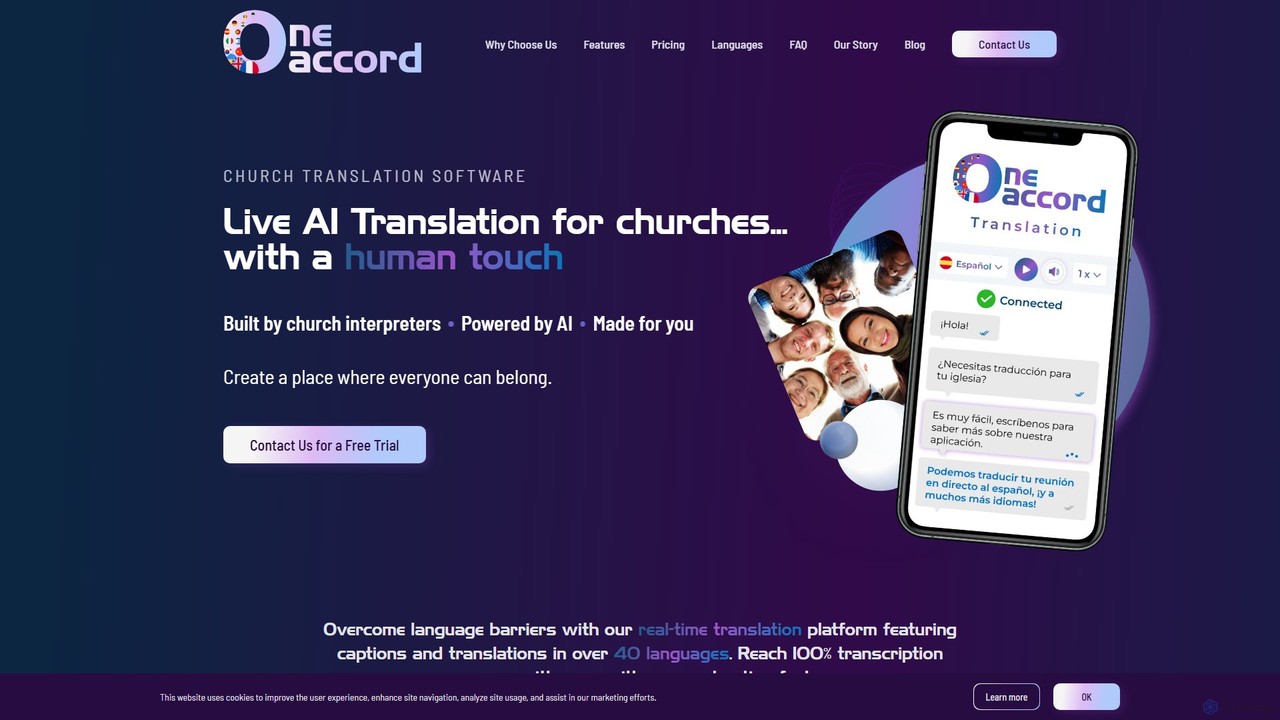
OneAccord is a live AI translation platform designed specifically for churches. It provides real-time audio and text translations …
OneAccord is a live AI translation platform designed specifically for churches. It provides real-time audio and text translations in over 40 languages, helping to overcome language barriers during services and events. Built by church interpreters, its AI is trained on biblical terminology to ensure accuracy and context. The platform is easy to use for both the congregation and the tech team, fostering a more inclusive and welcoming community for everyone, regardless of their native language.
About Live Streaming
AI Live Streaming tools are applications that use artificial intelligence to automate, enhance, and analyze live video broadcasts. These tools leverage technologies like natural language processing (NLP) and computer vision to perform tasks such as real-time content moderation, automated subtitling, and audience engagement analysis. They empower creators, businesses, and event organizers to deliver more professional, accessible, and interactive live experiences while reducing manual workload. This technology transforms standard broadcasts into data-rich, globally reachable events.
Core Features
- Automated Content Moderation: Uses AI to automatically detect and filter spam, hate speech, and inappropriate content from live chat in real-time.
- Real-time Transcription & Translation: Generates live captions for accessibility and translates them into multiple languages to reach a global audience.
- Engagement Analytics: Analyzes audience comments, sentiment, and interaction patterns to provide insights on viewer engagement and content performance.
- Automatic Highlight Generation: Identifies the most exciting or important moments from a long stream and automatically creates short video clips for social media.
- AI-Powered Video Enhancement: Includes features like virtual backgrounds, noise cancellation, and automatic camera framing to improve production quality.
Use Cases
These tools are widely used by online educators for interactive classes, corporate teams for multilingual webinars, and content creators on platforms like Twitch and YouTube to manage communities. Marketing teams also use them to analyze audience feedback during live product launches and brand events, enabling immediate response and strategy adjustment.
How to Choose
When selecting an AI Live Streaming tool, consider its integration capabilities with your primary streaming platforms (e.g., OBS, YouTube, Twitch). Evaluate the accuracy of its core functions, such as moderation and translation. Also, assess the depth of its analytics dashboard and whether its pricing model aligns with your streaming frequency and audience size.

Live StreamingUse Cases
Automated Moderation for Gaming Streams
A professional gamer streaming on Twitch faces a constant barrage of spam and toxic comments in their chat, which distracts them and harms the community atmosphere. By integrating an AI Live Streaming tool, they can set up automated moderation. The AI actively scans chat messages in real-time, instantly removing hate speech, spam links, and personal attacks based on predefined and learned rules. This allows the streamer to focus entirely on gameplay and interacting with positive community members, creating a safer and more enjoyable environment for all viewers.
Real-time Translation for Global Corporate Webinars
A multinational corporation is hosting a quarterly all-hands meeting via live stream for its employees located across different continents. To ensure all employees can understand the key messages, they use an AI tool that provides real-time transcription and translation. As executives speak, the AI generates accurate English captions. It then instantly translates these captions into Spanish, French, and Japanese, displaying them as subtitles for viewers who select their preferred language. This breaks down language barriers, fosters a more inclusive corporate culture, and ensures critical information is communicated effectively to the entire global team.
Generate Social Media Clips from Long Streams
A content creator produces a three-hour live podcast episode each week. Manually reviewing the entire stream to find shareable moments for TikTok and Instagram Reels is time-consuming. They use an AI tool that analyzes the stream's transcript and video for peaks in audience engagement, laughter, or specific keywords. The AI automatically suggests and clips 5-10 potential viral moments, complete with captions. This reduces post-production work by hours, allowing the creator to consistently post engaging short-form content and drive traffic back to their full-length streams.
Audience Sentiment Analysis for Brand Events
A marketing team is live-streaming a new product launch. They need to gauge real-time audience reaction to the features being announced. An AI tool continuously analyzes the live chat comments, classifying them as positive, negative, or neutral and identifying key topics of discussion. The dashboard shows a live sentiment score and trending keywords like "expensive," "innovative," or "disappointing." This allows the social media team to immediately address concerns in the chat and provides the marketing leads with instant, unfiltered feedback to measure the launch's success and inform future messaging.
AI Virtual Backgrounds and Noise Cancellation
A consultant is conducting a professional training session from their home office. To maintain a professional appearance without a physical green screen, they use an AI-powered streaming tool. The tool's virtual background feature accurately removes their real background and replaces it with a branded company image. Simultaneously, its noise cancellation feature uses AI to identify and suppress background noises like a dog barking or construction sounds. This results in a clean, distraction-free video feed, enhancing the presenter's credibility and keeping the audience focused on the content.
Interactive Q&A Management for Online Classes
An online instructor teaching a class of over 200 students struggles to manage the flood of questions in the chat during a live session. They use an AI tool that automatically groups similar questions together. For example, multiple questions about "grading policy" are clustered into one topic. The tool also allows students to upvote questions, pushing the most popular ones to the top. The instructor sees a clean, prioritized list of topics to address, ensuring they answer the most pressing questions without having to sift through a chaotic chat log, making the Q&A session more efficient and valuable for everyone.