ToolMage
Sign in

Best 1 Image Manipulation AI tools for Graphic Design

Popular Image Manipulation AI tools in Graphic Design include Luminar Neo, helping you work more efficiently.

Luminar Neo
Paid

Luminar Neo

Luminar Neo is a revolutionary AI-powered photo editing software designed to simplify complex tasks and unleash creativity. It offers a comprehensive suite of advanced tools for image enhancement, RAW processing, and creative composition, making professional-grade results accessible to both beginners and experienced photographers on macOS and Windows.

Digital Art
Visits 33.6KFavorites 122Likes 132

About Image Manipulation

AI Image Manipulation tools are a class of software that uses artificial intelligence to alter, enhance, or transform existing digital images. Unlike image generators that create visuals from scratch, these tools focus on modifying specific elements within a picture, such as removing objects, changing backgrounds, or improving quality. They are widely used by designers, marketers, and photographers to streamline complex editing tasks that traditionally required manual effort. This technology enables precise and context-aware adjustments, significantly speeding up post-production workflows.

Core Features

  • Object Removal & Inpainting: Intelligently erase unwanted elements and reconstruct the background seamlessly.
  • Background Management: Precisely remove or replace the background of an image with a single click.
  • Image Enhancement & Upscaling: Increase image resolution, reduce noise, and sharpen details without losing quality.
  • Photo Restoration & Colorization: Repair old, damaged photos and add realistic color to black-and-white images.

Use Cases

These tools are essential in e-commerce for creating clean product photos, in real estate for enhancing property images by replacing skies or removing clutter, and in marketing for adapting campaign visuals. Photographers and content creators also use them for quick touch-ups and creative edits, forming a key part of the modern graphic design toolkit.

How to Choose

When selecting a tool, consider its primary function (e.g., background removal vs. upscaling), its capacity for batch processing for efficiency, the availability of an API for integration into other systems, and the final output quality. Also, evaluate the user interface to ensure it matches your technical skill level.

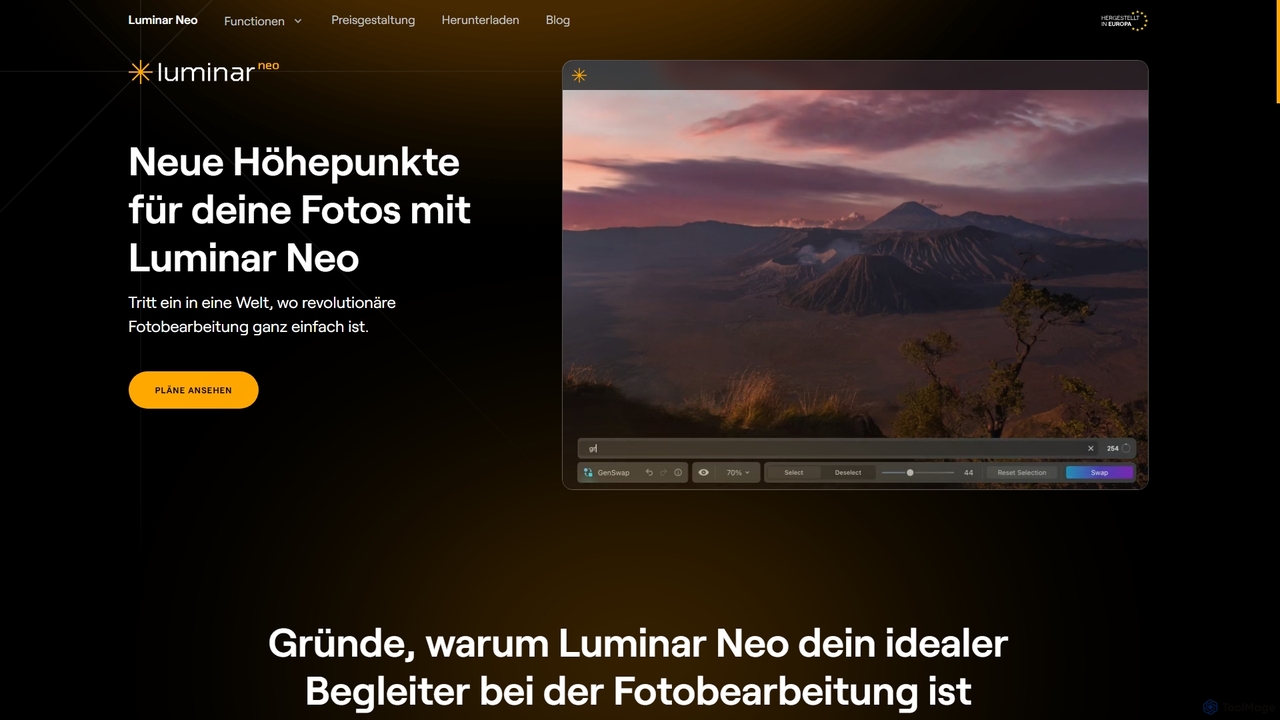
Image Manipulation use cases

1

Batch Background Removal for E-commerce

An e-commerce store manager needs to upload hundreds of new product photos to their website, each requiring a clean, white background for a professional look. Manually editing each photo in traditional software would take days. By using an AI Image Manipulation tool, they can upload the entire batch of photos at once. The AI automatically detects the product in each image and removes the background in seconds, providing consistent, high-quality results. This process reduces editing time by over 95% and ensures all product listings have a uniform appearance, improving the customer shopping experience.

2

Enhancing Real Estate Photography

A real estate agent has photos of a property taken on a cloudy day, making the listing look dull and uninviting. They also need to remove a car parked in the driveway. Instead of hiring a professional retoucher, the agent uses an AI tool. With a few clicks, they replace the overcast sky with a bright, sunny one using a sky replacement feature. Then, they use the object removal tool to erase the car from the driveway, and the AI automatically fills in the space with realistic pavement and grass. The final images are vibrant and appealing, helping to attract more potential buyers to the listing.

3

Restoring and Colorizing Old Family Photos

A user wants to preserve their family history by restoring a collection of faded, scratched black-and-white photographs from their grandparents' era. These photos suffer from cracks, spots, and discoloration. Using an AI photo restoration tool, they upload scans of the old photos. The AI first automatically repairs the physical damage, removing scratches and spots while sharpening faded details. Then, its colorization algorithm analyzes the context of each photo (e.g., clothing, environment) to apply natural and realistic colors. The result is a fully restored, vibrant color photograph that brings cherished family memories back to life for a new generation to enjoy.

4

Upscaling Low-Resolution Images for Print

A graphic designer is tasked with creating a large-format poster for an event, but the client has only provided a low-resolution logo file. Stretching the logo to fit the poster dimensions would result in a blurry, pixelated image unsuitable for printing. The designer uses an AI image upscaler. They upload the small logo, and the AI algorithm analyzes the image, intelligently adding new pixels that preserve sharp edges and details. It effectively increases the resolution by 4x or more without the typical artifacts of traditional resizing. The resulting high-resolution logo is crisp and clear, ready for professional printing on the poster.

5

Quickly Removing Unwanted Objects from Photos

A travel blogger takes a perfect shot of a landmark, but it's ruined by tourists in the background and a distracting trash can in the foreground. To prepare the image for their blog and social media, they use an AI inpainting tool. They simply brush over the unwanted tourists and the trash can. The AI analyzes the surrounding pixels—sky, pavement, and architecture—and intelligently fills in the selected areas, making it seem as if the objects were never there. This entire process takes less than a minute, saving significant time compared to complex cloning and healing brush techniques in traditional photo editors.

6

Adapting Marketing Visuals with Background Replacement

A marketing team has a great photo of a model using their product, but the background is a generic studio setting. They want to use this image in campaigns targeting different seasonal events, like a summer beach promotion and a winter holiday sale. Instead of organizing expensive new photoshoots, they use an AI background replacement tool. They remove the studio background with one click and then test various new backgrounds—a sunny beach, a snowy landscape, a festive cityscape. The AI ensures the lighting and edges on the model look natural in each new context, allowing the team to create dozens of targeted ad variations from a single source image, quickly and cost-effectively.

Image Manipulation FAQ

What are AI Image Manipulation tools?

AI Image Manipulation tools are software applications that use artificial intelligence to edit, enhance, and modify existing images. Unlike traditional photo editors, they automate complex tasks like removing objects, changing backgrounds, or improving image quality with minimal user input. These tools analyze the content and context of an image to make intelligent, realistic adjustments. They are primarily used to speed up post-production workflows for photographers, designers, and marketers.

How is AI Image Manipulation different from AI Image Generation?

The key difference lies in their starting point and purpose. AI Image Manipulation tools start with an existing image and modify it. Their goal is to edit, enhance, or repair what's already there. In contrast, AI Image Generation tools start with a text prompt or another input and create a brand new image from scratch. In short:

  • Manipulation: Edits existing images (e.g., remove background, upscale).
  • Generation: Creates new images from text (e.g., 'an astronaut riding a horse').

While both use AI, they serve different creative needs within the broader field of graphic design.

How to choose the right AI Image Manipulation tool?

To choose the right tool, evaluate your specific needs against these factors:

  • Primary Function: Identify your most frequent task. Do you need a tool specialized in background removal, photo restoration, or upscaling? Some tools excel at one specific function.
  • Batch Processing: If you work with many images, look for a tool that can process them in bulk to save time.
  • Integration (API Access): For automated workflows, check if the tool offers an API that can connect with your existing software or website.
  • Output Quality: Review sample images or use a free trial to ensure the final quality meets your standards for resolution and artifact-free results.
  • Ease of Use: Choose a tool with an interface that matches your technical comfort level, whether it's a simple web uploader or a more advanced plugin.
What are the key functions of AI Image Manipulation tools?

Most AI Image Manipulation tools focus on automating time-consuming editing tasks. The most common functions include:

  • Object Removal: Erasing unwanted people, text, or objects from a photo and intelligently filling the background.
  • Background Removal: Precisely cutting out a subject from its background, often with a single click.
  • Image Upscaling: Increasing the resolution and size of an image while maintaining or enhancing its sharpness and detail.
  • Photo Restoration: Repairing scratches, tears, and fading in old photographs.
  • Colorization: Automatically adding realistic color to black-and-white images.
Who can benefit from using AI Image Manipulation tools?

A wide range of users can benefit from these tools. Key groups include:

  • E-commerce Businesses: To quickly create professional product photos with consistent backgrounds, saving significant time and money on photography and editing.
  • Marketers and Social Media Managers: To rapidly adapt visuals for different campaigns, remove distracting elements, and create eye-catching content.
  • Photographers: To speed up their retouching workflow, performing tasks like object removal and sky replacement in seconds instead of minutes.
  • Graphic Designers: To clean up source images, upscale low-resolution assets, and streamline their creative process.
  • Individuals: To restore old family photos, fix personal pictures, or create fun, creative edits without needing advanced technical skills.