ToolMage
Sign in

Best 2 Photo Editing AI tools for Image Generation

Popular Photo Editing AI tools in Image Generation include AIFreeforever and Aibabygenerator, helping you work more efficiently.

AIFreeforever
Free

AIFreeforever

AIFreeforever is a comprehensive platform offering over 700 free AI tools for image generation, chatbots, text-to-speech, transcription, writing, and more. It requires no login, no signup, and no credit card, providing unlimited access to advanced AI capabilities for content creators, students, and professionals.

Text To Speech
Visits 563.2KFavorites 126Likes 141
Aibabygenerator
Paid

Aibabygenerator

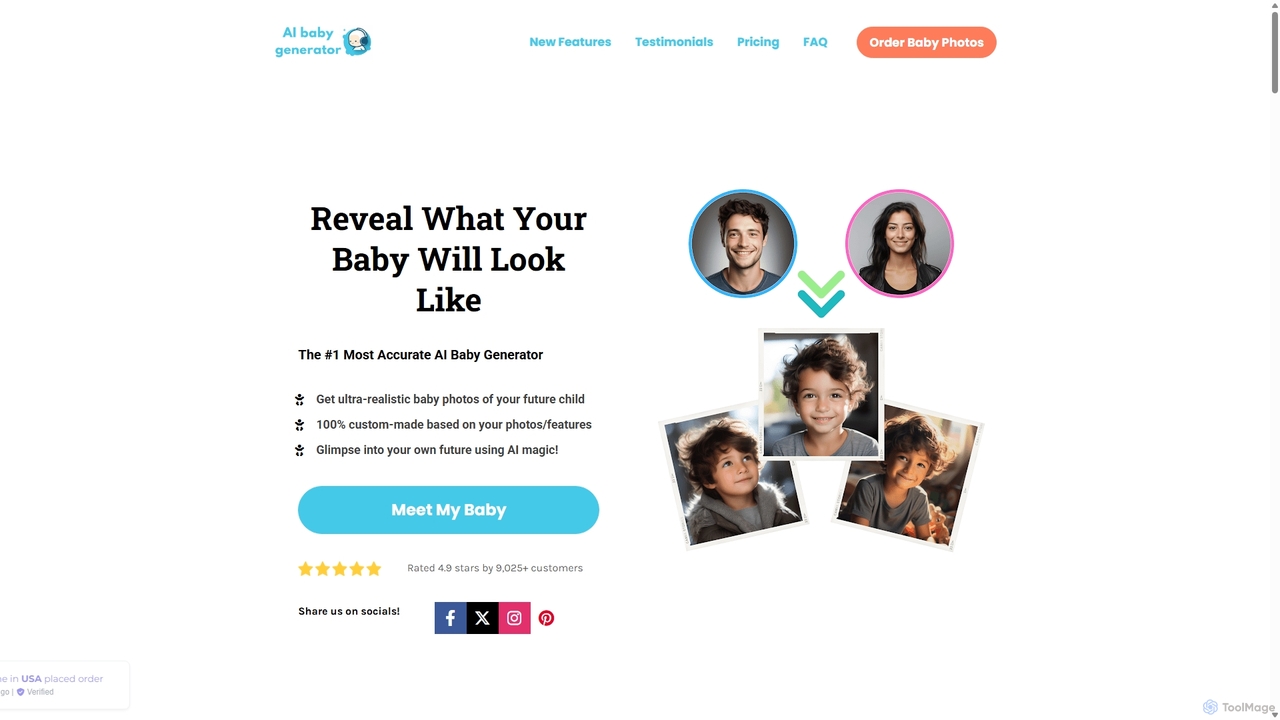
Aibabygenerator is an AI-powered service that predicts and generates ultra-realistic photos of your future baby. By uploading photos of you and your partner, the tool uses advanced algorithms to create high-quality images, offering a glimpse into your future family. It also provides options for different ages, settings, and even a detailed personality report.

Entertainment
Visits 17.8KFavorites 116Likes 117

About Photo Editing

AI Photo Editing tools are a class of software that use artificial intelligence to intelligently modify, enhance, and transform existing images. Unlike traditional editors that require manual adjustments, these tools leverage machine learning models to automate complex tasks like object removal, background replacement, and quality enhancement with a single click. They are designed to streamline workflows for photographers, marketers, and creators, making professional-level editing accessible to everyone. This focus on modifying existing assets distinguishes them from AI image generators, which create visuals from scratch.

Core Features

  • Object Removal & Inpainting: Intelligently erase unwanted people, text, or objects from a photo, and realistically fill in the background.
  • Background Management: Automatically remove, replace, or generate new backgrounds with high precision, isolating the subject perfectly.
  • Image Upscaling & Enhancement: Increase photo resolution, reduce noise, and sharpen details without losing quality, ideal for restoring old or low-res images.
  • Generative Fill & Outpainting: Seamlessly expand an image's canvas or add new elements by generating content that matches the existing style and lighting.
  • AI Portrait Retouching: Automate skin smoothing, blemish removal, and lighting adjustments for portraits while maintaining a natural look.

Use Cases

AI Photo Editing tools are widely used in e-commerce for creating clean product images by batch-removing backgrounds. Social media managers and marketers use them to quickly adapt visuals for different campaign formats and remove distracting elements. Professional photographers leverage these tools to speed up their retouching workflow, while personal users can easily restore old family photos or perfect their snapshots.

How to Choose

When selecting an AI Photo Editing tool, first consider its core feature set—whether you primarily need background removal, object inpainting, or resolution enhancement. Evaluate its processing speed and batch-editing capabilities if you handle large volumes of images. Also, consider the pricing model (subscription vs. credit-based) and whether it offers an API for integration into your existing workflows. Finally, assess the user interface for ease of use, especially if you lack technical editing skills.


Photo Editing use cases

1

Batch Background Removal for E-commerce

An e-commerce store manager needs to upload 200 new product photos, each requiring a clean, white background to meet marketplace standards. Manually masking each image in traditional software would take days. Using an AI Photo Editing tool, they can upload the entire batch of photos at once. The AI automatically detects the product in each image and removes the background with high precision in minutes. The manager can then download all the standardized, ready-to-use images, reducing the preparation time by over 95% and ensuring a consistent, professional look across their store.

2

Enhancing Real Estate Photography

A real estate agent has photos of a property taken on a cloudy day, making the listing look dull and uninviting. Using an AI Photo Editor, they can apply a 'Sky Replacement' feature to instantly change the overcast sky to a bright, sunny one. Additionally, they can use AI enhancement tools to correct colors, increase brightness in dark rooms, and even use object removal to erase distracting items like trash cans or garden hoses from the exterior shots. This process transforms mediocre photos into vibrant, appealing images that attract more potential buyers and increase clicks on the listing.

3

Restoring and Colorizing Old Family Photos

A user finds a collection of old, faded black-and-white family photos that are scratched and damaged. Instead of paying for expensive professional restoration, they use an AI Photo Editing tool. They upload a scanned image, and the AI automatically repairs scratches, removes creases, and enhances facial details using an 'Old Photo Restoration' feature. Then, with a single click, the 'Colorize' function intelligently adds realistic colors to the black-and-white image. The result is a fully restored, vibrant color photo that brings cherished family memories back to life, ready to be shared with relatives.

4

Adapting Marketing Visuals with Generative Fill

A marketing designer has a great horizontal photo for a website banner but needs to create a vertical version for an Instagram Story and a square version for a social media post. Instead of awkwardly cropping the image, they use an AI Photo Editor with a 'Generative Fill' or 'Outpainting' feature. They extend the canvas to the desired dimensions (vertical and square), and the AI intelligently generates new content to fill the empty space, seamlessly continuing the background, textures, and lighting of the original photo. This allows the designer to create perfectly formatted assets for multiple platforms in seconds, maintaining the integrity of the original image.

5

Quickly Removing Distractions from Travel Photos

A travel blogger takes a beautiful photo of a landmark, but it's spoiled by tourists in the background and a distracting piece of trash on the ground. To create a perfect shot for their blog, they use an AI Photo Editor's object removal tool. They simply brush over the unwanted tourists and the trash. The AI analyzes the surrounding pixels and instantly removes the selected objects, realistically reconstructing the background behind them. The entire process takes less than a minute, saving significant time compared to meticulous cloning and patching in traditional software, resulting in a clean, professional-looking image.

6

Upscaling Low-Resolution Images for Print

A graphic designer receives a client's logo as a small, low-resolution JPEG file, which is unsuitable for a large print banner. Instead of requesting a new file, they use an AI Photo Editor's upscaling feature. The tool analyzes the image and intelligently adds pixels, sharpening edges and recreating details to increase the resolution by 4x or more without causing pixelation. The resulting high-resolution image is crisp and clear, perfectly suitable for large-format printing. This saves time and avoids potential delays in the project by fixing asset quality issues on the spot.

Photo Editing FAQ

What are AI Photo Editing tools?

AI Photo Editing tools are applications that use artificial intelligence to automate and simplify the process of modifying existing photographs. Unlike traditional software that relies on manual tools, AI editors can perform complex actions like removing objects, replacing skies, or enhancing resolution with a single click. They analyze the content of an image to make intelligent adjustments, which significantly speeds up the editing workflow for both professionals and beginners. Their primary function is to enhance or alter existing images, not create them from scratch.

How do AI Photo Editors differ from traditional software like Photoshop?

The main difference lies in automation versus manual control. Traditional software like Adobe Photoshop provides a comprehensive toolkit that requires skill and time to use effectively (e.g., using the Clone Stamp and Healing Brush for object removal). AI Photo Editors automate these complex tasks. Instead of manual selection and brushing, you can often remove an object with a single click or a simple highlight. While traditional editors offer more granular control for professionals, AI editors prioritize speed, efficiency, and accessibility for users of all skill levels, handling tedious tasks intelligently.

What is the difference between AI Photo Editing and AI Image Generation?

The key difference is the starting point. AI Photo Editing starts with an existing image and uses AI to modify, enhance, or repair it. Its purpose is to improve or alter what is already there. In contrast, AI Image Generation starts with a text prompt or another input (but not a complete photo) and creates a brand new, original image from scratch. For example, you would use an AI Photo Editor to remove a person from a wedding photo, but you would use an AI Image Generator to create a picture of 'a wedding on Mars'.

How to choose the right AI Photo Editing tool?

To choose the right tool, consider these factors:

  • Primary Need: Identify your most frequent task. Do you need excellent background removal for e-commerce, powerful object removal for photography, or high-quality upscaling for old photos? Different tools specialize in different areas.
  • Batch Processing: If you edit many images at once, look for a tool with strong batch processing capabilities to save time.
  • Ease of Use: Evaluate the user interface. A good tool should be intuitive and not require a steep learning curve, especially for non-technical users.
  • Pricing Model: Compare pricing structures. Some offer monthly subscriptions with unlimited use, while others use a credit-based system where you pay per image. Choose the one that best fits your usage volume and budget.
  • Integration: If you need to incorporate editing into an application or website, check if the tool offers an API.
Can AI tools realistically enhance low-quality photos?

Yes, to a significant extent. AI Photo Editors use techniques like 'Super-Resolution' or 'Upscaling' to enhance low-quality images. The AI is trained on millions of high and low-resolution image pairs, learning how to intelligently add pixels and reconstruct details like textures and edges. This can dramatically improve sharpness, reduce noise, and increase the overall resolution, making a blurry photo usable. However, there are limits. If an image is extremely blurry or tiny, the AI may have to 'guess' the missing details, which can sometimes result in an artificial or slightly inaccurate look. For moderately low-quality images, the results are often very impressive.