ToolMage
Sign in

Best 1 Photo Effects AI tools for Image Generation

Popular Photo Effects AI tools in Image Generation include Screamai, helping you work more efficiently.

Screamai
Freemium

Screamai

Screamai is an AI-powered photo generator that transforms any selfie into a cinematic horror scene featuring the iconic Ghostface character. It uses a specialized diffusion model to apply dramatic lighting, 90s VHS grain, and eerie atmospheres, allowing users to create viral, high-definition horror portraits in seconds without any design skills.

Horror Art
Visits 5.4KFavorites 125Likes 124

About Photo Effects

AI Photo Effects tools are a class of software that uses artificial intelligence to apply complex artistic, stylistic, or transformative effects to existing photographs. These tools leverage advanced algorithms like neural style transfer and generative models to analyze an image's content and apply a new aesthetic, from turning a photo into a painting to animating a still portrait. This allows creators and marketers to quickly restyle images for social media, campaigns, or personal projects without needing advanced manual editing skills. Unlike standard filters, these AI-driven effects intelligently adapt to the photo's subject, creating unique and high-quality results.

Core Features

  • Artistic Style Transfer: Applies the aesthetic of famous paintings or artistic movements to your photos.
  • Cartoonization & Sketch Conversion: Transforms photographs into various cartoon, anime, or hand-drawn sketch styles.
  • Photo Animation: Animates still photos, making faces move, smile, or creating subtle environmental motion like moving clouds.
  • Thematic Filter Packs: Offers curated sets of aesthetic filters, such as vintage, cinematic, futuristic, or seasonal effects.
  • Special Effects Generation: Adds dynamic elements like light leaks, weather effects (rain, snow), or magical glows that interact with the image content.

Use Cases

These tools are widely used by social media managers, content creators, digital artists, and marketing professionals. Common applications include creating unique profile pictures, producing eye-catching social media posts, transforming portraits into digital art, and stylizing brand visuals for advertising campaigns to ensure a consistent and engaging aesthetic.

How to Choose

When selecting an AI Photo Effects tool, consider the variety and quality of the available effects. Evaluate the level of customization offered, such as adjusting effect intensity. Check the maximum output resolution and processing speed to ensure they meet your needs. Finally, assess the user interface for ease of use, especially if you are not a professional designer.

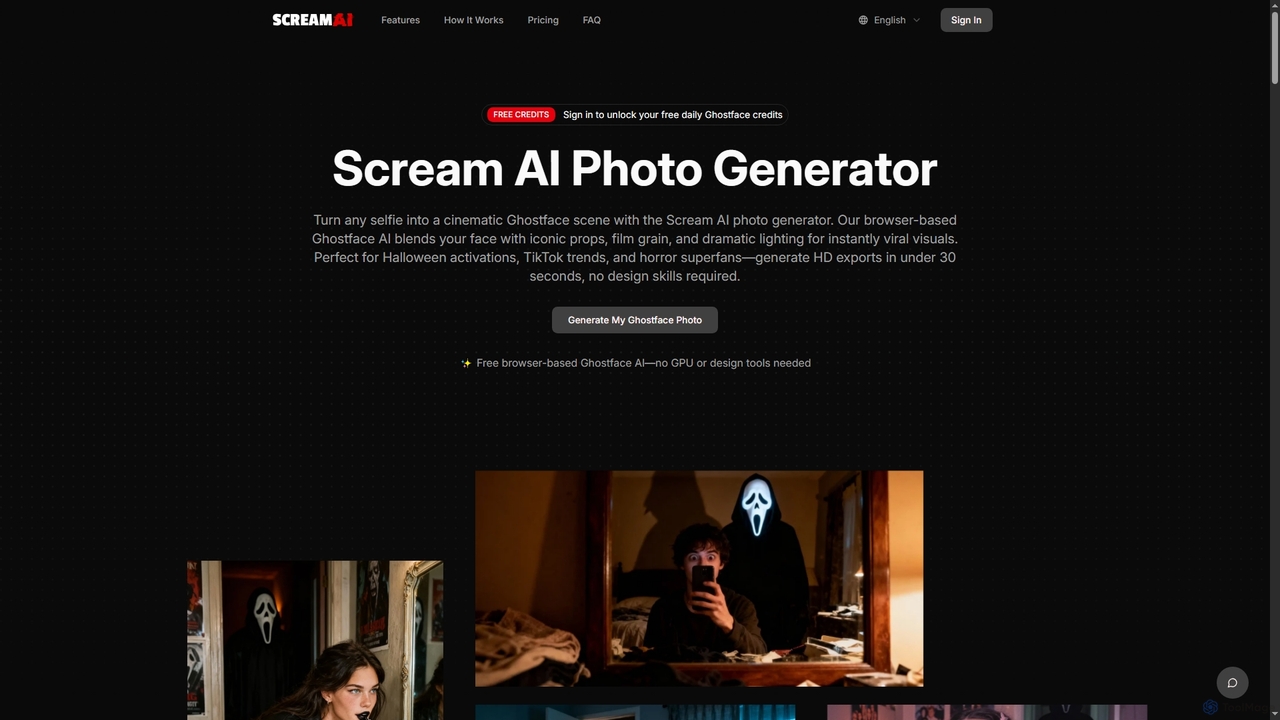
Photo Effects use cases

1

Creating Unique Social Media Avatars

A content creator wants a standout profile picture to attract more followers. They upload a standard headshot to an AI Photo Effects tool and experiment with various styles. By applying a 'sci-fi anime' effect, the tool transforms their photo into a vibrant, stylized character that aligns with their gaming content. The final result is a unique and memorable avatar generated in minutes, enhancing their brand identity across platforms like Twitch and Twitter.

2

Stylizing Visuals for a Marketing Campaign

A marketing team is launching a new eco-friendly product and needs cohesive visuals for social media ads. They take simple product photos and use an AI tool to apply a 'watercolor painting' effect. This transforms the clean product shots into soft, artistic images that evoke a natural, handcrafted feel. This consistent aesthetic is applied to all campaign images, creating a strong, recognizable brand identity that stands out from competitors' typical product photography.

3

Animating Old Family Photographs

A user finds a cherished, static black-and-white photo of their great-grandparents. To create a touching gift, they first use an AI tool to colorize the photo, then upload the result to a photo animation tool. The AI identifies the faces and applies subtle animations, making the great-grandparents appear to blink and smile gently. The resulting short video clip brings a static memory to life, creating a powerful emotional piece to share with family during a reunion.

4

Converting Travel Photos into Digital Art

A travel blogger wants to create unique visuals for their blog and prints. Instead of just posting standard photos from a recent trip to Italy, they use an AI Photo Effects tool to transform their pictures. A photo of the Colosseum is converted into a detailed 'pen and ink sketch,' while a picture of a Venetian canal becomes a vibrant 'impressionist painting.' This process allows them to offer a unique artistic perspective and sell these stylized images as high-quality prints to their audience.

5

Generating Themed Event Invitations

An event planner is organizing a 1920s 'Great Gatsby' themed party. To create an authentic invitation, they take a modern photo of the venue and use an AI tool to apply a 'vintage sepia' effect, complete with film grain and light aging. This instantly gives the image an authentic, period-appropriate look. The stylized photo is then used as the background for the digital invitation, setting the tone for the event and exciting guests far more effectively than a generic template could.

6

Creating Concept Art from Location Photos

A concept artist for a video game needs to visualize a fantasy city. They start with a photograph of an old European town. Using an AI Photo Effects tool, they apply a 'fantasy matte painting' style. The AI transforms the modern photograph by adding ethereal glows, altering the architecture to look more magical, and shifting the color palette to be more dramatic. This provides a high-quality visual base that the artist can then paint over and refine, saving hours of work compared to creating the scene from scratch.

Photo Effects FAQ

What are AI Photo Effects tools?

AI Photo Effects tools are applications that use artificial intelligence to apply artistic and stylistic transformations to existing photos. Instead of simple overlays, they analyze the image's content, depth, and subjects to intelligently apply effects like turning a photo into a painting (style transfer), a cartoon, or a sketch. They can also animate static images or add complex visual elements, offering creative results that go far beyond traditional photo filters.

How do AI Photo Effects differ from standard photo filters?

Standard filters, like those on Instagram, are typically pre-set color and light adjustments applied uniformly across an entire image. AI Photo Effects are far more advanced. They use neural networks to understand the context of the photo—identifying faces, objects, and backgrounds—and then reconstruct the image in a new style. For example, an AI sketch effect will redraw lines and add shading based on the photo's structure, rather than just overlaying a sketch texture. This results in a more authentic and integrated transformation.

How do Photo Effects tools differ from AI Image Generators?

The key difference is the starting point. AI Photo Effects tools require an existing image as input and then modify or transform it. Their purpose is to restyle, enhance, or animate a photo you already have. In contrast, AI Image Generators create a new image from scratch, typically based on a text description (prompt). You use a Photo Effects tool to turn your selfie into a cartoon; you use an Image Generator to create a picture of 'an astronaut riding a horse on Mars' when you don't have one.

Who are AI Photo Effects tools best suited for?

These tools are ideal for a wide range of users who want to add a creative flair to their images quickly. Key users include:

  • Social Media Managers & Content Creators: To produce unique and engaging visuals for posts and stories.
  • Marketers: To create stylized brand assets and ad creatives without a large design budget.
  • Digital Artists & Hobbyists: To experiment with styles and generate artistic bases for their work.
  • Individuals: For creating fun profile pictures, personalized gifts, and unique social media content.

Essentially, anyone without advanced Photoshop skills who wants to achieve complex artistic effects will find these tools valuable.

How to choose the right AI Photo Effects tool?

When selecting a tool, consider these factors:

  • Variety and Quality of Effects: Does the tool offer the specific styles you need (e.g., cartoon, sketch, painting)? Review examples to judge the quality and artistic appeal of the output.
  • Customization Options: Can you adjust the intensity of the effect or fine-tune parameters? More control often leads to better results.
  • Output Resolution: Check if the tool supports high-resolution exports, which is crucial for printing or professional use. Many free tools limit output size.
  • Ease of Use: Look for a simple, intuitive interface that allows you to apply effects quickly without a steep learning curve.
  • Pricing and Watermarks: Determine if the pricing model fits your budget and be aware of any watermarks applied to images in free or trial versions.