Image Generation Best in category 3 results Product Photography AI Tool

Popular AI tools in the Product Photography field of Image Generation include Mujo AI、aiowear、PhotoStudioGen, etc., helping you quickly improve efficiency.

PhotoStudioGen

PhotoStudioGen

PhotoStudioGen is an AI-powered platform that creates stunning, professional-grade photos in seconds. It generates headshots, dating profile pictures, …

3.1K
Mujo AI

Mujo AI

Mujo AI is an advanced AI agent designed to automate the creation of high-converting e-commerce listing content. It …

38.0K
aiowear

aiowear

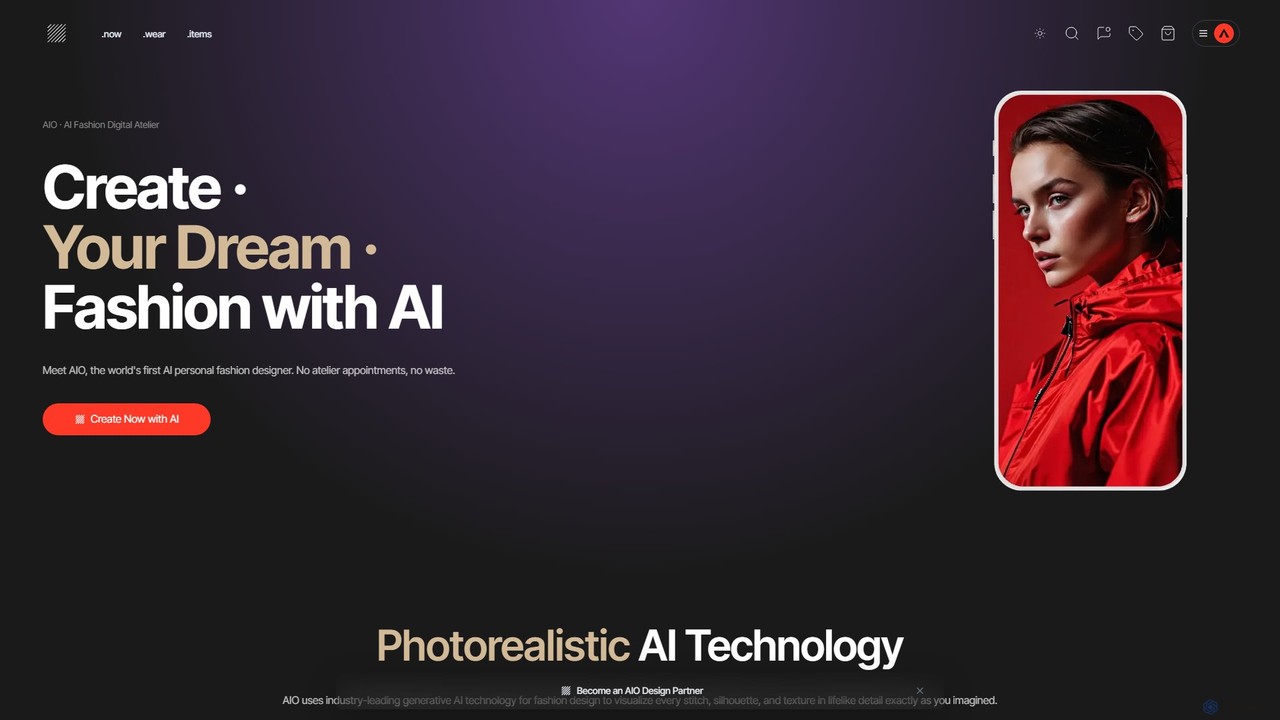
aiowear is an all-in-one AI Fashion Digital Atelier that empowers designers and brands to create, visualize, and manufacture …

7.0K

About Product Photography

AI Product Photography tools are a specialized type of image generator designed to create high-quality, commercial-grade product images. These tools use generative AI to place an existing product photo into a new virtual scene, complete with realistic lighting, shadows, and contextually relevant backgrounds. This allows e-commerce businesses, marketers, and designers to produce a wide variety of professional visuals without the need for physical photoshoots. They excel at creating consistent, on-brand imagery at scale, significantly reducing time and cost.

Core Features

  • Virtual Staging: Places product images into thousands of pre-designed or custom-generated scenes and environments.
  • AI Background Generation: Creates unique, high-quality backgrounds from simple text prompts to match any brand aesthetic.
  • Realistic Lighting & Shadows: Automatically adjusts lighting and casts natural shadows on the product to blend it seamlessly into the new scene.
  • Template-Based Creation: Offers a library of professional templates for specific industries or marketing channels like social media or ads.
  • Bulk Image Processing: Applies styles and generates scenes for multiple product images simultaneously, ensuring brand consistency.

Use Cases

These tools are primarily used in e-commerce, digital marketing, and advertising. For instance, an online furniture store can showcase a single sofa in hundreds of different living room styles. A cosmetics brand can generate lifestyle images for its products for social media campaigns without hiring models or photographers. Marketing agencies use them to quickly create diverse ad creatives for A/B testing.

How to Choose

When selecting an AI Product Photography tool, consider the quality and realism of the final images. Evaluate the size and diversity of the scene and template library. Check for customization options, such as the ability to adjust lighting, angles, and object placement. Finally, assess the pricing model—whether it's subscription-based or pay-per-image—and ensure it aligns with your production volume.

Product PhotographyUse Cases

1

Generate E-commerce Lifestyle Images

An e-commerce manager for a home decor brand needs to create appealing lifestyle photos for a new product line. Instead of organizing a costly photoshoot, they upload clean, white-background images of their products to an AI Product Photography tool. Using text prompts like 'on a rustic wooden coffee table next to a steaming mug' or selecting pre-made templates for 'minimalist Scandinavian living room', they can generate hundreds of unique, high-resolution images in minutes. This allows them to populate their product pages and social media feeds with diverse, engaging content that helps customers visualize the products in their own homes.

2

Create Themed Ad Creatives for Campaigns

A marketing team is launching a seasonal campaign (e.g., for summer) for a beverage product. They need a wide range of ad creatives featuring the product in various summer settings. Using an AI tool, they can place their bottle or can into scenes like 'on a picnic blanket in a sunny park', 'next to a swimming pool', or 'on a beach bar counter at sunset'. The tool generates dozens of variations with different lighting and compositions, providing a rich set of assets for A/B testing on social media ads and display networks. This accelerates creative production and allows for data-driven optimization of ad performance.

3

Standardize Product Catalog Imagery

A large online retailer with thousands of products from different suppliers faces the challenge of inconsistent image quality and style. To create a professional and cohesive user experience, they use an AI product photography tool to process all incoming images. They can define a set of standard templates or styles, for example, 'product on a light gray gradient background with a soft shadow'. The tool automatically applies this style to every product image, regardless of its original background or lighting. This ensures the entire product catalog has a uniform, high-quality look, which builds brand trust and improves the shopping experience.

4

Visualize Products in Custom Environments

An interior designer wants to show a client how a specific piece of furniture will look in their actual room. They take a photo of the client's room and a studio shot of the furniture. Using an AI tool, they can seamlessly place the furniture into the room's photo. The tool intelligently analyzes the room's lighting, perspective, and scale to render the furniture realistically within the space. This provides a powerful visualization aid that helps clients make confident purchasing decisions and bridges the gap between online browsing and real-world application.

5

Generate 360-Degree Product Views

A seller of high-end electronics, like headphones or speakers, wants to provide an interactive viewing experience on their product pages. Instead of complex 3D modeling, they can use an AI tool that takes a few photos of the product from different angles. The AI then stitches these images together and generates a smooth, interactive 360-degree view. Some advanced tools can even generate this view from a single product image. This immersive experience allows customers to inspect the product from all sides, increasing engagement and potentially reducing return rates by setting clearer expectations.

6

Create Mockups for Packaging and Apparel

A graphic designer has created a new logo for a coffee brand and needs to present it on various mockups like coffee bags, cups, and t-shirts. Instead of manually using Photoshop templates, they can use an AI product photography tool. They upload the logo file and select a product mockup from the library. The AI automatically applies the design to the object, realistically adjusting for curves, textures, and lighting. This allows the designer to quickly generate a professional presentation for the client, showcasing the new branding in a real-world context with minimal effort.

Product PhotographyFrequently Asked Questions