ToolMage
Sign in

Best 1 Document Signing AI tools for Legal

Popular Document Signing AI tools in Legal include Docamine, helping you work more efficiently.

Docamine
Freemium

Docamine

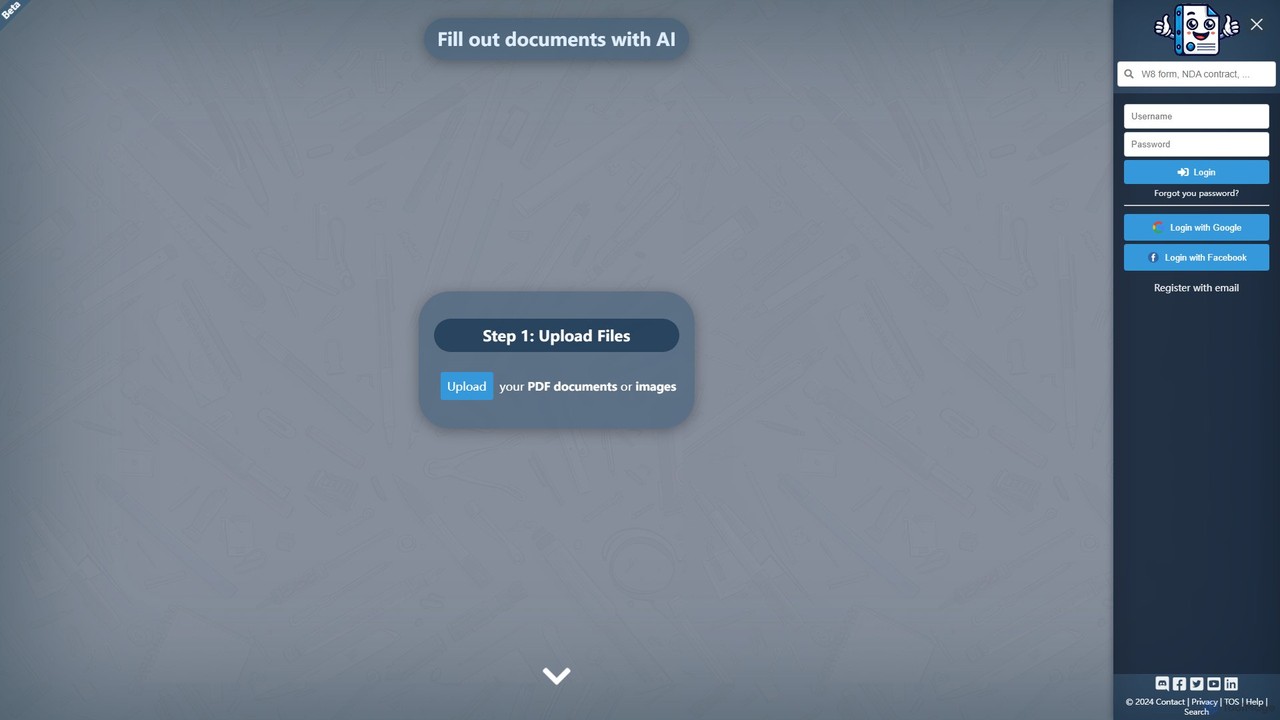
Docamine is an AI-powered tool that automates the process of filling out documents and forms. Simply upload a PDF or image, and the AI will identify fields, autofill information from your saved profiles or reference documents, and allow you to add a digital signature.

Forms Automation
Visits 6.6KFavorites 129Likes 147

About Document Signing

AI Document Signing tools are applications that use artificial intelligence to automate, secure, and verify the process of signing electronic documents. These tools go beyond simple e-signatures by incorporating AI for features like biometric identity verification, fraud detection, and intelligent workflow automation. They streamline contract management, ensure legal compliance, and accelerate business agreements by adding a layer of trust and efficiency. This technology is a key component within the legal tech space, focusing specifically on the integrity and validation of digital consent.

Core Features

  • AI-Powered Identity Verification: Uses biometrics, facial recognition, or liveness detection to confirm a signer's identity before they can sign.
  • Automated Workflow Routing: Intelligently sends documents to the correct recipients in the proper sequence for signatures and approvals.
  • Smart Field Recognition: Automatically detects and places signature, date, and initial fields on uploaded documents, reducing manual setup.
  • Advanced Fraud Detection: Analyzes signing patterns, device information, and document metadata to flag suspicious or fraudulent activity.
  • Comprehensive Audit Trails: Generates detailed, tamper-evident logs of every action, including viewing, signing, and document changes, for legal defensibility.

Applicable Scenarios

These tools are essential in sectors requiring high-security agreements, such as legal, finance, real estate, and healthcare. They are used by sales teams for closing contracts, HR departments for onboarding new employees with offer letters and policy forms, and legal professionals for executing sensitive agreements like NDAs and settlements. Any process requiring a verifiable, legally binding signature can be significantly improved.

Selection Criteria

When choosing an AI Document Signing tool, evaluate its compliance with legal standards like ESIGN, UETA, and eIDAS. Assess the strength of its identity verification methods and security protocols. Consider its integration capabilities with your existing systems (CRM, ERP, cloud storage) and the sophistication of its workflow automation features to ensure it matches your business complexity.

Document Signing use cases

1

Accelerating Sales Contract Closures

A sales manager needs to get a high-value contract signed by a client in a different time zone. They use an AI document signing tool to upload the agreement. The tool's AI automatically identifies and tags the fields for signature, date, and initials. It then initiates a secure workflow, sending the document to the client and using AI-powered facial recognition to verify their identity via their device's camera. The client signs on their mobile device, and the system provides a tamper-proof audit trail, allowing the deal to close securely in hours instead of days.

2

Streamlining HR Onboarding Paperwork

An HR department is onboarding multiple new hires remotely. They create a template package containing an offer letter, an NDA, and policy acknowledgments. The AI signing tool automatically sends this package to each new hire. The system guides them through each document, ensuring all required fields are filled and signed in the correct order. AI-powered liveness detection confirms the person signing is the new hire. Once completed, the signed documents are automatically filed in the company's HRIS, creating a compliant and efficient onboarding experience.

3

Securing Real Estate Transactions

A real estate agency manages purchase agreements involving multiple parties (buyers, sellers, agents). They use an AI signing platform to circulate the documents. The platform requires each party to complete a multi-factor identity verification process, including uploading a government-issued ID which the AI cross-references for authenticity. The system ensures all signatures and initials are placed correctly before allowing the process to advance. This creates a highly secure, legally defensible record of the transaction, reducing the risk of fraud and disputes.

4

Managing Vendor and Freelancer Contracts

A project manager works with numerous external vendors and freelancers, each requiring a signed contract or statement of work. They use an AI signing tool with bulk sending capabilities. After uploading a template, they can send it to dozens of recipients at once. The tool's dashboard provides a real-time overview of who has opened, viewed, and signed the documents. AI-powered automated reminders are sent to those who haven't signed, significantly reducing the manager's administrative follow-up time and ensuring all work is properly contracted.

5

Ensuring Compliance in Financial Services

A financial advisor needs clients to sign multiple disclosure and agreement forms that are subject to strict regulatory oversight. They use a compliant AI signing platform that not only captures the signature but also verifies the client's identity against financial watchlists. The AI ensures that documents are presented and signed in a specific, unalterable order. The platform archives the final, signed documents with a detailed audit log in a secure, compliant vault, making them readily available for regulatory audits and demonstrating due diligence.

6

Executing Confidential Legal Agreements

A corporate legal team needs to execute a highly confidential non-disclosure agreement (NDA) with a potential partner. They use a high-security AI signing tool that provides end-to-end encryption. The AI fraud detection system monitors the signing session in real-time for anomalies, such as attempts to copy content or unusual device behavior. Access is restricted to authorized individuals via a secure link with a one-time password. The resulting signed document and its comprehensive audit trail serve as strong, admissible evidence of the agreement's execution.

Document Signing FAQ

What are AI Document Signing tools?

AI Document Signing tools are advanced electronic signature platforms that use artificial intelligence to enhance security, automation, and verification. Unlike standard e-signature tools, they incorporate features like biometric identity confirmation (facial or fingerprint scans), AI-powered fraud detection to analyze signing behavior, and intelligent automation that can automatically route complex document workflows. Their primary purpose is to increase the legal defensibility and efficiency of signing digital agreements.

How to choose the right AI Document Signing tool?

When selecting an AI Document Signing tool, consider these four key factors:

  • Legal Compliance: Ensure the tool complies with relevant regulations in your region, such as ESIGN, UETA in the US, or eIDAS in the EU.
  • Identity Verification Strength: Evaluate the sophistication of its AI-powered identity verification methods. Does it offer basic email verification, or more advanced options like biometric checks and government ID validation?
  • Integration Capabilities: Check if it can seamlessly connect with your existing software stack, such as CRM, HRIS, or cloud storage platforms, to automate workflows.
  • Security and Audit Trails: Verify that it provides robust encryption, secure storage, and detailed, tamper-evident audit trails that can stand up in court.
What's the difference between standard e-signatures and AI document signing?

The primary difference lies in the intelligence and security layers. A standard e-signature is a digital equivalent of a handwritten signature, often verified simply by email access. AI document signing adds advanced capabilities:

  • Identity Assurance: AI tools actively verify *who* is signing using biometrics or ID checks, not just that someone with access to an email signed.
  • Fraud Prevention: AI analyzes the context of the signature—device, location, signing speed—to detect potential fraud, which standard tools do not.
  • Process Automation: AI can understand document content to automatically place fields and route complex multi-signer workflows, reducing manual setup.

In essence, AI transforms e-signing from a simple digital action into a secure, verified, and intelligent process.

Are AI-signed documents legally binding?

Yes, documents signed using AI-powered platforms are legally binding, provided the platform complies with established electronic signature laws like the ESIGN Act in the United States and eIDAS in the European Union. In fact, the AI features often strengthen the legal validity. By providing advanced identity verification and a more detailed, secure audit trail, AI signing tools create stronger evidence of intent and consent than many standard e-signature methods, making them highly defensible in legal proceedings.

Who benefits most from AI Document Signing tools?

While many businesses can benefit, certain roles and industries gain the most value. These include:

  • Regulated Industries: Legal, finance, real estate, and healthcare sectors that require high levels of security, identity assurance, and compliance with strict regulations.
  • High-Volume Sales Teams: Sales departments that need to accelerate contract cycles, reduce administrative overhead, and ensure deals are closed securely and quickly.
  • Human Resources Departments: HR teams managing remote onboarding, policy updates, and employee contracts, where verifying identity and ensuring completion is critical.
  • Procurement and Legal Teams: Professionals who manage numerous vendor contracts, NDAs, and other legal agreements and need efficient, secure, and trackable workflows.