ToolMage
Sign in

Best 1 Video AI tools for Media

Popular Video AI tools in Media include conftalks, helping you work more efficiently.

conftalks
Free

conftalks

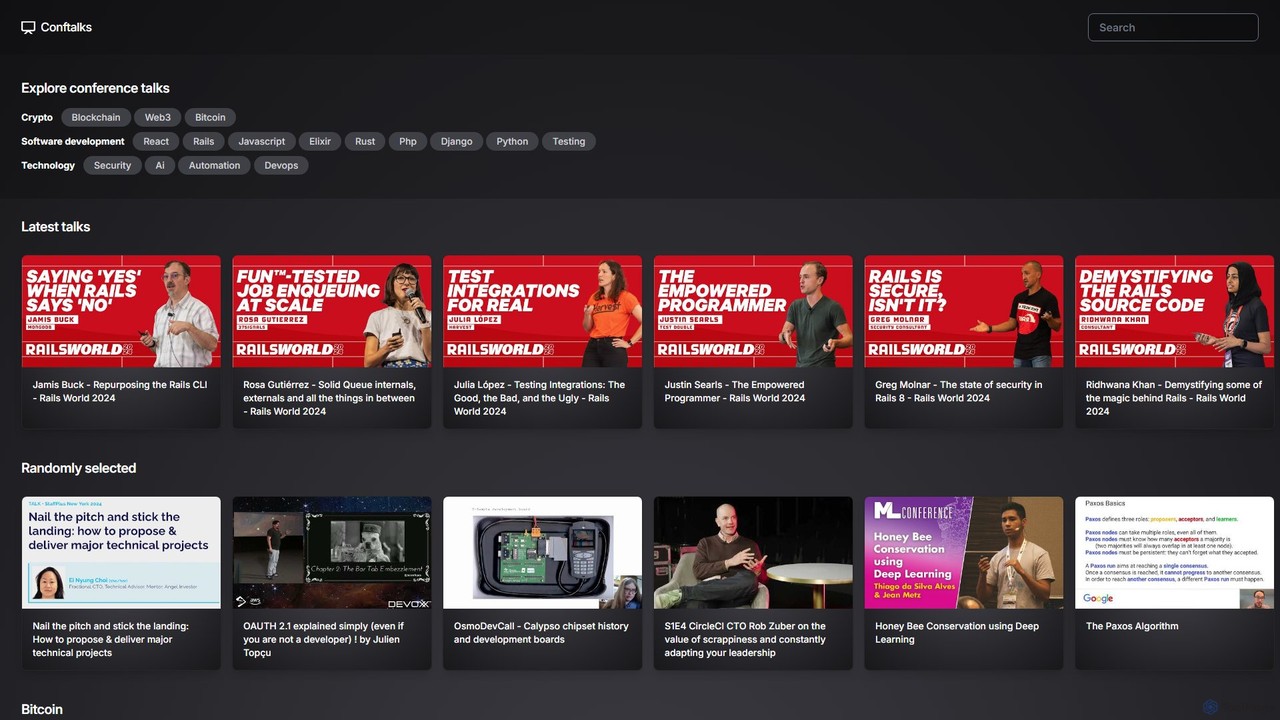
Conftalks is an AI-powered platform that provides concise summaries of technology conference talks. It helps developers, engineers, and tech enthusiasts stay updated on a wide range of topics like software development, AI, blockchain, and DevOps by transforming long videos into digestible key takeaways, saving valuable time.

Knowledge Base
Visits 5.1KFavorites 132Likes 135

About Video

AI Video tools are a class of applications that use artificial intelligence to generate, edit, and enhance video content. These tools leverage advanced models, such as diffusion models, to create entirely new video clips from text prompts or images, or to automate complex editing tasks like object removal. Their primary value lies in drastically reducing the time, cost, and technical skill required to produce high-quality video, enabling creators to visualize ideas and produce content at an unprecedented scale.

Core Features

  • Text-to-Video Generation: Create video clips directly from descriptive text prompts.
  • AI-Powered Editing: Automatically remove objects, change backgrounds, or reframe shots for different aspect ratios.
  • Video-to-Video Transformation: Apply a new style or modify existing footage based on a prompt or reference image.
  • Intelligent Enhancement: Improve video quality through upscaling resolution, reducing noise, and stabilizing shaky footage.
  • Automated Dubbing & Subtitling: Generate synchronized voiceovers and subtitles in multiple languages.

Use Cases

These tools are widely used in digital marketing for creating social media ads and promotional content. Content creators use them to produce engaging short-form videos and animations. In film and game development, they serve as powerful pre-visualization tools to quickly prototype scenes and concepts.

How to Choose

When selecting an AI Video tool, consider the output quality and resolution, the range of generative and editing features, and the level of creative control offered. Also evaluate the pricing model (e.g., per-video credits vs. subscription), processing speed, and the platform's policy on watermarks and commercial usage rights.

Video use cases

1

Rapid Prototyping for Marketing Campaigns

A marketing manager needs to create several video ad variations for A/B testing on social media. Instead of a lengthy production process, they use an AI video tool to input different text prompts describing scenes and calls-to-action. The tool generates multiple 15-second video concepts in minutes. This allows the team to test visual styles and messaging quickly, identifying the most effective ad creative before investing in a full-scale production, saving significant time and budget.

2

Animating Static Art for Social Media

A digital artist wants to increase engagement on their social media profiles. They use an AI video tool to animate their static drawings. By uploading an image and providing simple motion prompts like 'gentle wind blowing through hair,' the tool adds life and movement to their art. This transforms static posts into captivating short videos or GIFs, perfect for platforms like Instagram Reels or TikTok, attracting a wider audience.

3

Creating Explainer Videos for Education

An online course instructor needs to create a simple animated video to explain a complex scientific concept. They write a script and input it into an AI video tool that features text-to-animation capabilities. The tool automatically generates corresponding scenes and animations based on the script's content. The instructor can then fine-tune the visuals and add a voiceover, producing a professional-looking explainer video in a fraction of the time it would take with traditional animation software.

4

AI-Assisted Post-Production Editing

A videographer needs to remove a distracting object from the background of several clips. Using a traditional editor would require complex manual masking. Instead, they upload the footage to an AI video tool with an 'object removal' feature. They simply highlight the unwanted object, and the AI intelligently fills in the background, seamlessly erasing it from the scene. This automates a tedious task, saving hours of meticulous editing work.

5

Visualizing Scenes for Film Pre-Production

A screenwriter or director wants to create a visual storyboard (animatic) for a key scene. They use a text-to-video generator to input scene descriptions, character actions, and camera angle instructions. The AI produces a rough but coherent video sequence that visualizes the flow and pacing of the scene. This serves as a powerful communication tool when pitching the project to producers or collaborating with the production team, providing a clear visual reference early in the creative process.

6

Generating Custom B-Roll and Stock Footage

A documentary filmmaker needs specific B-roll footage, such as 'a time-lapse of a bustling city at night,' but lacks the resources to capture it. They turn to an AI video generator and use detailed prompts to create custom, royalty-free video clips that match their exact needs. This provides a cost-effective and highly specific alternative to searching through generic stock footage libraries, ensuring the visual content perfectly aligns with their narrative.

Video FAQ

What are AI Video tools?

AI Video tools are software applications that use artificial intelligence to create, modify, or enhance video content. Unlike traditional editors, they can generate entirely new video clips from text or image prompts (text-to-video) or automate complex tasks like object removal, background replacement, and quality upscaling. They are designed to make video production faster, more accessible, and less reliant on technical expertise.

How do I choose the right AI Video tool?

To choose the right tool, first identify your primary need: are you generating new videos from scratch or editing existing ones? Then, consider these factors:

  • Output Quality: Check the maximum resolution (e.g., 1080p, 4K) and visual coherence of the generated videos.
  • Feature Set: Look for specific capabilities like text-to-video, style transfer, or AI editing features that match your workflow.
  • Control & Customization: Evaluate how much control you have over camera angles, motion, and character consistency.
  • Pricing Model: Compare subscription plans versus credit-based systems and understand any limitations on commercial use.

What is the difference between AI Video Generators and traditional video editors?

The core difference lies in content creation versus manipulation. Traditional video editors, like Adobe Premiere Pro, are tools for manually cutting, arranging, and enhancing pre-existing video footage. AI Video Generators, on the other hand, create new video content from non-video inputs like text or images. While some AI tools also offer editing features, their primary distinction is the ability to synthesize novel visual media, whereas traditional editors exclusively work with what has already been filmed.

What are the main features of AI Video tools?

Key features often include:

  • Text-to-Video & Image-to-Video: Generating video clips from text descriptions or static images.
  • AI Inpainting: Removing unwanted objects or people from a scene seamlessly.
  • Style Transfer: Applying the artistic style of one image or video to another.
  • Frame Interpolation: Creating smoother slow-motion effects by generating intermediate frames.
  • Super Resolution: Upscaling low-resolution video to higher definitions (e.g., 720p to 4K) while enhancing detail.

Who can benefit from using AI Video tools?

A wide range of users can benefit. Marketers and small business owners can quickly create promotional content without large budgets. Social media creators can produce unique and engaging videos at a faster pace. Filmmakers and animators can use them for storyboarding and concept visualization. Educators and corporate trainers can develop animated explainer videos with ease. Essentially, anyone who needs to produce video content but lacks the time, budget, or technical skills for traditional production can find significant value in these tools.