ToolMage
Sign in

Best 1 Xr Design AI tools for Media

Popular Xr Design AI tools in Media include AIGraffiti, helping you work more efficiently.

AIGraffiti
Paid

AIGraffiti

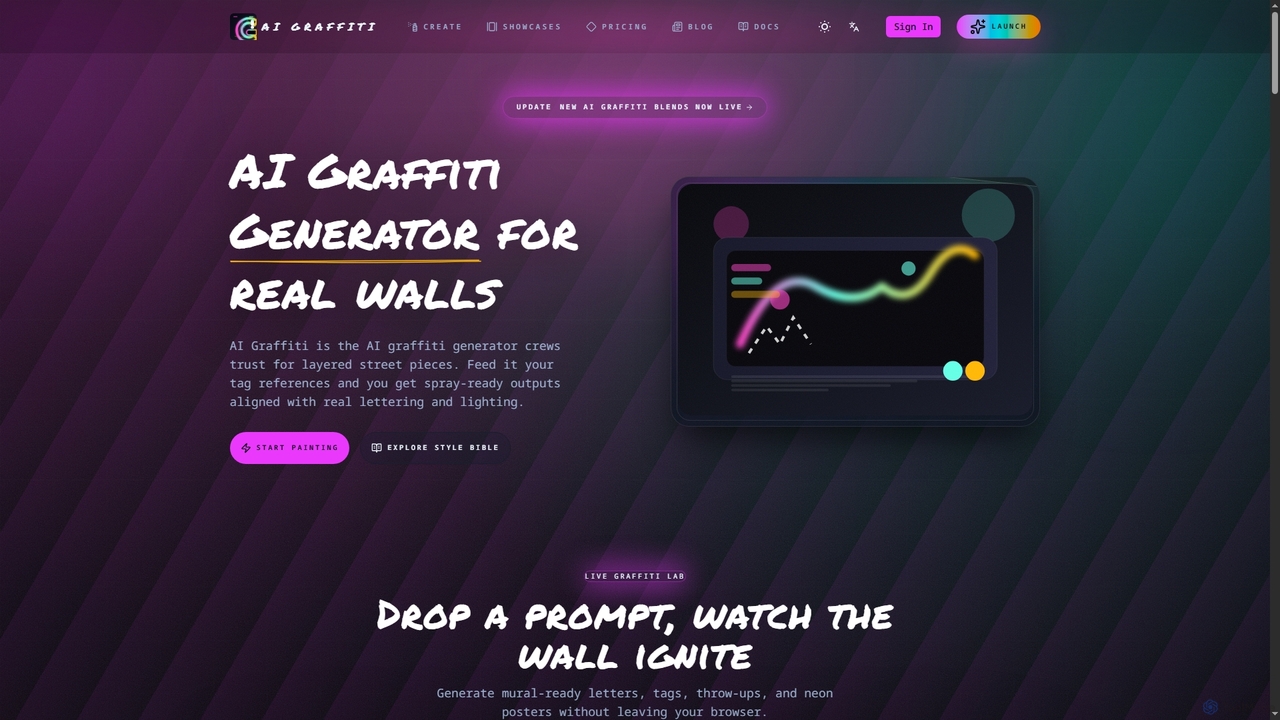
AIGraffiti is an AI-powered graffiti generator designed for street artists, agencies, and XR teams. It transforms tag references and prompts into production-ready graffiti art for walls, merchandise, and immersive experiences, streamlining the creative workflow from concept to export.

Graphic Design
Visits 5.7KFavorites 127Likes 115

About Xr Design

Xr Design tools are AI-powered platforms dedicated to creating immersive experiences for Extended Reality (XR), encompassing Virtual Reality (VR), Augmented Reality (AR), and Mixed Reality (MR). These tools leverage advanced algorithms for 3D modeling, spatial UI/UX design, and interactive content generation, enabling designers to build realistic and engaging virtual environments. They streamline the complex process of developing interactive elements, optimizing assets for performance, and simulating user interactions within spatial computing contexts, significantly enhancing the efficiency and quality of XR content creation.

Core Features

  • Spatial UI/UX Design: Tools for designing user interfaces and experiences that function intuitively within a 3D, immersive space.
  • 3D Asset Creation & Optimization: Features for generating, sculpting, texturing, and optimizing 3D models and environments suitable for real-time XR rendering.
  • Interaction & Prototyping: Capabilities to define and test user interactions, gestures, and haptic feedback within XR applications, facilitating rapid prototyping.
  • Cross-Platform Deployment: Support for exporting and deploying XR experiences across various headsets (e.g., Meta Quest, HTC Vive) and AR platforms (e.g., ARKit, ARCore).
  • Real-time Collaboration: Allows multiple designers to work simultaneously on the same XR project in a shared virtual space.

Use Cases

Xr Design tools are essential for professionals across various sectors, including game development, architectural visualization, industrial design, and education. They enable the creation of interactive training simulations, virtual product showcases, and immersive storytelling experiences. These tools empower designers to move beyond traditional 2D constraints, crafting engaging and functional spatial applications that redefine user interaction.

How to Choose

When selecting Xr Design tools, consider the target XR platform compatibility (VR, AR, MR), the suite of 3D modeling and animation features, and the ease of spatial UI/UX design. Evaluate integration capabilities with existing design pipelines (e.g., CAD software), real-time rendering performance, and collaboration features for team projects. Additionally, assess the learning curve, community support, and the licensing model to ensure it aligns with your project's scope and budget.

Xr Design use cases

1

Designing Immersive VR Training Simulations

For corporate trainers and educators, XR design tools enable the creation of highly realistic virtual reality training modules. Users can design interactive scenarios, simulate complex machinery operations, or practice emergency procedures in a safe, controlled environment. This allows trainees to gain hands-on experience and muscle memory without the risks or costs associated with physical training, leading to improved skill retention and reduced training time.

2

Designing Immersive Training Simulations

User Role: Corporate trainers or educational content developers. Scenario: A manufacturing company needs to train new employees on complex machinery operation without risking physical equipment or personnel. Action: Using XR design tools, trainers create a highly realistic VR simulation where employees can interact with virtual machinery, practice procedures, and receive real-time feedback on their performance. Result: This reduces training costs, minimizes safety risks, and allows for repeatable, standardized training modules that improve skill retention and operational readiness.

3

Creating Interactive Architectural Visualizations

User Role: Architects, real estate developers, or interior designers. Scenario: A client wants to visualize a new building or interior space before construction begins, exploring different layouts, materials, and lighting conditions. Action: XR design tools enable designers to transform 2D blueprints and 3D models into fully interactive VR/AR walkthroughs. Clients can virtually explore the space, make real-time changes to finishes, and experience the scale and ambiance. Result: This enhances client engagement, facilitates faster design iterations, and helps identify potential issues early, saving significant time and resources during the construction phase.

4

Developing AR-Powered Architectural Visualizations

Architects and real estate developers utilize XR design tools to transform blueprints into interactive augmented reality experiences. By overlaying 3D models of buildings onto physical sites or scale models, clients can walk through proposed structures, visualize interior layouts, and make design decisions in real-time. This enhances client engagement, reduces miscommunication, and accelerates the design approval process.

5

Prototyping Interactive Product Designs in MR

Product designers leverage XR design platforms to rapidly prototype and iterate on new products in mixed reality. They can create virtual models of products, place them in real-world settings, and interact with them as if they were physically present. This allows for early detection of design flaws, testing of ergonomics, and gathering feedback from stakeholders before committing to expensive physical prototypes, streamlining the product development cycle.

6

Prototyping New Product Designs in Mixed Reality

User Role: Industrial designers or product engineers. Scenario: A design team is developing a new physical product and needs to evaluate its ergonomics, aesthetics, and functionality in a real-world context before committing to expensive physical prototypes. Action: Using AR/MR design tools, designers can overlay virtual 3D models of the product onto the physical environment. They can manipulate the virtual prototype, test different scales, colors, and features, and even simulate interactions with physical objects. Result: This accelerates the design cycle, reduces prototyping costs by up to 50%, and allows for early identification of design flaws, leading to a more refined final product.

7

Creating Engaging Virtual Event Spaces

Event organizers and marketers use XR design tools to build captivating virtual and hybrid event environments. From designing custom exhibition halls and conference rooms to interactive booths and networking lounges, these tools enable the creation of unique digital spaces. Attendees can navigate these environments, interact with content, and engage with others, offering a richer and more memorable experience than traditional 2D virtual platforms.

8

Developing Engaging VR/AR Games and Entertainment

User Role: Game developers, independent creators, or entertainment studios. Scenario: A studio aims to create a new generation of interactive games or narrative experiences that fully leverage the immersion of VR or the interactivity of AR. Action: XR design tools provide comprehensive environments for building game logic, designing spatial puzzles, crafting 3D characters and environments, and implementing complex physics and animation. They facilitate rapid iteration on gameplay mechanics and user feedback. Result: This enables the creation of highly immersive and interactive entertainment titles that captivate audiences and offer novel forms of engagement, driving innovation in the gaming industry.

9

Designing Virtual Showrooms for Retail

User Role: Retail brands, e-commerce businesses, or marketing agencies. Scenario: A fashion brand wants to showcase its latest collection to global buyers or consumers in an engaging, accessible way without the logistical constraints of physical events. Action: Using XR design tools, the brand creates a stunning virtual showroom accessible via VR headsets or web browsers. Buyers can walk through the space, inspect garments in 3D, view product details, and even customize items. Result: This expands market reach, reduces travel costs, and offers a unique, interactive shopping experience that can significantly boost sales and brand perception, especially for luxury goods.

10

Crafting Immersive Game Worlds and Characters

Game developers employ XR design tools to construct detailed and interactive virtual worlds for VR games. Artists can sculpt environments, design character models, and animate interactions directly within a spatial context. The tools facilitate the creation of believable physics, lighting, and soundscapes, enhancing player immersion and delivering a truly engaging gaming experience that pushes the boundaries of traditional game design.

11

Developing Educational AR Applications

User Role: Educators, textbook publishers, or e-learning platform providers. Scenario: A science teacher wants to make complex concepts like human anatomy or planetary motion more engaging and understandable for students. Action: XR design tools allow the creation of AR applications where students can use their smartphones or tablets to overlay interactive 3D models of organs or planets onto their physical classroom. They can manipulate these models, view animations, and access supplementary information. Result: This transforms abstract learning into concrete, interactive experiences, improving student comprehension, engagement, and retention of difficult subjects, making education more accessible and effective.

12

Designing Spatial UI/UX for AR Applications

UX/UI designers specializing in augmented reality applications use XR design tools to conceptualize and test spatial user interfaces. They can design how digital information, menus, and interactive elements appear and behave when overlaid onto the real world. This ensures that AR experiences are intuitive, non-intrusive, and contextually relevant, optimizing user interaction and overall usability in mixed-reality environments.

Xr Design FAQ

What is XR Design and how does it differ from traditional 3D design?

XR Design is the creation of immersive experiences for Virtual, Augmented, and Mixed Reality. Unlike traditional 3D design, which often focuses on flat-screen rendering, XR Design prioritizes spatial interaction, user presence, and performance optimization for real-time, head-mounted displays. It involves designing for depth, movement, and intuitive interaction within a 3D environment that users physically inhabit or overlay onto reality.

What are XR Design tools?

XR Design tools are specialized software platforms that enable the creation of immersive content and experiences for Virtual Reality (VR), Augmented Reality (AR), and Mixed Reality (MR). They typically feature advanced 3D modeling, spatial UI/UX design, and interaction prototyping capabilities. These tools are crucial for developing applications that allow users to interact with digital content in a three-dimensional, often real-world-integrated, environment, ranging from games and simulations to architectural visualizations and educational apps.

What are the core components of an XR Design workflow?

An XR Design workflow typically involves several key stages: conceptualization and storyboarding, 3D asset creation (modeling, texturing, animation), spatial layout and environment building, interactive element design (UI/UX, gestures), performance optimization for target devices, and rigorous testing within the XR environment. AI tools often assist in asset generation, optimization, and prototyping.

How do XR design tools differ from traditional 2D design software?

XR design tools fundamentally differ from traditional 2D software by focusing on spatial interaction and immersive environments. While 2D tools (like Photoshop or Illustrator) deal with pixels and flat canvases, XR tools operate in 3D space, considering depth, scale, and user perspective within a virtual or augmented world. They incorporate features for 3D modeling, spatial UI/UX, physics engines, and real-time rendering, which are not central to 2D design. This shift requires designers to think in terms of user presence, environmental context, and multi-sensory feedback, rather than just visual aesthetics on a screen.

What are the key challenges in XR design?

Designing for XR presents unique challenges beyond traditional media. Key hurdles include managing performance optimization for real-time rendering on diverse hardware, ensuring comfortable user experiences to prevent motion sickness, and developing intuitive spatial user interfaces that don't rely on flat screens. Designers also face challenges in creating realistic 3D assets, implementing complex interactions, and addressing ethical considerations like data privacy and digital well-being in immersive environments. The rapid evolution of XR technology also demands continuous learning and adaptation from designers.

How do AI tools enhance the XR Design process?

AI tools significantly enhance XR Design by automating repetitive tasks, accelerating content creation, and optimizing performance. They can generate 3D models and textures from text prompts, intelligently optimize assets for various XR devices, assist in spatial layout suggestions, and even help prototype interactive behaviors. This allows designers to focus more on creative vision and less on technical execution, speeding up development cycles.

What skills are essential for an XR Designer?

Essential skills for an XR Designer include strong proficiency in 3D modeling and animation software, a deep understanding of spatial computing and interaction design principles, and experience with game engines like Unity or Unreal Engine. Additionally, a grasp of user experience (UX) design for immersive environments, problem-solving abilities, and an eagerness to adapt to rapidly evolving technologies are crucial.

Which industries benefit most from XR design tools?

XR design tools offer transformative benefits across numerous industries. The gaming and entertainment sectors leverage them for highly immersive experiences. Architecture, engineering, and construction (AEC) use them for visualization, collaboration, and prototyping. Manufacturing and industrial design benefit from virtual prototyping and training simulations. Education and healthcare utilize XR for interactive learning and surgical training. Retail and marketing employ XR for virtual showrooms and engaging product showcases. Essentially, any industry requiring advanced visualization, spatial interaction, or immersive training can gain significant advantages.

What should I look for when choosing an XR design tool?

When selecting an XR design tool, prioritize compatibility with your target XR platforms (e.g., Meta Quest, HoloLens, ARKit). Evaluate its 3D modeling and asset creation capabilities, ensuring it supports the level of detail and realism your projects demand. Look for robust spatial UI/UX design features, intuitive interaction prototyping, and real-time rendering performance. Collaboration tools are vital for team projects. Consider the learning curve, community support, and integration with your existing design pipeline. Finally, assess the pricing model and licensing options to match your budget and project scale.

What are the main challenges in XR Design?

Key challenges in XR Design include optimizing performance for diverse hardware, ensuring comfortable and intuitive user experiences to prevent motion sickness or cognitive overload, and managing the complexity of spatial interactions. Other hurdles involve creating compelling content that justifies the immersive nature of XR, addressing accessibility concerns, and navigating the rapidly evolving technological landscape of XR platforms and devices.