ToolMage
Sign in

Best 1 Launcher AI tools for Os & Utilities

Popular Launcher AI tools in Os & Utilities include EnConvo, helping you work more efficiently.

EnConvo
Freemium

EnConvo

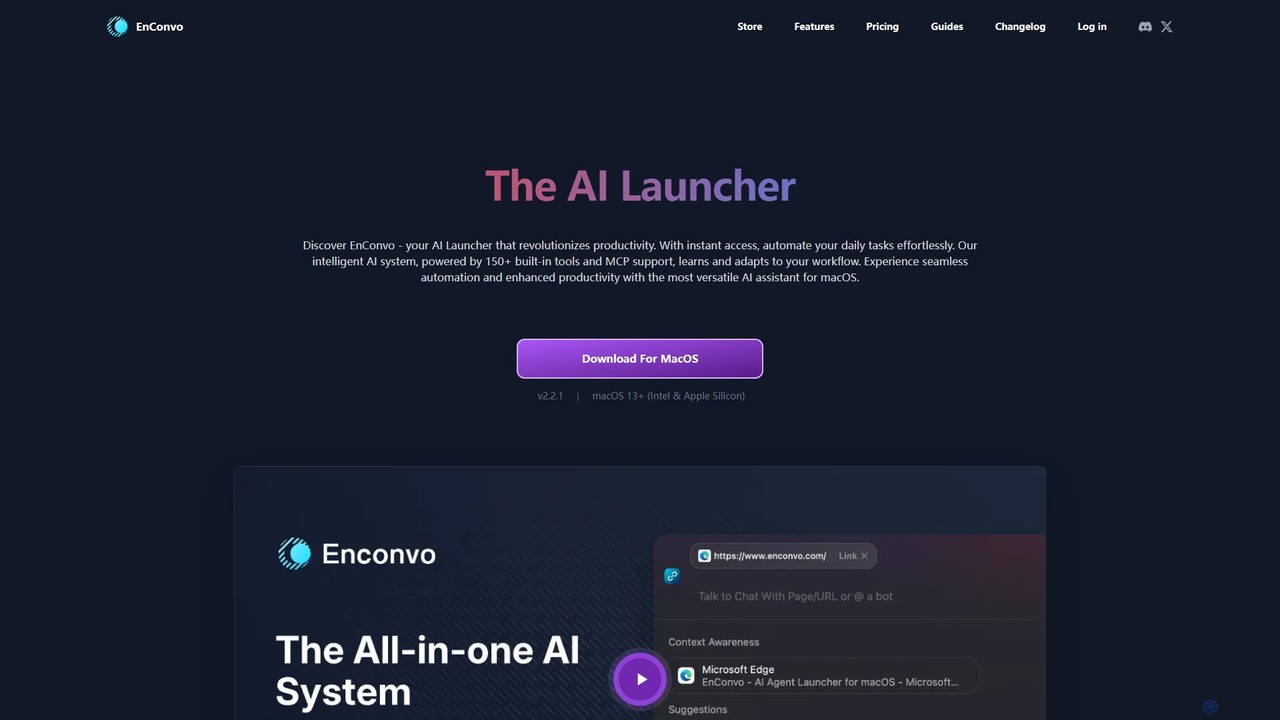
EnConvo is a powerful AI agent launcher for macOS designed to automate tasks and boost productivity. It integrates seamlessly into your workflow with a Spotlight-like interface, offering over 150 tools, custom workflows, context awareness, and support for local LLMs, transforming how you interact with your Mac.

Workflow Automation
Visits 5.9KFavorites 96Likes 117

About Launcher

AI Launchers are keyboard-driven command interfaces designed to streamline your workflow on a computer. These tools extend beyond simple application launching by integrating artificial intelligence, allowing for quick text generation, code completion, and complex queries directly from a central command bar. They act as a universal hub, connecting your local files, applications, and online services to boost productivity and minimize context switching. AI Launchers transform how you interact with your operating system, turning simple commands into powerful, automated actions.

Core Features

  • AI Integration: Access large language models (like GPT) for instant answers, content creation, and summarization without opening a browser.
  • Extensible Plugin Ecosystem: Connect to third-party apps like Slack, Jira, or GitHub to search, create issues, or send messages directly.
  • Universal Search: Simultaneously search for local files, installed applications, browser history, and contacts from one input field.
  • Workflow Automation: Create custom, multi-step automations for repetitive tasks, triggered by a simple keyword or hotkey.
  • Smart Clipboard History: Manage and search your clipboard history, often with features to filter by content type or source application.

Use Cases

AI Launchers are widely used by developers to run scripts and search documentation, by writers for quick AI-powered drafting and editing, and by project managers to instantly access tasks and data across different platforms. Any professional seeking to reduce mouse dependency and accelerate their computer-based tasks can benefit from these powerful utilities.

How to Choose

When selecting an AI Launcher, consider the depth of its AI integration and which models it supports. Evaluate the breadth and quality of its plugin ecosystem to ensure it connects with your essential tools. Performance is key, so look for a launcher that is fast and lightweight. Also, assess its customization options for hotkeys and workflows, and verify its compatibility with your operating system (macOS, Windows, or Linux).

Launcher use cases

1

Developer's Instant Command Hub

A software developer needs to constantly switch between their code editor, terminal, and browser to search for documentation, manage Git repositories, and run build scripts. By using an AI Launcher, they can perform all these actions from a single interface. They can type 'gh search issue 123' to find a GitHub issue, ask the integrated AI 'how to sort an array in python', or trigger a custom workflow to run tests and deploy the application. This consolidates tools and eliminates dozens of context switches per day, allowing them to stay focused on coding.

2

Content Creator's On-the-Fly AI Assistant

A content creator is writing an article and needs to quickly rephrase a sentence for better clarity, find a synonym, or translate a phrase. Instead of opening a new browser tab and navigating to a specific tool, they can simply highlight the text, press a hotkey to activate the AI Launcher, and type a command like 'rephrase' or 'translate to Spanish'. The AI processes the selected text and replaces it inline or copies the result to the clipboard. This seamless integration keeps the writer in their flow state, significantly speeding up the editing and refinement process.

3

Project Manager's Unified Workspace

A project manager juggles tasks across multiple platforms like Jira, Asana, and Slack. With an AI Launcher featuring deep integrations, they can type 'new jira task: Fix login bug' to create a ticket without opening Jira. They can also perform a universal search for 'Q3 Marketing Report' which pulls up the Google Doc, related Slack conversations, and relevant Trello cards in one unified list. This centralizes project information and actions, saving time and reducing the mental load of switching between different application windows and interfaces.

4

Automating Repetitive Daily Tasks

An office administrator frequently needs to take a screenshot, resize it, add a border, and upload it to a shared drive. This multi-step process can be automated with an AI Launcher's workflow feature. They can create a custom command, for example 'process_screenshot', that chains all these actions together. Now, after taking a screenshot, they just need to invoke the launcher and run their custom command. The tool executes the entire sequence in seconds, saving several minutes on each iteration and reducing the chance of human error in repetitive work.

5

Efficient Clipboard and Snippet Management

A customer support agent relies on a set of standard replies to answer common questions. Instead of storing these in a text document and manually copying them, they use an AI Launcher's snippet feature. By typing a short abbreviation like ';welcome', the launcher automatically expands it into a full welcome message. Furthermore, its advanced clipboard history allows them to easily find and reuse a customer's tracking number that was copied 20 minutes ago, without having to ask for it again. This significantly improves response time and consistency.

6

Quick Calculations and Unit Conversions

A financial analyst needs to perform quick calculations, currency conversions, and timezone checks throughout the day. An AI Launcher serves as an instant, intelligent calculator. They can type '15% of $1250', '200 EUR to USD', or '9am PST in CET' directly into the command bar and get an immediate answer without breaking their workflow to find a calculator app or search online. This feature is invaluable for roles that require frequent, small-scale data manipulation, providing answers faster than any dedicated application could.

Launcher FAQ

What is an AI Launcher?

An AI Launcher is an advanced utility application that provides a keyboard-first command bar to interact with your computer. Unlike a simple app launcher, it integrates artificial intelligence to perform tasks like answering questions, generating text, and summarizing content. It also typically includes features like universal search, workflow automation, a plugin ecosystem to connect with other apps, and smart clipboard management. The primary goal of an AI Launcher is to centralize actions and information, reducing the need to switch between different applications and ultimately boosting user productivity.

How to choose the right AI Launcher?

Choosing the right AI Launcher depends on your specific needs and workflow. Consider the following factors:

  • Platform Compatibility: Ensure the launcher works seamlessly on your operating system (macOS, Windows, Linux).
  • Performance: A good launcher should be fast, responsive, and have a low memory footprint so it doesn't slow down your system.
  • AI Features: Evaluate the integrated AI model. Does it use a powerful, up-to-date model? Can you bring your own API key for more control?
  • Plugin Ecosystem: Check if it has a rich library of extensions or plugins for the apps and services you use daily (e.g., Jira, Slack, GitHub, Notion).
  • Customization: Look for options to create custom themes, hotkeys, and complex workflows to tailor the tool to your exact preferences.
  • Pricing: Compare free and paid versions. Paid versions often offer more advanced features, unlimited AI usage, and better support.
What's the difference between an AI Launcher and standard OS search (like Spotlight)?

The primary difference lies in functionality and intent. Standard OS search tools like macOS Spotlight or Windows Search are primarily designed for finding and opening files, folders, and applications on your local machine. An AI Launcher does all of that but extends far beyond. It acts as a command center. Key differences include:

  • AI Capabilities: Launchers integrate LLMs for conversational queries, content generation, and analysis, which standard search lacks.
  • Actions & Integrations: AI Launchers can perform actions within other applications (e.g., create a Jira ticket, send a Slack message) via plugins, whereas OS search is generally read-only.
  • Automation: They allow users to build custom multi-step workflows to automate repetitive tasks.
  • Extensibility: Launchers often have a 'store' or marketplace for community-built extensions, making them far more versatile.

In short, OS search helps you find things; an AI Launcher helps you find and do things.

Are AI Launchers secure to use?

Reputable AI Launchers prioritize user security and privacy. Most processing for local file searches and application launching happens on your device. When interacting with AI features or third-party plugins, data is necessarily sent to external services (like OpenAI's API or Jira's API). It's important to choose a launcher from a trusted developer with a clear privacy policy. Look for features like end-to-end encryption for synced data and options to use your own API keys, which can provide an additional layer of control over your data. Always review the permissions requested by any third-party plugins before installing them.

Who can benefit from using an AI Launcher?

While anyone can benefit from the speed of a launcher, certain roles find them particularly transformative. This includes:

  • Developers: For quickly running scripts, searching codebases, accessing documentation, and managing version control without leaving the keyboard.
  • Writers and Content Creators: For instant access to AI-powered editing tools like rephrasing, summarizing, and translating, keeping them in their creative flow.
  • Project Managers: To get a unified view of tasks and communications across multiple platforms like Jira, Asana, and Slack.
  • Power Users and Knowledge Workers: Anyone who spends a significant amount of time on their computer and wants to minimize mouse usage, reduce repetitive strain, and streamline their digital workflows.

Essentially, if your work involves frequent context switching between apps or performing repetitive digital tasks, an AI Launcher can offer significant productivity gains.