ToolMage
Sign in

Best 1 360 Imaging AI tools for Photography

Popular 360 Imaging AI tools in Photography include Inoveo3D, helping you work more efficiently.

Inoveo3D
Paid

Inoveo3D

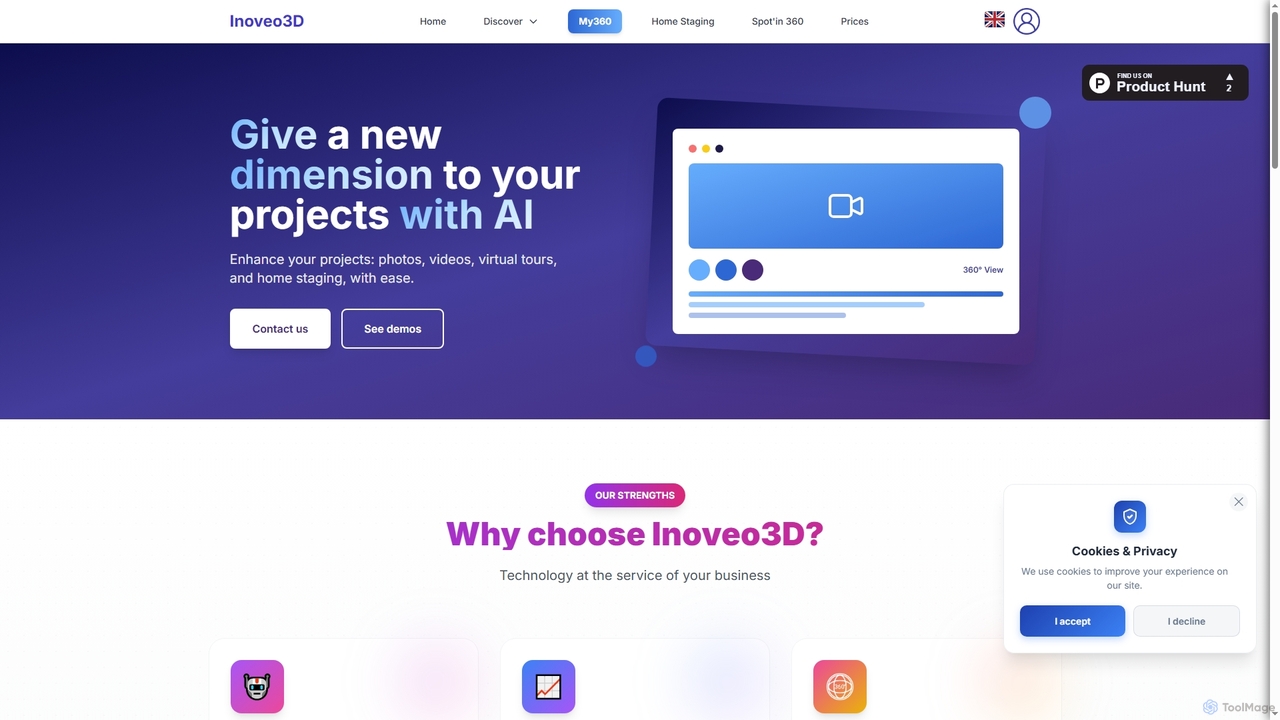
Inoveo3D is an AI-powered platform designed for real estate professionals to create immersive 360° virtual tours and enhance property visuals through advanced home staging. It helps transform photos and videos into engaging experiences, boosting visibility and accelerating sales.

Marketing
Visits 6.1KFavorites 161Likes 154

About 360 Imaging

360 Imaging tools are a specialized category within AI-powered photography, designed to create immersive panoramic images and virtual experiences. These tools leverage advanced AI algorithms for seamless stitching, depth perception, and object recognition, transforming multiple standard photos or video frames into a single, interactive 360-degree view. They enable users to capture and present entire environments, offering a comprehensive and engaging visual perspective for various applications, from real estate tours to virtual product showcases.

Core Features

  • Automated Stitching: Seamlessly combines multiple images or video frames into a cohesive 360-degree panorama, correcting for distortion and parallax.
  • AI-Powered Enhancement: Utilizes AI to improve image quality, adjust lighting, remove unwanted objects, and enhance details within the 360-degree view.
  • Depth Mapping & 3D Reconstruction: Generates depth information from 2D images, enabling more realistic virtual tours and integration with 3D environments.
  • Virtual Staging & Object Placement: Allows users to add or remove virtual furniture, decor, or products within the 360-degree scene for marketing or design purposes.
  • Interactive Tour Creation: Facilitates the creation of navigable virtual tours with hotspots, information tags, and multimedia integration.

Use Cases

Professionals across various sectors utilize 360 Imaging tools to provide immersive visual content. Real estate agents create virtual property tours, allowing potential buyers to explore homes remotely. Tourism boards and hotels offer interactive virtual experiences of destinations and accommodations. Retailers showcase products in a 360-degree view, enhancing online shopping experiences. Automotive companies present car interiors and exteriors with full panoramic detail.

How to Choose

When selecting a 360 Imaging tool, consider the required output quality and resolution, especially for professional applications. Evaluate the stitching accuracy and distortion correction capabilities, as these are crucial for a seamless experience. Assess the range of AI enhancement features, such as object removal or virtual staging, that align with your specific needs. Finally, check for compatibility with your existing camera equipment and desired export formats for easy integration into your workflow.

360 Imaging use cases

1

Create Immersive Real Estate Virtual Tours

Real estate agents and property managers can utilize 360 Imaging tools to generate high-quality virtual tours of properties. By capturing multiple images of each room and exterior, the AI stitches them into a navigable 360-degree experience. This allows potential buyers to explore properties remotely, view layouts, and assess details, significantly reducing the need for physical viewings and accelerating the sales process.

2

Showcase Products with Interactive 360-Degree Views

E-commerce businesses and product marketers can use 360 Imaging to create interactive product showcases. Instead of static images, customers can rotate and zoom into products from all angles, gaining a comprehensive understanding of features and design. This enhances the online shopping experience, builds customer confidence, and can lead to reduced return rates by providing a more accurate product representation.

3

Document Construction Sites and Progress

Construction companies and project managers can use 360 Imaging to document site progress over time. Regular 360-degree captures provide a comprehensive visual record of the construction phases, allowing for remote monitoring, progress tracking, and dispute resolution. This method offers a more complete overview than traditional photos, improving communication among stakeholders and ensuring project accountability.

4

Create Virtual Tours for Tourism and Hospitality

Hotels, resorts, museums, and tourist attractions can leverage 360 Imaging to offer virtual tours of their facilities and locations. This allows potential visitors to explore rooms, amenities, exhibits, or scenic spots before arrival, helping them make informed decisions. The immersive experience serves as a powerful marketing tool, attracting more guests and enhancing their pre-visit engagement.

5

Visualize Automotive Interiors and Exteriors

Automotive manufacturers and dealerships can use 360 Imaging to provide detailed, interactive views of vehicle interiors and exteriors. Customers can virtually sit inside a car, explore the dashboard, seating, and features, or walk around the exterior to inspect design elements. This level of detail helps in online sales, customization choices, and offers a premium browsing experience for potential buyers.

6

Create Immersive Educational Content

Educators and content creators can use 360 Imaging to develop engaging educational materials. By creating virtual tours of historical sites, scientific laboratories, or natural environments, students can explore these locations as if they were physically present. This immersive learning experience enhances engagement, comprehension, and accessibility for remote or distance learning programs, making complex subjects more tangible.

360 Imaging FAQ

What are 360 Imaging tools?

360 Imaging tools are AI-powered software and hardware solutions that capture and process multiple images or video frames to create a seamless, interactive 360-degree panoramic view of an environment. They utilize advanced algorithms for stitching, distortion correction, and often AI enhancements like object removal or virtual staging. These tools are primarily used to generate immersive visual content for virtual tours, product showcases, and environmental documentation.

How do 360 Imaging tools differ from traditional photography?

Traditional photography captures a single, static perspective, while 360 Imaging tools create an immersive, interactive view of an entire scene. Unlike standard photos, 360 images allow viewers to look in any direction, providing a comprehensive sense of space. The key difference lies in the ability to stitch multiple images seamlessly and often enhance them with AI, offering a much richer and more engaging visual experience than a flat, two-dimensional picture.

What are the key benefits of using AI in 360 Imaging?

AI significantly enhances 360 Imaging by automating complex tasks and improving output quality. Benefits include more precise and seamless stitching of images, intelligent removal of unwanted objects or camera rigs, and AI-powered image enhancement for better lighting and detail. AI also enables advanced features like depth mapping and virtual staging, making the creation of realistic and interactive 360-degree content faster, more efficient, and accessible to a wider range of users.

Who can benefit most from 360 Imaging tools?

A wide range of professionals can benefit from 360 Imaging tools. This includes real estate agents for virtual property tours, e-commerce businesses for interactive product showcases, construction companies for site documentation, tourism and hospitality providers for virtual destination experiences, and educators for immersive learning content. Anyone needing to present a comprehensive, interactive view of a physical space or object will find these tools invaluable for engagement and clarity.

What should I consider when choosing a 360 Imaging tool?

When selecting a 360 Imaging tool, prioritize output quality and resolution, ensuring it meets your professional standards. Evaluate the accuracy of its stitching algorithms and distortion correction capabilities for a seamless experience. Consider the range of AI-powered features like object removal, virtual staging, or automated enhancements. Also, check for compatibility with your existing camera equipment, ease of use, integration options with other platforms, and the available export formats to fit your workflow.