ToolMage
Sign in

Best 1 Ai Photo Generator for Photography

Popular Ai Photo Generator in Photography include FastHeadshot, helping you work more efficiently.

FastHeadshot
Paid

FastHeadshot

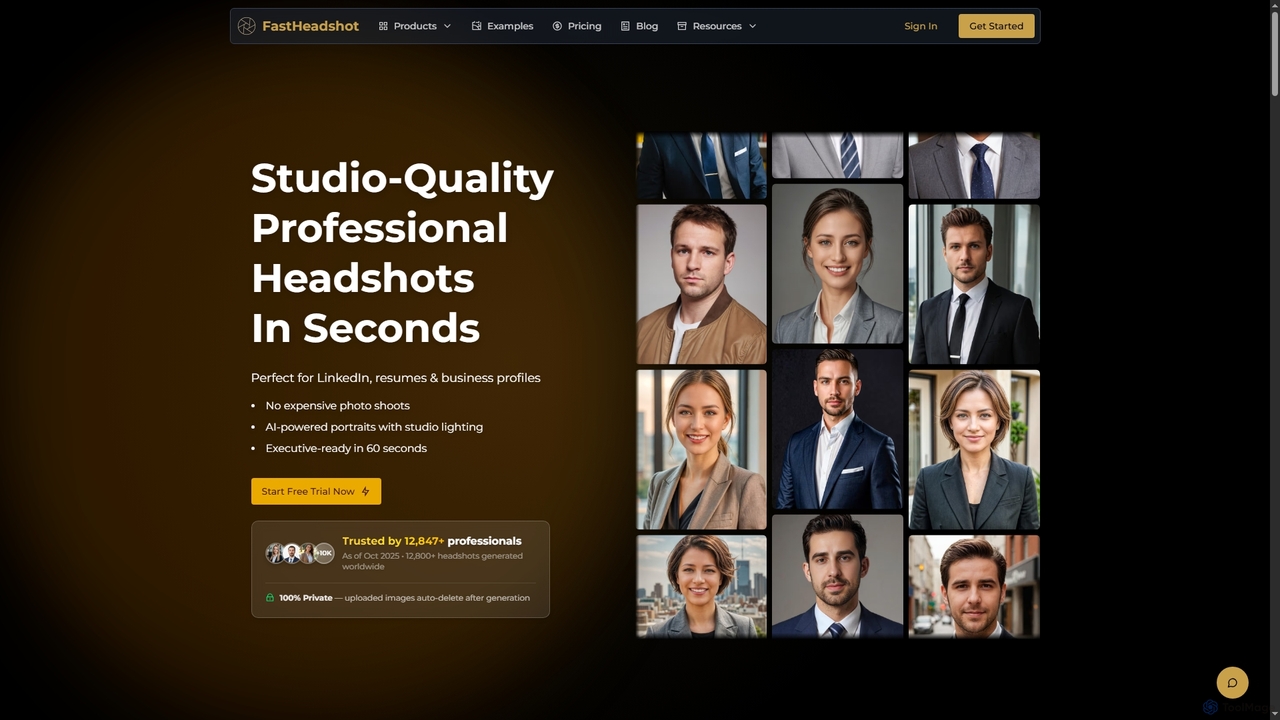
FastHeadshot is an AI-powered online tool that transforms any selfie into studio-quality professional headshots in seconds. Perfect for LinkedIn, resumes, and business profiles, it offers unmatched realism, customization, and absolute privacy with automatic photo deletion. Users can choose from various styles and backgrounds to create executive-ready portraits quickly and affordably.

Headshot Creator
Visits 6.6KFavorites 132Likes 128

About Ai Photo Generator

AI Photo Generators are a specialized class of tools that create highly realistic, photographic-quality images from text descriptions or other inputs. They leverage advanced deep learning models, like diffusion, to interpret prompts and synthesize new visual content that mimics real-world photography. These tools are invaluable for marketers, designers, and content creators needing unique stock photos, product mockups, or conceptual visuals without a physical photoshoot. Their primary advantage is generating specific, customized scenes on-demand, offering creative control beyond traditional photography.

Core Features

  • Text-to-Photo Synthesis: Generates photorealistic images from detailed textual descriptions, specifying subjects, environments, and lighting.
  • Photographic Style Control: Applies specific camera settings, lens types (e.g., 50mm, wide-angle), and artistic styles (e.g., cinematic, vintage, portrait).
  • High-Fidelity Realism: Focuses on creating lifelike details, textures, and lighting to produce images indistinguishable from actual photographs.
  • Inpainting & Outpainting: Modifies or replaces elements within an existing photo or realistically extends its boundaries to create a wider scene.
  • Consistent Character Generation: Creates consistent faces and characters across multiple images for storytelling or branding purposes.

Use Cases

AI Photo Generators are widely used in digital marketing for creating unique ad creatives and social media content. E-commerce businesses use them for generating lifestyle product shots and mockups. Additionally, artists and designers leverage these tools for concept art, mood boards, and visualizing scenes for film or games, significantly speeding up the creative process.

How to Choose

When selecting an AI Photo Generator, evaluate the realism and quality of its output; some models excel at landscapes while others are better with portraits. Assess the tool's ability to accurately interpret complex prompts and the level of control offered over styles, camera angles, and negative prompts. Also, carefully review the licensing terms to ensure the generated images can be used for your intended commercial or personal projects.

Ai Photo Generator use cases

1

Generate Unique Marketing & Ad Imagery

A marketing manager for a tech startup needs compelling visuals for a new ad campaign but has a limited budget, making a professional photoshoot unfeasible. Using an AI Photo Generator, they input a detailed prompt like 'a diverse team of young professionals collaborating around a holographic interface in a bright, modern office, cinematic lighting'. The tool generates several high-resolution, photorealistic options in minutes. This allows the team to A/B test different visuals, avoid generic stock photos, and create a unique brand identity, saving thousands of dollars and weeks of production time.

2

Create E-commerce Product Lifestyle Shots

An online apparel store owner wants to display their new t-shirt designs on various models and in different settings without the high cost of hiring models and locations. They use an AI Photo Generator's image-to-image feature. They upload a flat image of their t-shirt design and use a prompt like 'a realistic photo of a man in his 20s wearing this t-shirt, walking in a bustling city street during golden hour'. The AI seamlessly integrates the design onto a generated model in the specified environment, creating authentic-looking lifestyle photos that boost product appeal and conversion rates.

3

Visualize Architectural and Interior Designs

An interior designer is pitching a concept for a client's living room renovation. Instead of relying on complex 3D modeling software for initial ideas, they take a photo of the current room and use an AI Photo Generator. They use inpainting to replace the old sofa with a 'plush velvet green sofa' and change the wall color. They then use a text prompt to generate variations, such as 'same room but with Scandinavian style furniture and more natural light'. This provides the client with instant, realistic visualizations, facilitating faster decisions and approvals before committing to detailed rendering.

4

Create Consistent Character Portraits for Projects

A fantasy author is developing a new book series and needs consistent visual representations of their main characters for cover art and promotional materials. They use an AI Photo Generator that supports character consistency. They create a detailed prompt for the protagonist: 'photorealistic portrait of a young woman with fiery red hair, green eyes, and a determined expression, fantasy setting, leather armor'. After generating a base image they like, they use it as a reference to create new photos of the same character in different poses or situations, ensuring a cohesive visual identity for their project.

5

Generate Conceptual Art for Creative Brainstorming

A creative director at an ad agency is brainstorming for a campaign centered on 'the future of sustainable energy'. To quickly visualize abstract ideas, they use an AI Photo Generator. They input prompts like 'photorealistic image of a city skyline with buildings covered in glowing bioluminescent vines' or 'a serene desert landscape with futuristic solar panels shaped like giant leaves'. The generator produces a variety of high-quality, thought-provoking images in minutes. These visuals serve as a powerful mood board, helping the team align on a creative direction and present compelling concepts to the client much faster than traditional methods.

6

Produce Realistic Food Photography for Menus

A restaurant owner is launching a new delivery service and needs appetizing photos for their online menu, but a food photographer is too expensive. They turn to an AI Photo Generator. They provide prompts like 'a gourmet cheeseburger on a wooden board, with crispy fries and a craft beer in the background, shot with a macro lens, warm lighting'. The AI generates mouth-watering, professional-quality photos that look completely real. This allows the owner to create a full, visually appealing menu quickly and affordably, which is crucial for attracting customers on delivery platforms.

Ai Photo Generator FAQ

What is an AI Photo Generator?

An AI Photo Generator is a type of artificial intelligence tool designed specifically to create new, photorealistic images from text prompts. Unlike general AI image generators that can create various art styles, photo generators focus on mimicking the output of a real camera. They excel at producing high-fidelity details, realistic lighting, and textures. Users can often specify camera settings like aperture, lens type, and lighting conditions to achieve a specific photographic look, making them ideal for creating custom stock photography, product mockups, and realistic scenes.

How to choose the right AI Photo Generator?

Choosing the right AI Photo Generator depends on your specific needs. Consider the following factors:

  • Image Quality & Realism: Review sample images from the tool. Does it consistently produce high-resolution, artifact-free photos that look authentic? Some tools are better at landscapes, while others excel at portraits.
  • Prompt Interpretation: Test how well the generator understands complex and nuanced prompts. A good tool can accurately translate detailed descriptions into visual elements.
  • Customization & Control: Look for features like style selection, aspect ratio control, negative prompts (to exclude elements), and the ability to specify camera settings.
  • Usage Rights: Carefully check the terms of service. Ensure you have the necessary rights (especially for commercial use) for the images you generate.
What's the difference between an AI Photo Generator and a general AI Image Generator?

The primary difference lies in their focus and output style. An AI Photo Generator is specialized in creating images that are photorealistic and mimic the results of a real camera. It prioritizes realism, accurate lighting, and lifelike textures. In contrast, a general AI Image Generator has a broader scope. It can create photos but also excels at producing a wide range of artistic styles, such as paintings, illustrations, cartoons, 3D renders, and abstract art. Essentially, if your goal is an image that looks like it was captured by a photographer, a photo generator is the specific tool for the job. If you need stylistic versatility, a general image generator is more suitable.

Can I use images from an AI Photo Generator for commercial purposes?

This depends entirely on the terms of service of the specific AI tool you are using. Many platforms, especially paid or subscription-based ones, grant users a commercial license to use the images they create. However, free versions or certain tools may restrict usage to personal projects only. It is crucial to always read and understand the licensing agreement for each service. Some may also have policies against generating images of public figures or copyrighted characters. Always verify the terms to ensure you are compliant and avoid potential legal issues.

How detailed do my text prompts need to be?

The level of detail in your prompt directly influences the quality and specificity of the output. A simple prompt like 'a photo of a dog' will give you a generic image. A more detailed prompt like 'a photorealistic shot of a golden retriever puppy playing in a sunlit green field, shallow depth of field, taken with a 50mm lens' will produce a much more specific and higher-quality result. For best results, include details about:

  • Subject: What is the main focus? Describe its appearance, actions, and expression.
  • Setting: Where is the subject? Describe the environment, time of day, and weather.
  • Style: Mention photographic terms like 'cinematic lighting', 'macro shot', 'vintage photo', or 'shot on Portra 400'.
  • Composition: Specify angles like 'low-angle shot' or 'wide-angle view'.