ToolMage
Sign in

Best 1 Headshot Creator AI tools for Image Editing

Popular Headshot Creator AI tools in Image Editing include FastHeadshot, helping you work more efficiently.

FastHeadshot
Paid

FastHeadshot

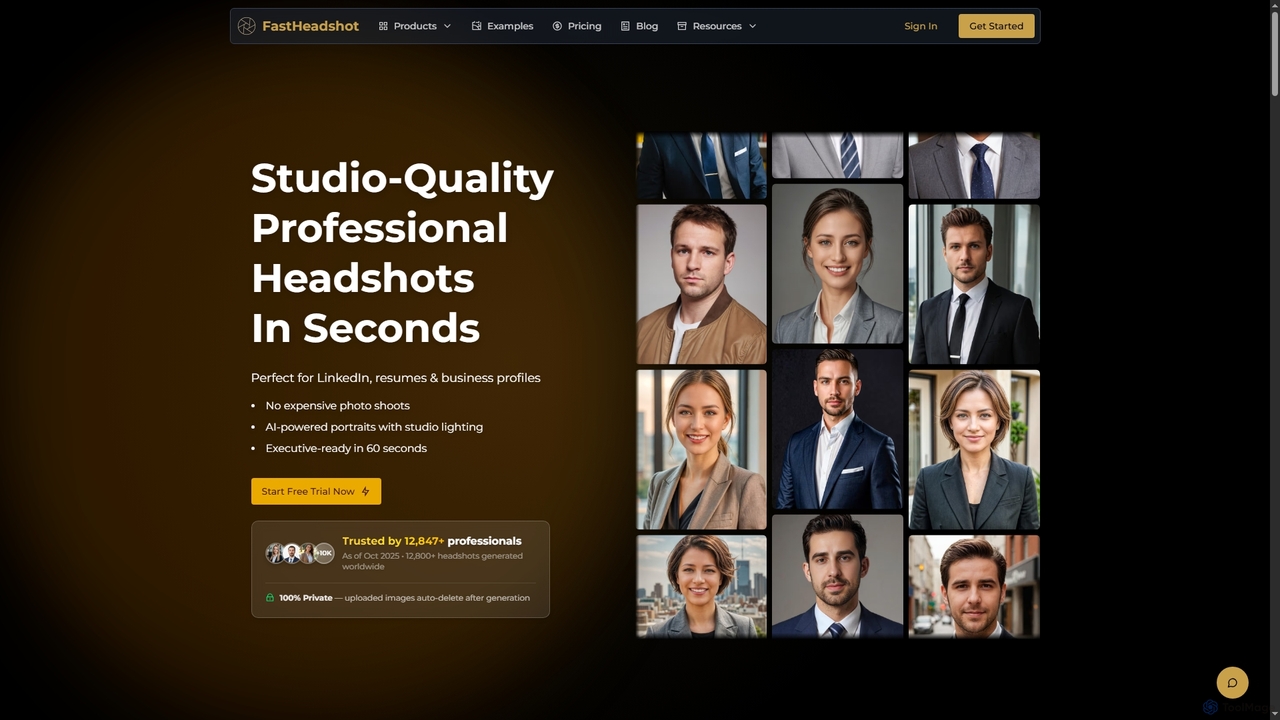
FastHeadshot is an AI-powered online tool that transforms any selfie into studio-quality professional headshots in seconds. Perfect for LinkedIn, resumes, and business profiles, it offers unmatched realism, customization, and absolute privacy with automatic photo deletion. Users can choose from various styles and backgrounds to create executive-ready portraits quickly and affordably.

Headshot Creator
Visits 5.7KFavorites 121Likes 120

About Headshot Creator

An AI Headshot Creator is a specialized tool that uses generative AI to transform casual photos into professional-quality headshots. By analyzing user-uploaded images, these tools generate new portraits with studio-level lighting, corporate-appropriate attire, and clean backgrounds. This process eliminates the need for expensive and time-consuming photoshoots, providing a fast and affordable solution for individuals and teams. The technology excels at creating consistent, on-brand visuals for professional profiles and corporate websites.

Core Features

  • Style Variety: Generate headshots in multiple styles, from corporate and formal to casual and creative.
  • Background Customization: Automatically replace distracting backgrounds with professional studio settings or solid colors.
  • Attire Generation: Digitally change clothing to suits, blazers, or other professional wear.
  • Team Consistency: Apply a uniform aesthetic across headshots for an entire team to ensure brand cohesion.
  • High-Resolution Output: Deliver images suitable for both digital use (LinkedIn, websites) and print materials.

Use Cases

These tools are ideal for remote teams needing uniform profile pictures, job seekers looking to enhance their LinkedIn presence, and sales or consulting professionals requiring a polished image. Companies also use them to quickly generate consistent headshots for their 'About Us' pages, internal directories, and conference speaker profiles without logistical challenges.

How to Choose

When selecting an AI Headshot Creator, evaluate the realism and quality of the generated images. Consider the variety of styles, backgrounds, and attire options available. Review the platform's data privacy policy to understand how your photos are handled. Finally, compare pricing models—whether it's a one-time purchase, a subscription, or a credit-based system—to find the best fit for your needs.

Headshot Creator use cases

1

Create Unified Corporate Team Headshots

A marketing manager for a remote-first company needs to update the 'About Us' page with consistent, professional photos of 50+ employees. Instead of coordinating expensive photoshoots across different locations, they use an AI Headshot Creator. Each employee uploads a few selfies, and the tool generates a series of on-brand headshots with a uniform background and lighting style. This ensures a cohesive and professional look for the company website in a fraction of the time and cost.

2

Enhance Professional Profiles for Job Seekers

A recent graduate is applying for jobs and wants to make a strong first impression on LinkedIn and other professional networks. Lacking a professional headshot, they use an AI generator. By uploading several clear photos of their face, they receive dozens of high-quality options with different outfits and backgrounds. They select the most suitable one, instantly elevating their profile's professionalism and increasing their credibility with recruiters without spending money on a photographer.

3

Generate Diverse Speaker Photos for Events

An event organizer is preparing a website for an upcoming virtual conference featuring 30 speakers from around the world. Receiving photos in various formats, qualities, and styles creates a design challenge. To solve this, the organizer provides all speakers with access to an AI Headshot Creator with a pre-set style template. Speakers generate their own headshots, resulting in a uniform, high-quality gallery on the event website. This streamlines the design process and presents a more professional event brand.

4

Maintain Brand Consistency for Sales Teams

A national real estate agency wants to ensure all its agents have a consistent and trustworthy appearance across marketing materials. They subscribe to an AI Headshot Creator service for their entire team. New and existing agents can quickly generate professional headshots that adhere to the company's brand guidelines for background color and professional attire. This consistency across websites, business cards, and social media profiles reinforces the agency's professional reputation and builds client trust.

5

Create Avatars for Internal Communication Tools

A fast-growing tech startup with a large remote workforce wants to foster a sense of community and professionalism on platforms like Slack and Microsoft Teams. They use an AI Headshot Creator to generate friendly yet professional avatars for all employees. This avoids the inconsistency of personal photos, cartoons, or default grey icons. The result is a more unified and recognizable internal directory, making it easier for new hires to identify colleagues and strengthening the company's virtual culture.

6

Develop Personal Branding for Consultants

A freelance consultant needs a versatile set of headshots to use across different platforms—a formal one for their LinkedIn profile, a more creative one for their personal website, and a friendly one for social media. Using an AI Headshot Creator, they generate over 100 variations from a single set of uploaded photos. This allows them to select the perfect image for each context, building a strong and adaptable personal brand that resonates with different audiences without the cost of multiple photoshoots.

Headshot Creator FAQ

What is an AI Headshot Creator?

An AI Headshot Creator is a specialized application that uses generative artificial intelligence to produce professional-quality portraits from user-submitted photos. Unlike a standard photo editor, it doesn't just tweak an existing image; it generates entirely new images of a person in different settings, outfits, and lighting conditions. Users typically upload a handful of selfies, and the AI model learns their facial features to create a wide variety of realistic, studio-quality headshots suitable for corporate websites, LinkedIn profiles, and other professional uses.

How is an AI Headshot Creator different from a general Image Editor?

The key difference lies in their core function: creation versus modification.

  • AI Headshot Creator: This is a generative tool. It takes your photos as input to learn your likeness and then *creates* entirely new, high-quality headshot images from scratch. It controls the entire scene, including background, lighting, and clothing.
  • Image Editor: This is a modification tool. It works on an existing photo to enhance or alter it. You can use it to remove blemishes, adjust colors, or replace a background, but you are fundamentally limited to the original photo's pose, expression, and quality.
In short, a headshot creator builds a professional photo for you, while an editor improves a photo you already have.

How do I choose the right AI Headshot Creator?

Choosing the right tool depends on your specific needs. Consider these factors:

  • Quality and Realism: Look at sample images. Do they look natural and professional, or artificial? This is the most important criterion.
  • Style Variety: Does the tool offer a range of styles (e.g., corporate, casual, creative), backgrounds, and clothing options that fit your brand?
  • Data Privacy: Read their privacy policy. Understand how your uploaded photos are used, stored, and when they are deleted. Choose a service you trust.
  • Cost and Pricing Model: Compare prices. Some offer a one-time package for a set number of headshots, while others have subscriptions. Determine which model offers the best value for you or your team.

How many photos do I need to upload for good results?

Most AI Headshot Creators recommend uploading between 8 to 20 high-quality, clear photos of yourself. The quality and variety of your input photos directly impact the quality of the output. For best results, provide a range of images showing your face from different angles (front, side profiles), with various facial expressions (smiling, neutral), and in different lighting conditions. Avoid photos with sunglasses, hats, heavy makeup, or other people in them, as this can confuse the AI model.

Are AI-generated headshots realistic enough for professional use?

Yes, modern AI headshot generators produce highly realistic results that are often indistinguishable from photos taken by a professional photographer. The technology has advanced significantly, creating images with natural skin textures, accurate lighting, and realistic details. They are widely accepted and used for LinkedIn profiles, company websites, business cards, and internal communication platforms. However, quality can vary between services, so it's always a good practice to review a provider's portfolio or examples before purchasing.