
Luminar Neo
Luminar Neo is a revolutionary AI-powered photo editing software designed to simplify complex tasks and unleash creativity. It …
Luminar Neo is a revolutionary AI-powered photo editing software designed to simplify complex tasks and unleash creativity. It offers a comprehensive suite of advanced tools for image enhancement, RAW processing, and creative composition, making professional-grade results accessible to both beginners and experienced photographers on macOS and Windows.
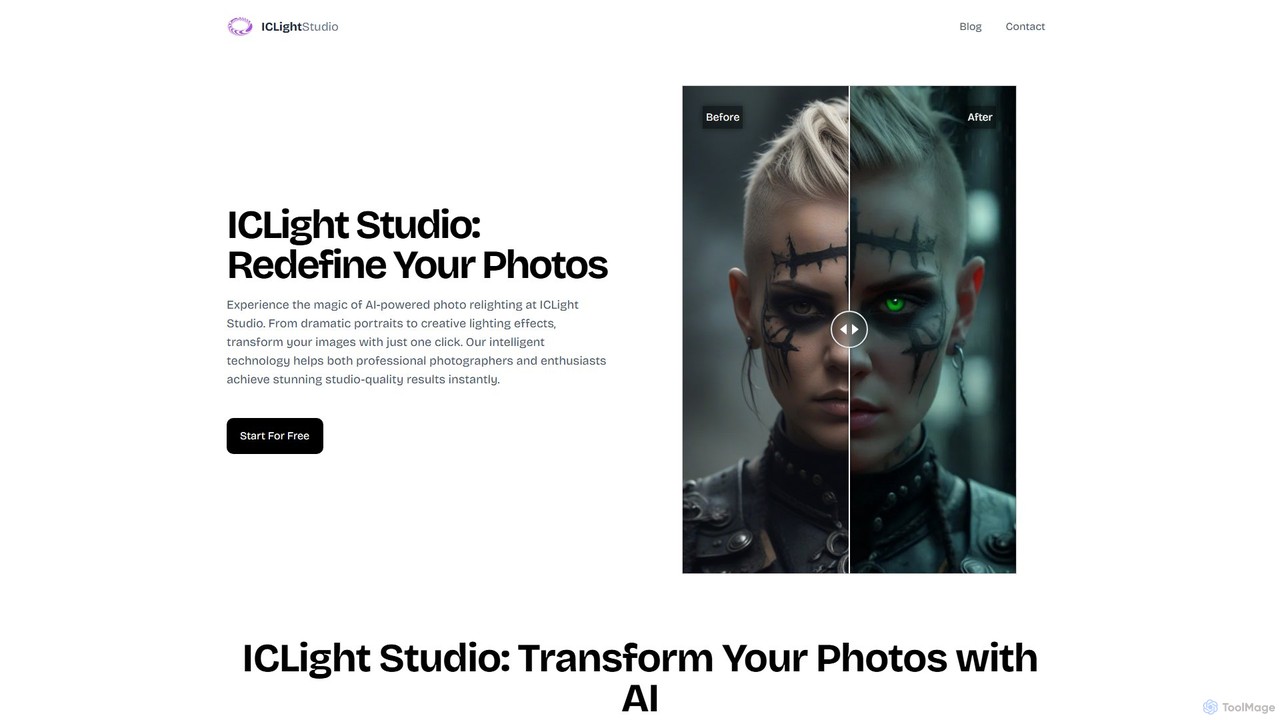
iclight
iclight is an AI-powered photo relighting tool that transforms your images with studio-quality lighting effects. Using simple text …
iclight is an AI-powered photo relighting tool that transforms your images with studio-quality lighting effects. Using simple text prompts or professional presets, users can instantly enhance portraits, create dramatic moods, and achieve professional results in seconds. It's designed for both photographers and enthusiasts, offering a free and intuitive web-based experience.

Luminar Brush
Luminar Brush is an innovative AI-powered image relighting tool developed by the creator of ControlNet. It allows users …
Luminar Brush is an innovative AI-powered image relighting tool developed by the creator of ControlNet. It allows users to professionally manipulate lighting in photos and digital art with incredible precision. By using a unique two-stage framework, it can remove existing lighting and then apply new, interactive light sources, preserving fine details like skin texture and hair for stunning, realistic results.
About Post Processing
AI Post Processing tools are a class of software that uses artificial intelligence to automatically enhance, correct, and refine digital photographs. These tools leverage deep learning models to analyze image content, intelligently performing complex adjustments like noise reduction, color grading, and detail recovery. They streamline the editing workflow for photographers and designers, enabling them to achieve professional-quality results with greater speed and consistency. Unlike traditional manual editors, AI Post Processing tools automate tedious tasks, allowing creators to focus on the artistic aspects of their work.
Core Features
- AI-Powered Denoising: Intelligently removes digital noise and grain from images, especially those taken in low light, while preserving crucial details.
- Smart Color & Tone Correction: Automatically adjusts exposure, contrast, white balance, and color saturation based on image content for a balanced and vibrant look.
- Resolution Upscaling: Increases image resolution for large prints or cropping, using AI to generate realistic details and maintain sharpness.
- Content-Aware Object Removal: Seamlessly removes unwanted objects or blemishes from a photo by intelligently filling in the background.
- Automated Portrait Enhancement: Detects faces to automatically smooth skin, whiten teeth, and enhance eyes without manual masking.
Use Cases
These tools are widely used by professional photographers for wedding and event photography to speed up batch editing. Real estate photographers use them for sky replacement and HDR blending. Hobbyists and social media creators leverage them to quickly improve their photos for online posting, while graphic designers use upscaling features for print media.
How to Choose
When selecting an AI Post Processing tool, consider its integration capabilities with existing software like Adobe Lightroom or Photoshop. Evaluate the quality and control of its core features, such as denoising and sharpening. Check for RAW file support, batch processing capabilities for efficiency, and whether it operates as a standalone application or a plugin to fit your workflow.
Post ProcessingUse Cases
Automated Portrait Retouching for Photographers
A wedding photographer needs to edit over 500 portraits from a single event, a process that typically takes days of manual work. By using an AI Post Processing tool, they can apply automated enhancements in a batch. The software detects faces in all photos, applies consistent skin smoothing, brightens eyes, and whitens teeth, while allowing for fine-tuning. This reduces the total editing time by up to 80%, ensuring faster delivery to clients and maintaining a high-quality, uniform look across the entire photo set.
AI Sky Replacement for Real Estate Listings
A real estate agent has photos of a property taken on a cloudy, overcast day, making the listing look unappealing. Instead of waiting for a sunny day to reshoot, they use an AI Post Processing tool's sky replacement feature. With one click, the tool identifies and masks the sky, replacing it with a selection of bright, sunny options. The AI also automatically adjusts the lighting and color of the foreground to realistically match the new sky, instantly creating more vibrant and attractive property photos that can increase buyer interest.
High-Resolution Upscaling for Print Media
A graphic designer is tasked with creating a large-format poster using a client's photo, but the original image has a low resolution and would look pixelated when printed. They use an AI upscaling tool to increase the image dimensions by 400%. The AI analyzes the image and intelligently generates new pixel data, adding realistic texture and detail rather than simply stretching the existing pixels. The result is a high-resolution file that is sharp, clear, and suitable for large-format printing, saving the project from being compromised by poor source material.
Intelligent Noise Reduction in Low-Light Photography
An astrophotographer captures a rare celestial event, but the long exposure and high ISO settings result in a photo with significant digital noise. Traditional noise reduction methods would soften the image and destroy fine details like faint stars. By using an AI-powered denoiser, the photographer can remove the noise while preserving sharp details. The AI model, trained on thousands of images, distinguishes between noise and actual image data, selectively smoothing the former while enhancing the latter. This salvages the unique shot, turning a technically flawed image into a clean, detailed masterpiece.
Restoring and Colorizing Old Family Photos
An individual is digitizing their family's collection of old, faded, and black-and-white photographs. Many photos have scratches, dust spots, and color casts. They use an AI Post Processing tool designed for photo restoration. The tool automatically detects and repairs imperfections like cracks and spots. Then, its AI colorization feature analyzes the black-and-white image and applies realistic, context-aware colors. This process breathes new life into historical photos, making them more vibrant and relatable for younger generations without requiring advanced Photoshop skills.
Batch Processing E-commerce Product Photos
An e-commerce store manager needs to upload hundreds of new product photos, but they were shot in various lighting conditions and have inconsistent backgrounds. Using an AI Post Processing tool with batch capabilities, they can automate the entire workflow. They create a preset that automatically removes the background, adjusts the white balance for color accuracy, enhances sharpness, and resizes the images to standard dimensions. Applying this preset to the entire folder of images saves countless hours of manual editing, ensuring a professional and consistent look across all product listings on the website.