
ToolMage
Sign in

Best 1 Lighting AI tools for Image Editing

Popular Lighting AI tools in Image Editing include iclight, helping you work more efficiently.

iclight
Freemium

iclight

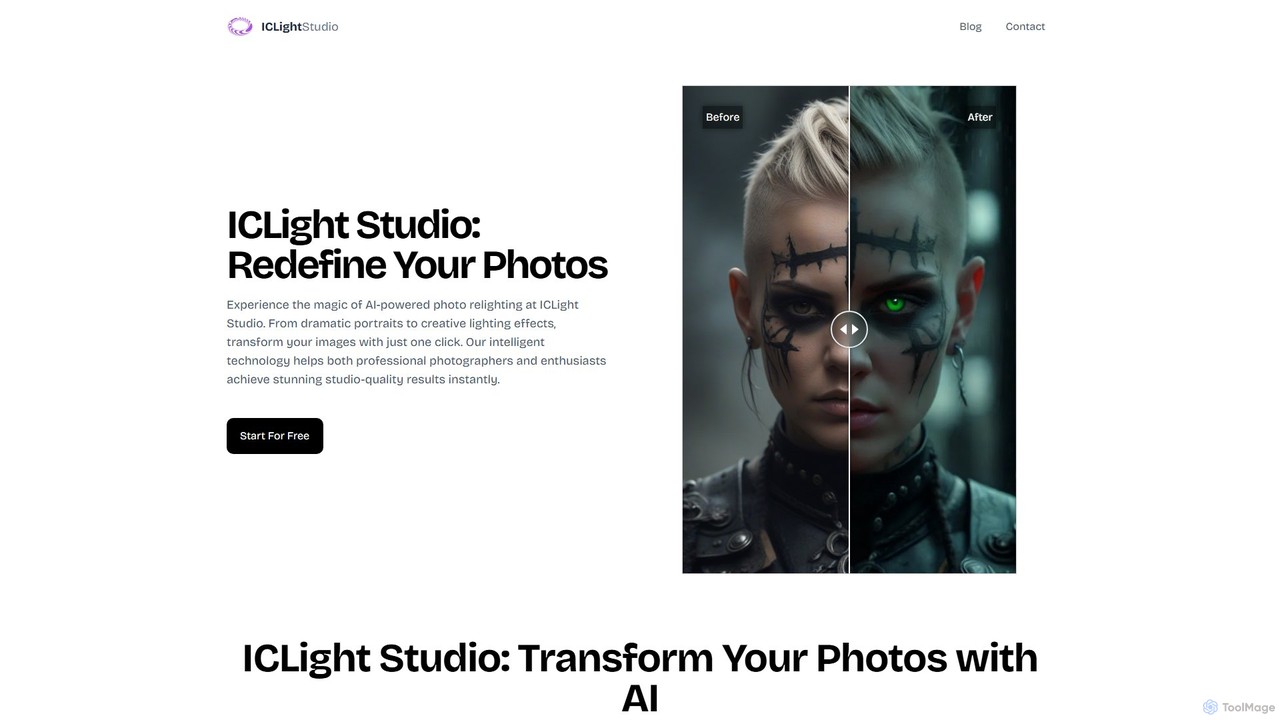
iclight is an AI-powered photo relighting tool that transforms your images with studio-quality lighting effects. Using simple text prompts or professional presets, users can instantly enhance portraits, create dramatic moods, and achieve professional results in seconds. It's designed for both photographers and enthusiasts, offering a free and intuitive web-based experience.

Image Generation
Visits 11.3KFavorites 200Likes 193

About Lighting

AI Lighting tools are a specialized category of image editors that use algorithms to realistically add, modify, or remove light sources and shadows. Leveraging deep learning, these tools analyze an image's depth and geometry to simulate how light naturally interacts with objects. They enable photographers and designers to correct poor lighting, create dramatic effects, or match a subject's lighting to a new background without physical equipment. Unlike traditional sliders, AI lighting tools offer contextual adjustments, automatically generating realistic reflections and highlights for a seamless result.

Core Features

  • AI Light Source Placement: Add and control virtual lights, adjusting their type, color, intensity, and direction within the image.
  • Automatic Shadow Generation: Realistically cast shadows based on new or existing light sources and the scene's geometry.
  • Background Relighting: Automatically adjust a subject's lighting to match the ambient light and color of a new background.
  • Portrait Lighting Enhancement: Simulate professional studio lighting effects like rim light, key light, or Rembrandt lighting on portraits.
  • Ambient Occlusion Simulation: Add depth and realism by intelligently darkening creases, corners, and areas where objects meet.

Use Cases

These tools are widely used in e-commerce for creating consistent product photography, in portrait retouching to enhance facial features with studio-quality light, and by graphic designers for creating believable composite images where the subject and background lighting are perfectly matched. They are also valuable in architectural visualization for simulating different times of day.

How to Choose

When selecting an AI Lighting tool, evaluate the realism of the generated light and shadows. Consider the level of control offered over individual light sources and their properties. Check for integrations with existing software like Photoshop or Figma, and assess the processing speed, especially for high-resolution images or batch operations.

Lighting use cases

1

Enhance E-commerce Product Photos

An e-commerce manager needs to ensure all product photos on their website have a consistent, professional look, but the original shots were taken in varied lighting conditions. Using an AI lighting tool, they apply a uniform virtual 'three-point lighting' setup to the entire catalog. The AI intelligently adds a key light for definition, a fill light to soften shadows, and a backlight to separate the product from the background. This process automatically standardizes the look of hundreds of images, resulting in a clean, high-end online store appearance that builds customer trust and improves conversion rates without the expense of a physical studio reshoot.

2

Create Dramatic Portrait Lighting Effects

A portrait photographer wants to add an artistic, studio-quality feel to an outdoor portrait that was shot in flat, midday light. Instead of spending hours on complex masking and dodging/burning, they use an AI lighting tool. They select a 'Rim Light' preset, and the AI analyzes the subject's silhouette to add a crisp highlight along their hair and shoulders, instantly making them pop from the background. They then add a virtual 'softbox' to gently illuminate the face. The result is a compelling, professionally lit portrait created in minutes, allowing the photographer to offer more creative options to clients with a faster turnaround time.

3

Relight Subjects for Composite Images

A graphic designer is tasked with placing a model, shot in a studio with neutral lighting, onto a dramatic sunset beach background. Manually matching the warm, low-angle light of the sunset is extremely difficult. They use an AI relighting tool which analyzes the background image to identify the primary light source's direction, color, and intensity. It then automatically applies this lighting to the model, casting long, soft shadows and adding warm, golden highlights to her skin and clothing that perfectly match the sunset. This creates a seamless, believable composite in a fraction of the time it would take to do manually, ensuring the final advertisement looks natural and professional.

4

Simulate Time of Day for Architectural Visuals

An architect needs to present a new building design to a client, showing how it will look throughout the day. Instead of commissioning multiple expensive 3D renders, they use a single daytime photo of the building's model or a preliminary render. With an AI lighting tool, they can simulate 'Golden Hour' by shifting the virtual sun to a low angle and warming the color temperature. They can also create a 'Dusk' scene by introducing cool, ambient blue light and turning on virtual interior lights. This provides the client with a comprehensive and evocative vision of the project, facilitating faster approvals and saving significant rendering costs.

5

Correcting Underexposed or Poorly Lit Photos

A content creator captures a perfect moment at an indoor event, but the photo is dark and underexposed. Simply increasing the overall brightness would wash out the details and increase noise. Instead, they use an AI lighting tool. The tool identifies the main subject and intelligently adds a soft, virtual 'fill light' that specifically targets the shadowed areas of their face and clothing. It brightens the subject naturally without affecting the background highlights, preserving the atmosphere of the scene. This salvages an otherwise unusable photo, recovering crucial details and improving clarity in a way that traditional exposure sliders cannot achieve.

6

Adding Creative Lighting to Digital Art

A digital artist feels their finished illustration lacks depth and atmosphere. To make it more dynamic, they import the 2D artwork into an AI lighting tool. They add a virtual spotlight from the top left to create a strong focal point, and the AI automatically generates corresponding highlights and shadows on the characters and environment, respecting their shapes. They then add subtle 'god rays' (volumetric light) filtering through trees in the background. This process adds a layer of realism and cinematic quality that would have been tedious to paint by hand, elevating the artwork's visual impact and storytelling potential.

Lighting FAQ

What are AI Lighting tools?

AI Lighting tools are specialized software that use artificial intelligence to realistically add, modify, or remove light and shadows in 2D images. Unlike traditional image editors that require manual adjustments, these tools analyze an image's content and depth to simulate natural light physics. They can automatically cast shadows, create highlights, and match the lighting of a subject to a new background, making professional lighting effects accessible to everyone.

How do AI Lighting tools differ from standard image editors?

The main difference is automation and contextual awareness. Standard editors like Photoshop provide tools (like brushes, layers, curves) that require significant manual skill and time to simulate realistic lighting. AI Lighting tools automate this. They infer the 3D geometry of the scene from a 2D image and apply light changes in a physically plausible way. For example, instead of manually painting a shadow, an AI tool generates it automatically based on a new virtual light source, ensuring it wraps correctly around objects.

Who should use AI Lighting tools?

These tools are beneficial for a wide range of users:

  • Photographers: For correcting lighting issues in post-production or adding creative studio effects without physical gear.
  • E-commerce Businesses: To create consistent, high-quality product photos that enhance online storefronts.
  • Graphic Designers & Artists: To seamlessly blend elements in composite images or add atmospheric lighting to digital art.
  • Social Media Creators: To quickly elevate the visual quality of their photos and achieve a professional look.
What are the key features to look for in an AI Lighting tool?

When choosing a tool, consider these key features:

  • Light Source Control: The ability to add multiple virtual lights and control their type (e.g., spot, ambient), color, intensity, and position.
  • Shadow Realism: How well the tool generates soft, natural-looking shadows that conform to object shapes and surfaces.
  • 3D Awareness: The best tools can infer a 3D map from a 2D image, which leads to much more accurate lighting and shadow placement.
  • Performance and Speed: Check how quickly the tool processes images, especially high-resolution files, as this impacts workflow efficiency.
Can AI tools create lighting that looks completely natural?

Yes, modern AI lighting tools can produce remarkably natural and realistic results that are often indistinguishable from photos taken with a physical lighting setup. They are trained on millions of real-world images, which allows them to understand the complex physics of light, reflection, and shadow. However, the final quality can depend on the source image's resolution and complexity. For highly critical professional work, results may sometimes require minor manual adjustments, but the AI provides an excellent and time-saving foundation that is over 95% of the way there.