ToolMage
Sign in

Best 2 Vpn AI tools for Security

Popular Vpn AI tools in Security include Aura and Broearn, helping you work more efficiently.

Aura
Paid

Aura

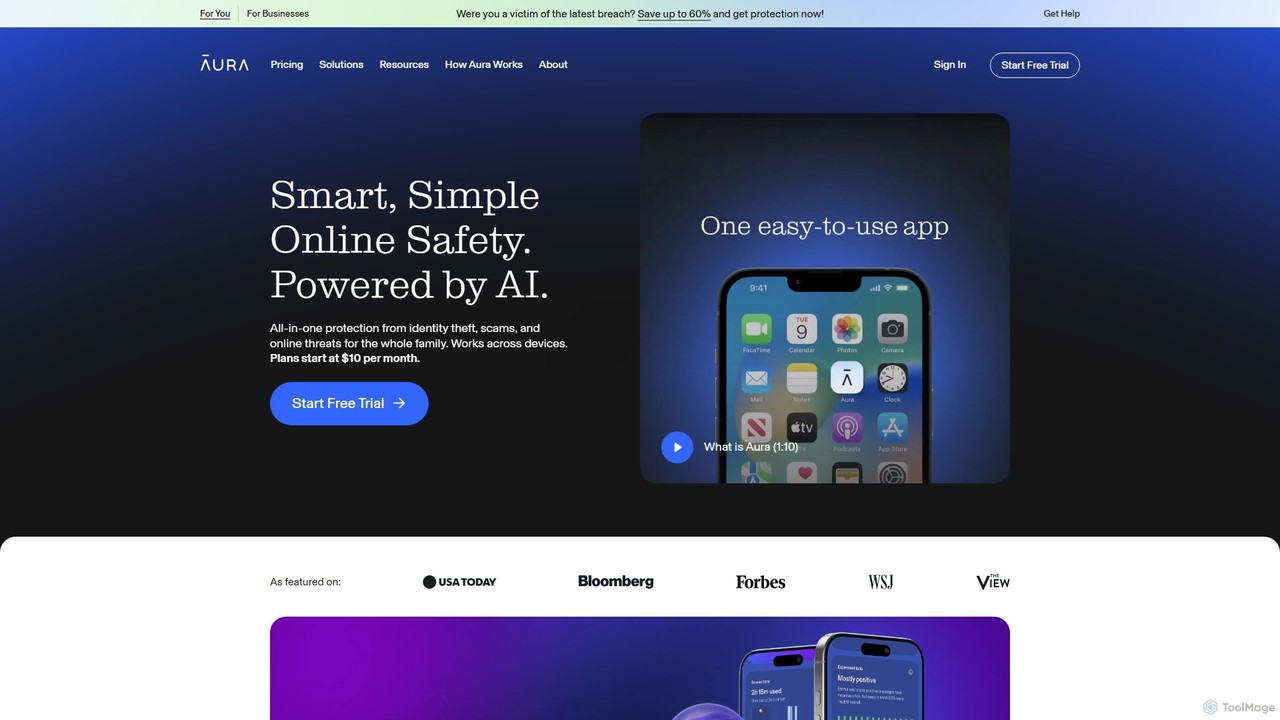
Aura is an AI-powered, all-in-one digital safety platform for individuals and families. It provides proactive protection against identity theft, financial fraud, and online threats by combining credit monitoring, a VPN, antivirus, a password manager, and advanced parental controls into a single, easy-to-use service.

Password Manager
Visits 2.5MFavorites 133Likes 146
Broearn
Free

Broearn

Broearn is a next-generation Web3 browser that integrates a GPT-4 powered AI assistant, a secure multi-chain crypto wallet, and a unique 'Use-to-Earn' model. It offers robust privacy features, including a free built-in VPN, anti-phishing protection, and decentralized storage, providing a comprehensive and rewarding browsing experience for the modern web.

Ai Assistant
Visits 6.3KFavorites 121Likes 102

About Vpn

A VPN (Virtual Private Network) is a service that creates a secure, encrypted connection over a public network like the internet. It works by routing your device's internet connection through a private server, masking your IP address and encrypting all data transmitted. This process makes your online activities virtually untraceable and protects your sensitive information from interception. As a key tool within the broader security landscape, VPNs are essential for ensuring online privacy, securing data on untrusted networks, and bypassing geographic restrictions.

Core Features

  • Data Encryption: Uses advanced encryption standards like AES-256 to scramble your internet traffic, making it unreadable to third parties.
  • IP Address Masking: Hides your real IP address and replaces it with one from the VPN server, anonymizing your location and identity.
  • Secure Tunneling: Creates a private, encrypted tunnel for your data to travel through, protecting it from eavesdroppers on public Wi-Fi.
  • Geo-restriction Bypass: Allows you to connect to servers in different countries to access content and services that are blocked in your region.

Use Cases

VPNs are widely used by remote workers to securely access corporate networks, travelers to protect their data on public Wi-Fi in airports and cafes, and individuals seeking to protect their browsing history from ISP tracking. They are also popular for accessing international streaming libraries and ensuring privacy during online transactions.

How to Choose

When selecting a VPN, consider its security protocols (e.g., OpenVPN, WireGuard), its logging policy (a strict 'no-logs' policy is preferred), the number and location of its servers, and connection speeds. Also, evaluate its ease of use, device compatibility, and the number of simultaneous connections it allows.

Vpn use cases

1

Secure Remote Access for Work

Corporate employees or freelancers working from home use a VPN to establish an encrypted tunnel to their company's internal network. This allows them to securely access sensitive files, internal applications, and communication tools without exposing data on unsecured home or public networks. It ensures compliance with corporate security policies and maintains data integrity, effectively creating a secure extension of the office network to any location.

2

Protect Privacy on Public Wi-Fi

Travelers or individuals in public spaces like cafes and airports use a VPN to secure their connection on open Wi-Fi networks. These networks are often unencrypted, making users vulnerable to data theft. By activating a VPN, all internet traffic from the device is encrypted, making it unreadable to hackers or network administrators. This protects sensitive information such as login credentials, credit card numbers, and personal messages from being intercepted.

3

Access Geo-Restricted Streaming Content

Entertainment enthusiasts use a VPN to bypass geographic blocks on streaming platforms. Services like Netflix, BBC iPlayer, or Hulu offer different content libraries based on the user's location. By connecting to a VPN server in a specific country (e.g., the USA or UK), users can mask their real location and appear as if they are browsing from that region. This unlocks a much wider range of movies, TV shows, and live sports that would otherwise be unavailable.

4

Bypass Censorship and Firewalls

Users in regions with internet censorship or on networks with strict firewalls (like schools or offices) use a VPN to gain unrestricted access to the internet. By routing traffic through a server in a different country, a VPN can bypass these blocks. This allows users to access blocked websites, social media platforms, and international news sources, promoting freedom of information and open communication regardless of their physical location or local network restrictions.

5

Secure Online Banking and Shopping

Anyone conducting financial transactions online uses a VPN to add a critical layer of security. When accessing banking websites or entering payment details on e-commerce sites, the VPN's end-to-end encryption ensures that financial data, account numbers, and personal information are shielded from potential attackers. This is especially important when connected to less secure networks, as it prevents man-in-the-middle attacks and ensures the confidentiality of sensitive financial details.

6

Enhance Online Gaming Experience

Online gamers use a VPN to reduce lag, prevent DDoS attacks, and access region-locked games. By connecting to a VPN server closer to the game's server, players can sometimes achieve a more stable connection and lower ping times. The IP masking feature also protects gamers from targeted Distributed Denial of Service (DDoS) attacks from malicious opponents, which can disrupt their connection. Additionally, it allows access to games or game servers exclusive to certain geographic regions.

Vpn FAQ

What is a VPN (Virtual Private Network)?

A VPN is a service that secures your internet connection and enhances your online privacy. It creates an encrypted 'tunnel' for your data, hides your IP address, and routes your traffic through a remote server. This makes your online activities private from your Internet Service Provider (ISP), hackers, and government surveillance. Essentially, it acts as a secure, private gateway to the internet, protecting your data and identity.

How do I choose the right VPN service?

To choose the right VPN, consider these key factors:

  • Security & Privacy: Look for strong encryption (AES-256), modern protocols (like WireGuard or OpenVPN), and a strict no-logs policy that has been independently audited.
  • Performance: Check for high-speed servers and a large global network to ensure a stable connection without significant slowdowns, which is crucial for streaming and gaming.
  • Features: Consider if you need features like a kill switch (which cuts internet if the VPN drops), split tunneling, or ad-blocking.
  • Ease of Use: Ensure the VPN has user-friendly apps for all your devices (PC, Mac, iOS, Android) and allows enough simultaneous connections for your needs.
What is the difference between a VPN and a Proxy?

The main difference is encryption. A proxy server simply routes your traffic through another server to change your IP address, but it typically does not encrypt your data. It also often works on an application-by-application basis (e.g., only for your web browser). A VPN, however, encrypts all internet traffic from your entire device, providing comprehensive security and privacy for all applications. For handling sensitive information, a VPN is significantly more secure.

Can a VPN make me completely anonymous online?

A VPN significantly enhances your online privacy but does not guarantee complete anonymity. It hides your IP address and encrypts your traffic from your ISP and third parties on the network. However, the VPN provider itself could potentially see your activity (which is why a no-logs policy is crucial). Furthermore, online services can still track you through cookies, browser fingerprinting, and account logins. For maximum privacy, a VPN should be used in conjunction with other privacy-conscious habits.

Is using a VPN legal?

Using a VPN is legal in most countries around the world, including the United States, Canada, the UK, and most of Europe. People and companies use them legitimately for privacy and security every day. However, some countries have restrictions or have banned VPN use entirely. It's important to note that while using a VPN is legal in many places, performing illegal activities while using a VPN is still illegal. Always check the local laws of the country you are in regarding VPN usage.