
ToolMage
Sign in

Best 1 Sticker Maker AI tools for Social Media

Popular Sticker Maker AI tools in Social Media include emojis.com, helping you work more efficiently.

emojis.com
Freemium

emojis.com

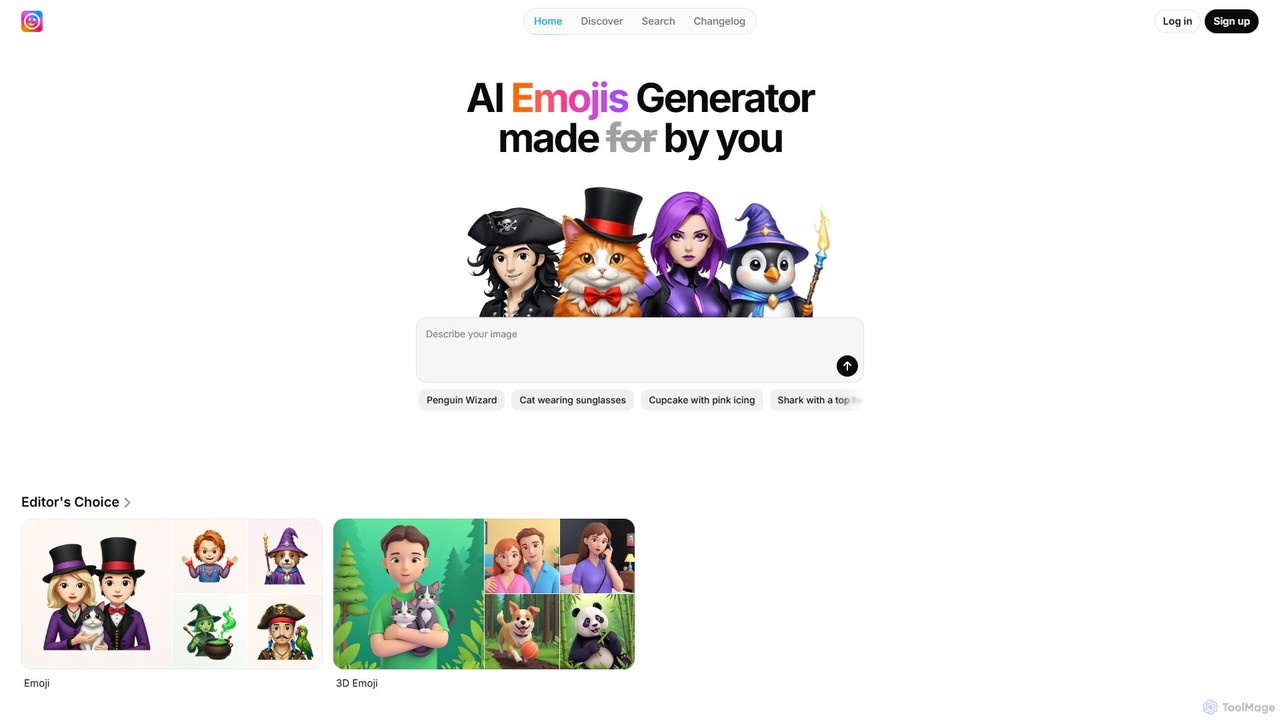
emojis.com is an AI-powered generator for creating unique emojis, icons, illustrations, and memes from text prompts. It offers a variety of styles, including 3D, Chibi, and Retro, allowing users to generate custom visual assets for digital communication, marketing, and creative projects. Explore a vast gallery of community creations or bring your own ideas to life in seconds.

Icon Generation
Visits 399.4KFavorites 121Likes 128

About Sticker Maker

AI Sticker Makers are tools that use generative artificial intelligence to create unique, personalized digital stickers from text prompts or images. These tools leverage advanced models like text-to-image synthesis and automatic background removal to instantly produce expressive visuals. They are primarily used to enhance digital communication by allowing users to design custom reactions, memes, and branded assets for messaging apps and social media platforms. This technology transforms simple ideas into shareable, visually engaging stickers without requiring any design skills.

Core Features

  • Text-to-Sticker Generation: Creates stickers directly from written descriptions or keywords.
  • Image-to-Sticker Conversion: Automatically turns photos into stickers by removing backgrounds and applying effects.
  • Style Customization: Offers a variety of artistic styles, such as cartoon, anime, 3D, or pixel art.
  • Text & Element Overlays: Allows adding custom text, emojis, and other decorative elements to the sticker.
  • Direct App Integration: Enables seamless export of sticker packs to messaging platforms like WhatsApp, Telegram, and iMessage.

Use Cases

AI Sticker Makers are widely used by individuals for personalizing chats with friends and family. In a professional context, community managers on platforms like Discord and Telegram use them to create branded stickers that foster community identity. Marketers also leverage these tools to produce promotional stickers for social media campaigns, increasing brand visibility and engagement in a fun, interactive way.

How to Choose

When selecting an AI Sticker Maker, consider its compatibility with your primary messaging apps. Evaluate the quality and diversity of the AI-generated styles. The user interface should be intuitive, allowing for quick creation and editing. Also, check the pricing model—some tools offer free basic features with premium options for higher resolution or more advanced styles. Finally, assess the speed and accuracy of the background removal feature if you plan to use your own photos.

Sticker Maker use cases

1

Create Personalized Chat Reactions

For individuals active in group chats on platforms like WhatsApp or Telegram, an AI Sticker Maker offers a way to create truly unique reactions. Instead of using generic emojis or sticker packs, a user can type a prompt like 'a cat programmer frustrated with code' to generate a specific sticker for the moment. This allows for more nuanced and humorous communication, turning inside jokes or shared experiences into a personal sticker library that enhances conversations and strengthens social bonds within the group.

2

Develop Branded Stickers for Community Engagement

A community manager for a gaming Discord server or a brand's Telegram channel can use an AI Sticker Maker to foster a strong sense of identity. They can upload the community's logo or mascot and convert it into a sticker pack. Additionally, they can generate stickers based on community-specific memes or terminology. Distributing these exclusive stickers encourages active participation and makes members feel like part of a unique culture, increasing loyalty and engagement without significant design costs or effort.

3

Quickly Create Promotional Stickers for Marketing Campaigns

A social media marketer running a campaign for a new product can use an AI Sticker Maker to quickly generate a set of promotional stickers. For instance, for a new energy drink, they could generate stickers of the can in various fun situations ('the drink chilling on a beach') or with catchy slogans. These can be shared on Instagram Stories, used in Telegram channels, or offered as a downloadable pack, providing a low-cost, viral marketing asset that encourages user-generated content and spreads brand awareness organically.

4

Generate Educational Stickers for E-Learning

An educator or instructional designer can use an AI Sticker Maker to create visual aids for online courses or digital classrooms. For a history lesson, they could generate cartoon-style stickers of historical figures. For a science class, they could create stickers illustrating concepts like 'a happy water molecule'. These visuals can be used in presentations, digital whiteboards, or as rewards in learning management systems, making the educational content more engaging, memorable, and accessible for students of all ages.

5

Design Custom Stickers for Events and Celebrations

For personal events like birthdays, weddings, or holidays, an AI Sticker Maker allows anyone to become a designer. A user can create a sticker pack featuring cartoon versions of the birthday person or wedding couple by uploading their photos. They can also generate thematic stickers like 'a slice of birthday cake celebrating' or 'two rings getting married'. These can be shared in a dedicated event group chat, adding a personalized and festive touch that makes the celebration more interactive and memorable for all attendees.

6

Create Memes and Viral Content Instantly

Content creators and meme enthusiasts can leverage AI Sticker Makers to rapidly respond to trending topics. When a new meme format emerges, they can quickly generate high-quality stickers that fit the trend without needing complex software like Photoshop. By typing a descriptive prompt related to the trend, they can produce dozens of variations in seconds. This agility allows them to create and share timely, relevant content on social media, increasing their chances of going viral and growing their audience.

Sticker Maker FAQ

What is an AI Sticker Maker?

An AI Sticker Maker is a digital tool that uses generative AI to create custom stickers for messaging apps and social media. Unlike traditional sticker apps, you can generate new, unique stickers simply by typing a text description (e.g., 'a happy avocado reading a book') or by uploading a photo, which the AI can then convert into a sticker, often by automatically removing the background and applying an artistic style. These tools make sticker creation accessible to everyone, regardless of artistic ability.

How to choose the right AI Sticker Maker?

When selecting an AI Sticker Maker, consider these factors:

  • Platform Compatibility: Ensure it can easily export sticker packs to your preferred messaging apps, like WhatsApp, Telegram, or iMessage.
  • Generation Quality & Style: Look for a tool that produces high-quality, clear images and offers a wide variety of artistic styles (e.g., cartoon, anime, 3D) to match your taste.
  • Ease of Use: The interface should be intuitive, allowing you to generate, edit, and export stickers with minimal effort.
  • Features: Check for essential features like text-to-sticker, image-to-sticker conversion, background removal accuracy, and options to add text or emojis.
  • Pricing: Compare free and paid plans. A free version is great for casual use, but a paid plan might offer higher resolution, more styles, or unlimited creations.
What's the difference between an AI Sticker Maker and a regular photo editor?

The main difference lies in their purpose and core technology. A regular photo editor (like Photoshop or a mobile editing app) is a general-purpose tool for enhancing or manipulating existing images with manual tools like cropping, filters, and layers. An AI Sticker Maker is a specialized tool designed for one-click creation and export of chat stickers. Its key differentiator is the use of generative AI to create entirely new images from text prompts. It also automates sticker-specific tasks like background removal and direct integration with messaging apps, which are often manual, multi-step processes in a general photo editor.

Can I use my own photos to create stickers?

Yes, absolutely. One of the most popular features of AI Sticker Makers is the ability to turn your own photos into stickers. You can upload a picture of a pet, a friend, or yourself, and the tool will typically use AI to automatically detect the main subject and remove the background. From there, you can often add text, emojis, or apply different artistic styles (like a cartoon or sketch effect) before exporting it to your favorite messaging app. This feature is perfect for creating personalized reactions and memes from your own life.

Who are AI Sticker Makers best for?

AI Sticker Makers are versatile tools suitable for a wide range of users:

  • Individuals: For personalizing conversations with friends and family, creating unique reactions, and expressing themselves creatively.
  • Community Managers: For building a strong brand identity in online communities (like Discord or Telegram) by creating custom, branded sticker packs.
  • Social Media Marketers: For quickly producing engaging, low-cost visual content for marketing campaigns to increase brand awareness and interaction.
  • Content Creators: For rapidly creating memes and reacting to trends with unique visuals to grow their audience.
  • Educators: For creating fun, illustrative stickers to make learning materials more engaging for students.