ToolMage
Sign in

Best 1 Video Effects AI tools for Social Media

Popular Video Effects AI tools in Social Media include AIFaceSwapVideo, helping you work more efficiently.

AIFaceSwapVideo
Freemium

AIFaceSwapVideo

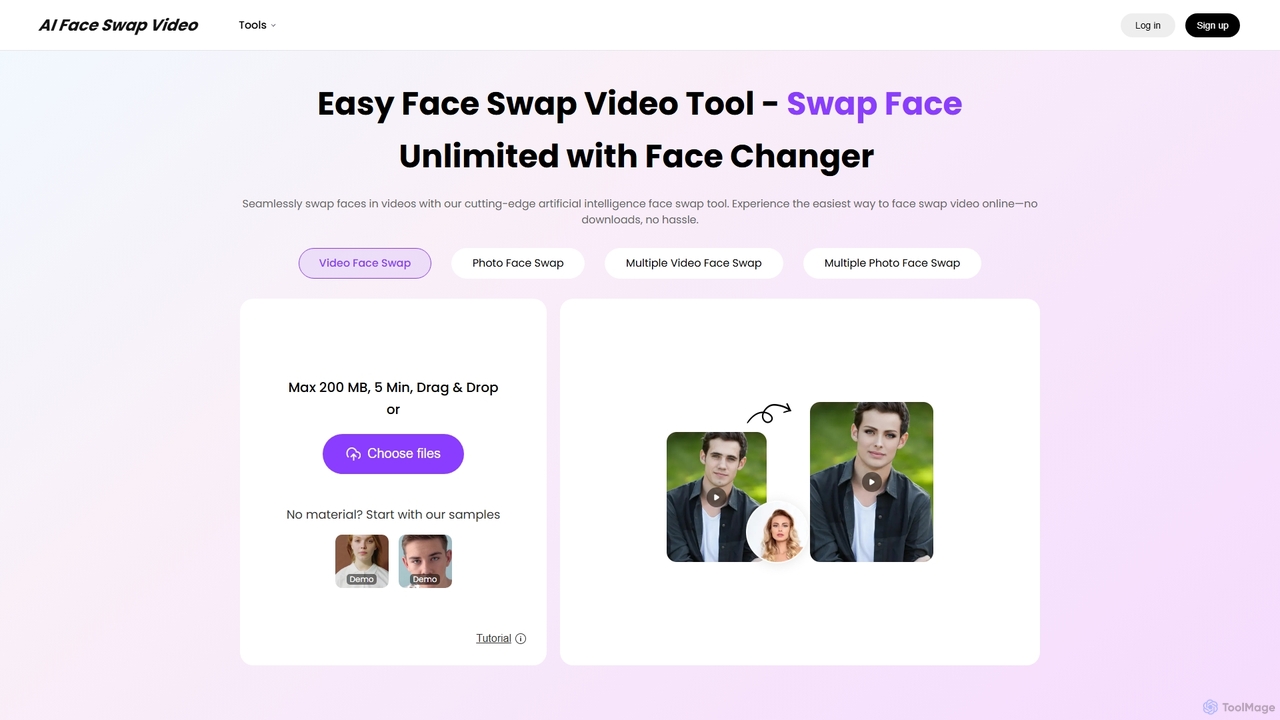
AIFaceSwapVideo is an advanced online AI tool for effortlessly swapping faces in videos, photos, and GIFs. It offers seamless blending, realistic expressions, and precise tracking, making it ideal for creating fun, viral content, or professional edits without any downloads.

3D
Visits 13.6KFavorites 148Likes 174

About Video Effects

AI Video Effects tools are specialized applications that use artificial intelligence to add, enhance, or generate visual effects in video clips. They leverage machine learning models to automate complex processes like style transfer, object tracking, and dynamic filter application, which traditionally required manual editing. These tools are invaluable for social media creators and marketers looking to quickly produce eye-catching content with professional-grade transitions, filters, and animations without extensive technical skills. They serve as a powerful way to elevate the visual quality of social media content, making it more engaging and shareable.

Core Features

  • Style Transfer & Filters: Instantly apply artistic styles from famous paintings or cinematic color grades to your footage.
  • Automated Transitions: Generate seamless, dynamic, and creative transitions between video clips without manual keyframing.
  • Object Tracking & Animation: Automatically track a moving object in a video to attach text, graphics, or other effects to it.
  • Intelligent Background Manipulation: Replace, blur, or stylize video backgrounds with high precision, even without a green screen.
  • Generative Effects: Create unique visual elements like particle systems, light trails, or abstract animations based on simple inputs.

Use Cases

These tools are primarily used by social media managers, content creators, and digital marketers. They are ideal for producing engaging content for platforms like TikTok, Instagram Reels, and YouTube Shorts. Small businesses also use them to enhance product videos and promotional materials, adding a professional polish that helps them stand out in a crowded digital landscape.

How to Choose

When selecting an AI Video Effects tool, consider the variety and quality of the effects library. Evaluate the tool's processing speed and ease of use, especially if you are a beginner. Check for compatibility with your existing video editing software for a smoother workflow. Finally, assess the level of customization available for the effects and the pricing model to ensure it fits your budget and creative needs.

Video Effects use cases

1

Creating Engaging Social Media Reels & Shorts

A content creator aims to increase engagement on their Instagram Reels and YouTube Shorts. They use an AI video effects tool to apply trendy glitch effects, seamless zoom transitions, and animated text overlays that sync with the audio. This automates a process that would typically take hours in advanced editing software, allowing them to produce multiple high-quality, visually dynamic videos daily. The result is a significant increase in watch time and shares as the content stands out in crowded feeds.

2

Enhancing E-commerce Product Videos

An e-commerce manager needs to make product videos more appealing without a large budget. Using an AI effects tool, they add subtle sparkle effects to jewelry, automatically track and highlight key features with graphic callouts, and apply a consistent, high-end color grade across all videos. This elevates the perceived value of the products and creates a cohesive brand aesthetic, leading to higher conversion rates on product pages.

3

Applying Cinematic Color Grading to Vlogs

A travel vlogger wants to give their footage a consistent, professional look. Instead of spending hours manually color grading each clip, they use an AI tool with style transfer capabilities. With a single click, they can apply cinematic color grades (e.g., 'teal and orange' or 'moody cinematic') to all their clips. This ensures a cohesive and visually appealing final video, saving significant post-production time and helping them establish a recognizable visual signature for their channel.

4

Generating Unique Visuals for Music Videos

An independent musician is producing a low-budget music video. They use AI video effects to generate psychedelic visuals, trippy style transfers, and abstract particle effects that react to the music's beat. This allows them to create a compelling and highly artistic visual experience that matches the song's mood without needing a large VFX team or expensive software. The AI tool acts as a creative partner, generating unique effects that would be difficult to conceive and execute manually.

5

Automating Background Replacement for Presentations

A corporate trainer needs to record training modules from their home office. To maintain a professional appearance, they use an AI effects tool to intelligently replace their background in real-time. Unlike simple green screen effects, the AI can accurately detect edges around hair and moving hands, creating a clean and convincing result. They can insert a branded corporate background or a relevant instructional slide, significantly improving the production quality of their training materials with minimal effort.

6

Adding Dynamic Text Animations to Explainer Videos

A marketing team is creating a short explainer video to showcase a new software feature. Instead of hiring a motion graphics artist, they use an AI video effects tool to generate dynamic text animations and kinetic typography. They simply input the text, choose a style, and the AI animates it to emphasize key messages and maintain viewer engagement. This allows the team to produce professional-looking explainer videos in-house, reducing production time and costs significantly.

Video Effects FAQ

What are AI Video Effects tools?

AI Video Effects tools are applications that use artificial intelligence to automatically add or modify visual effects in videos. Unlike traditional editors that require manual keyframing and adjustments, these tools automate complex tasks like style transfer, motion tracking, and generating dynamic transitions. They are primarily designed for users, such as social media creators, who want to create visually stunning content quickly without needing deep technical expertise in visual effects.

How do AI Video Effects tools differ from full video editors?

The main difference is focus and scope. Full video editors (like Adobe Premiere Pro or DaVinci Resolve) are comprehensive platforms for all aspects of post-production: cutting, arranging clips, audio mixing, color correction, and more. AI Video Effects tools are specialized. They focus specifically on automating the creation of complex visual effects, filters, and transitions. While a full editor gives you granular control, an AI effects tool gives you speed and creativity for specific visual enhancements, often used to supplement a traditional editor or for quick social media posts.

Who are AI Video Effects tools best for?

These tools are ideal for individuals and teams who need to produce visually engaging video content quickly, especially for social media. This includes:

  • Social Media Managers: To create eye-catching posts and stories that stand out.
  • Content Creators & Influencers: To maintain a consistent, high-quality aesthetic on platforms like TikTok, Instagram, and YouTube.
  • Small Business Owners & Marketers: To produce professional-looking promotional videos and ads without a large budget or dedicated video team.
  • Casual Users: Anyone looking to add a creative flair to their personal videos with minimal effort.
How should I choose the right AI Video Effects tool?

When selecting a tool, consider these key factors:

  • Effect Library: Does it offer the specific styles, filters, and transitions you need for your content? Look for both variety and quality.
  • Ease of Use: Is the interface intuitive for your skill level? Some tools are one-click, while others offer more customization.
  • Performance & Speed: How quickly does the tool process and render videos? This is crucial for a fast-paced workflow.
  • Integration: Does it work as a standalone app, a web tool, or a plugin for your existing video editor (e.g., Premiere Pro, Final Cut Pro)?
  • Pricing Model: Evaluate whether a subscription, one-time purchase, or credit-based system best fits your usage and budget.
Can AI generate video effects from a text description?

Yes, this is an emerging and rapidly advancing capability known as text-to-effect or text-to-video. Some advanced AI tools allow users to describe a desired effect in natural language, such as 'add a fire trail to the moving car' or 'make the scene look like a vintage film'. The AI then interprets this prompt to generate and apply the corresponding visual effect. While this technology is still evolving, it is becoming more accessible and powerful, promising to further simplify the creative process for video producers.