
ToolMage
Sign in

Best 1 Curriculum Planning AI tools for Teacher Tools

Popular Curriculum Planning AI tools in Teacher Tools include CourseFactory AI, helping you work more efficiently.

CourseFactory AI
Freemium

CourseFactory AI

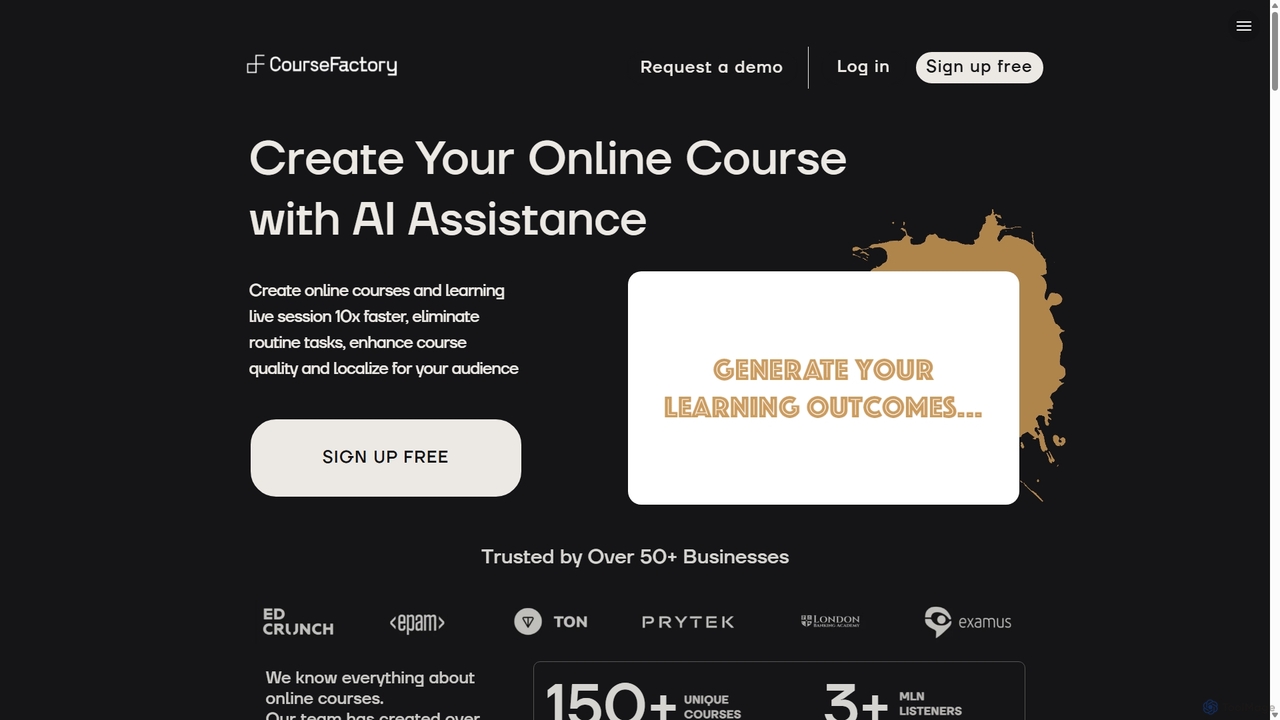
CourseFactory AI is an AI-powered platform designed for educators, experts, and institutions to create high-quality online courses 10x faster. It automates curriculum design, content generation, and localization, transforming ideas into engaging learning experiences with ease.

Course Creation
Visits 6KFavorites 135Likes 118

About Curriculum Planning

AI Curriculum Planning tools are specialized applications that assist educators in designing, structuring, and managing comprehensive educational courses. These tools leverage AI to analyze learning standards, generate logical content sequences, and suggest relevant activities and assessments. They streamline the entire curriculum design process, ensuring alignment with educational goals and saving significant time on strategic planning. Many tools also offer features for creating differentiated learning paths to cater to diverse student needs within the broader framework of teacher tools.

Core Features

  • Syllabus Generation: Automatically creates a structured syllabus with units, topics, timelines, and learning objectives.
  • Standards Alignment: Maps curriculum content and assessments to specific educational standards (e.g., Common Core, NGSS).
  • Learning Activity & Assessment Design: Suggests and develops relevant assignments, projects, quizzes, and rubrics for each topic.
  • Resource Curation: Recommends relevant educational materials like articles, videos, and simulations to supplement lessons.
  • Differentiated Instruction Planning: Generates modified content and activities for students with different learning levels or needs.

Use Cases

These tools are primarily used by K-12 teachers, university professors, instructional designers, and corporate trainers. They are invaluable for developing a new course from scratch, updating an existing curriculum to meet new standards, or creating consistent educational programs across multiple departments or schools.

How to Choose

When selecting an AI Curriculum Planning tool, consider its supported educational standards database, the depth of its subject matter expertise, and its level of customization. Evaluate its ability to integrate with your existing Learning Management System (LMS) and whether its output can be easily modified to fit your unique teaching style and student demographics.

Curriculum Planning use cases

1

Design a Semester-Long University Course

A university professor uses an AI curriculum planner to build a new syllabus for an introductory biology course. They input the main topics, such as cell biology and genetics, along with desired learning outcomes. The AI generates a week-by-week schedule, suggests key readings from academic journals, designs a midterm and final exam, and creates weekly discussion prompts, reducing the initial planning time by over 70%.

2

Align K-12 Curriculum with State Standards

A team of 5th-grade science teachers uses the tool to ensure their yearly curriculum map aligns with the Next Generation Science Standards (NGSS). The AI cross-references each lesson plan with specific NGSS performance expectations, highlighting gaps and suggesting supplementary activities or resources to ensure full coverage. This automates a previously tedious compliance-checking process.

3

Develop a Corporate Training Program

An instructional designer at a tech company is tasked with creating a 4-week onboarding program. They input the required job competencies and skills into the AI planner. The tool structures the program into modules, suggests interactive e-learning activities, generates knowledge-check quizzes for each module, and maps out a full training calendar, ensuring a consistent and effective onboarding experience for all new hires.

4

Create Differentiated Lesson Plans for a Mixed-Ability Classroom

A middle school English teacher uses an AI planner to create a core curriculum on Shakespeare. Then, for each unit, they request differentiated versions. The AI generates advanced materials with deeper thematic analysis for gifted students, and provides simplified text summaries and vocabulary guides for students who need extra support, all while ensuring everyone meets the same core learning objectives.

5

Rapidly Generate Unit Plans for Homeschooling

A homeschooling parent needs to create a history unit on Ancient Rome. They specify the age level and key topics to cover in the AI planner. The tool generates a complete 4-week unit plan, including daily lesson objectives, project ideas (like building a model aqueduct), assessment rubrics, and links to relevant educational videos and online museum exhibits, providing a structured and engaging curriculum without extensive research.

6

Update an Existing Curriculum with New Topics

A high school economics teacher wants to incorporate a new unit on cryptocurrency into their existing curriculum. Instead of a manual overhaul, they upload their current syllabus to the AI tool. The AI analyzes the structure, suggests the best place to insert the new unit, generates lesson ideas and assessments that logically connect with preceding and following topics, and adjusts the overall timeline accordingly.

Curriculum Planning FAQ

What are AI Curriculum Planning tools?

AI Curriculum Planning tools are software applications that use artificial intelligence to help educators design, organize, and manage entire courses or educational programs. Unlike simple lesson planners, they focus on the high-level structure, ensuring that all units, lessons, and assessments are logically sequenced and aligned with overarching learning objectives and educational standards.

How to choose the right AI Curriculum Planning tool?

To choose the right tool, consider these key factors:

  • Standards Database: Ensure it supports the specific educational standards required by your institution or region.
  • Subject Expertise: Check if the tool has strong content generation capabilities for your specific subject area.
  • Customization & Flexibility: Look for the ability to easily edit, rearrange, and adapt the AI-generated content to your teaching style.
  • LMS Integration: Determine if it can connect with your school's Learning Management System (e.g., Canvas, Moodle) for a seamless workflow.
What's the difference between an AI Curriculum Planner and a simple AI Lesson Planner?

The main difference is scope and hierarchy. An AI Lesson Planner typically focuses on creating individual, day-to-day lesson plans. An AI Curriculum Planner operates at a higher level, designing the entire framework for a course or unit. It connects multiple lessons into a cohesive sequence, ensuring long-term goals and standards are met, whereas a lesson planner focuses on the specific activities for a single class period.

Can these tools create curricula for any subject or grade level?

Most AI Curriculum Planning tools are designed to be versatile and can handle a wide range of subjects and grade levels, from K-12 to higher education and corporate training. However, their effectiveness can vary. Some may have more robust data and templates for STEM fields, while others might excel in humanities. It is always best to check the tool's specifications and user reviews to confirm its strengths in your specific teaching context before committing.

Do AI Curriculum Planners replace the need for professional educators?

No, these tools are designed to be powerful assistants, not replacements. They automate the time-consuming, structural aspects of curriculum design, such as organization and standards alignment. This frees up educators to focus on higher-value tasks like personalizing content, fostering student engagement, and applying their professional judgment to refine and deliver the curriculum effectively. The educator's expertise remains essential.