ToolMage
Sign in

Best 1 Resource Creation AI tools for Teacher Tools

Popular Resource Creation AI tools in Teacher Tools include Roshi, helping you work more efficiently.

Roshi
Freemium

Roshi

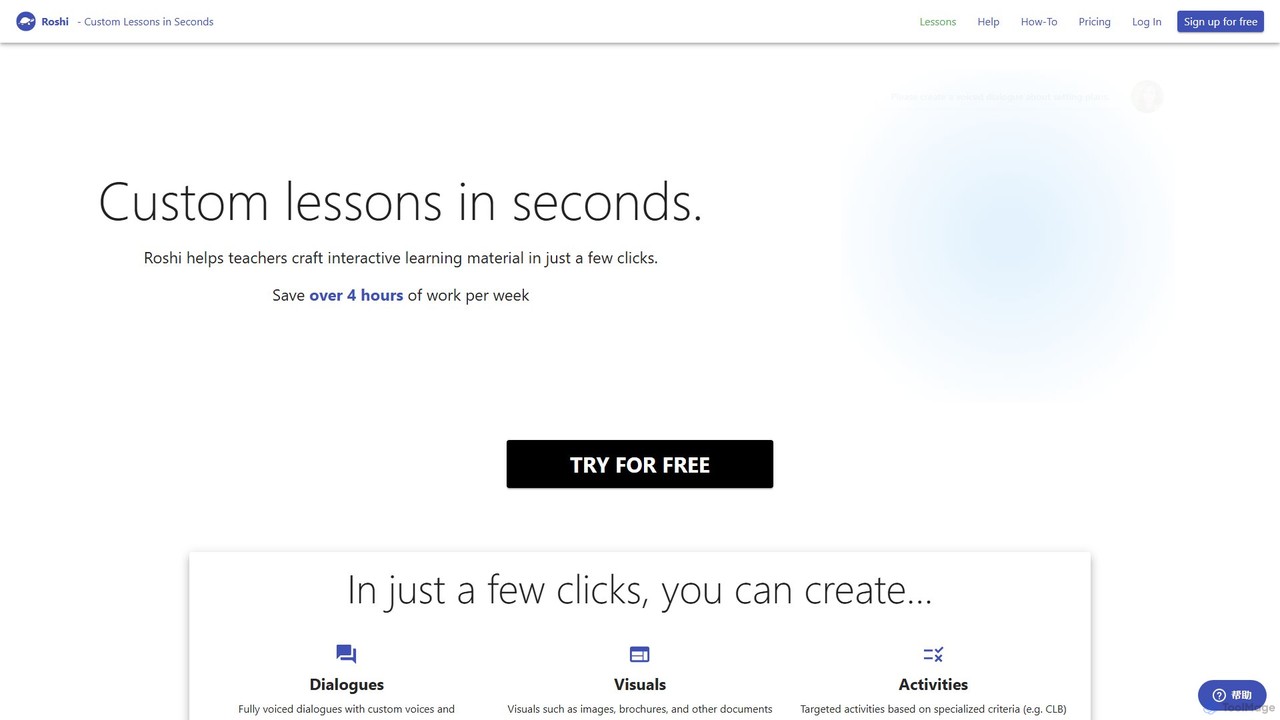
Roshi is an AI-powered platform designed for educators to create custom, interactive learning materials in seconds. It helps teachers generate dialogues, visuals, and targeted activities, saving significant preparation time and integrating seamlessly with learning management systems like Moodle and Google Classroom.

Lesson Planning
Visits 12.9KFavorites 127Likes 112

About Resource Creation

Resource Creation tools are specialized AI applications designed to automate and accelerate the generation of educational materials for teachers. These tools leverage large language models and pedagogical frameworks to transform simple prompts or existing content into structured learning resources. They significantly reduce preparation time, allowing educators to focus more on instruction and student interaction. This category is a key component of AI Teacher Tools, specifically targeting the content development phase of teaching.

Core Features

  • Lesson Plan Generation: Automatically creates detailed lesson plans based on topics, learning objectives, and curriculum standards.
  • Worksheet & Quiz Creation: Generates customized worksheets, quizzes, and practice problems in various formats.
  • Content Differentiation: Adapts materials for different learning levels, reading abilities, or student needs.
  • Rubric & Assessment Design: Quickly builds clear and comprehensive grading rubrics for projects and assignments.
  • Presentation Slide Generation: Converts outlines or topics into engaging presentation slides with text and suggested visuals.

Use Cases

These tools are invaluable for K-12 teachers, university lecturers, corporate trainers, and curriculum developers. For instance, a history teacher can generate a complete lesson packet on a specific event in minutes, including a presentation, a reading passage with comprehension questions, and a short quiz. Corporate trainers can use them to quickly develop onboarding materials and skills assessments.

How to Choose

When selecting a Resource Creation tool, consider the specific subjects and grade levels it supports. Evaluate the level of customization available for outputs and check for compatibility with your existing Learning Management System (LMS). Also, consider the variety of resource types it can generate (e.g., worksheets, slides, lesson plans) and whether its pricing model aligns with your budget, whether for an individual teacher or an entire institution.

Resource Creation use cases

1

Generate Differentiated Worksheets for a Mixed-Ability Class

A middle school science teacher needs to create a worksheet on photosynthesis for a class with diverse reading levels. Instead of spending hours writing three separate versions, the teacher uses an AI Resource Creation tool. They input the core topic, key vocabulary, and specify three difficulty levels: basic, intermediate, and advanced. The AI generates three distinct worksheets in minutes, each with appropriately complex questions and reading passages, ensuring every student is challenged at their own level.

2

Rapidly Draft a Week's Worth of Lesson Plans

A new elementary school teacher is tasked with planning a week-long unit on the solar system. Feeling overwhelmed, they turn to an AI tool. By providing the grade level, subject, the unit topic ('Our Solar System'), and key learning objectives (e.g., identify planets, describe orbits), the tool generates a five-day lesson plan outline. This includes daily topics, suggested activities, assessment ideas, and links to relevant standards, providing a solid framework that the teacher can then refine and personalize.

3

Create an Interactive Quiz with Multiple Question Types

A high school English teacher wants to create a quiz for 'The Great Gatsby' that goes beyond simple multiple-choice questions. Using an AI tool, they can generate a variety of question types from a chapter summary. The tool produces multiple-choice questions to check comprehension, short-answer questions to analyze character motivation, and even a fill-in-the-blank exercise using key quotes from the text. This saves time and results in a more comprehensive and engaging assessment for students.

4

Develop a Clear Grading Rubric for a Group Project

A university lecturer assigns a complex group research project and wants to ensure transparent and fair grading. They use an AI rubric generator. By inputting the project title, a brief description, and the key assessment criteria (e.g., 'Research Depth', 'Collaboration', 'Presentation Quality'), the tool generates a detailed rubric. It creates performance level descriptions (e.g., 'Excellent', 'Proficient', 'Needs Improvement') for each criterion, providing students with clear expectations and making the grading process more efficient and objective for the lecturer.

5

Generate Engaging Presentation Slides from an Outline

A corporate trainer needs to create a presentation for a new software rollout. They have a simple bullet-point outline but lack the time to design the slides. Using an AI presentation generator, they paste their outline. The tool automatically creates a professional-looking slide deck, assigning one key idea per slide, suggesting relevant stock images or icons, and applying a consistent design theme. This transforms a basic outline into a visually appealing and ready-to-use training presentation in a fraction of the time.

6

Create Reading Comprehension Passages for Language Learners

An ESL (English as a Second Language) teacher wants to provide students with reading practice on the topic of 'Holidays Around the World'. Using an AI tool, they can generate multiple short reading passages tailored to different proficiency levels (e.g., A2, B1, B2). The tool can also automatically create a set of comprehension questions for each passage, including vocabulary matching and true/false statements. This allows the teacher to quickly produce a wealth of level-appropriate practice materials for their students.

Resource Creation FAQ

What are AI Resource Creation tools for teachers?

AI Resource Creation tools are applications that use artificial intelligence to help educators generate teaching materials quickly. Instead of starting from scratch, teachers can input a topic, grade level, or learning objective, and the AI will produce resources like lesson plans, worksheets, quizzes, and presentations. They act as a smart assistant, automating the time-consuming parts of content development.

How do I choose the right AI tool for creating teaching materials?

To choose the right tool, consider these factors:

  • Content Specificity: Does the tool specialize in your subject area (e.g., STEM, humanities) or grade level?
  • Output Variety: Can it generate the types of resources you need most, such as worksheets, slides, or full lesson plans?
  • Customization: How much control do you have over the final output? Can you easily edit and adapt the generated content?
  • Ease of Use: Is the interface intuitive and easy for a busy teacher to learn and use effectively?
  • Integration: Does it connect with other tools you use, like Google Classroom or a Learning Management System (LMS)?
What's the difference between AI Resource Creation tools and standard content libraries (like TPT)?

The key difference is creation versus curation. Content libraries like Teachers Pay Teachers (TPT) offer pre-made resources created by other educators that you can search and download. AI Resource Creation tools, on the other hand, generate new, custom materials on-demand based on your specific prompts. AI tools provide unique content tailored to your exact needs, while libraries offer a vast collection of existing, static resources.

Can these tools align content with specific curriculum standards?

Many advanced AI Resource Creation tools are designed with curriculum alignment in mind. They often allow you to specify standards, such as the Common Core State Standards (CCSS) in the U.S. or other regional/national curricula. When you generate a lesson plan or assessment, the tool can tag it with the relevant standards or even build the content around the specific skills and knowledge required by those standards. However, it's always recommended for teachers to review the output to ensure perfect alignment.

Who benefits most from using AI Resource Creation tools?

While many roles can benefit, these tools are particularly valuable for:

  • New Teachers: Who are often overwhelmed with curriculum planning and resource creation from scratch.
  • Time-Pressed Veteran Teachers: Who want to reclaim their time from repetitive tasks to focus on student engagement and personalized feedback.
  • Special Education Teachers: Who need to quickly differentiate materials for a wide range of learning needs.
  • Curriculum Developers & Instructional Designers: Who need to produce a high volume of consistent, high-quality educational content.