DevBlogs
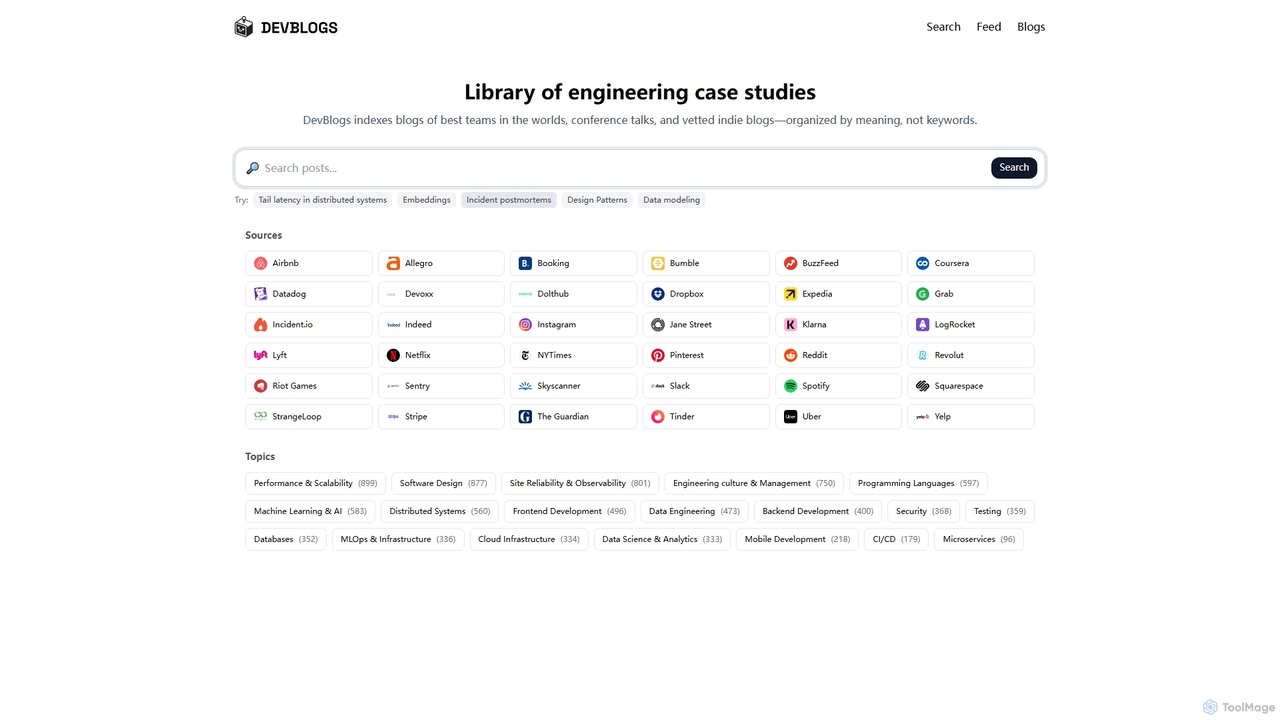
DevBlogs is a curated library indexing engineering case studies, tech blogs, and conference talks from leading global teams. …
DevBlogs is a curated library indexing engineering case studies, tech blogs, and conference talks from leading global teams. It organizes content by meaning and specific technical topics, providing a valuable resource for developers and engineers to discover insights and best practices.
About Frontend Development
AI Frontend Development tools are a specialized category of software that uses artificial intelligence to automate and accelerate the creation of user interfaces and web experiences. These tools leverage large language models (LLMs) and computer vision to interpret design files, generate clean HTML, CSS, and JavaScript code, and provide intelligent code completions. They significantly reduce manual coding, improve consistency across components, and enable developers to build and iterate on UIs faster than ever. This focus on the visual and interactive layer distinguishes them from broader AI web development tools that may also handle backend logic.
Core Features
- Design-to-Code Conversion: Automatically translates design files from platforms like Figma or Sketch into production-ready component code for frameworks like React or Vue.
- AI Code Generation & Completion: Generates entire UI components, functions, or code snippets from natural language prompts and provides context-aware suggestions in your IDE.
- Responsive Design Automation: Analyzes layouts and intelligently generates CSS media queries and flexible code to ensure adaptability across various screen sizes.
- Automated UI Testing: Simulates user interactions to identify visual bugs, accessibility issues (WCAG compliance), and inconsistencies across different browsers.
- Code Refactoring & Optimization: Suggests improvements for existing frontend code to enhance performance, readability, and adherence to best practices.
Use Cases
These tools are invaluable for frontend developers, UI/UX designers, full-stack engineers, and digital agencies. Common applications include rapidly building interactive prototypes from static designs, accelerating the development of component libraries for a design system, and automating the tedious process of ensuring cross-browser compatibility and responsive layouts.
How to Choose
When selecting an AI Frontend Development tool, consider its framework support (React, Vue, Angular, etc.), the quality and customizability of the generated code, and its integration capabilities with your existing design tools (e.g., Figma) and development environments (e.g., VS Code). Also, evaluate the accuracy of its design interpretation and the sophistication of its testing features.

Frontend DevelopmentUse Cases
Rapid Prototyping from Design Mockups
A startup's product team needs to validate a new feature concept with a functional prototype quickly. Instead of spending days manually coding, a frontend developer uses an AI tool to import Figma designs. The tool analyzes the layout, components, and styles, generating interactive React code in minutes. The developer can then make minor adjustments and deploy a high-fidelity prototype for user testing, reducing the design-to-prototype cycle from a week to just a few hours.
Automating Component Library Creation
A large enterprise is standardizing its digital presence with a new design system. The frontend team is tasked with building a comprehensive library of reusable UI components. They use an AI tool that generates component code based on natural language descriptions and design tokens. For example, a developer prompts: "Create an accessible primary button with a loading spinner state." The AI generates the complete Vue component file, including the template, script, styles, and unit tests, ensuring consistency and adherence to accessibility standards across the entire library.
AI-Assisted Frontend Debugging
A junior developer is struggling with a complex CSS layout issue where a grid item isn't aligning correctly on Safari. After hours of fruitless searching on Stack Overflow, they paste the relevant HTML and CSS into an AI development tool. The AI analyzes the code, identifies a browser-specific compatibility problem with a CSS property, and provides the corrected code snippet using a more widely supported alternative. It also explains why the original code was failing, turning a frustrating bug into a valuable learning experience.
Automating Responsive Design Implementation
A digital agency is building a marketing website for a client with a strict deadline. The design needs to be pixel-perfect on desktop, tablet, and mobile devices. A developer uses an AI tool that automatically generates responsive CSS. After building the desktop version, the tool analyzes the component structure and generates all necessary media queries and flexible layout properties (like Flexbox or Grid) to ensure the site adapts seamlessly. This automates a significant portion of the tedious manual adjustments, saving dozens of hours and reducing the risk of human error.
Automated Accessibility Audits
A public sector organization must ensure its web application meets WCAG 2.1 AA standards. A frontend developer integrates an AI-powered testing tool into their CI/CD pipeline. During each build, the tool automatically scans the rendered DOM, identifying accessibility issues like insufficient color contrast, missing ARIA attributes for dynamic components, and improper heading structures. It provides detailed reports with code-level suggestions for fixes, allowing the team to proactively address accessibility and maintain compliance without extensive manual audits.
Refactoring Legacy Frontend Code
A maintenance team inherits an old web application built with outdated JavaScript practices and messy, non-modular CSS. To improve maintainability, they use an AI refactoring tool. The tool analyzes the entire frontend codebase, identifies anti-patterns, and suggests modernizations. For instance, it can automatically convert class-based React components to functional components with Hooks, or transform large CSS files into scoped CSS-in-JS modules. This accelerates the modernization process, reduces technical debt, and makes the application easier for new developers to understand and contribute to.