ToolMage
Sign in

Best 1 React AI tools for Web Development

Popular React AI tools in Web Development include TacoTranslate, helping you work more efficiently.

TacoTranslate
Freemium

TacoTranslate

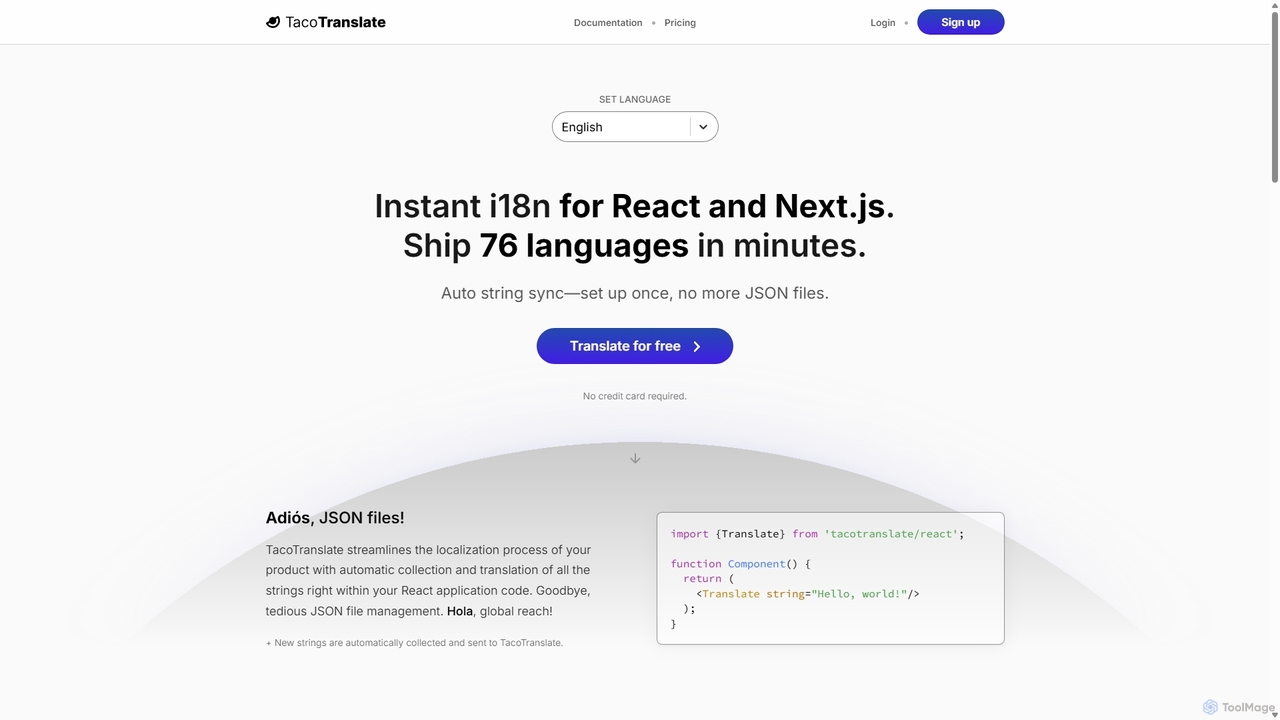
TacoTranslate is an AI-powered internationalization (i18n) tool designed for React and Next.js developers. It automates the entire localization process, from string collection to translation, eliminating the need for manual JSON file management. Ship your application in over 76 languages within minutes, enabling rapid global expansion with a developer-friendly workflow.

Localization
Visits 6.5KFavorites 94Likes 102

About React

React is a declarative, component-based JavaScript library for building user interfaces, primarily for single-page applications. It leverages a virtual DOM to efficiently update and render UI components, enhancing application performance. Developers use React to create interactive, scalable, and maintainable frontend experiences. Its robust ecosystem and strong community support make it a popular choice for modern web development.

Core Features

  • Component-Based Architecture: Enables building complex UIs from small, isolated, and reusable pieces of code.
  • Virtual DOM: Improves performance by minimizing direct manipulation of the browser's DOM, updating only necessary parts.
  • JSX: A syntax extension for JavaScript that allows writing HTML-like code directly within JavaScript, making UI development intuitive.
  • Unidirectional Data Flow: Simplifies debugging and ensures predictable application state management.
  • React Hooks: Allows using state and other React features in functional components without writing class components.

Applicable Scenarios

React is widely adopted for developing dynamic single-page applications (SPAs), complex enterprise dashboards, and interactive data visualizations. It's also the foundation for cross-platform mobile development with React Native, extending its utility beyond web browsers. Startups and large corporations alike utilize React for its efficiency and scalability in building user-centric applications.

How to Choose

When considering React, evaluate your project's need for a highly interactive and scalable UI, the team's familiarity with JavaScript and component-based paradigms, and the availability of a rich ecosystem for state management, routing, and testing. Assess the long-term maintainability and performance requirements, as React excels in applications requiring frequent UI updates and a modular structure.

Featured tool rankings

React use cases

1

Build Dynamic Single-Page Applications (SPAs)

Frontend developers utilize React to create highly interactive and responsive single-page applications like social media feeds, online dashboards, or project management tools. By breaking down the UI into reusable components, developers can efficiently manage complex interfaces, ensuring smooth transitions and a seamless user experience without full page reloads. This approach significantly enhances user engagement and application performance.

2

Develop Cross-Platform Mobile Applications with React Native

Mobile developers leverage React's principles through React Native to build native mobile applications for iOS and Android from a single codebase. This allows businesses to reach a wider audience with less development time and cost compared to maintaining separate native codebases. Teams can reuse much of their web development knowledge, accelerating the delivery of consistent user experiences across web and mobile platforms.

3

Create Interactive Dashboards and Data Visualizations

Data analysts and business intelligence professionals use React to build highly interactive dashboards that display complex data in an understandable format. React's component-based nature allows for modular charts, graphs, and tables that can be easily updated in real-time. This enables users to filter, sort, and interact with data visualizations dynamically, providing deeper insights and facilitating quicker decision-making.

4

Design Reusable UI Component Libraries

Design systems teams and large organizations use React to build comprehensive UI component libraries. These libraries consist of standardized, pre-built React components (buttons, forms, navigation bars) that can be reused across multiple projects. This ensures design consistency, accelerates development cycles for new features, and reduces maintenance overhead, allowing developers to focus on core application logic rather than recreating basic UI elements.

5

Enhance Existing Web Applications with Interactive Elements

Web developers can integrate React into existing web applications (even those not originally built with React) to modernize specific sections or add new interactive features. For instance, a legacy e-commerce site might use React to power a dynamic product filter or a complex checkout process. This allows for incremental adoption, improving user experience in critical areas without a complete rewrite of the entire application, saving time and resources.

6

Rapid Prototyping and MVP Development

Startups and product teams frequently choose React for rapid prototyping and Minimum Viable Product (MVP) development. Its component-based structure and extensive ecosystem allow developers to quickly assemble functional user interfaces, test ideas, and gather early user feedback. This agility helps validate product concepts faster, iterate on designs efficiently, and bring new web products to market with reduced initial investment and time-to-market.

React FAQ

What is React and why is it popular for web development?

React is a JavaScript library for building user interfaces, known for its declarative and component-based approach. It's popular because it simplifies the development of complex, interactive UIs by allowing developers to create reusable components. Its virtual DOM ensures efficient updates, leading to high-performance applications. Furthermore, React boasts a vast ecosystem, strong community support, and excellent tooling, making it a reliable choice for modern web projects.

How do React's core features benefit web development projects?

React's core features offer significant benefits. Its component-based architecture promotes modularity and reusability, accelerating development and simplifying maintenance. The virtual DOM enhances performance by optimizing UI updates, leading to faster and smoother user experiences. JSX improves code readability and developer productivity by allowing HTML-like syntax in JavaScript. Unidirectional data flow makes state management predictable, reducing bugs and making debugging easier. These features collectively contribute to building robust, scalable, and high-performing web applications.

How does React compare to other JavaScript frameworks like Angular or Vue?

React is a library focused solely on UI development, offering flexibility in choosing other tools for routing or state management. Angular is a comprehensive framework with a more opinionated structure, providing a complete solution out-of-the-box. Vue.js is often seen as a progressive framework, easier to learn than Angular and more flexible than React for smaller projects. React's strength lies in its component reusability, virtual DOM for performance, and a vast, active community, making it ideal for large, complex applications and cross-platform mobile development with React Native.

What are React Hooks and why are they important?

React Hooks are functions that let you use state and other React features in functional components without writing a class. Introduced in React 16.8, they are important because they simplify component logic, making it more readable and reusable. Hooks like useState and useEffect allow developers to manage component state and side effects (like data fetching) directly within functional components, leading to cleaner code, better organization, and easier testing compared to class components.

Is React difficult to learn for beginners in web development?

While React has a learning curve, especially with concepts like JSX, component-based architecture, and state management, it is generally considered accessible for beginners with a solid understanding of JavaScript fundamentals. The extensive documentation, numerous tutorials, and a large, supportive community make the learning process manageable. Starting with basic concepts and gradually building up to more complex features like Hooks and context API can help new developers master React effectively.

What are the common use cases for React in modern web applications?

React is highly versatile and used in various modern web applications. Common use cases include building dynamic Single-Page Applications (SPAs) like social media platforms or e-commerce sites, where smooth transitions and real-time updates are crucial. It's also extensively used for creating interactive dashboards and data visualization tools, enabling users to interact with complex datasets. Furthermore, React Native extends its utility to cross-platform mobile app development, allowing a single codebase for iOS and Android applications, and it's excellent for developing reusable UI component libraries.