ToolMage
Sign in

Best 1 Page Builder AI tools for Website

Popular Page Builder AI tools in Website include Elegant Themes, helping you work more efficiently.

Elegant Themes
Paid

Elegant Themes

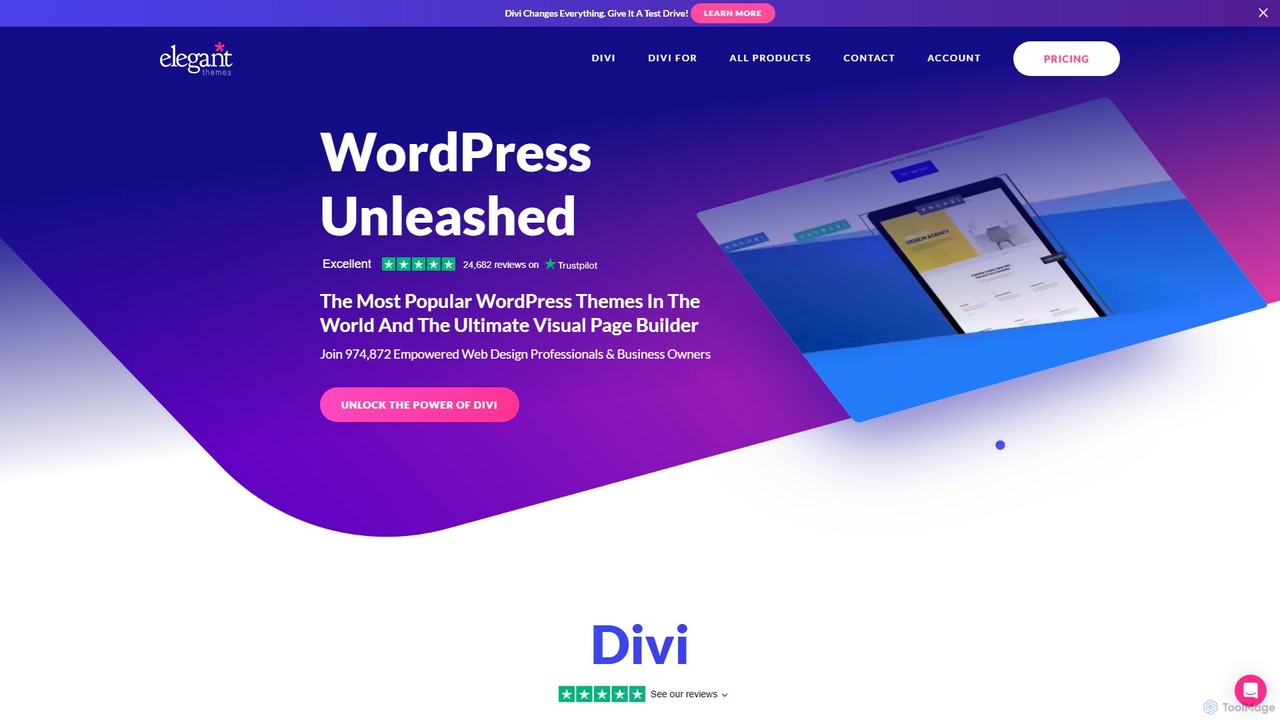
Elegant Themes is a leading WordPress development company, renowned for its flagship product, Divi. Divi is a powerful visual page builder and theme framework that allows users of all skill levels to create stunning, professional websites without coding. It includes a suite of marketing tools, e-commerce integration, and the innovative Divi AI to streamline the web design process.

Lead Generation
Visits 836.5KFavorites 114Likes 108

About Page Builder

Page Builders are intuitive AI-powered tools designed to create and customize websites without coding. They leverage visual drag-and-drop interfaces, enabling users to design professional web pages efficiently. These tools empower individuals and businesses to build stunning, responsive online presences, significantly reducing development time and costs. As a core component of modern website development, page builders democratize web design, making it accessible to everyone.

Core Features

  • Visual Drag-and-Drop Editor: Allows users to easily arrange and customize page elements in real-time.
  • Extensive Template Library: Provides pre-designed layouts and sections for quick website setup and inspiration.
  • Responsive Design Controls: Ensures websites automatically adapt and look great on all devices, from desktops to mobile phones.
  • Widget and Element Integration: Offers a wide range of pre-built components like forms, galleries, buttons, and testimonials for enhanced functionality.
  • SEO Optimization Settings: Includes options for meta titles, descriptions, and clean code generation to improve search engine visibility.

Use Cases

Page builders are ideal for small business owners creating their first online store, marketers launching campaign-specific landing pages, and bloggers designing unique article layouts. They are also used by freelancers to quickly prototype client websites and by non-technical entrepreneurs to establish a professional digital footprint without hiring developers.

How to Choose

When selecting a page builder, consider its ease of use and the breadth of its template library for quick starts. Evaluate the level of customization offered, ensuring it meets your branding needs. Check for integration capabilities with other essential tools like CRM or email marketing platforms. Finally, assess its performance optimization features and pricing model to ensure it aligns with your budget and technical requirements.

Featured tool rankings

Page Builder use cases

1

Build Marketing Landing Pages Quickly

Marketing professionals can use page builders to rapidly create high-converting landing pages for specific campaigns. By leveraging pre-designed templates and drag-and-drop elements, they can launch A/B tests for different page layouts and content variations in hours, not days, directly impacting lead generation and conversion rates without relying on development teams.

2

Design Personalized Blog Post Layouts

Bloggers and content creators can move beyond standard blog templates by using page builders to craft unique and engaging layouts for individual articles. This allows for custom sections, embedded media, and interactive elements that enhance reader experience and content presentation, making each post stand out and improving time on page metrics.

3

Create Responsive E-commerce Product Pages

E-commerce businesses can utilize page builders to design highly visual and responsive product pages that convert. They can customize product galleries, add detailed feature sections, integrate customer reviews, and optimize call-to-action buttons, ensuring a seamless shopping experience across all devices and potentially boosting sales by improving product presentation.

4

Build Event Promotion Websites

Event organizers can quickly launch dedicated websites for conferences, workshops, or festivals using page builders. They can easily add schedules, speaker bios, registration forms, and interactive maps, providing attendees with all necessary information in an engaging format. This streamlines event promotion and registration processes, enhancing the overall attendee experience.

5

Non-Technical Users Building Business Websites

Small business owners or entrepreneurs without coding knowledge can use page builders to create professional and functional business websites. They can showcase services, display portfolios, integrate contact forms, and even set up basic e-commerce functionalities, establishing a credible online presence without the high costs or complexities of hiring a web developer.

6

A/B Testing Different Page Designs

Digital marketers and UX designers frequently use page builders to conduct A/B tests on various page elements, layouts, and calls-to-action. The ease of duplicating pages and making quick visual adjustments allows them to gather data on user behavior and optimize conversion funnels efficiently, leading to data-driven improvements in website performance and user engagement.

Page Builder FAQ

What are Page Builders?

Page Builders are visual website creation tools that allow users to design and customize web pages without writing any code. They typically feature a drag-and-drop interface, extensive template libraries, and pre-built elements. Their core purpose is to simplify web development, making it accessible to individuals and businesses with limited technical expertise, enabling them to build professional-looking websites quickly and efficiently.

How do Page Builders differ from traditional coding for websites?

Page Builders offer a visual, no-code approach to website creation, allowing users to manipulate elements directly on the screen. Traditional coding, conversely, involves writing HTML, CSS, and JavaScript manually. Page builders significantly reduce the technical barrier and development time, making web design accessible to non-developers. While coding offers ultimate flexibility, page builders prioritize speed, ease of use, and a streamlined workflow for common website needs.

Who can benefit most from using a Page Builder?

Page Builders are highly beneficial for small business owners, entrepreneurs, marketers, bloggers, and freelancers who need to create or update websites quickly without deep technical skills. They empower individuals to manage their online presence independently, saving costs on hiring developers. Even experienced web designers can use them for rapid prototyping or for clients with simpler needs, streamlining their workflow.

What are the key benefits of using a Page Builder?

The primary benefits of using a Page Builder include significant time and cost savings in website development. They offer unparalleled ease of use through visual editing, allowing for quick design iterations and content updates. Page builders also ensure responsive design across devices, provide access to extensive template libraries, and often integrate with other essential marketing and business tools, enhancing overall efficiency and flexibility for website management.

What should I consider when choosing a Page Builder?

When choosing a Page Builder, prioritize ease of use and a rich template library to accelerate your workflow. Evaluate its customization capabilities to ensure it aligns with your brand's unique identity. Check for compatibility with your existing CMS (e.g., WordPress) and other tools you use. Consider performance optimization features for fast loading times and review the pricing structure, including any hidden costs or subscription tiers, to match your budget and long-term needs.