ToolMage
Sign in

Best 1 Performance Analytics AI tools for Website

Popular Performance Analytics AI tools in Website include MarketingTool, helping you work more efficiently.

MarketingTool
Free

MarketingTool

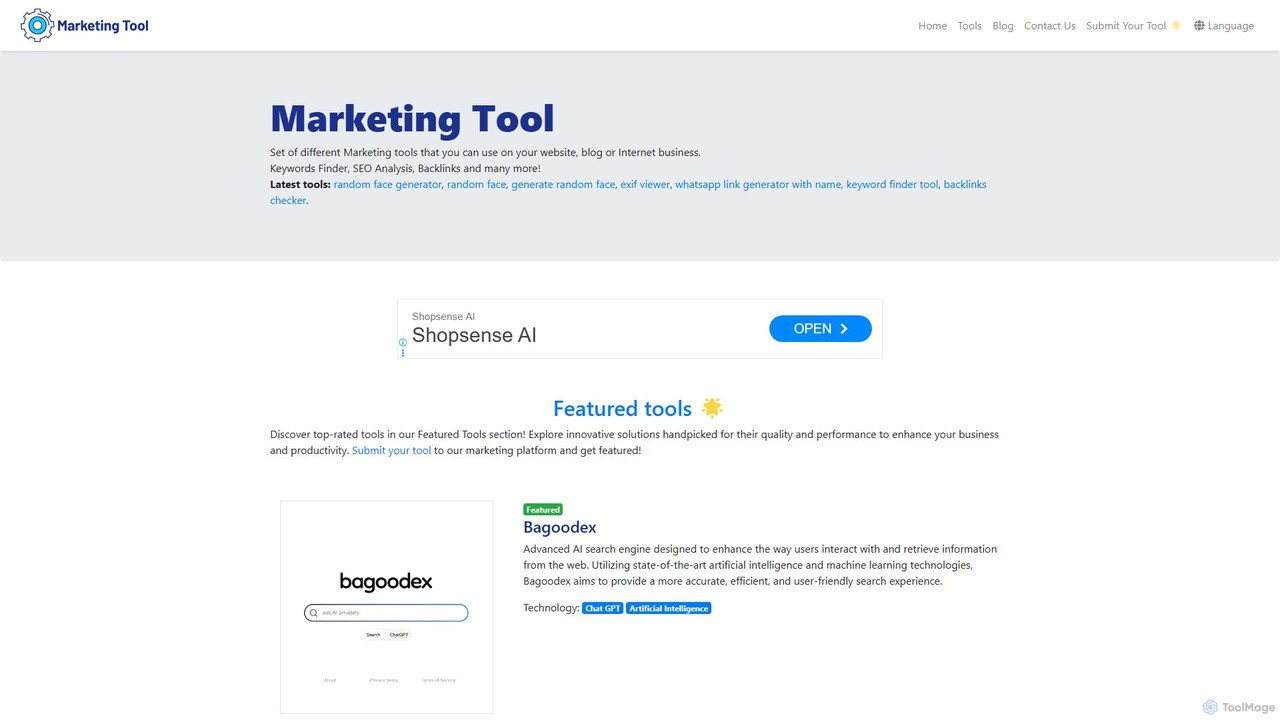
MarketingTool is a comprehensive, free suite of online utilities designed for marketers, SEO professionals, and business owners. It offers a wide range of tools for website analysis, SEO optimization, AI-powered content creation, and developer tasks. This all-in-one platform helps users enhance their digital marketing strategies, improve website performance, and streamline workflows without any cost or installation.

Seo
Visits 4.7KFavorites 106Likes 108

About Performance Analytics

Performance Analytics are AI-powered tools designed to measure, monitor, and optimize the speed, responsiveness, and stability of websites and web applications. These tools leverage advanced data processing and machine learning to provide deep insights into technical performance, user experience, and operational efficiency. They help identify bottlenecks, predict issues, and ensure a seamless digital experience for visitors, directly impacting user satisfaction and business goals.

Core Features

  • Real-time Monitoring: Continuously track website uptime, page load times, and server response across various locations.
  • User Journey Analysis: Map and analyze user interactions, identifying points of friction or drop-off within the website.
  • Resource Optimization Insights: Pinpoint slow-loading assets, inefficient code, or database queries impacting performance.
  • A/B Testing Performance: Evaluate the performance impact of different website versions or features on key metrics.
  • Predictive Analytics: Forecast potential performance issues or traffic spikes based on historical data and trends.

Use Cases

Webmasters, marketing teams, and product managers utilize Performance Analytics to maintain optimal website health and user experience. For instance, an e-commerce site might use it to ensure fast checkout processes, reducing cart abandonment. Content publishers can monitor page load speeds to improve SEO rankings and reader engagement, while SaaS companies track application responsiveness to guarantee service reliability for their users.

How to Choose

When selecting a Performance Analytics tool, consider its data granularity and real-time capabilities for immediate insights. Evaluate its integration with existing development and marketing stacks, such as CDNs or CRM systems. Assess the reporting and visualization features for clarity and customizability, ensuring it aligns with your team's analytical needs. Finally, consider scalability to handle future traffic growth and the level of technical support offered.

Featured tool rankings

Performance Analytics use cases

1

Optimizing Page Load Speed for SEO

SEO specialists and web developers use Performance Analytics to identify and resolve factors slowing down website pages, such as large images, unoptimized scripts, or slow server responses. By analyzing metrics like Largest Contentful Paint (LCP) and First Input Delay (FID), they can prioritize fixes, improving search engine rankings and user retention. This directly contributes to higher organic traffic and better user experience.

2

Identifying User Journey Bottlenecks

Product managers and UX designers leverage these tools to visualize user flows and pinpoint specific pages or interactions where users abandon their journey. Through heatmaps, session replays, and funnel analysis, they can understand why users drop off, enabling data-driven design changes to improve conversion rates for sign-ups, purchases, or content consumption.

3

Proactive Uptime and Server Health Monitoring

Site Reliability Engineers (SREs) and IT operations teams deploy Performance Analytics to continuously monitor server health, network latency, and application uptime. Real-time alerts notify them of potential outages or performance degradation before they impact users, allowing for rapid incident response and maintaining high service availability, crucial for critical business applications.

4

Analyzing A/B Test Impact on Performance

Marketing and optimization teams use Performance Analytics to not only track conversion rates of A/B tests but also to understand the performance implications of different variations. They can ensure that new features or design changes do not negatively affect page load times or responsiveness, providing a holistic view of test outcomes beyond just conversion metrics.

5

Predicting Traffic Spikes and Resource Needs

Infrastructure teams and capacity planners utilize historical performance data and predictive analytics features to anticipate future traffic surges, such as during marketing campaigns or seasonal events. This allows them to proactively scale server resources, optimize database queries, or adjust CDN configurations, preventing website slowdowns or crashes during peak demand.

6

Enhancing Mobile Website Responsiveness

Mobile developers and front-end engineers employ Performance Analytics to specifically evaluate website performance on various mobile devices and network conditions. They can identify mobile-specific issues like slow rendering, unresponsive elements, or excessive data usage, ensuring a fast and fluid experience for the growing mobile user base.

Performance Analytics FAQ

What are Performance Analytics tools?

Performance Analytics tools are software solutions that collect, analyze, and visualize data related to the speed, stability, and responsiveness of websites and web applications. Their primary goal is to help businesses understand how their digital platforms are performing from a technical standpoint and how that performance impacts user experience and business outcomes. They often provide insights into page load times, server response, resource utilization, and user interaction patterns.

How do Performance Analytics differ from traditional Web Analytics?

While both deal with website data, Performance Analytics primarily focuses on the technical health and speed of a website (e.g., page load time, server response, uptime, resource usage). Traditional Web Analytics, like Google Analytics, focuses more on user behavior (e.g., traffic sources, bounce rate, conversion paths, demographics). Performance Analytics answers "how fast and stable is my site?", while Web Analytics answers "who are my users and what are they doing?". They are complementary, offering a holistic view.

What key metrics do Performance Analytics tools track?

Performance Analytics tools track a wide range of metrics, including: Page Load Time (how long it takes for a page to fully load), First Contentful Paint (FCP) and Largest Contentful Paint (LCP) (when content becomes visible), Time to Interactive (TTI) (when a page becomes fully interactive), Server Response Time, Uptime/Downtime, Error Rates, and Resource Usage (CPU, memory). They also monitor Core Web Vitals, which are crucial for SEO.

Who benefits most from using Performance Analytics tools?

A wide range of professionals benefit from Performance Analytics. Web Developers and Engineers use them to debug and optimize code. Site Reliability Engineers (SREs) and IT Operations teams rely on them for proactive monitoring and incident response. Marketing Managers and SEO Specialists use insights to improve search rankings and conversion rates. Product Managers and UX Designers leverage them to enhance user experience and identify friction points. Essentially, anyone responsible for a website's health and user satisfaction benefits.

How can Performance Analytics improve website conversion rates?

Performance Analytics directly impacts conversion rates by ensuring a fast, reliable, and smooth user experience. Slow-loading pages lead to high bounce rates and user frustration, directly hindering conversions. By identifying and resolving performance bottlenecks, these tools help reduce page load times, improve site responsiveness, and ensure a stable user journey. A faster, more reliable website keeps users engaged, encourages exploration, and ultimately increases the likelihood of completing desired actions like purchases or sign-ups.