ToolMage
Sign in

Best 1 Multi Model AI tools for Ai Chatbots

Popular Multi Model AI tools in Ai Chatbots include Faune, helping you work more efficiently.

Faune
Freemium

Faune

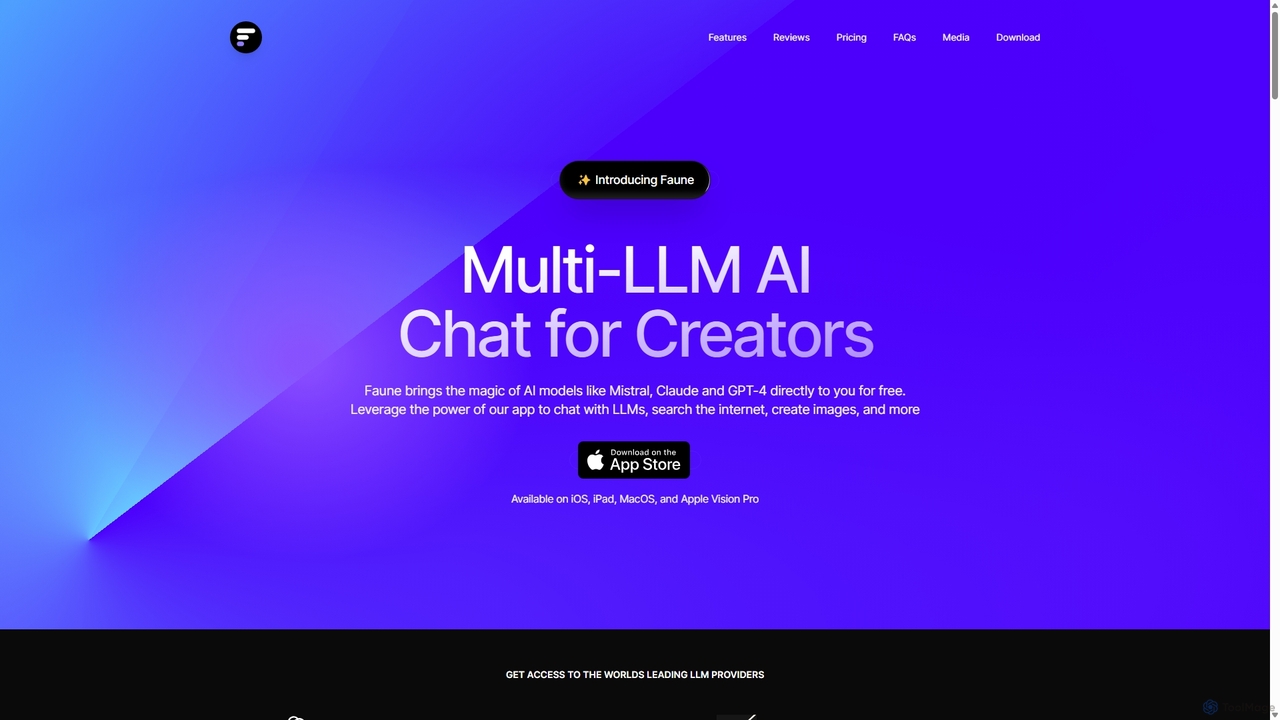
Faune is a privacy-focused, multi-LLM AI chat application for Apple devices. It offers free access to leading models like GPT-4o, Claude, and Mistral, along with features like internet search, image generation, and a unique chat editor. No account is required, ensuring anonymous and secure conversations.

Multi Model
Visits 7.2KFavorites 142Likes 129

About Multi Model

Multi Model AI tools are advanced AI systems capable of processing and understanding information from multiple modalities, such as text, images, audio, and video, simultaneously. Unlike traditional AI chatbots that primarily handle text, these tools integrate diverse data inputs to form a more comprehensive understanding of user queries and contexts. This enables them to generate richer, more relevant, and contextually aware responses, significantly enhancing human-computer interaction within the broader AI Chatbots landscape.

Core Features

  • Cross-Modal Understanding: Interprets and correlates information across different data types (e.g., text description with an image).
  • Diverse Input Processing: Accepts and analyzes text, speech, images, and sometimes video as input.
  • Multi-Format Output Generation: Produces responses in various formats, including text, generated images, synthesized speech, or even code.
  • Contextual Reasoning: Leverages information from all modalities to build a deeper, more nuanced understanding of the conversation.
  • Seamless Interaction: Allows users to switch between input types naturally during a single interaction.

Use Cases

Multi Model AI tools are invaluable in scenarios requiring a holistic understanding of information. They are used in advanced customer support to analyze user sentiment from voice and text, in content creation for generating images based on textual prompts, and in educational platforms for interactive learning experiences that combine visual and auditory elements with textual explanations.

How to Choose

When selecting a Multi Model AI tool, consider the specific modalities it supports and their accuracy for your needs. Evaluate its ability to integrate with existing systems and the latency of its responses, especially for real-time applications. Assess the customization options for fine-tuning models to specific domains, and compare pricing structures based on usage and feature sets.

Multi Model use cases

1

Enhanced Customer Support with Visuals

A customer service agent receives a text query about a product issue, along with an uploaded image of the damaged item. A Multi Model AI tool processes both the text description and the image, instantly identifying the product model and the specific type of damage. It then suggests relevant troubleshooting steps, links to repair guides, or initiates a replacement order, significantly reducing resolution time and improving customer satisfaction by understanding visual context.

2

Interactive Content Creation from Diverse Inputs

A content creator wants to generate a social media post. They provide a short text prompt describing the theme, an audio clip of a relevant sound effect, and a reference image for style. The Multi Model AI tool combines these inputs to generate a complete post, including a textual caption, a unique image that matches the style, and even a short video clip with the specified sound, streamlining the creative workflow and producing richer content.

3

Real-time Multimodal Language Translation

During an international video conference, a participant speaks in one language while sharing a screen with text and images. A Multi Model AI tool simultaneously translates the spoken words into the listener's preferred language, translates any on-screen text in real-time, and provides contextual explanations for images or diagrams being discussed. This ensures seamless communication and understanding across linguistic and visual barriers.

4

Advanced Educational Tutoring and Feedback

A student submits a handwritten math problem (image) and verbally explains their thought process (audio). A Multi Model AI tutor analyzes both the visual problem and the spoken explanation. It identifies errors in the student's working, provides step-by-step textual feedback, highlights the specific part of the image where the mistake occurred, and even generates a short audio explanation for clarification, offering personalized and comprehensive learning support.

5

Intelligent Data Analysis and Reporting

A business analyst needs to generate a report from various data sources, including financial spreadsheets (text/numbers), market trend graphs (images), and recorded customer feedback calls (audio). A Multi Model AI tool ingests all these data types, identifies key insights, correlates trends across modalities, and then generates a comprehensive textual report with embedded relevant charts and summarized audio snippets, automating complex data synthesis.

6

Personalized Product Recommendation Systems

An e-commerce platform uses a Multi Model AI to enhance recommendations. When a user browses a product (image, text description), the AI also analyzes their past purchase history (text), their voice search queries (audio), and even their reactions to product videos (video analysis). This holistic understanding allows the AI to suggest highly personalized products, ads, and content, leading to increased engagement and conversion rates.

Multi Model FAQ

What are Multi Model AI tools?

Multi Model AI tools are advanced artificial intelligence systems designed to process, understand, and generate information across multiple data types, or "modalities," simultaneously. This includes text, images, audio, and video. Unlike single-modal AI, they can integrate insights from these diverse inputs to form a more comprehensive and contextually rich understanding, enabling more sophisticated interactions and outputs.

How do Multi Model AI tools differ from traditional AI Chatbots?

Traditional AI Chatbots primarily focus on text-based interactions, processing and generating text responses. Multi Model AI tools, while often functioning as advanced chatbots, extend this capability by integrating other modalities like images, audio, and video. This means they can understand a user's query that combines spoken words with a visual reference, or generate a response that includes both text and a relevant image, offering a much richer and more intuitive conversational experience.

What are the main benefits of using Multi Model AI?

The primary benefits of Multi Model AI include a more natural and intuitive user experience, as it mimics human perception by understanding diverse inputs. It leads to more accurate and contextually relevant responses due to a holistic understanding of information. Furthermore, it enables the creation of richer, more dynamic content and solutions, and can automate complex tasks that require cross-modal reasoning, significantly enhancing efficiency and innovation across various applications.

What should I consider when choosing a Multi Model AI platform?

When selecting a Multi Model AI platform, evaluate the specific modalities it supports and their performance accuracy for your intended use. Consider its integration capabilities with your existing systems and the ease of customizing models to your domain-specific data. Assess the platform's scalability, latency for real-time applications, and its pricing model. Finally, review the security and privacy features, especially when handling sensitive multimodal data.

Can Multi Model AI generate content in different formats?

Yes, a key capability of Multi Model AI is its ability to generate content in various formats based on diverse inputs. For example, you could provide a text description and an audio prompt, and the AI might generate a relevant image, a textual explanation, and even a synthesized voice narration. This cross-modal generation capability is highly valuable for content creation, marketing, and interactive media, allowing for dynamic and engaging outputs.