Ai Chatbots Best in category 1 results Productivity AI Tool

Popular AI tools in the Productivity field of Ai Chatbots include Shram, etc., helping you quickly improve efficiency.

Shram

Shram

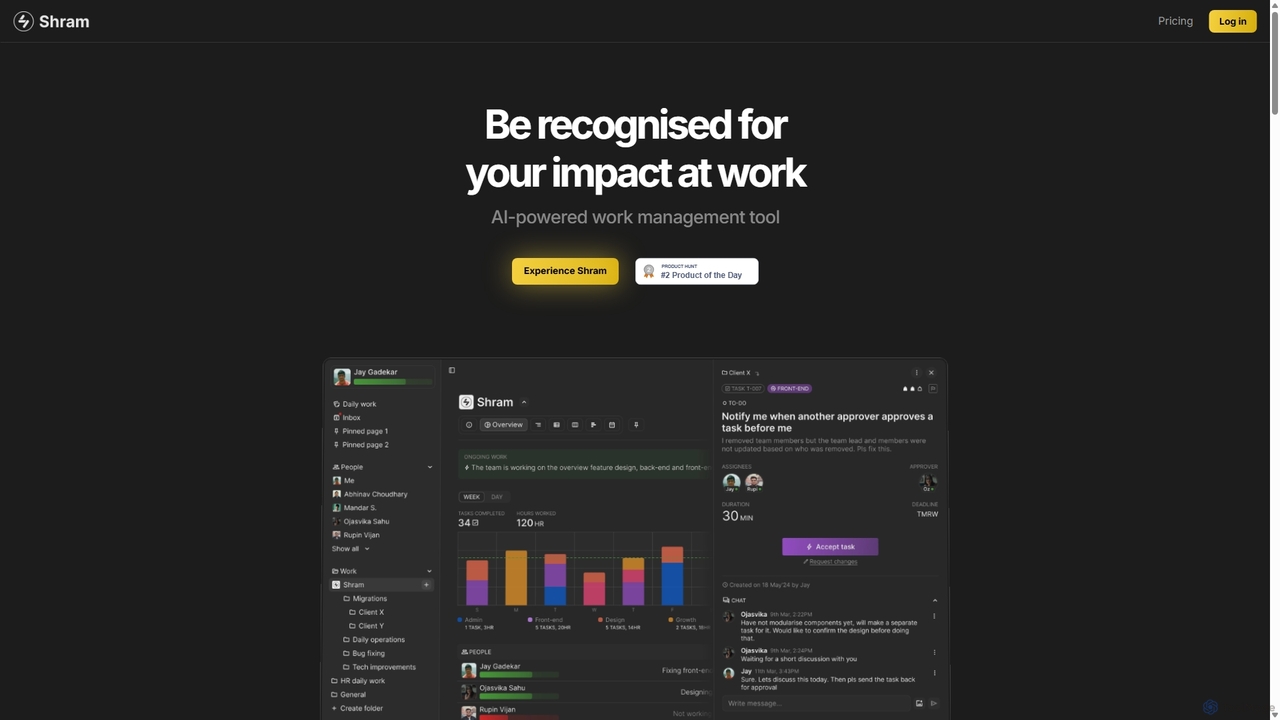
Shram is a delightful AI-powered work management platform that enhances team productivity through gamification. It intelligently assigns tasks, …

4.0K

About Productivity

Productivity chatbots are specialized AI assistants designed to integrate with your digital workspace to automate tasks and streamline workflows. Unlike general-purpose chatbots, they connect deeply with applications like calendars, project management tools, and communication platforms to act as a central command hub. Their primary value lies in reducing manual data entry, managing information, and proactively organizing your personal and team activities. This allows users to focus on high-value work by offloading repetitive administrative tasks to an intelligent conversational interface.

Core Features

  • Workflow Automation: Connects multi-step actions across different apps, such as creating a project task from a new email.
  • Intelligent Scheduling: Finds optimal meeting times based on participants' calendars and priorities, and handles booking.
  • Information Synthesis: Summarizes long documents, email threads, or meeting transcripts to provide quick insights.
  • Task Management: Allows users to create, assign, and track tasks using natural language commands within their chat platform.
  • Contextual Reminders: Sets smart reminders based on location, time, or the content of your conversations and documents.

Use Cases

These tools are ideal for busy professionals, project managers, and remote teams. For instance, a project manager can use a productivity chatbot to automatically collect daily stand-up updates from team members in Slack and compile a status report. Executives can receive a personalized daily briefing summarizing key metrics, urgent emails, and their schedule, all in one place.

How to Choose

When selecting a productivity chatbot, first evaluate its integration ecosystem to ensure it supports the tools your team already uses. Assess the depth of its automation capabilities—can it handle simple triggers or complex, multi-step workflows? Consider its platform availability (e.g., Slack, Microsoft Teams, web) and, critically, review its data security and privacy policies, as it will access sensitive information.

ProductivityUse Cases

1

Automating Meeting Management

For project managers and team leads, coordinating meetings is a constant, time-consuming task. A productivity chatbot streamlines this entire process. Instead of manually checking calendars, the manager can simply ask the bot: 'Find a 30-minute slot for the design review with Sarah and Tom next week.' The bot analyzes everyone's availability, proposes optimal times, and once a time is confirmed, it automatically sends calendar invites with a pre-set agenda and video conference link. During the meeting, it can transcribe the conversation, and afterward, generate a summary with key decisions and action items, directly creating tasks in a connected project management tool like Asana or Jira.

2

Centralizing Team Knowledge Retrieval

In remote or large teams, finding information scattered across Google Drive, Confluence, and Slack can be inefficient. A productivity chatbot acts as a centralized knowledge base. A team member can ask, 'What is our Q4 marketing budget?' or 'Find the latest design mockups for Project Phoenix.' The chatbot, integrated with these services, instantly searches all connected sources and provides a direct answer or a link to the relevant document. This eliminates the need to switch between multiple applications and manually search, saving significant time and reducing interruptions for other team members who might otherwise be asked for this information.

3

Streamlining Personal Task Management

For any busy professional, managing a to-do list across different contexts can be challenging. A productivity chatbot integrated with tools like Todoist or Microsoft To Do simplifies this. While in a Slack conversation about a new feature, a developer can type '/bot add task: "Implement user authentication" by Friday.' The bot captures this, adds it to their to-do list with the correct due date, and confirms it in the chat. This 'in-context' task creation prevents ideas from being lost and removes the friction of switching to another app to log a task, ensuring a more organized and responsive workflow.

4

Generating Automated Progress Reports

Project stakeholders often require regular updates, which can take time to compile manually. A productivity chatbot connected to project management tools like Jira or Trello can automate this. A product owner can set up a recurring command, such as 'Every Friday at 4 PM, send a summary of completed tasks and current blockers for Project Atlas to the stakeholders channel.' The chatbot will automatically pull the latest data from the project board, format it into a concise report, and post it as scheduled. This ensures consistent and timely communication without adding to the project manager's workload.

5

Receiving a Personalized Daily Briefing

Executives and managers often start their day overwhelmed with information from various sources. A productivity chatbot can provide a curated daily briefing. At a set time each morning, the bot sends a single message summarizing the day's key information: top priorities from the project management tool, critical unread emails or Slack messages, upcoming meetings from the calendar, and even key performance indicators from a connected analytics dashboard. This personalized summary allows them to quickly grasp the day's landscape and prioritize their focus without having to manually check five different applications first.

6

Onboarding New Team Members Efficiently

Onboarding can be repetitive for HR and team leads. A productivity chatbot can automate this by creating a guided workflow for new hires. When a new member joins a Slack channel, the bot can trigger a welcome message series, providing links to essential documents (like the company handbook), introducing them to key team members, and assigning initial setup tasks (e.g., 'Set up your email signature'). It can also serve as an FAQ bot, answering common questions like 'How do I request time off?' or 'Where is the IT support guide?', freeing up the team to focus on more personalized integration.

ProductivityFrequently Asked Questions