ToolMage
Sign in

Best 1 Voice Chatbot AI tools for Ai Chatbots

Popular Voice Chatbot AI tools in Ai Chatbots include Outspeed, helping you work more efficiently.

Outspeed
Paid

Outspeed

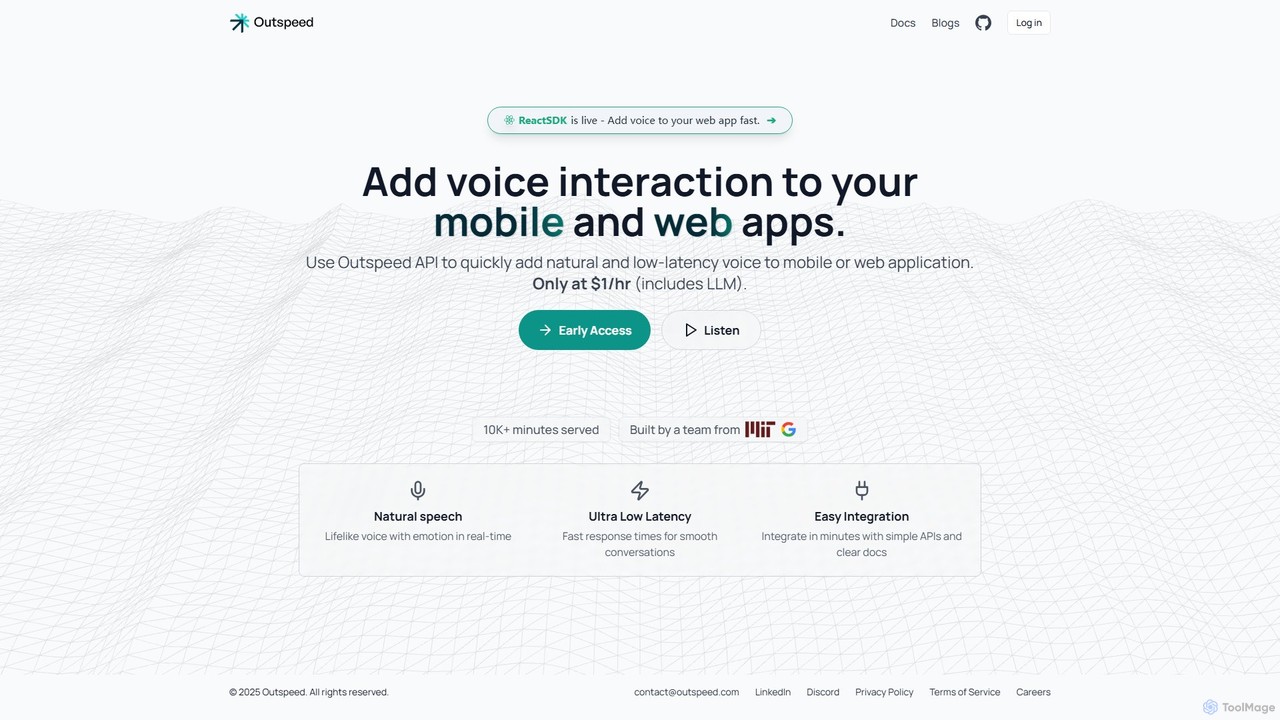
An API and SDK for developers to build and deploy AI voice companions with real-time emotion and memory. Easily integrate natural, low-latency voice interactions into web and mobile applications.

Voice Chatbot
Visits 7.9KFavorites 116Likes 125

About Voice Chatbot

A Voice Chatbot is a type of conversational AI that interacts with users primarily through spoken language, serving as an evolution of traditional text-based chatbots. These tools utilize Speech-to-Text (STT) technology to understand user voice commands and Text-to-Speech (TTS) to provide audible, human-like responses. They are designed to create more natural, hands-free, and accessible user experiences across various platforms. Voice Chatbots excel in scenarios where typing is inconvenient or impossible, such as in call centers, in-car systems, or for users with disabilities.

Core Features

  • Real-time Speech Recognition: Accurately transcribes spoken user queries into text for processing with low latency.
  • Natural Voice Synthesis (TTS): Generates clear, human-like audio responses in various languages, tones, and genders.
  • Voice Biometrics: Authenticates users based on their unique voiceprint for secure access to accounts or information.
  • Sentiment Analysis from Tone: Detects user emotions like frustration or satisfaction from vocal cues to adapt the conversation accordingly.
  • Barge-in Capability: Allows users to interrupt the chatbot's response, creating a more fluid and natural conversational flow.

Use Cases

Voice Chatbots are widely adopted in customer service to automate call centers, handling routine inquiries like order status or account balance checks. They are also integrated into mobile apps and smart devices as voice assistants for hands-free control. In the accessibility sector, they empower visually impaired users to navigate digital interfaces and access information independently.

How to Choose

When selecting a Voice Chatbot, evaluate the accuracy and speed of its speech recognition, especially with different accents and in noisy environments. Assess the quality and naturalness of the synthesized voice. Verify its support for required languages and dialects. Finally, consider its integration capabilities with telephony systems, CRMs, and other essential business software.

Voice Chatbot use cases

1

Automate Customer Service Call Centers

A telecommunications company can deploy a Voice Chatbot to manage its high volume of inbound customer calls. Instead of waiting for a human agent, customers can state their reason for calling, such as 'check my bill' or 'report a service outage'. The chatbot uses speech recognition to understand the request, authenticates the user via voice biometrics, and provides the necessary information or creates a support ticket. This reduces agent workload for routine queries by over 60% and significantly cuts down customer wait times, improving overall satisfaction.

2

Enable Hands-Free In-App Navigation

A developer of a cooking recipe app can integrate a Voice Chatbot to provide a hands-free experience. While cooking, users often have messy hands and cannot touch their device screen. They can use voice commands like 'Hey Chef, next step' or 'Go back to the ingredients list'. The chatbot processes these commands and navigates the app interface accordingly, reading out instructions aloud. This feature dramatically improves usability and creates a unique selling proposition for the application in a competitive market.

3

Conducting Voice-Based Surveys and Feedback

A market research firm can use a Voice Chatbot to conduct automated phone surveys. The bot calls participants, explains the purpose of the survey, and asks questions in a natural, conversational tone. It can understand and record open-ended spoken answers, not just 'yes' or 'no' responses. This method can achieve higher completion rates than text or email surveys and allows for the collection of richer qualitative data through analysis of the recorded responses, including sentiment analysis based on tone of voice.

4

Provide Accessibility for Visually Impaired Users

An e-commerce platform can implement a Voice Chatbot to make its website accessible to visually impaired users. These users can navigate the site, search for products, listen to product descriptions, add items to their cart, and complete the checkout process entirely through voice commands. The chatbot acts as a conversational screen reader, providing a more intuitive and efficient alternative to traditional screen reader software. This not only ensures compliance with accessibility standards but also opens up the platform to a wider customer base.

5

Voice-Based Employee Training and Onboarding

An HR department in a large corporation can create a voice-based training module for new hires. The Voice Chatbot can guide employees through compliance training, company policies, or software tutorials. New hires can ask questions verbally at any point and receive instant, spoken answers. This interactive, self-paced learning method can be more engaging than reading documents or watching videos, and it ensures consistent information delivery across all new employees, tracking their progress automatically.

6

Control Smart Home and IoT Devices

A smart home system integrator can use a Voice Chatbot as the central command interface. Homeowners can interact with the system naturally, saying things like 'Dim the living room lights to 50 percent' or 'What's the current temperature upstairs?'. The chatbot interprets these commands, communicates with the respective IoT devices (lights, thermostat, security cameras), and provides a verbal confirmation. This provides a unified and user-friendly control layer over a complex ecosystem of different smart devices, making home automation more intuitive.

Voice Chatbot FAQ

What is a Voice Chatbot?

A Voice Chatbot is a conversational AI program designed to interact with users through spoken language. Unlike text-based chatbots, it uses Speech-to-Text (STT) to understand what a user says and Text-to-Speech (TTS) to respond with a synthesized voice. This enables hands-free and more natural interactions, making them ideal for applications like automated call centers, in-car assistants, and accessibility tools for visually impaired users.

What's the difference between a Voice Chatbot and a standard AI Chatbot?

The primary difference lies in the mode of interaction. A standard AI Chatbot communicates via text, typically in a chat window on a website or messaging app. A Voice Chatbot communicates through spoken language. This requires a more complex technology stack, including:

  • Speech-to-Text (STT): To convert the user's voice into text.
  • Text-to-Speech (TTS): To convert the bot's text response back into audible speech.

Because of this, Voice Chatbots are suited for hands-free scenarios (like driving) and telephony, while standard chatbots are used where typing is the primary input method.

How to choose the right Voice Chatbot tool?

Choosing the right tool depends on your specific needs. Consider these key factors:

  • Accuracy and Latency: How well does it understand different accents and dialects, and how quickly does it respond? Test it in real-world conditions if possible.
  • Voice Quality: Does the synthesized voice sound natural and engaging, or robotic? Look for options with customizable voices (gender, tone, language).
  • Integration Capabilities: Can it easily connect to your existing systems, such as your CRM, telephony platform, or internal databases via APIs?
  • Scalability and Cost: Evaluate the pricing model (e.g., per call, per minute, or subscription) and ensure it can handle your expected call volume without performance degradation.
What are the key features of a Voice Chatbot?

Beyond basic conversation, advanced Voice Chatbots offer several key features. Real-time Speech Recognition is fundamental for understanding users accurately. Natural Language Voice Synthesis (TTS) is crucial for creating a pleasant user experience. Many also include Voice Biometrics for secure authentication without passwords. Another important feature is Sentiment Analysis, which analyzes the user's tone of voice to detect emotions like frustration, allowing the bot to respond more empathetically or escalate to a human agent.

Who can benefit from using a Voice Chatbot?

A wide range of industries and roles can benefit from Voice Chatbots. Customer service centers can automate routine calls, freeing up human agents for complex issues. E-commerce and retail companies can provide voice-based navigation and shopping for improved accessibility. App developers can create hands-free user experiences for drivers, cooks, or anyone multitasking. Finally, healthcare providers can use them for patient intake, appointment scheduling, and medication reminders, improving efficiency and patient engagement.