ToolMage
Sign in

Best 1 Video Generation AI tools for Avatars

Popular Video Generation AI tools in Avatars include Kimiya, helping you work more efficiently.

Kimiya
Freemium

Kimiya

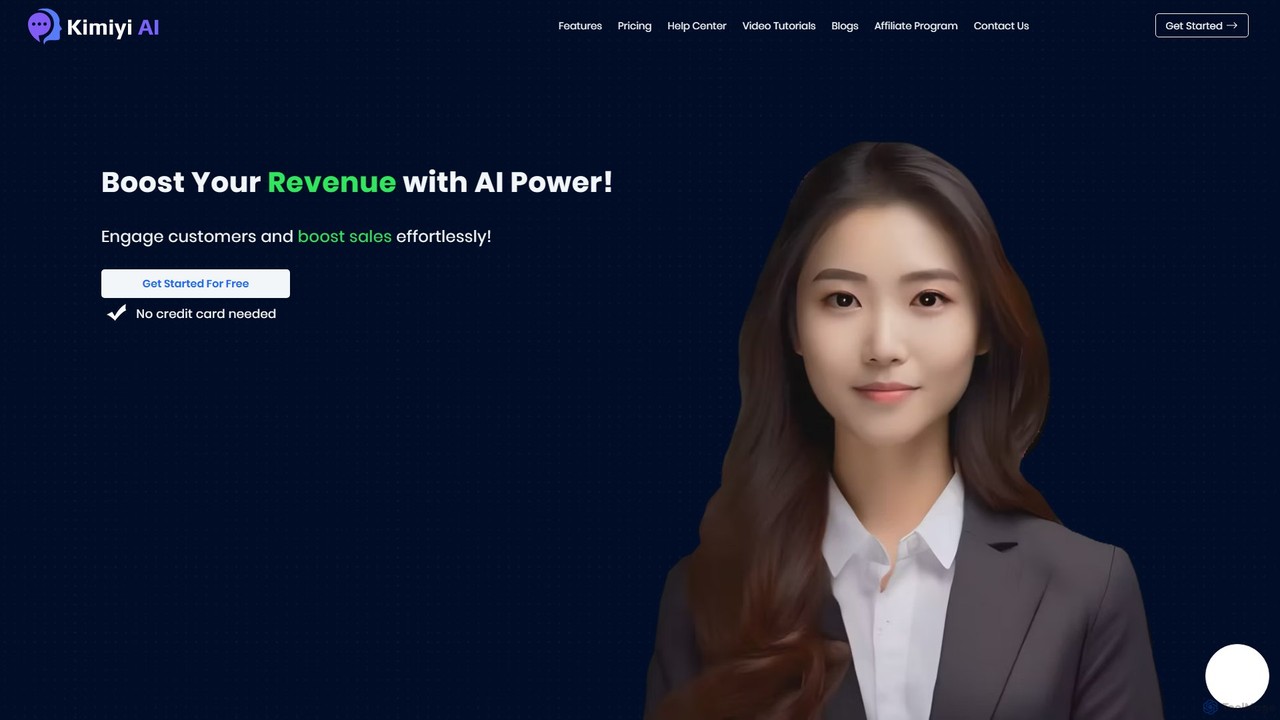
Kimiya is an AI platform for creating conversational human agents. Effortlessly build and train digital avatars to engage customers, boost sales, provide 24/7 support, and deliver corporate training, enhancing user interaction with a human-like touch.

Video Generation
Visits 5KFavorites 119Likes 111

About Video Generation

Video Generation tools are a specialized category of AI avatar applications that transform text scripts into polished videos featuring a talking digital human. Leveraging advanced lip-sync, voice synthesis, and animation technologies, these platforms generate realistic presentations from simple text input. They are primarily used to create scalable and cost-effective video content for marketing, training, and communication, eliminating the need for cameras, actors, or complex editing suites.

Core Features

  • Text-to-Video Synthesis: Automatically converts written scripts into speech and synchronizes it with an avatar's lip movements.
  • Customizable Avatars: Offers a library of stock avatars or the ability to create a unique digital twin from a photo or video.
  • Multi-Language Voice Cloning: Provides a wide range of AI voices and languages, often with options to clone a specific voice for brand consistency.
  • Scene & Media Integration: Allows users to set custom backgrounds, add text overlays, images, and screen recordings to enrich the video content.
  • API Access: Enables programmatic video creation for automated workflows, such as personalized marketing or news generation.

Use Cases

These tools are widely adopted in corporate environments for creating internal training modules and HR onboarding videos. Marketing teams use them to produce localized product explainers and social media ads at scale. Additionally, educators and content creators leverage them to generate engaging instructional content without appearing on camera.

How to Choose

When selecting a Video Generation tool, evaluate the realism and diversity of the avatars. Assess the quality and naturalness of the AI voices and the range of available languages. Consider the platform's ease of use, template library, and integration options like API access. Finally, review the pricing models, which are often based on video duration, to ensure they align with your production volume.

Video Generation use cases

1

Create Scalable Corporate Training Videos

An HR department needs to onboard 50 new remote employees each month with consistent training. Using a Video Generation tool, they create a series of standardized training modules presented by a consistent AI avatar instructor. This ensures every new hire receives the same high-quality information, regardless of when they join. The process reduces the time commitment from senior staff by 90% and allows for easy updates to training content by simply editing the text script.

2

Produce Multilingual Marketing Content

A global SaaS company wants to launch a new feature in 15 different countries simultaneously. Instead of hiring voice actors and video production teams for each language, the marketing team uses an AI Video Generation tool. They write one script, translate it into 15 languages, and generate localized videos with a consistent brand avatar in a matter of hours, not weeks. This approach drastically cuts localization costs and accelerates their time-to-market for global campaigns.

3

Automate News and Blog Video Summaries

A digital media publisher wants to increase engagement on social media by converting their articles into short video summaries. Manually creating these videos is too slow. They integrate a Video Generation API into their content management system (CMS). Now, whenever a new article is published, the system automatically generates a 60-second video summary featuring an AI news anchor avatar, complete with key visuals from the article. This allows them to publish dozens of videos daily, boosting traffic and audience retention.

4

Generate Personalized Sales Outreach Videos

A B2B sales team struggles with low email open rates. To stand out, they use a video generation platform with API access to create personalized video messages at scale. By connecting their CRM, they automatically generate short videos where an AI avatar addresses each prospect by name and mentions their company. These personalized video thumbnails in emails significantly increase click-through rates and lead to a 30% rise in booked meetings, as prospects feel a more personal connection.

5

Develop Engaging E-Learning Courses

An independent course creator wants to produce a high-quality e-learning series on data science but lacks professional video equipment and on-camera confidence. They use an AI video generator to create all their lecture videos. By choosing a professional-looking avatar and cloning their own voice for authenticity, they can focus entirely on creating excellent slides and scripts. This allows them to produce a 20-hour course in a fraction of the time and cost of traditional video production, making their educational content accessible and engaging.

6

Integrate Video Notifications via API

A developer is building a project management application and wants to provide users with engaging, video-based status updates instead of plain text notifications. They integrate a Video Generation API. When a major project milestone is reached, the system automatically triggers the API to create a short video where an avatar announces the achievement, mentions the team members involved, and shows a graph of the progress. This feature enhances user experience and makes milestone celebrations more impactful within the app.

Video Generation FAQ

What is AI Video Generation?

AI Video Generation refers to tools that use artificial intelligence to create videos from text inputs, typically featuring a digital avatar. These platforms combine technologies like text-to-speech, lip-sync animation, and voice cloning to produce a video where an avatar speaks a provided script. Unlike traditional video editing, the entire process is automated, allowing users to generate professional-looking videos without cameras, microphones, or actors. It's primarily used for creating scalable content like training modules, marketing clips, and news updates.

How to choose the right AI Video Generation tool?

To choose the right tool, consider these factors:

  • Avatar Quality and Variety: Look for realistic avatars with natural movements and a diverse library to match your brand's tone. The ability to create a custom avatar is a significant plus.
  • Voice Quality and Language Support: Assess the naturalness of the text-to-speech voices. Ensure the tool supports the languages you need and check for voice cloning capabilities if brand consistency is key.
  • Ease of Use and Customization: The platform should have an intuitive interface. Check for features like customizable backgrounds, text overlays, and the ability to add your own media.
  • Integration and API Access: If you need to automate video creation, ensure the tool offers a well-documented API that can connect with your existing systems.
  • Pricing Model: Understand how pricing is structured. Most tools charge based on the total minutes of video generated per month. Choose a plan that aligns with your expected output.
What is the difference between AI Video Generation and traditional video editing?

The core difference lies in the creation process. Traditional video editing involves manipulating existing footage—cutting clips, adding effects, and mixing audio that was recorded with a camera. In contrast, AI Video Generation creates new video content from scratch using a text script and a digital avatar. It doesn't require any pre-recorded footage of a person. AI generation is faster for producing presenter-style videos at scale, while traditional editing offers more creative control over real-world footage and complex narratives.

Can I use my own face and voice with these tools?

Many leading AI Video Generation platforms offer features for creating custom avatars and cloning voices. To create a custom avatar, you typically need to upload a short video of yourself speaking directly to the camera. The AI then processes this to create a digital version of you. For voice cloning, you usually provide a high-quality audio sample of your speech. These features are often available on higher-tier subscription plans and are ideal for creating a personalized and consistent brand presence in your videos.

Who benefits most from using AI Video Generation tools?

Several groups benefit significantly from these tools. Corporate L&D and HR teams use them to create consistent and scalable training content. Marketing departments leverage them for rapid, multilingual ad creation and social media updates. Educators and online course creators can produce high-quality instructional videos without needing expensive equipment or being on camera. Finally, developers and businesses with a need for automated communication can integrate these tools via API to generate personalized videos for sales, customer support, or notifications.