ToolMage
Sign in

Best 1 Collaborative Writing AI tools for Creativity

Popular Collaborative Writing AI tools in Creativity include StoryFork, helping you work more efficiently.

Freemium

StoryFork

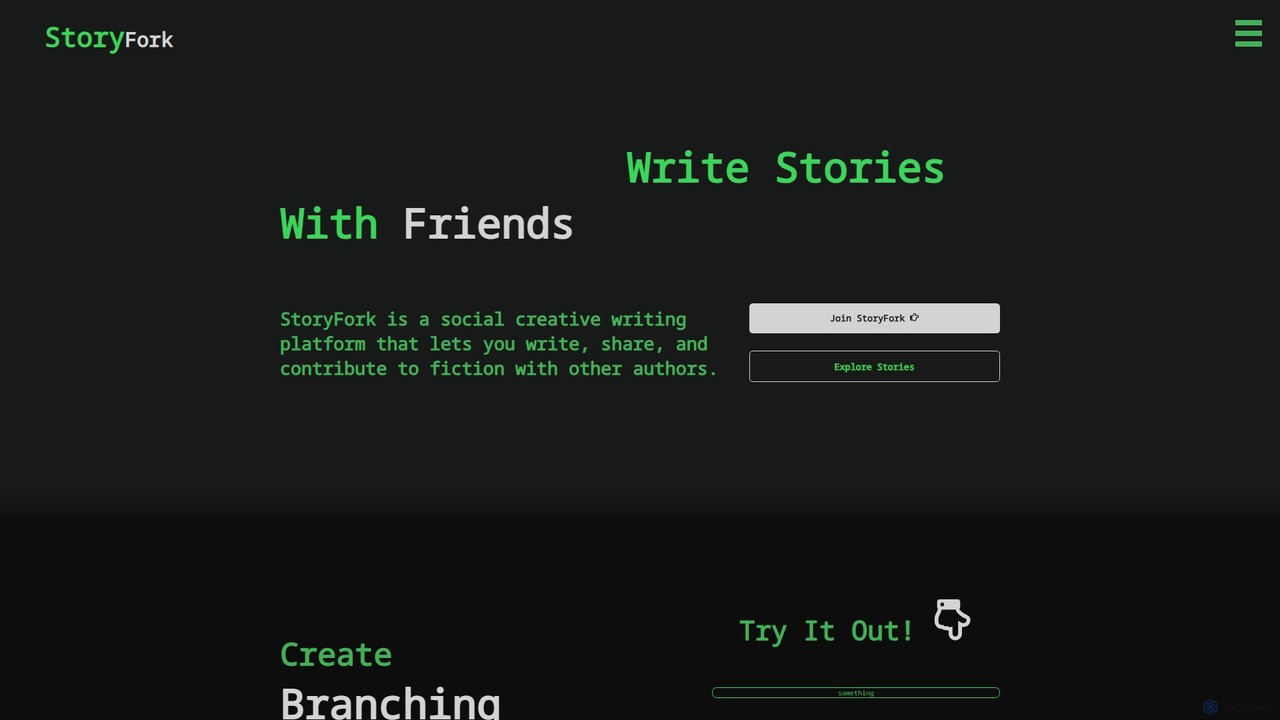
StoryFork is a social creative writing platform that allows users to collaboratively write branching narratives. It features a unique 'forking' system and an AI Writing Buddy to help overcome writer's block, enabling a global community of authors to co-create fiction.

Collaborative Writing
Visits 3.3KFavorites 121Likes 106

About Collaborative Writing

Collaborative Writing tools are AI-enhanced platforms that enable multiple users to create, edit, and review documents simultaneously in real-time. They leverage cloud-based synchronization and version control to eliminate the confusion of managing multiple file versions. These tools are designed to streamline team-based content creation, ensuring consistency in tone, style, and accuracy across all contributions. Many platforms integrate advanced AI features like grammar correction, style suggestions, and content generation to augment the creative process.

Core Features

  • Real-time Co-editing: Allows multiple users to type and edit within the same document simultaneously, with changes visible to everyone instantly.
  • Version History & Rollback: Automatically saves document versions, enabling teams to track changes and restore previous states if needed.
  • Commenting and Annotation: Provides tools for users to leave feedback, ask questions, and tag colleagues directly within the document.
  • AI-Powered Writing Assistance: Offers intelligent suggestions for grammar, style, tone, clarity, and can even help generate or rephrase content.
  • Access Control & Permissions: Enables administrators to manage who can view, comment on, or edit documents, ensuring content security.

Use Cases

These tools are widely used by marketing teams for creating campaign copy, technical writers for developing user documentation, legal teams for drafting contracts, and academic researchers for co-authoring papers. Any organization that relies on team-based writing benefits from a centralized and synchronized workflow.

How to Choose

When selecting a collaborative writing tool, consider the quality of its real-time synchronization, its integration capabilities with other software like project management or cloud storage, the sophistication of its AI writing assistant, and the granularity of its user permission controls. Also, evaluate the pricing model based on your team size and feature requirements.

Featured tool rankings

Collaborative Writing use cases

1

Co-authoring Marketing Campaign Copy

A marketing team, including a copywriter, a brand manager, and a social media specialist, uses a collaborative writing tool to develop content for an upcoming product launch. They work together in a single document to draft press releases, ad copy, and social media posts. The AI assistant ensures all content adheres to the company's brand voice and suggests more impactful headlines, while the commenting feature allows for rapid feedback cycles and approvals without endless email chains.

2

Developing Technical Manuals and Guides

A team of technical writers and engineers collaborates on creating a comprehensive user manual for a new software product. The tool's robust version control system is essential for tracking updates and managing different sections. Engineers can directly add technical specifications, while writers refine the language for clarity. The AI helps maintain consistent terminology throughout the lengthy document, reducing errors and improving the end-user experience.

3

Collaborative Academic Paper Writing

Researchers from different universities co-author a scientific paper for publication. The platform allows them to work on the manuscript simultaneously, regardless of their location. Integrated citation management and formatting tools simplify the process of adhering to specific journal guidelines. The comment and suggestion features facilitate a structured peer-review process directly within the document, streamlining the path from draft to submission.

4

Drafting and Reviewing Legal Contracts

A legal team drafts and negotiates a complex commercial contract. Junior associates can draft initial clauses, while senior partners review and comment in real-time. The version history provides a clear audit trail of all changes, which is critical for compliance and negotiation tracking. Granular access controls ensure that sensitive sections of the document are only visible and editable by authorized personnel, maintaining client confidentiality.

5

Team-based Script and Screenplay Writing

A team of writers for a television series collaborates on developing episode scripts. The tool helps maintain industry-standard formatting for scenes, actions, and dialogue. Writers can work on different scenes concurrently within the same master script. The platform allows showrunners and producers to leave notes and feedback directly on the script, making the revision process more efficient and cohesive.

6

Creating Corporate Annual Reports

Multiple departments, including finance, marketing, and corporate communications, contribute to the company's annual report. A collaborative writing tool serves as the central hub for all text-based content. The finance team can input financial data and narratives, while the marketing team crafts the executive summary. The platform ensures a unified voice and style, and its workflow features help manage the complex approval process involving various stakeholders before publication.

Collaborative Writing FAQ

What are Collaborative Writing tools?

Collaborative Writing tools are software platforms designed for multiple users to work on a single document at the same time. Their core function is real-time co-editing, supported by features like version control, commenting, and AI-powered writing assistance. Unlike traditional word processors, they are built specifically to manage the complexities of teamwork, ensuring a single source of truth and streamlining the feedback and revision process.

How do I choose the right Collaborative Writing tool?

To choose the right tool, evaluate these factors:

  • Team Size and Needs: Does the tool support the number of users you have and offer the features they need?
  • Real-time Performance: Is the co-editing experience smooth and lag-free?
  • Integrations: Can it connect with your existing tools like Slack, Google Drive, or Trello?
  • AI Capabilities: How advanced is the writing assistant for grammar, style, and tone?
  • Security: Does it offer robust permission controls and data protection?
Your choice should align with your team's specific workflow and security requirements.

What's the difference between Collaborative Writing tools and standard word processors?

The primary difference is the focus on real-time, simultaneous collaboration. While standard word processors like Microsoft Word or Google Docs offer some collaborative features, dedicated Collaborative Writing tools provide a more seamless co-editing experience, superior version control, and advanced workflow management. They often include more sophisticated AI assistants tailored for specific writing tasks (e.g., marketing copy, technical documentation) rather than general-purpose grammar checks.

What are the main benefits of using AI in collaborative writing?

AI significantly enhances collaborative writing by acting as an impartial editor for the entire team. It helps maintain a consistent tone and style across contributions from different authors. AI can also improve clarity by suggesting simpler phrasing, check for grammatical accuracy in real-time, and even generate ideas or draft sections to overcome writer's block. This reduces time spent on manual proofreading and allows the team to focus on the core message and ideas.

Who are the primary users of Collaborative Writing tools?

These tools are ideal for any team that produces written content collectively. This includes marketing and content teams creating blog posts and ad copy, technical writing teams developing documentation, legal professionals drafting contracts, academic researchers co-authoring papers, and product teams writing user stories and release notes. Essentially, any group that needs to move beyond emailing document versions back and forth can benefit.