Creativity Best in category 1 results Diy AI Tool

Popular AI tools in the Diy field of Creativity include greensuggest, etc., helping you quickly improve efficiency.

greensuggest

greensuggest

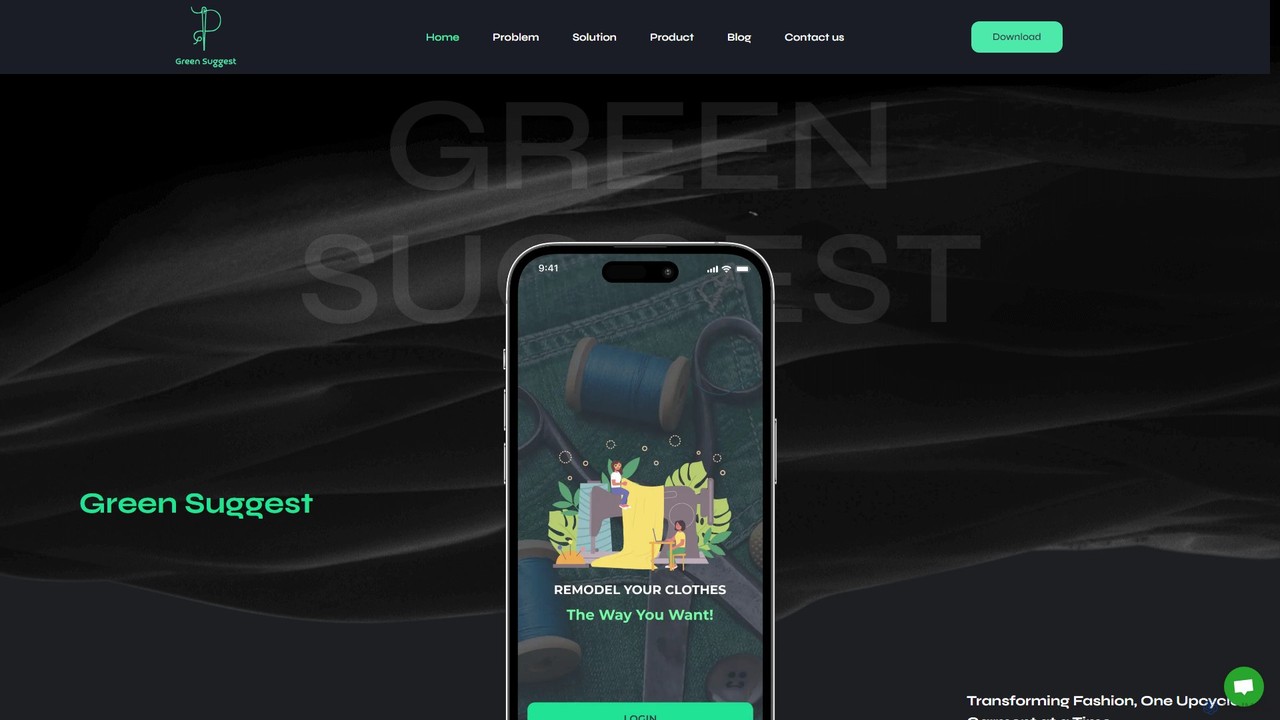
greensuggest is an AI-powered platform dedicated to sustainable fashion. It helps users transform old or out-of-style clothing into …

4.5K

About Diy

AI DIY tools are platforms that enable users without programming expertise to build, train, and deploy custom artificial intelligence models. These tools typically utilize no-code or low-code visual interfaces, pre-built modules, and guided workflows to simplify the development process. Their primary value lies in democratizing AI creation, allowing individuals and businesses to create tailored solutions for specific tasks, such as custom chatbots or specialized image classifiers. This approach significantly lowers the barrier to entry for AI innovation.

Core Features

  • Visual Workflow Builder: Design and connect AI model components using a drag-and-drop interface.
  • Pre-trained Model Library: Access and customize a collection of existing models for common tasks like text or image analysis.
  • Data Management Tools: Easily upload, label, and prepare your own datasets for training custom models.
  • One-Click Deployment: Integrate your newly created AI model into applications or websites with simplified deployment options.
  • Performance Monitoring: Track and analyze your model's accuracy and performance after deployment.

Use Cases

These tools are ideal for small to medium-sized businesses, entrepreneurs, and hobbyists looking to leverage AI without significant investment in a dedicated development team. For example, a marketing team can build a custom sentiment analysis model trained on industry-specific jargon, or a small e-commerce store can create an image recognition tool to automatically categorize new products.

How to Choose

When selecting an AI DIY tool, first consider the type of AI you need to build (e.g., NLP, computer vision, data analysis). Evaluate the platform's ease of use and the quality of its documentation and support. Also, examine its data handling capabilities, integration options with other software, and the scalability and cost of its deployment models.

DiyUse Cases

1

Build a Custom Customer Service Chatbot

A small e-commerce business owner, without a technical team, needs to handle common customer queries 24/7. Using an AI DIY platform, they upload their FAQ documents and past customer service chats. The platform helps them train a chatbot that understands their specific products and policies. After a few hours of setup via a visual interface, they deploy the bot on their website, which now automatically answers over 70% of incoming questions about shipping, returns, and product details, freeing up human agents for more complex issues.

2

Create an Image Classifier for Product Inspection

A craft workshop wants to automate quality control for their handmade products. Using an AI DIY tool, they upload hundreds of photos of their products, labeling them as 'perfect' or 'defective'. The platform guides them through training an image classification model. Once trained, they set up a camera over their production line that feeds images to the model. The system now automatically flags items with defects, improving consistency and saving hours of manual inspection time each week.

3

Develop a Custom Text Summarizer for Research

A market researcher needs to quickly digest long industry reports and articles. They use a no-code AI platform to build a custom text summarizer. They feed the tool with examples of reports and their corresponding manually written summaries, training the model to recognize the key points and jargon specific to their field. The resulting tool allows them to paste any new article and get a concise, relevant summary in seconds, accelerating their research process significantly.

4

Automate Social Media Comment Categorization

A social media manager for a brand receives hundreds of comments daily. To better understand customer feedback, they use a DIY AI tool to build a text classifier. They create categories like 'Positive Feedback', 'Complaint', 'Question', and 'Spam', and provide examples for each. After training, they connect the model to their social media accounts via an integration. The system now automatically sorts all new comments, providing them with a clear dashboard of customer sentiment and allowing them to prioritize responses effectively.

5

Build a Recommendation Engine for a Blog

A food blogger wants to increase reader engagement by suggesting relevant articles. Using a low-code AI platform, they build a simple recommendation engine. They upload their article data, including titles, tags, and content. The tool helps them train a model that learns the relationships between different recipes and ingredients. They then embed a widget on their blog which, powered by their custom model, displays a 'You might also like' section at the end of each post, leading to increased page views and longer session durations.

6

Create a Lead Scoring Model for Sales

A marketing department wants to identify the most promising leads for their sales team. Using a DIY AI tool, they upload historical lead data, including demographics, website activity, and whether the lead converted to a customer. The platform helps them build a predictive model that assigns a 'hot lead' score to new incoming leads based on these patterns. This custom model, integrated with their CRM, allows the sales team to focus their efforts on leads with the highest probability of converting, improving efficiency and conversion rates.

DiyFrequently Asked Questions