ToolMage
Sign in

Best 4 Digital Art AI tools for Creativity

Popular Digital Art AI tools in Creativity include Z-Image, Pixelhub, StyleShift, and CanvAi, helping you work more efficiently.

Z-Image
Freemium

Z-Image

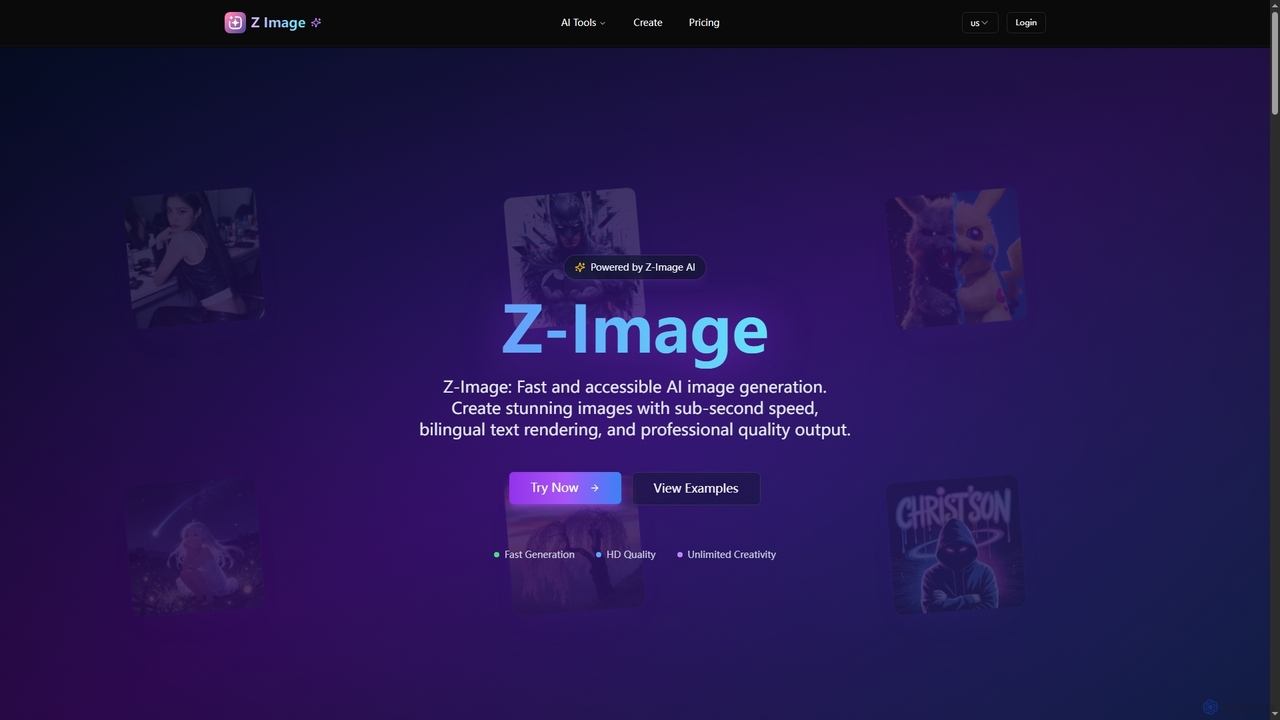
Z-Image is an efficient AI image generation platform offering lightning-fast creation of photorealistic images from text or existing visuals. It features sub-second processing, accurate bilingual text rendering (English & Chinese), and runs efficiently on consumer hardware.

Digital Art
Visits 64.9KFavorites 50Likes 50
StyleShift
Freemium

StyleShift

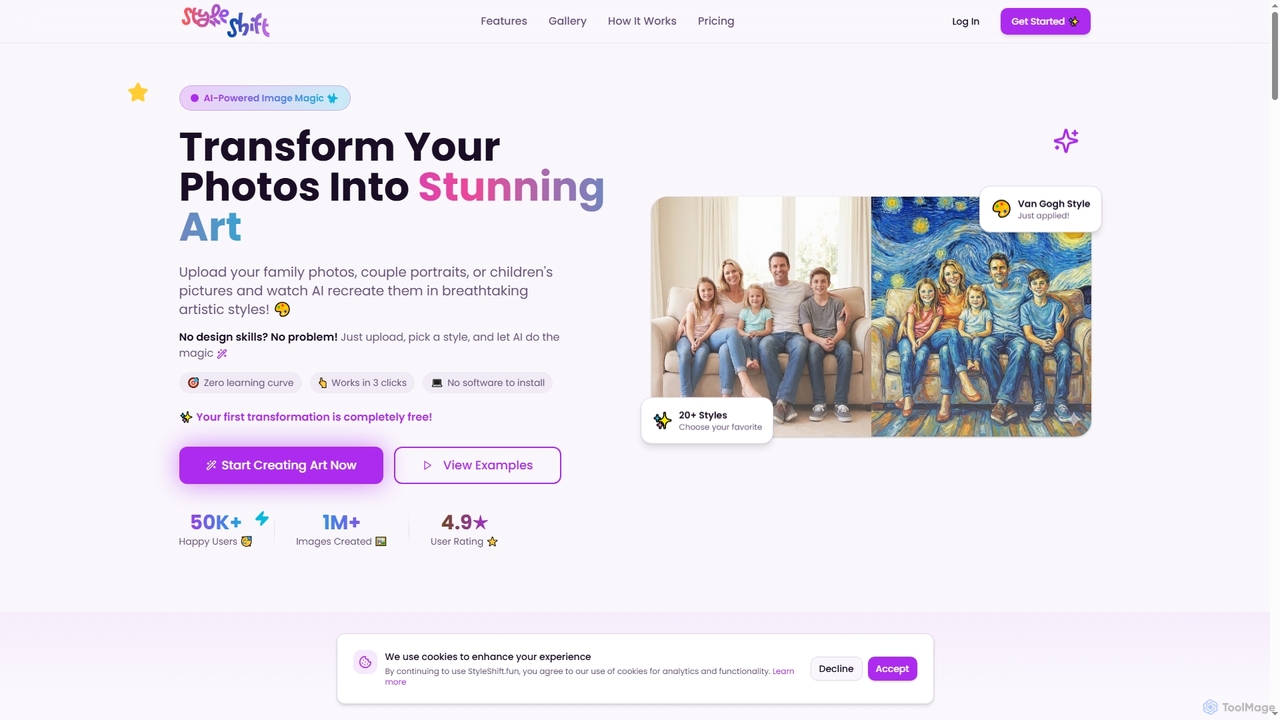
StyleShift is an AI-powered image style transfer tool that transforms ordinary photos into stunning artistic masterpieces. With over 40 diverse styles, from Van Gogh to anime, users can effortlessly create unique digital art in just three clicks, no design skills required.

Photo To Art
Visits 7.2KFavorites 61Likes 45
CanvAi
Paid

CanvAi

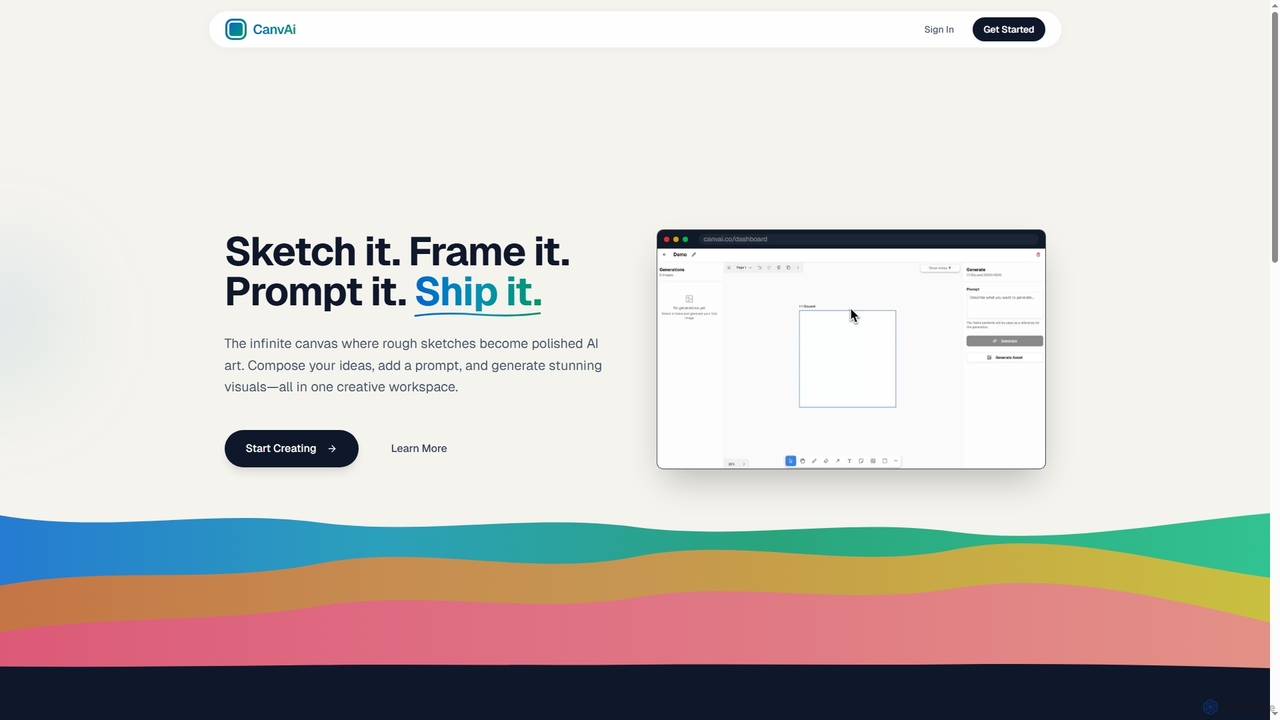
CanvAi is an innovative AI art generator that transforms rough sketches and compositions into polished, high-quality images. It offers an infinite digital canvas, powerful generative AI models, and various artistic styles, streamlining the creative process for artists and designers.

Image Generation
Visits 7.2KFavorites 57Likes 58
Pixelhub
Paid

Pixelhub

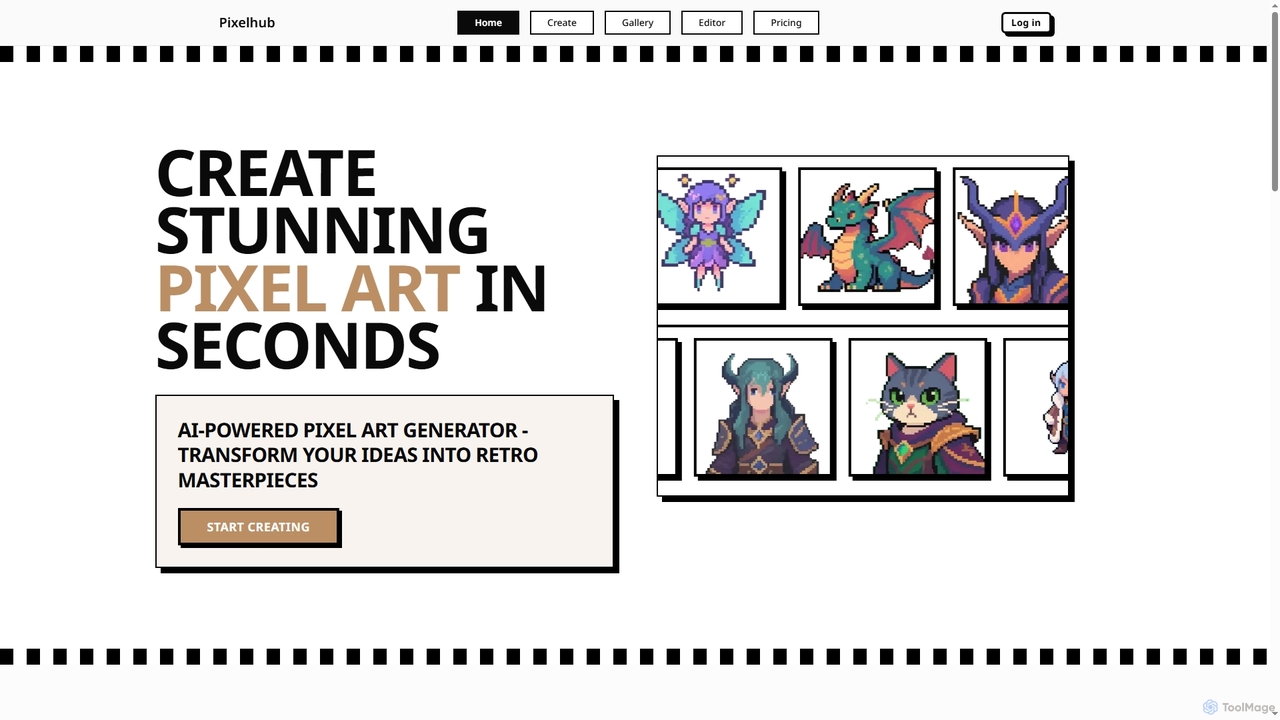
Pixelhub is an AI-powered pixel art generator that transforms your creative ideas into stunning retro masterpieces. It features an intuitive editor for effortless creation, customization options, and a vibrant community for sharing and discovering unique pixel art.

Pixel Art Generation
Visits 8.8KFavorites 127Likes 127

About Digital Art

Digital Art AI tools are a category of AI-powered applications that enable users to create, modify, and enhance visual artworks using artificial intelligence. These tools leverage advanced machine learning models, such as generative adversarial networks (GANs) and diffusion models, to interpret prompts and generate unique artistic outputs. They empower artists, designers, and enthusiasts to explore new creative frontiers, accelerate design processes, and produce stunning visuals with unprecedented speed and flexibility.

Core Features

  • Text-to-Image Generation: Transform textual descriptions into diverse visual artworks, from abstract concepts to photorealistic scenes.
  • Image-to-Image Transformation: Apply artistic styles, modify existing images, or generate variations based on an input image.
  • Style Transfer: Replicate the artistic style of one image onto another, creating unique hybrid visuals.
  • Inpainting & Outpainting: Seamlessly fill in missing parts of an image or extend its boundaries with AI-generated content.
  • 3D Asset Generation: Create textures, models, or concept art for 3D environments and characters.

Applicable Scenarios

Digital Art AI tools are invaluable for accelerating creative workflows in various fields. Graphic designers use them to quickly generate multiple design concepts for logos or marketing materials. Game developers leverage AI for rapid prototyping of character designs, environmental textures, and concept art, significantly reducing iteration time. Content creators can produce unique visuals for social media, blogs, and videos without extensive manual effort, maintaining a consistent aesthetic.

How to Choose

When selecting a Digital Art AI tool, consider the quality and versatility of its generative models for your specific artistic needs. Evaluate the range of customization options, such as control over style, composition, and detail, to ensure it aligns with your creative vision. Assess the user interface for ease of use and integration with existing creative software. Finally, compare pricing models and community support, as these can significantly impact your long-term experience and learning curve.

Digital Art use cases

1

Generate Concept Art for Game Development

Game artists and designers utilize Digital Art AI tools to rapidly generate diverse concept art for characters, environments, and props. By inputting textual descriptions or rough sketches, they can produce hundreds of variations in minutes, accelerating the pre-production phase and allowing for more creative exploration before committing to final designs. This significantly reduces the time spent on initial ideation and iteration.

2

Create Marketing Visuals for Small Businesses

Small business owners and marketing professionals can leverage Digital Art AI tools to generate unique and engaging visuals for social media campaigns, advertisements, and website content. Without needing a professional graphic designer, they can quickly produce eye-catching banners, product mockups, or illustrative graphics that align with their brand identity, saving costs and accelerating content creation cycles for various platforms.

3

Personalize Digital Avatars and Portraits

Individuals can use Digital Art AI tools to generate highly personalized digital avatars, profile pictures, or artistic portraits from their photos. By applying various artistic styles, filters, and enhancements, users can create unique representations of themselves or their characters for social media, gaming, or personal branding. This offers a creative and accessible way to express identity in the digital realm.

4

Design Unique Book Covers for Authors

Independent authors and publishers can utilize Digital Art AI tools to design captivating and genre-appropriate book covers. By providing descriptions of their story's themes, characters, and settings, they can generate multiple cover concepts quickly. This allows for rapid experimentation with different visual styles and compositions, helping authors create professional-looking covers that attract readers without incurring high costs for traditional illustration services.

5

Generate Textures and Assets for 3D Modeling

3D artists and modelers can leverage Digital Art AI tools to generate high-quality textures, material maps, and even basic 3D assets. By inputting simple prompts or reference images, they can quickly create intricate surface details, realistic material properties, or unique environmental elements. This significantly speeds up the texturing and asset creation pipeline, allowing artists to focus more on complex modeling and animation tasks, enhancing overall production efficiency.

6

Explore Architectural Visualization Styles

Architects and interior designers can use Digital Art AI tools to quickly visualize design concepts in various architectural styles or material finishes. By inputting existing blueprints or 3D models, they can generate realistic renderings of buildings, rooms, or landscapes with different aesthetic treatments. This facilitates rapid client presentations and design iterations, allowing for a more dynamic and exploratory approach to architectural visualization and interior design projects.

Digital Art FAQ

What are Digital Art AI tools?

Digital Art AI tools are software applications that use artificial intelligence, primarily generative AI models, to assist in the creation, modification, and enhancement of visual art. They interpret user prompts, sketches, or existing images to generate new artworks, apply artistic styles, or perform complex image manipulations. These tools are transforming how artists and designers approach their creative processes, offering new avenues for exploration and efficiency.

How do Digital Art AI tools differ from traditional digital art software?

The primary difference lies in their core functionality. Traditional digital art software (like Photoshop or Procreate) provides tools for manual creation and editing, requiring direct artistic skill and effort. Digital Art AI tools, conversely, use algorithms to generate or transform content based on prompts, automating much of the creative process. While traditional software offers precise control, AI tools excel at rapid ideation, style exploration, and generating complex visuals with minimal manual input, often complementing traditional workflows rather than replacing them entirely.

What are the main capabilities of Digital Art AI tools?

Digital Art AI tools offer a range of powerful capabilities. They can generate images from text descriptions (text-to-image), transform existing images into different styles (style transfer), or create variations based on an input image (image-to-image). Advanced features include inpainting (filling missing parts), outpainting (extending image boundaries), and generating textures or 3D assets. These capabilities enable users to rapidly prototype ideas, explore diverse aesthetics, and automate repetitive artistic tasks, significantly enhancing creative output.

Who can benefit most from using Digital Art AI tools?

A wide range of individuals and professionals can benefit from Digital Art AI tools. This includes graphic designers seeking rapid concept generation, game developers needing quick asset prototyping, content creators requiring unique visuals for marketing, and independent artists exploring new mediums. Even hobbyists and beginners can leverage these tools to bring their creative ideas to life without extensive traditional art skills, making digital art more accessible and efficient for diverse user groups.

What should I consider when choosing a Digital Art AI tool?

When choosing a Digital Art AI tool, prioritize the quality and diversity of its generative models to ensure they meet your artistic vision. Evaluate the level of control and customization offered, such as prompt engineering capabilities, style adjustments, and resolution options. Consider the tool's integration with your existing creative workflow and software. Assess its ease of use, learning curve, and the strength of its community support. Finally, compare pricing structures, including subscription models or credit-based systems, to find one that aligns with your budget and usage frequency.