Znote
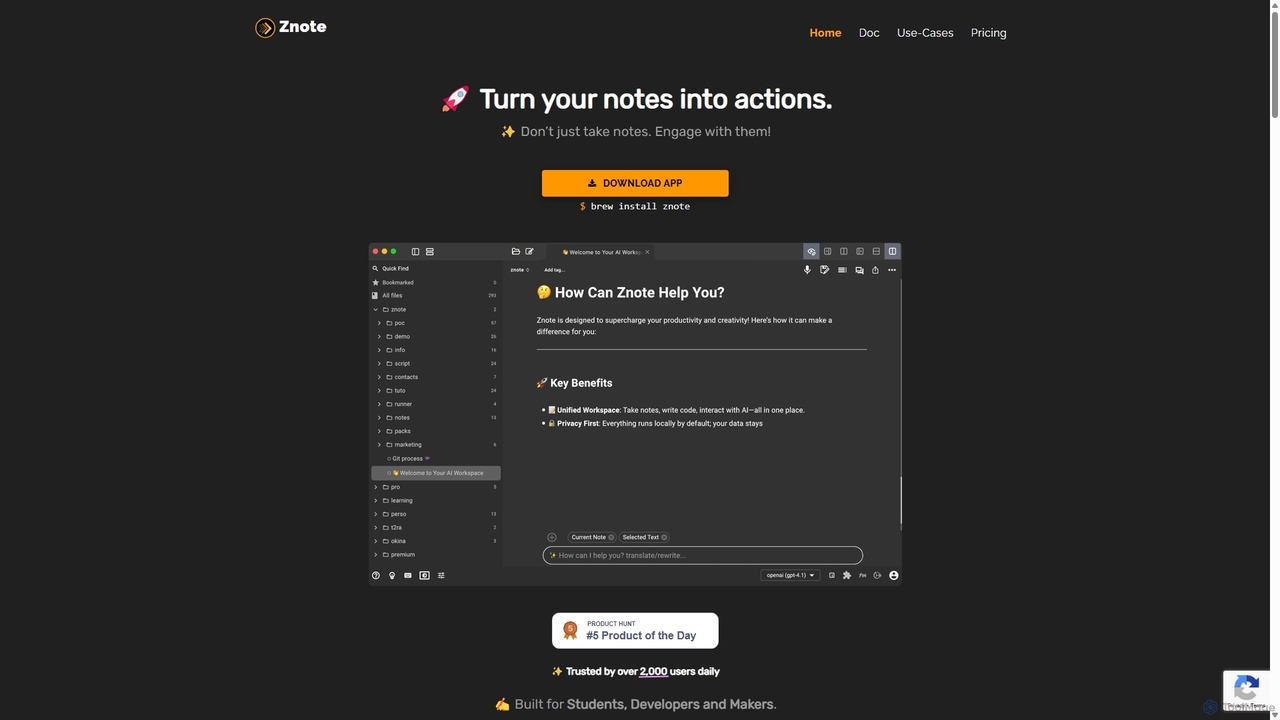
Znote is a powerful note-taking app that turns your notes into interactive, executable documents. It combines a rich …
Znote is a powerful note-taking app that turns your notes into interactive, executable documents. It combines a rich Markdown editor with inline code execution (JS, Node.js, Bash), AI assistance, and data integrations, making it a versatile workspace for developers, analysts, and product teams to prototype, document, and automate workflows.
aistudio
AI Studio is an all-in-one AI learning and development community by Baidu, powered by the PaddlePaddle deep learning …
AI Studio is an all-in-one AI learning and development community by Baidu, powered by the PaddlePaddle deep learning platform. It provides developers with a free online programming environment, GPU computing power, extensive open-source models, and datasets to build, train, and deploy AI applications seamlessly.
About Notebooks
AI Notebooks are interactive computing environments designed for data science and machine learning tasks. They operate on a cell-based structure, allowing users to combine executable code, rich text, mathematical equations, and visualizations in a single document. This format facilitates iterative development, exploratory data analysis, and the creation of shareable, reproducible workflows. AI Notebooks are essential for prototyping models, documenting research, and communicating data-driven insights effectively.
Core Features
- Interactive Cell Execution: Run code blocks (cells) independently and in any order, allowing for rapid experimentation and debugging.
- Rich Media Integration: Seamlessly blend code with Markdown text, images, LaTeX equations, and interactive plots to create comprehensive narratives.
- Multi-Language Support (Kernels): Utilize different programming languages like Python, R, Julia, or SQL within the same environment by switching kernels.
- Collaboration and Sharing: Share notebooks with outputs included, enabling others to view, replicate, and build upon the work.
- Cloud-Based Accessibility: Many platforms offer cloud-hosted notebooks with access to powerful hardware like GPUs and TPUs, eliminating local setup complexities.
Use Cases
AI Notebooks are widely used by data scientists, machine learning engineers, researchers, and data analysts. They are fundamental for tasks such as exploratory data analysis (EDA), building and training machine learning models, conducting scientific research, and creating interactive reports. Educational institutions also use them extensively for teaching programming and data science concepts.
How to Choose
When selecting an AI Notebook tool, consider the following: access to hardware (CPU, GPU, TPU), collaboration features for team projects, integration with data storage and other platforms, the availability of pre-installed libraries and environments, and the pricing model (free tiers vs. pay-as-you-go for advanced resources). Your choice depends on the scale of your data, computational needs, and collaborative workflow requirements.

NotebooksUse Cases
Exploratory Data Analysis (EDA)
A data analyst uses an AI Notebook to investigate a new sales dataset. They load the data into a dataframe, use functions to check for missing values and outliers, and then generate summary statistics. By creating interactive visualizations like histograms and scatter plots directly within the notebook, they can quickly identify trends, correlations, and data quality issues, documenting their findings with Markdown text alongside the code. This entire process forms a clear, reproducible report for stakeholders.
Machine Learning Model Prototyping
A machine learning engineer is tasked with building a customer churn prediction model. Using a cloud-based notebook with GPU access, they preprocess the data, engineer new features, and then train several classification algorithms like Logistic Regression and Gradient Boosting. In separate cells, they evaluate each model's performance using metrics like AUC-ROC and precision-recall curves. The notebook's structure allows them to easily compare results, tweak hyperparameters, and document the rationale behind their final model choice, creating a complete record of the experiment.
Academic Research and Reproducibility
A university researcher conducts a computational biology experiment. They use an AI Notebook to document every step, from loading genetic sequence data to running complex statistical analyses and generating publication-quality figures. The combination of code, explanatory text, and visual outputs in one place is crucial. When submitting their paper, they share the notebook as supplementary material, allowing peer reviewers and other scientists to easily verify their methods and reproduce the results, promoting transparency and scientific rigor.
Creating Interactive Data Reports
A business analyst needs to create a monthly performance report for the marketing team. Instead of a static presentation, they use an AI Notebook. They write code to pull the latest data from the company's database, process it, and generate key metrics and visualizations. They add Markdown cells to explain the insights and trends observed. The final notebook is exported as an HTML file or shared via a link, providing an interactive report that can be easily updated and re-run each month, saving significant manual effort.
Collaborative Data Science Projects
A team of data scientists is collaborating on a complex forecasting project. They use a shared, cloud-hosted notebook environment. This allows multiple team members to work on the same notebook simultaneously, leave comments on specific cells, and track changes using version control. One member can focus on data cleaning while another experiments with modeling techniques in a different section. This real-time, integrated workflow eliminates the need to email code files back and forth, streamlining communication and accelerating project delivery.
Educational Tutorials and Demos
An online instructor creates a course on Python for data analysis. They use AI Notebooks to build interactive tutorials. Each notebook introduces a new concept with clear explanations in Markdown, followed by a code cell demonstrating the concept. Students can run the code themselves, modify it, and see the results instantly. The notebook also includes exercises where students write their own code to solve a problem. This hands-on, interactive approach to learning is far more engaging and effective than static text or videos.