
ToolMage
Sign in

Best 1 Character Design AI tools for Design & Art

Popular Character Design AI tools in Design & Art include Cascadeur, helping you work more efficiently.

Cascadeur
Freemium

Cascadeur

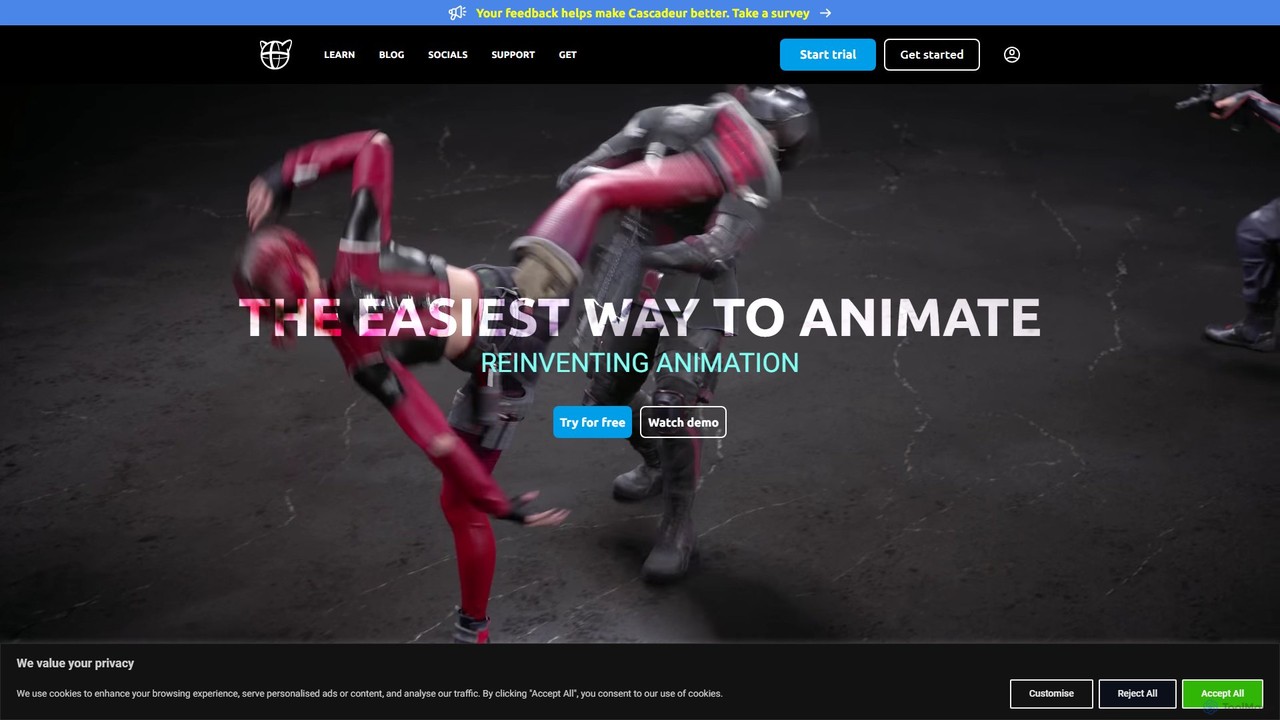
Cascadeur is an AI-assisted 3D animation software that leverages physics and deep learning tools to create realistic keyframe animations for characters and creatures. It simplifies and accelerates the animation process, making it ideal for game developers, animators, and VFX artists.

Character Design
Visits 231KFavorites 141Likes 142

About Character Design

AI Character Design tools are specialized applications that use generative AI to create unique and consistent characters. These tools leverage advanced models to interpret text descriptions or reference images, generating detailed character visuals with controllable attributes. They are invaluable for artists, developers, and writers, enabling rapid concept exploration, visualization, and the production of consistent character art across multiple scenes or poses. This focus on consistency is what distinguishes them from general-purpose AI image generators.

Core Features

  • Character Consistency: Maintains a character's appearance, clothing, and features across different images and poses.
  • Style Customization: Allows users to define or select specific art styles, such as anime, realistic, cartoon, or fantasy.
  • Pose and Expression Control: Provides options to guide the character's posture, actions, and facial expressions for dynamic storytelling.
  • Attribute Editing: Enables fine-tuning of specific details like hair color, clothing items, and accessories without regenerating the entire image.
  • Turnaround Sheet Generation: Creates character sheets showing the character from multiple angles (front, side, back) for modeling or animation references.

Use Cases

These tools are primarily used in creative industries. Game developers use them to prototype NPCs and player characters. Animators and comic book artists create concept art and storyboards. Authors and screenwriters visualize their characters for book covers or pitch decks. Marketers also use them to design brand mascots.

How to Choose

When selecting an AI Character Design tool, prioritize its character consistency capabilities—this is the most critical feature. Evaluate the diversity of its style library and the level of control offered for poses and expressions. Consider its integration options, such as the ability to export images with transparent backgrounds or layered files. Finally, assess the pricing model to ensure it aligns with your project's budget and usage frequency.

Character Design use cases

1

Game Character Concept Art Creation

A concept artist for an indie game studio needs to design a dozen non-player characters (NPCs) for a fantasy world. Using an AI Character Design tool, they input detailed descriptions for each NPC, specifying race, class, and attire. The tool generates multiple high-quality visual concepts for each character, all in a consistent art style. The artist can then quickly refine the best options, saving weeks of manual sketching and iteration time, allowing the development team to visualize the game's cast early in the process.

2

Rapid Prototyping for Game Characters

A lead artist at an indie game studio needs to establish the visual direction for a new fantasy RPG. Instead of spending weeks on manual sketches, the artist uses an AI Character Design tool. They input detailed prompts like 'elven rogue, leather armor, glowing daggers, mysterious smile, moonlit forest background' and generate dozens of high-quality concepts in a few hours. The tool's consistency feature allows them to create the same character in various poses—standing, crouching, and in combat—to build a comprehensive model sheet for the 3D artists, accelerating the pre-production pipeline significantly.

3

Visualizing Characters for a Novel

An author writing a science-fiction novel struggles to convey the appearance of their main character to their cover artist. Using an AI Character Design tool, the author inputs descriptions from their manuscript, including 'cyborg detective, trench coat, neon-lit city, robotic eye, determined expression'. They generate several variations, select the one that best matches their vision, and then create images of the character in different emotional states. This provides the cover artist with a clear and consistent visual reference, ensuring the final cover art accurately reflects the author's creation.

4

Animation and Comic Book Pre-production

An animation director or comic book artist is developing a new series and needs to establish the main character's look. They use an AI tool to generate the character in various key poses and emotional states (e.g., happy, angry, fighting). This creates a consistent model sheet that serves as a definitive reference for the entire production team. This process ensures all artists draw the character consistently, reducing errors and streamlining the animation or illustration pipeline.

5

Creating Consistent Animation Storyboards

An animation director is in the pre-production phase for a new animated short. They need to create storyboards that clearly depict the main character's actions and emotions. Using an AI Character Design tool with strong pose and expression controls, the director generates a series of keyframes. They lock the character's design and then prompt for different scenes: 'character looking sad in the rain,' 'character jumping for joy,' and 'character in a tense confrontation.' The resulting images maintain perfect character consistency, allowing the storyboard artists to focus on composition and timing rather than redrawing the character from scratch in every panel.

6

Designing a Brand Mascot for Marketing

A marketing team wants to create a unique and memorable mascot for a new product line. Instead of hiring an expensive design agency for initial concepts, they use an AI Character Design tool. By inputting brand keywords like "friendly," "tech-savvy," and "reliable," they generate hundreds of mascot ideas in minutes. They can test different styles—from 2D cartoon to 3D mascot—and present the top contenders to stakeholders for feedback, making the creative process faster and more cost-effective.

7

Visualizing Tabletop RPG Characters

A Dungeon Master or player in a Tabletop RPG (like Dungeons & Dragons) wants to bring their custom characters to life. They input their character's description—a "half-elf rogue with leather armor and a mysterious cloak"—into an AI tool. The tool generates a unique portrait and full-body image that perfectly matches their vision. This visual aid enhances immersion for all players during the game session and provides a concrete reference for the character's appearance.

8

Designing a Unique Brand Mascot

A marketing team for a tech startup wants to create a friendly robot mascot for their brand. They use an AI Character Design tool to explore various concepts quickly. They start with a prompt like 'cute, friendly robot mascot, minimalist style, holding a lightbulb'. The tool generates multiple options. The team then refines their favorite design by prompting for variations: 'same robot waving', 'same robot looking curious', and 'same robot on a transparent background for website use'. This process allows them to develop a versatile and consistent brand asset in a fraction of the time and cost of traditional design methods.

9

Creating Consistent Virtual Influencers

A social media manager is tasked with creating and managing a virtual influencer account. They use a specialized AI Character Design tool to generate a photorealistic and consistent human character. The tool allows them to place this character in various settings, outfits, and poses for different social media posts. This ensures the virtual influencer maintains a believable and consistent identity across all content, building a cohesive brand and engaging a follower base without the need for human models.

10

Generating Custom TTRPG Character Portraits

A Dungeon Master preparing for a new Dungeons & Dragons campaign wants to provide each player with a custom portrait for their character. Instead of searching for generic art online, they use an AI Character Design tool. For each player's character description—like 'dwarf cleric with a braided beard and warhammer' or 'tiefling warlock with intricate horns'—the DM generates a unique portrait. They can even adjust expressions or add specific items mentioned by the players, creating a highly personalized and immersive experience for the entire gaming group without needing any artistic skill.

11

Iterating on Comic Book Character Designs

A comic book artist is developing a new superhero. They have a core idea but need to explore different costume designs. Using an AI Character Design tool, they upload an initial sketch of the character's face and body type. Then, they use text prompts to iterate on the costume: 'add a flowing red cape,' 'change suit to metallic blue armor,' 'try a version with a futuristic helmet.' The tool maintains the character's face and build while rapidly generating costume variations. This allows the artist to visually compare dozens of ideas in an afternoon, a process that would have taken days of manual drawing.

12

Illustrating Characters for a Novel

An author writing a science fiction novel struggles to convey the appearance of their alien protagonist. They use an AI Character Design tool, feeding it detailed passages from their manuscript. The AI interprets the text to produce several visual interpretations of the character, helping the author solidify the design. These images can then be used for the book cover, promotional materials, or simply as a personal reference to maintain descriptive consistency throughout the writing process.

Character Design FAQ

What are AI Character Design tools?

AI Character Design tools are specialized AI systems that generate visual representations of characters from user inputs like text or sketches. Their primary function is to create not just a single image, but a consistent character that can be reproduced in different poses, expressions, and styles. They are essential for tasks where maintaining a character's identity across multiple visuals is critical, such as in game development, animation, and comics.

What are AI Character Design tools?

AI Character Design tools are a specialized category of AI image generators focused on creating and maintaining consistent characters. Unlike general generators that produce standalone images, these tools have features specifically for controlling a character's appearance, clothing, and style across multiple images, poses, and scenes. They are designed for users like game developers, animators, and authors who need a reliable way to visualize and iterate on a specific character's design.

How do I choose the right AI Character Design tool?

To choose the right tool, consider these four factors:

  • Consistency Mechanism: Does the tool have a specific feature (like a character ID or reference lock) to ensure the same character is generated every time? This is the most critical feature.
  • Style Versatility: Can it produce images in the specific art style you need (e.g., anime, photorealistic, cartoon)?
  • Control and Customization: How much control do you have over poses, camera angles, clothing, and expressions?
  • Workflow Integration: Does it offer features like transparent backgrounds, specific image resolutions, or API access to fit into your existing production pipeline?
How do AI Character Design tools differ from general AI Image Generators?

The primary difference is the focus on consistency. While a general AI image generator is excellent for creating diverse, one-off images, it struggles to reproduce the same character with specific features in different contexts. AI Character Design tools are built to solve this problem. They often include features like:

  • Character Locking: Using a reference image or a 'character ID' to ensure the same face and body appear in every generation.
  • Pose and Expression Controls: Specific inputs to change a character's posture or emotion without altering their core identity.
  • Style Persistence: Maintaining a consistent artistic style across an entire set of character images.
What's the difference between AI Character Design tools and general AI Image Generators?

The key difference is consistency. General AI Image Generators are excellent at creating stunning, unique images from a prompt, but they struggle to recreate the exact same character in a new image. AI Character Design tools are specifically engineered to solve this problem. They use techniques to "remember" a character's features, such as a consistent face, hairstyle, and clothing. This allows you to generate that same character reliably across many different scenes, poses, and expressions, which is crucial for storytelling and branding.

How to choose the right AI Character Design tool?

When selecting a tool, consider these factors:

  • Consistency Strength: How well does the tool maintain character identity across different prompts? Look for reviews or tests that showcase this specific capability.
  • Control and Customization: Does it offer detailed control over poses, expressions, clothing, and style? The more control you have, the better you can match your vision.
  • Ease of Use: Is the interface intuitive? Some tools are designed for artists with complex controls, while others are simpler for writers or marketers.
  • Export Options: Can you export images with transparent backgrounds, in high resolution, or as layered files for further editing?
  • Pricing Model: Compare subscription costs, credit-based systems, or one-time purchase options to find what best suits your project's budget and scope.
Who can benefit from using AI Character Design tools?

A wide range of creative professionals and hobbyists can benefit from these tools. Key users include:

  • Game Developers: For rapidly creating concept art for player characters, NPCs, and enemies.
  • Animators and Storyboard Artists: To maintain character consistency in pre-production and concept phases.
  • Authors and Writers: To visualize characters for inspiration, book covers, or promotional materials.
  • Comic Book and Manga Artists: For iterating on character looks, costumes, and expressions.
  • Tabletop RPG Players and GMs: To create custom portraits for their campaigns, enhancing immersion.
  • Marketers: For designing unique and appealing brand mascots.
What are the main features of AI Character Design tools?

The most important features include:

  • Character Consistency: The core ability to generate the same character repeatedly across different images.
  • Style Control: Fine-tuning the artistic style, from anime to realistic 3D, to match a project's aesthetic.
  • Pose & Expression Library: Applying pre-set or custom poses and emotions to your character for dynamic storytelling.
  • Attribute Editing: Modifying specific details like hairstyle, clothing, or accessories without regenerating the entire character.
  • Reference-Based Generation: Using an existing image or sketch as a strong guide for the character's appearance and style.
Do I need artistic skills to use these tools?

No, artistic skills are not a prerequisite. One of the major advantages of AI Character Design tools is that they empower non-artists to bring their visions to life. Users can generate professional-looking character art simply by writing descriptive text prompts. However, individuals with an artistic background may find they can achieve more nuanced and specific results by combining their knowledge of composition, color theory, and anatomy with the tool's capabilities, especially when using image-to-image or sketching features.

Who can benefit from using AI Character Design tools?

These tools are valuable for a wide range of creators and professionals. This includes:

  • Game Developers: For creating player characters, NPCs, and concept art efficiently.
  • Animators and Comic Artists: For designing characters and creating consistent model sheets for production.
  • Authors and Writers: To visualize characters from their stories and use them for book covers or promotions.
  • Marketers: For developing unique brand mascots and virtual influencers.
  • Hobbyists: Such as tabletop RPG players who want to create high-quality portraits for their characters.