ToolMage
Sign in

Best 1 Stock Images & Assets AI tools for Design & Art

Popular Stock Images & Assets AI tools in Design & Art include Design Bundles, helping you work more efficiently.

Design Bundles
Freemium

Design Bundles

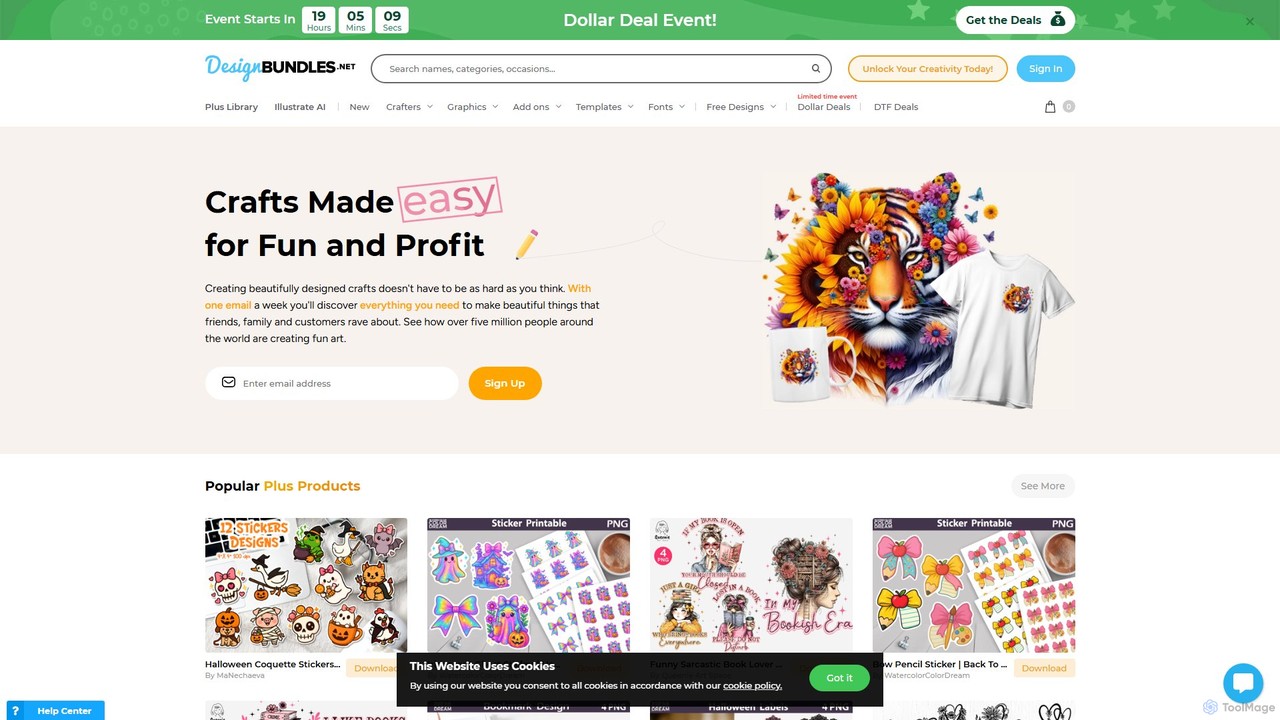
Design Bundles is a comprehensive marketplace for high-quality design resources, offering over 1.6 million assets like SVGs, fonts, and templates. It uniquely features 'Illustrate AI', an integrated AI art generator, allowing creators to produce unique images from text prompts. With a flexible Plus membership, commercial licenses, and extensive free tutorials, it's an all-in-one platform for crafters, designers, and businesses.

Image Generation
Visits 951KFavorites 137Likes 129

About Stock Images & Assets

AI Stock Images & Assets are tools that use generative artificial intelligence to create or intelligently discover unique visual content. These platforms leverage advanced models like diffusion to generate novel images, illustrations, and other assets from simple text descriptions, overcoming the limitations of traditional stock libraries. This enables creators, marketers, and designers to produce perfectly tailored, royalty-free visuals on-demand, ensuring brand consistency and avoiding clichéd imagery. They represent a significant evolution in digital asset creation within the broader field of design and art.

Core Features

  • Text-to-Image Generation: Creates high-quality, unique images and illustrations directly from textual prompts.
  • Semantic Search: Utilizes AI to understand the context and meaning behind a search query, delivering more relevant asset results than keyword matching.
  • Image Variation & Expansion: Generates multiple stylistic variations of an existing image or expands its borders with contextually aware content (outpainting).
  • Customizable Style & Parameters: Allows users to define specific styles, color palettes, aspect ratios, and negative prompts for precise creative control.
  • Integrated Licensing: Provides clear, often commercial-use, royalty-free licenses for the generated assets, simplifying legal compliance.

Use Cases

These tools are widely used by marketing teams for creating unique ad campaign visuals, content creators for generating blog and social media illustrations, and web designers for producing custom website banners and icons. They are also valuable for product designers creating mockups and presentations, offering a fast and cost-effective alternative to photoshoots or manual graphic design.

How to Choose

When selecting a tool, consider the quality and artistic style of the AI model, as some excel at photorealism while others are better for illustrations. Evaluate the diversity of asset types offered (e.g., images, 3D models, videos). Scrutinize the licensing terms to ensure they align with your commercial needs. Finally, compare pricing models—such as subscriptions versus credit packs—and the level of fine-tuning and control available to users.

Stock Images & Assets use cases

1

Creating Unique Blog Post Illustrations

A content marketer is writing an article about a niche topic like 'quantum computing in finance'. Instead of using generic, overused stock photos of circuit boards, they use an AI image tool. They enter a prompt such as 'abstract visualization of quantum bits processing financial data, glowing blue and gold, futuristic style'. Within seconds, the tool generates several unique, high-resolution images that perfectly match the article's theme. This enhances the visual appeal and authority of the content, making it more engaging for readers and setting it apart from competitors.

2

Generating A/B Testing Visuals for Ad Campaigns

A social media manager needs to run an A/B test for a new product campaign. They require multiple ad visuals with slight variations in background, color scheme, and object placement. Using an AI asset tool, they generate a primary image and then use its 'variation' feature. The AI produces ten different versions in minutes, some with a cityscape background, others in a nature setting, and with different lighting. This process saves significant time and budget compared to organizing multiple photoshoots or hiring a designer to create each variant manually, allowing for more extensive and effective testing.

3

Designing Custom Website Banners and Icons

A freelance web developer is building a portfolio site for a client with a very specific brand aesthetic described as 'minimalist Scandinavian with a touch of biophilic design'. Finding stock icons and banners that fit this unique style is challenging. Instead, the developer uses an AI tool with prompts like 'vector icon of a laptop, single line art, sage green' and 'website hero banner, abstract watercolor texture, beige and cream, soft light'. This allows for the creation of a perfectly cohesive set of visual assets that align with the brand identity, elevating the website's design quality without extensive graphic design work.

4

Creating Product Mockups and Lifestyle Shots

An e-commerce startup selling skincare products needs lifestyle images showing their bottles in various settings, like a modern bathroom or on a beach. Instead of a costly photoshoot, they use an AI tool with 'inpainting' or 'product placement' features. They upload a clean product photo and then generate backgrounds around it. Prompts like 'skincare bottle on a marble bathroom counter next to a green plant' create realistic scenes instantly. This allows them to produce a diverse library of marketing images at a fraction of the cost, enabling them to refresh their website and social media content frequently.

5

Visualizing Data and Concepts for Presentations

A business consultant is preparing a presentation for a client on 'supply chain optimization'. To make complex ideas more digestible, they need clear, consistent graphics. Using an AI asset generator, they create a series of icons and diagrams with prompts like 'minimalist icon of a cargo ship and a warehouse connected by arrows, flat design, blue and grey'. The tool ensures all generated visuals share the same style, creating a professional and polished look for the presentation. This is much faster than searching for matching icons in different libraries or creating them from scratch in design software.

6

Rapid Prototyping for Game and Character Concepts

An indie game developer is in the early stages of designing a new fantasy game. To quickly explore visual directions for characters and environments, they use an AI image generator. They input detailed prompts like 'female elf rogue, leather armor, glowing daggers, dark forest background, concept art style'. The AI generates dozens of visual concepts in an hour, a task that would take a concept artist days to complete. This rapid iteration allows the developer to quickly establish the game's art style and provide clear visual references for the modeling and animation teams, accelerating the pre-production phase.

Stock Images & Assets FAQ

What are AI Stock Images & Assets tools?

AI Stock Images & Assets tools are platforms that use generative AI to create original images, illustrations, 3D models, and other visual media from text prompts. Unlike traditional stock photo websites that offer a fixed library of human-created content, these AI tools generate new, unique assets on demand. They are designed to provide highly specific, customizable, and royalty-free visuals for a wide range of creative and commercial projects, from marketing to product design.

How do AI-generated images differ from traditional stock photos?

The primary difference lies in uniqueness and customization. A traditional stock photo can be licensed and used by thousands of people, leading to generic and overused visuals. In contrast, each AI-generated image is typically unique to the prompt that created it. Furthermore, AI tools offer near-infinite customization through detailed text prompts, allowing users to specify subjects, styles, colors, and compositions precisely. Traditional stock photos are static and offer limited, if any, customization options beyond basic editing.

How to choose the right AI Stock Images & Assets tool?

Choosing the right tool depends on your specific needs. Consider the following factors:

  • Output Quality & Style: Review the tool's gallery. Does its aesthetic (e.g., photorealistic, illustrative, anime) match your brand or project?
  • Features: Do you just need text-to-image, or do you require advanced features like image-to-image, inpainting (editing parts of an image), or outpainting (extending an image)?
  • Licensing Terms: Carefully read the terms of service. Ensure the license allows for your intended use, especially for commercial projects.
  • Pricing Model: Compare subscription plans, credit-based systems, or pay-per-image options to find what best fits your budget and usage frequency.
  • Ease of Use: Test the user interface. A good tool should be intuitive and offer sufficient control over the generation process without being overly complex.
Are AI-generated images free for commercial use?

This depends entirely on the service provider's terms and conditions. Many paid AI image generation services grant users a commercial license to use the images they create, meaning you can use them in marketing, products, and other for-profit activities. However, free versions or certain platforms may restrict commercial use or require attribution. It is crucial to always check the specific licensing agreement of the tool you are using before deploying assets in a commercial context to avoid copyright issues. Some platforms also have policies regarding the use of generated images for NFTs or logos.

What are the main features of AI Stock Images & Assets platforms?

While features vary between platforms, most leading AI Stock Images & Assets tools include a core set of capabilities:

  • Text-to-Image: The fundamental feature of generating images from written descriptions.
  • Image-to-Image: Modifying an existing image based on a text prompt.
  • Style Control: Options to guide the AI toward specific artistic styles (e.g., 'photorealistic', 'cartoon', 'watercolor').
  • Parameter Tuning: Controls for aspect ratio, resolution, and negative prompts (specifying what not to include).
  • Variation Generation: Creating multiple different versions of a single generated image to explore creative options quickly.
  • Asset Library: A personal gallery to save, organize, and re-use your generated images.