ToolMage
Sign in

Best 1 Flowchart AI tools for Design

Popular Flowchart AI tools in Design include Dezyn, helping you work more efficiently.

Dezyn
Freemium

Dezyn

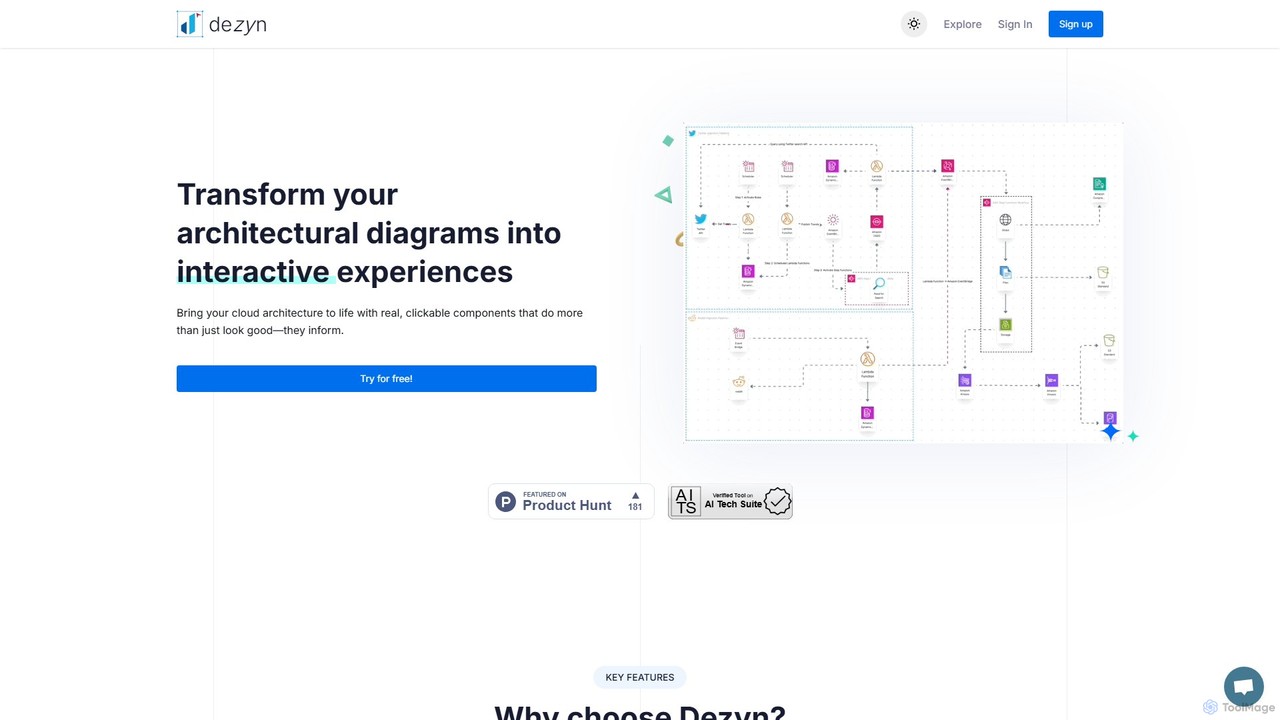
Dezyn is an AI-powered platform for creating interactive, data-rich architectural diagrams and flowcharts. It transforms text prompts, hand-drawn sketches, or wireframes into professional diagrams. Ideal for engineers, developers, and tech creators to visualize complex cloud systems (AWS, Azure, GCP) and collaborate effectively.

Flowchart
Visits 4.2KFavorites 94Likes 101

About Flowchart

AI Flowchart tools are intelligent applications that automate and enhance the creation, analysis, and management of visual process diagrams. Leveraging artificial intelligence, these tools can interpret textual descriptions, suggest optimal layouts, and identify logical inconsistencies within workflows. They empower users to quickly visualize complex processes, streamline communication, and optimize operational efficiency across various domains. This makes them an invaluable asset for project planning, system design, and business process re-engineering within the broader field of design.

Core Features

  • Automated Diagram Generation: Automatically converts text descriptions or data inputs into structured flowcharts.
  • Intelligent Layout & Optimization: Suggests optimal node placement, connector routing, and overall diagram aesthetics for clarity.
  • Error Detection & Validation: Identifies logical gaps, redundant steps, or inconsistencies in the process flow.
  • Semantic Understanding: Interprets natural language commands to modify or expand existing diagrams.
  • Version Control & Collaboration: Facilitates real-time teamwork and tracks changes across different iterations of a flowchart.

Use Cases

Project managers use AI flowchart tools to map out project timelines and dependencies, ensuring all stakeholders have a clear visual understanding of the workflow. Business analysts leverage them to document current state processes and design future state improvements, identifying bottlenecks and areas for automation. Software developers utilize these tools to visualize algorithm logic and system architecture, aiding in design and debugging.

How to Choose

When selecting an AI flowchart tool, consider its AI capabilities (e.g., auto-generation, intelligent suggestions), integration with existing design and project management software, the variety of diagram types supported (e.g., BPMN, UML), and its collaboration features for team projects. Evaluate the ease of use for non-technical users and the customization options for branding and specific diagramming standards. Finally, assess the pricing model relative to your team size and usage frequency.

Featured tool rankings

Flowchart use cases

1

Automated Business Process Mapping

Business analysts often spend significant time manually mapping complex operational workflows. AI flowchart tools allow them to input raw process descriptions or meeting notes, which the AI then interprets and automatically generates a structured flowchart. This drastically reduces the initial drafting time, ensures consistency, and helps in quickly identifying redundancies or inefficiencies for process optimization.

2

Software Algorithm Design Visualization

Software developers and engineers can utilize AI flowchart tools to visualize complex algorithms or system architectures. By feeding in code snippets, pseudocode, or functional requirements, the AI can generate corresponding flowcharts or UML diagrams. This aids in debugging, code review, and communicating intricate logic to non-technical stakeholders, improving clarity and reducing design errors.

3

Project Workflow Planning & Optimization

Project managers need clear visual representations of project phases, tasks, and dependencies. AI flowchart tools enable them to input project goals, resources, and timelines, and the AI assists in generating an initial project workflow. The tool can also suggest optimal paths, highlight potential bottlenecks, and adapt the diagram as project parameters change, ensuring smoother execution and better resource allocation.

4

Educational Content Creation for Processes

Educators and trainers frequently need to explain complex concepts or procedures. AI flowchart tools can transform textual explanations or step-by-step guides into clear, easy-to-understand visual flowcharts. This enhances learning comprehension, provides a visual aid for students, and allows for quick generation of diverse examples for different learning styles, making educational content more engaging and accessible.

5

Decision Tree & Logic Flow Generation

Customer service teams or sales departments often follow intricate decision trees to guide interactions. AI flowchart tools can take a set of rules or customer queries and automatically construct a comprehensive decision tree. This ensures consistent responses, helps train new agents quickly, and allows for rapid updates to logic flows as business policies evolve, improving service quality and efficiency.

6

Compliance & Audit Trail Documentation

Organizations in regulated industries require meticulous documentation of their processes for compliance and auditing. AI flowchart tools can help generate detailed process maps from existing policy documents or operational procedures. The AI can ensure all required steps are included, identify any deviations from standards, and maintain an accurate, auditable visual record of how tasks are performed, simplifying compliance efforts.

Flowchart FAQ

What are AI Flowchart tools?

AI Flowchart tools are software applications that use artificial intelligence to assist in creating, analyzing, and managing flowcharts and other diagram types. They go beyond traditional diagramming by offering features like automated generation from text, intelligent layout suggestions, and logical error detection, making process visualization faster and more accurate.

How do AI Flowchart tools differ from traditional diagramming software?

Traditional diagramming software requires manual drawing and arrangement of shapes and connectors. AI Flowchart tools, however, leverage AI to automate many of these tasks. They can interpret natural language, suggest optimal layouts, detect logical inconsistencies, and even generate diagrams from data, significantly speeding up the process and improving diagram quality compared to purely manual methods.

What are the main benefits of using AI Flowchart tools?

The primary benefits include increased efficiency through automated generation and intelligent suggestions, improved accuracy by detecting logical errors and inconsistencies, enhanced clarity with optimized layouts, and better collaboration through AI-assisted version control. They help users visualize complex information faster, make better decisions, and streamline communication.

Who can benefit most from using AI Flowchart tools?

A wide range of professionals can benefit, including business analysts for process optimization, project managers for workflow planning, software developers for algorithm design, educators for creating instructional materials, and consultants for documenting client processes. Anyone needing to visualize, analyze, or communicate complex sequential information will find these tools valuable.

How do AI Flowchart tools ensure logical consistency in diagrams?

AI Flowchart tools employ algorithms that analyze the connections and sequence of steps within a diagram. They can identify common logical flaws such as unreachable steps, infinite loops, missing start/end points, or conflicting decision paths. By highlighting these inconsistencies, the AI helps users create logically sound and effective process flows, preventing errors in the underlying process.