Design Best in category 1 results Product Photography AI Tool

Popular AI tools in the Product Photography field of Design include Jector, etc., helping you quickly improve efficiency.

Jector

Jector

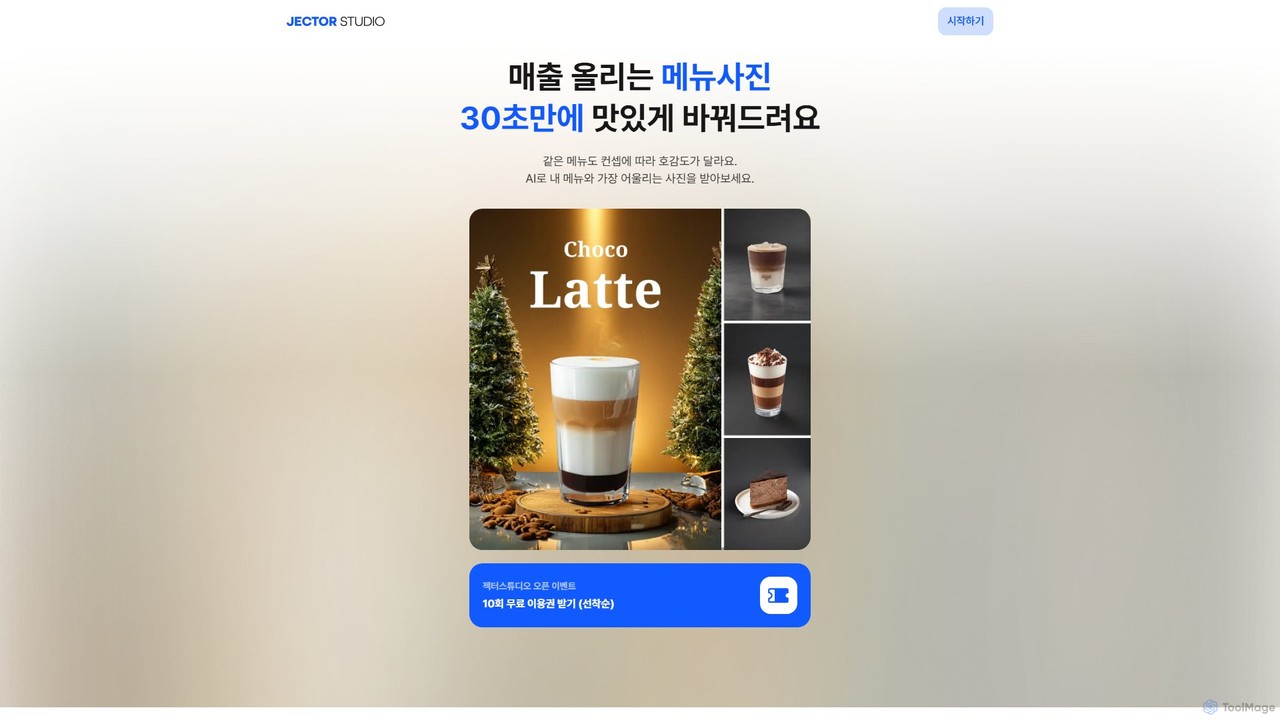
Jector is an AI-powered food styling studio that transforms simple menu photos into professional, appetizing images in seconds. …

3.1K

About Product Photography

AI Product Photography tools are a specialized category of design software that uses generative AI to create studio-quality product images from simple photos. These tools leverage diffusion models and computer vision to place products into new virtual scenes, adjust lighting, and add realistic shadows. This enables e-commerce brands and marketers to produce a vast array of professional visuals for marketing campaigns and online stores without the cost and complexity of physical photoshoots. The technology allows for instant generation of lifestyle shots, catalog images, and creative advertisements on demand.

Core Features

  • AI Scene Generation: Instantly create custom backgrounds or place products in pre-designed virtual environments.
  • Virtual Staging & Props: Add complementary objects and props to create realistic lifestyle contexts for products.
  • Smart Lighting & Shadows: Automatically adjust lighting direction and generate physically accurate shadows for seamless integration.
  • Template-Based Creation: Utilize a library of professional templates for various industries like fashion, cosmetics, and furniture.
  • Background Removal & Replacement: Cleanly remove the original background from a product photo before placing it in a new scene.

Use Cases

These tools are primarily used by e-commerce businesses, digital marketing agencies, and social media managers. They are invaluable for creating product listings on platforms like Amazon and Shopify, generating engaging visuals for social media ads, and producing consistent imagery for brand catalogs and websites.

How to Choose

When selecting a tool, consider the realism and quality of the generated images, the variety and relevance of available templates and props, the user-friendliness of the interface, and the pricing model (e.g., per-image credits vs. monthly subscription). Also, evaluate the tool's ability to handle different product types and complexities.

Product PhotographyUse Cases

1

Create High-Converting E-commerce Listings

An owner of a small Shopify store selling handmade candles needs professional product photos but lacks the budget for a photographer. Using an AI Product Photography tool, they upload simple photos of their candles taken with a smartphone. They then select various templates, such as a cozy living room, a modern bathroom, and a festive holiday scene. The AI automatically places the candle, adjusts the lighting to match the environment, and adds realistic shadows. In under an hour, they generate over 50 unique, high-quality images for their product pages, A/B testing, and promotional banners, leading to a measurable increase in conversion rates.

2

Generate Lifestyle Imagery for Social Media Ads

A digital marketer for a skincare brand is tasked with creating a new Instagram ad campaign. Instead of organizing a costly lifestyle photoshoot, they use an AI tool. They upload a clean shot of their product bottle and use text prompts to describe scenes like "on a marble bathroom counter next to a white orchid" or "held by a hand with a clean, minimalist background." The tool generates dozens of photorealistic options. This process allows the marketing team to quickly create and test multiple ad creatives with different visual themes, optimizing their campaign for higher engagement and click-through rates at a fraction of the traditional cost.

3

Visualize Furniture in Virtual Room Settings

A furniture company wants to show customers how their new armchair looks in different interior design styles. They upload a single photo of the chair with a plain background to an AI Product Photography platform. They then choose from a library of virtual rooms, including Scandinavian, industrial, and mid-century modern styles. The AI seamlessly integrates the armchair into each scene, correctly scaling it and adjusting lighting and shadows. This provides customers with realistic visualizations, helping them make purchasing decisions and reducing the need for expensive physical showrooms.

4

Produce Professional Food & Beverage Photos

A new beverage startup needs appetizing photos for their website and delivery app listings. The team uploads a basic photo of their canned drink. Using an AI tool, they place the can on a virtual wooden table surrounded by fresh ingredients like orange slices and mint leaves. They can adjust the lighting to simulate a sunny afternoon or a cozy cafe. The tool adds realistic condensation droplets to the can, making the drink look refreshing and appealing. This allows them to create a full menu of professional-grade photos without hiring a food stylist or photographer.

5

Create Thematic Imagery for Seasonal Campaigns

An e-commerce manager for a fashion accessories brand needs to prepare for the holiday shopping season. They need to update hundreds of product photos with a festive theme. Instead of reshooting everything, they use an AI tool. They upload their existing catalog images of handbags and jewelry. They then apply a "Holiday" theme, which places the products in scenes with subtle festive elements like pine branches, string lights, or a snowy background. This process automates the creation of a cohesive, seasonal campaign across their entire product line in just a few hours.

6

Standardize Product Images for Brand Consistency

A large company with multiple product lines struggles to maintain a consistent visual style across its online presence. A brand manager implements an AI Product Photography tool to standardize all new product images. They create a custom brand template that defines the background color, lighting setup, and shadow style. Now, whenever a new product is launched, the team simply uploads a photo, applies the brand template, and the AI generates a perfectly on-brand image. This ensures a uniform, professional look across the website, catalogs, and partner retail sites, strengthening brand identity.

Product PhotographyFrequently Asked Questions