ToolMage
Sign in

Best 1 Productivity AI tools for Design

Popular Productivity AI tools in Design include Figma Autoname, helping you work more efficiently.

Figma Autoname
Free

Figma Autoname

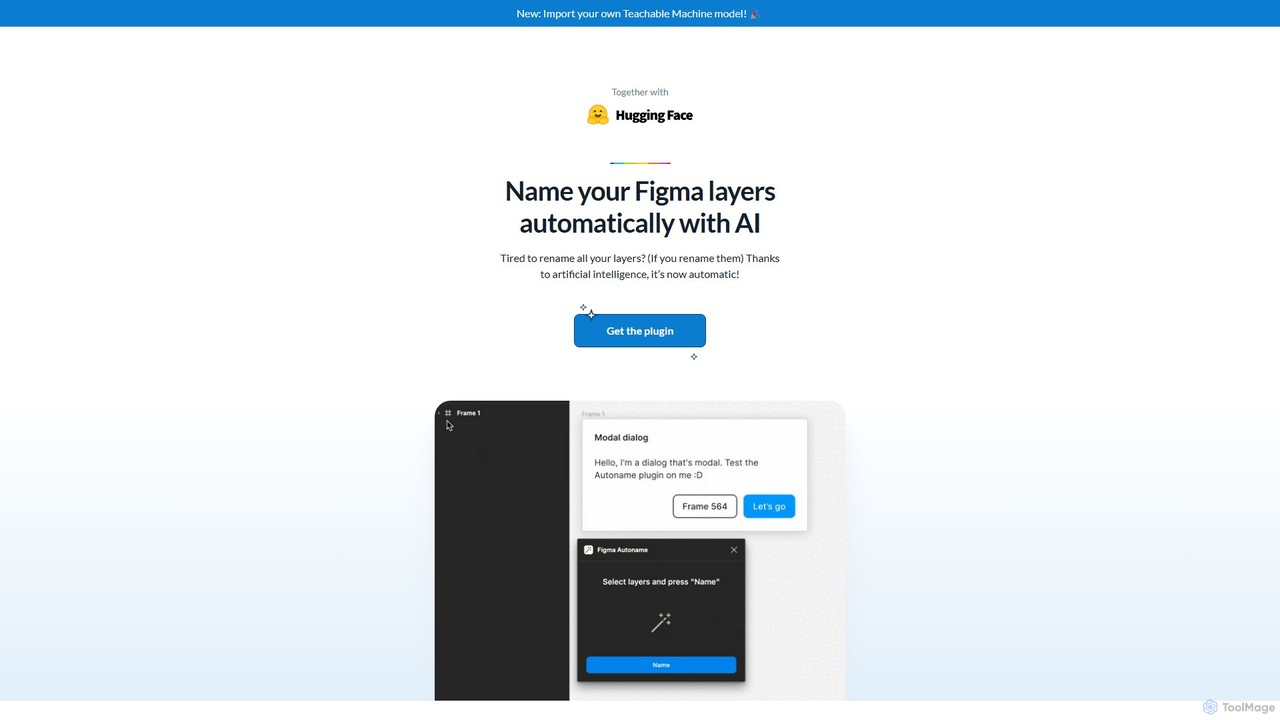
An AI-powered Figma plugin that automatically renames all your design layers in a single click. It intelligently preserves component names, supports custom naming models, and is completely free and open-source, saving designers countless hours of tedious work.

Productivity
Visits 6.3KFavorites 163Likes 171

About Productivity

AI Productivity tools are specialized applications that leverage artificial intelligence to streamline and optimize various aspects of the design workflow, enhancing efficiency and output for creative professionals. These tools integrate AI algorithms to automate repetitive tasks, manage assets, facilitate collaboration, and provide intelligent assistance, allowing designers to focus more on creative problem-solving. They aim to reduce manual effort, accelerate project timelines, and improve the overall quality of design deliverables within the broader Design category.

Core Features

  • Automated Asset Organization: AI-powered tagging, categorization, and search for design files, images, and components.
  • Workflow Automation: Automating routine design tasks like resizing, format conversion, background removal, or batch processing.
  • Intelligent Collaboration: AI-assisted feedback aggregation, version control, and project management tailored for design teams.
  • Design System Management: Tools for maintaining consistency across design elements and components with AI support.
  • Content Generation Assistance: AI to generate placeholder text, basic layouts, or suggest design elements to kickstart projects.

Use Cases

Designers and creative teams utilize AI Productivity tools to overcome bottlenecks and accelerate project delivery. For instance, a graphic designer might use AI to automatically sort and tag thousands of stock photos, while a UI/UX team could leverage AI for intelligent version control and feedback analysis to streamline their iteration cycles. These tools are crucial for managing large volumes of design assets and ensuring project consistency across diverse teams.

How to Choose

Selecting the right AI Productivity tool involves evaluating its integration capabilities with existing design software, the specific automation features it offers for your workflow, its scalability for team use, and the learning curve. Consider tools that provide robust asset management, intelligent automation for your most time-consuming tasks, and seamless collaboration features that align with your team's size and project complexity. Pricing models and data security are also critical factors.

Productivity use cases

1

Automating Asset Organization for Large Design Libraries

For large design agencies or marketing teams, managing vast libraries of images, icons, and brand assets can be time-consuming. AI Productivity tools automatically tag, categorize, and deduplicate assets based on content, color, and style, making them instantly searchable. This saves graphic designers and content creators hours daily, ensuring brand consistency and quick retrieval of necessary elements for new campaigns or projects.

2

Streamlining Design Feedback and Iteration Cycles

UI/UX designers often face challenges in consolidating feedback from multiple stakeholders across various platforms. AI Productivity tools can centralize feedback, identify common themes, prioritize suggestions, and even track design changes across versions. This allows design leads to quickly understand critical revisions, accelerate iteration, and reduce miscommunication, significantly shortening project timelines for app or website development.

3

Batch Processing and Format Conversion of Design Files

Web designers and digital marketers frequently need to adapt design assets for different platforms and resolutions. AI Productivity tools can automate batch resizing, cropping, and format conversion (e.g., from PSD to WebP, or high-res to low-res for web). This eliminates tedious manual adjustments for hundreds of files, ensuring optimal performance and visual quality across all digital channels without compromising design integrity.

4

Intelligent Content Generation for Design Mockups

During the early stages of design, content creators and designers often struggle with placeholder text or finding relevant imagery. AI Productivity tools can generate contextually appropriate dummy text, suggest relevant stock photos, or even create basic layout variations based on design briefs. This accelerates the mockup creation process, allowing teams to visualize concepts faster and present more complete initial designs to clients.

5

Maintaining Design System Consistency Across Projects

For product design teams working on multiple applications or features, ensuring a consistent design system is paramount. AI Productivity tools monitor design files for adherence to established brand guidelines, component usage, and style guides. They can flag inconsistencies, suggest corrections, and automate updates to design tokens, ensuring a unified user experience across all products and reducing manual auditing efforts.

6

Automating Background Removal and Image Enhancement

E-commerce businesses and product photographers frequently need to prepare product images for online listings, which often involves background removal and basic enhancements. AI Productivity tools can automatically detect and remove backgrounds with high precision, adjust lighting, and enhance colors in bulk. This drastically reduces post-production time, allowing businesses to publish new product lines faster and maintain a professional online presence.

Productivity FAQ

What are AI Productivity tools for design?

AI Productivity tools for design are software applications that use artificial intelligence to automate, optimize, and streamline various tasks within the creative workflow. They aim to boost efficiency by handling repetitive actions, managing design assets, and facilitating collaboration, allowing designers to dedicate more time to creative problem-solving and strategic thinking. These tools often integrate with existing design software to enhance their capabilities.

How do AI Productivity tools differ from general design software?

While general design software (like Photoshop or Illustrator) provides the core functionalities for creating designs, AI Productivity tools focus specifically on enhancing the efficiency of that creation process. They don't replace the core design work but augment it by automating tasks like asset organization, batch processing, intelligent feedback analysis, or content suggestions, which traditional software might require manual effort for. They are about working smarter, not just creating.

What are the key benefits of using AI Productivity tools in design?

The primary benefits include significant time savings by automating repetitive tasks, improved consistency across design projects through intelligent system management, enhanced collaboration among team members, and reduced manual errors. Designers can accelerate project delivery, manage larger volumes of assets more effectively, and ultimately focus on higher-value creative work, leading to better design outcomes and increased job satisfaction.

What features should I look for when choosing an AI Productivity tool for my design team?

When selecting an AI Productivity tool, prioritize features like robust asset management (AI tagging, search, versioning), workflow automation capabilities (batch processing, format conversion), intelligent collaboration tools (feedback aggregation, project tracking), and seamless integration with your existing design software ecosystem. Also, consider scalability for your team size, data security, and the tool's ability to adapt to your specific design processes.

Can AI Productivity tools replace human designers?

No, AI Productivity tools are designed to augment, not replace, human designers. They handle the mundane, repetitive, and data-intensive aspects of design, freeing up designers to focus on creativity, strategic thinking, problem-solving, and client communication—areas where human intuition and expertise are irreplaceable. These tools act as powerful assistants, enhancing a designer's capabilities rather than diminishing their role.