ToolMage
Sign in

Best 5 Ui Kits AI tools for Design

Popular Ui Kits AI tools in Design include DesignCode UI, uiants.co, BuninUX, Zhujn, and Flash UI, helping you work more efficiently.

Zhujn
Paid

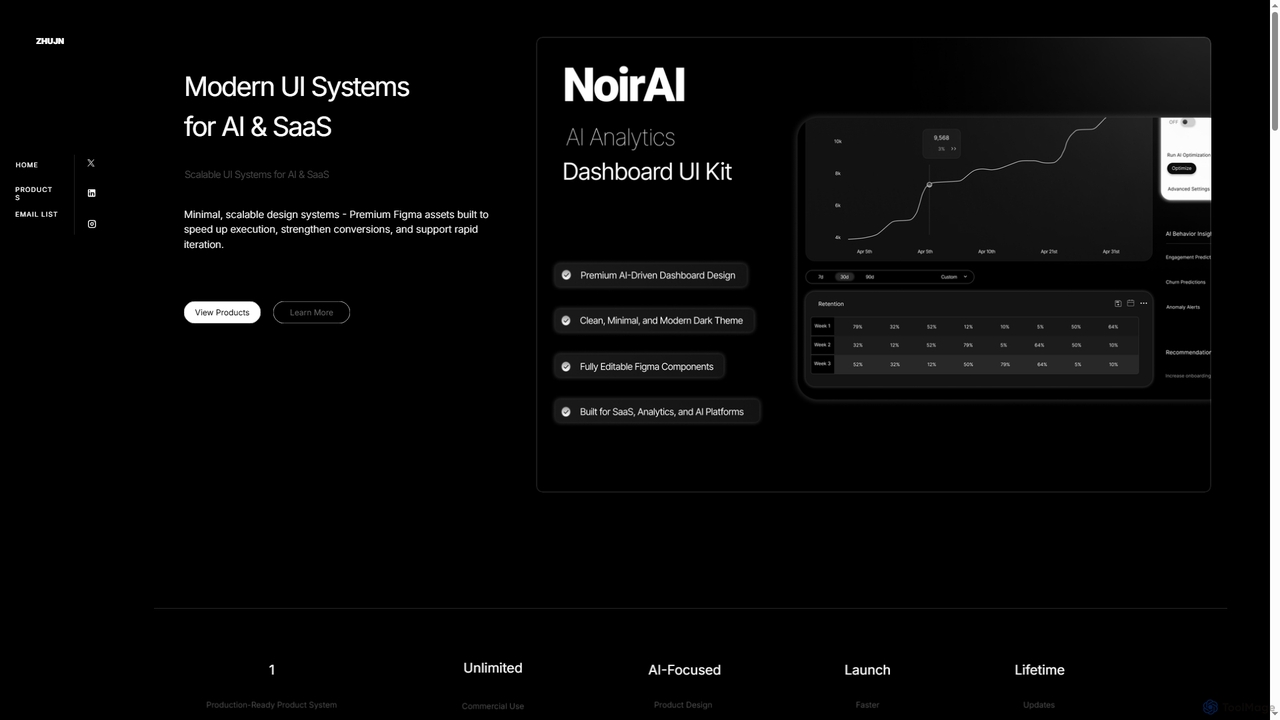
Zhujn

Zhujn offers premium, scalable UI systems and Figma assets specifically designed for AI and SaaS products. It helps founders, designers, and developers accelerate product launches, reduce development overhead, and create high-converting user interfaces for intelligence-powered applications.

Ui Kits
Visits 5.5KFavorites 38Likes 32
DesignCode UI
Freemium

DesignCode UI

A comprehensive design system for Figma and Framer, offering over 300 components, 2,000+ variants, and unique icons. It features advanced customization with variables, adaptive layouts, and multiple styles like Glass, Outline, and Flat. Ideal for designers and developers to build beautiful, consistent, and functional websites and applications quickly.

Ui Kits
Visits 10.4KFavorites 113Likes 137
uiants.co
Paid

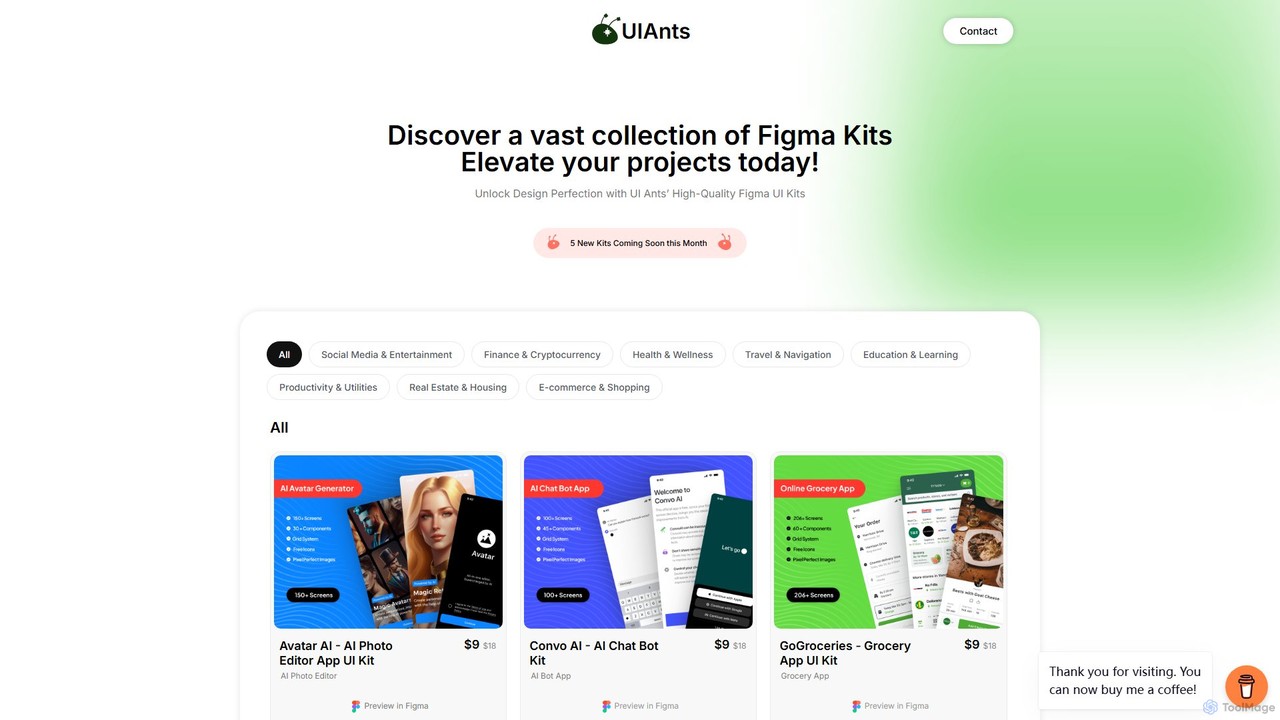
uiants.co

uiants.co is a marketplace offering a vast collection of high-quality, professionally designed Figma UI kits. It helps designers, developers, and startups accelerate their app development process with ready-to-use, fully customizable templates for various industries.

Ui Kits
Visits 6.6KFavorites 138Likes 128
Flash UI
Freemium

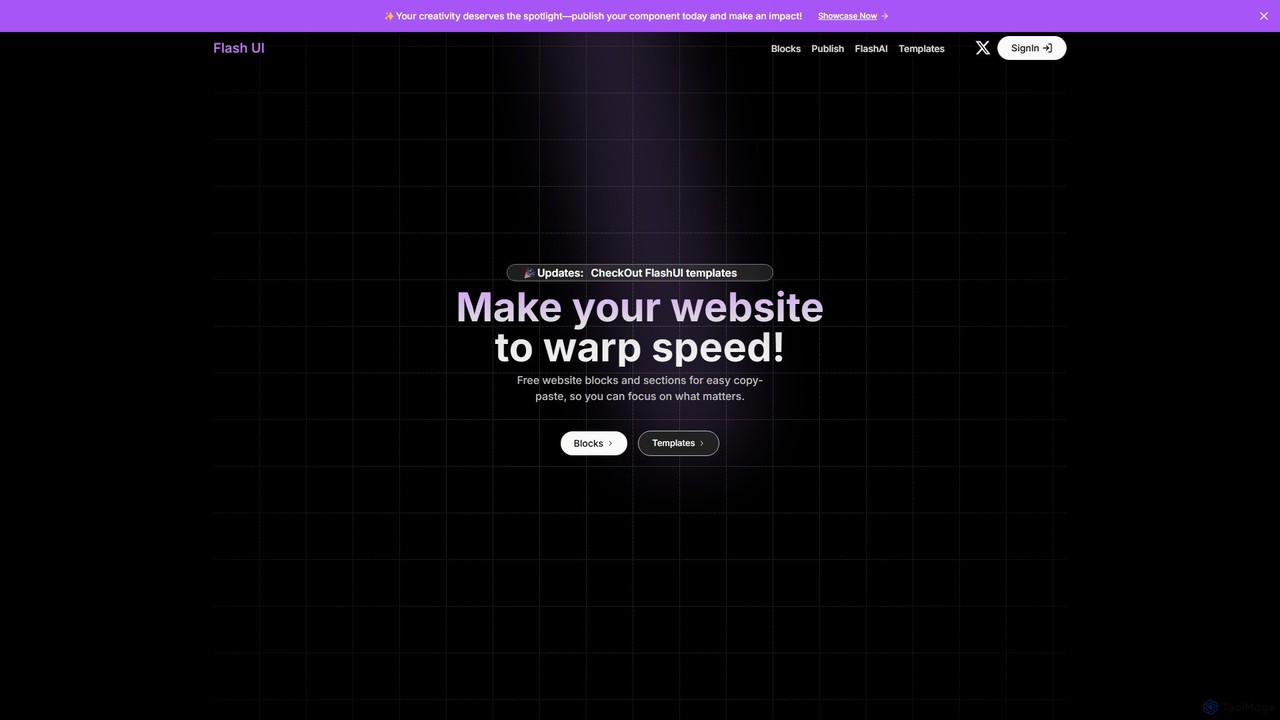
Flash UI

Flash UI is a comprehensive component library built on Tailwind CSS, designed for rapid web development. It offers a vast collection of free, responsive, and customizable UI blocks and sections. Developers can simply copy and paste components to build beautiful websites at warp speed. It also features an innovative AI component generator to turn design visions into reality with ease.

Ui Kits
Visits 5.4KFavorites 117Likes 103
BuninUX
Paid

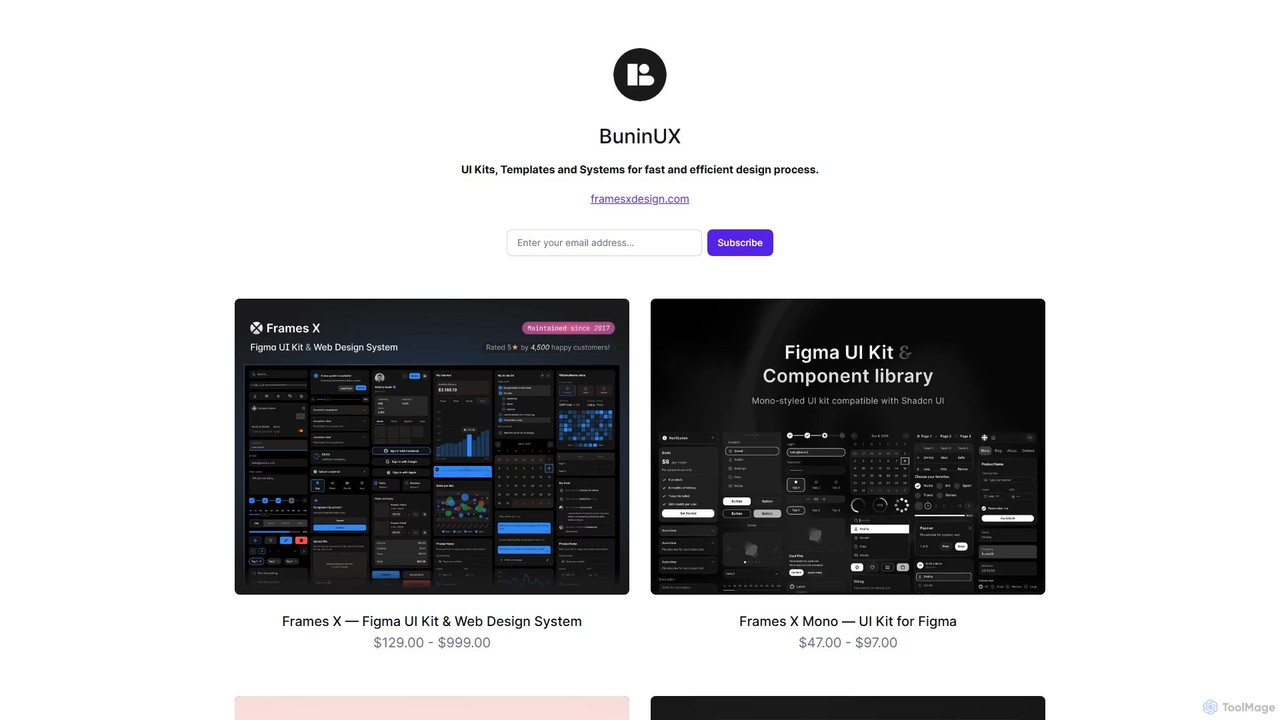
BuninUX

BuninUX offers a premium collection of UI kits, design systems, and templates for Figma and Framer. It's designed for UI/UX designers, developers, and teams to accelerate their design workflow, build beautiful websites and applications, and maintain design consistency with professional, ready-to-use components.

Ui Kits
Visits 5.6KFavorites 149Likes 147

About Ui Kits

AI UI Kits are intelligent collections of pre-designed user interface components that use artificial intelligence to accelerate the design and development workflow. These tools go beyond static templates by leveraging AI to generate component variations, automatically adapt layouts for different devices, and ensure consistent adherence to design systems. They empower teams to rapidly build prototypes, create cohesive digital products, and even generate front-end code directly from designs. This significantly reduces manual effort and allows for faster iteration cycles.

Core Features

  • AI-Powered Component Generation: Create new UI elements like buttons, forms, and cards from text prompts or style parameters.
  • Smart Responsive Layouts: Automatically adjust component arrangements and spacing to fit various screen sizes, from mobile to desktop.
  • Design System Enforcement: Ensure all generated elements consistently follow predefined brand guidelines for colors, typography, and spacing.
  • Design-to-Code Conversion: Export UI components directly into functional front-end code for frameworks like React, Vue, or HTML/CSS.
  • Thematic Variation Creation: Instantly generate different visual themes, such as light and dark modes, for the entire interface.

Use Cases

AI UI Kits are valuable for UI/UX designers, front-end developers, product managers, and startups. They are commonly used for building rapid, interactive prototypes for user testing, establishing and maintaining large-scale design systems for enterprise applications, and quickly assembling marketing landing pages without extensive coding.

How to Choose

When selecting an AI UI Kit, consider its compatibility with your technology stack (e.g., React, Angular). Evaluate the level of design customization and control it offers. Assess the breadth of its component library to ensure it meets your project's needs, and check for seamless integration with your primary design tools like Figma or Sketch.

Ui Kits use cases

1

Rapid Prototyping for a New Application

A startup founder with a limited budget needs to create a high-fidelity, interactive prototype to present to potential investors. Using an AI UI Kit, they can describe screens and user flows in plain text, such as 'a user login screen with email, password, and a Google sign-in button'. The AI generates the complete screen layout with consistent styling. This allows them to build a clickable prototype in hours instead of weeks, effectively communicating their product vision without hiring a full-time designer or developer.

2

Building a Consistent Enterprise Design System

A large corporation's design team is tasked with maintaining brand consistency across dozens of digital products. They use an AI UI Kit as the foundation of their design system. When a new component is needed, they define its specifications and style attributes. The AI then generates the component, ensuring it perfectly aligns with existing brand guidelines for color, typography, and spacing. This automates a previously manual and error-prone process, ensuring all products share a unified and professional look and feel.

3

A/B Testing Landing Page Variations

A digital marketer wants to optimize a landing page for higher conversion rates. Instead of manually designing different layouts, they use an AI UI Kit. They input the core content (headlines, copy, call-to-action) and ask the AI to generate five different layouts with varied button placements, color schemes, and image arrangements. This allows them to quickly deploy multiple versions for A/B testing, gather data on user behavior, and identify the most effective design without needing significant design or development resources.

4

Accelerating Front-End Development Workflow

A front-end developer receives a set of approved designs from a UI/UX designer in Figma. Instead of manually writing HTML and CSS for each component, they use an AI UI Kit with a design-to-code feature. The tool analyzes the Figma file and automatically converts the visual components—buttons, navigation bars, and cards—into clean, reusable React components. This reduces development time by over 50%, minimizes human error in translation, and allows the developer to focus on implementing complex business logic rather than tedious UI coding.

5

Designing Cross-Platform Mobile App Interfaces

A mobile app designer is creating an app for both iOS and Android. To ensure a native look and feel on each platform while maintaining brand identity, they use an AI UI Kit. The kit's AI understands the design guidelines of both Apple's Human Interface Guidelines and Google's Material Design. The designer creates a base design, and the tool automatically generates platform-specific variants, adjusting components like date pickers, navigation patterns, and system icons to match user expectations on each operating system, saving significant redesign time.

6

Creating Personalized User Dashboards

A SaaS company wants to provide a more personalized experience for its users. They use an AI UI Kit to dynamically generate dashboard layouts based on user roles and behavior. For example, an 'Admin' user's dashboard is automatically populated with components for user management and system analytics, while a 'Standard' user sees components related to their own projects and tasks. The AI arranges these components intelligently to prioritize the most relevant information for each user type, enhancing usability and user satisfaction without manual configuration.

Ui Kits FAQ

What are AI UI Kits?

AI UI Kits are advanced collections of user interface components that use artificial intelligence to streamline and automate parts of the design and development process. Unlike traditional static kits, they can dynamically generate new components, create variations based on simple prompts, automatically adjust layouts for responsiveness, and even convert visual designs into code. Their primary purpose is to accelerate workflow, enforce design consistency, and enable rapid prototyping with greater efficiency.

How do AI UI Kits differ from traditional UI Kits?

The key difference lies in dynamism and automation. Traditional UI Kits (like Figma templates) are static libraries of pre-made components that designers manually copy, paste, and adjust. AI UI Kits are dynamic systems. They can:

  • Generate: Create new components from scratch based on text descriptions.
  • Adapt: Automatically adjust layouts for different screen sizes (responsiveness).
  • Automate: Convert designs directly into code, saving development time.
  • Ensure Consistency: Actively enforce design system rules, preventing inconsistencies.

In essence, traditional kits provide static assets, while AI kits provide an intelligent, automated partner in the design process.

How do I choose the right AI UI Kit?

Choosing the right AI UI Kit depends on your specific project needs. Consider these key factors:

  • Technology Stack Integration: Does it export code compatible with your front-end framework (e.g., React, Vue, Svelte, or plain HTML/CSS)?
  • Design Tool Compatibility: Does it integrate smoothly with your existing design workflow in tools like Figma, Sketch, or Adobe XD?
  • Customization and Control: How much control do you have over the AI's output? Can you easily override suggestions and fine-tune the design to match your brand's unique identity?
  • Component Library Scope: Does the kit offer a comprehensive range of components (forms, navigation, data visualization) that your project requires?

Evaluate these aspects to find a tool that best fits your team's technical requirements and design philosophy.

Who can benefit from using AI UI Kits?

A wide range of professionals can benefit from AI UI Kits:

  • UI/UX Designers: To rapidly create prototypes, explore design variations, and maintain consistency in large design systems.
  • Front-End Developers: To accelerate the process of converting designs into code and reduce manual UI coding.
  • Product Managers: To quickly build mockups and functional prototypes to validate ideas with stakeholders and users.
  • Startups and Entrepreneurs: To develop a professional-looking minimum viable product (MVP) quickly and with limited resources.
  • Marketers: To create and A/B test multiple landing page designs without relying on development teams.
Do AI UI Kits generate production-ready code?

AI UI Kits are excellent for generating a strong foundation of front-end code, often producing clean, well-structured, and responsive components. For many standard UI elements, the generated code can be very close to production-ready. However, for complex applications with unique business logic, state management, and API integrations, the code typically serves as a high-quality starting point. Developers will still need to review, refine, and integrate it into the broader application architecture. The primary value is in automating the time-consuming initial setup and styling, not in completely replacing the developer.