ToolMage
Sign in

Best 1 Icons AI tools for Developer

Popular Icons AI tools in Developer include VectorArt.ai, helping you work more efficiently.

VectorArt.ai
Freemium

VectorArt.ai

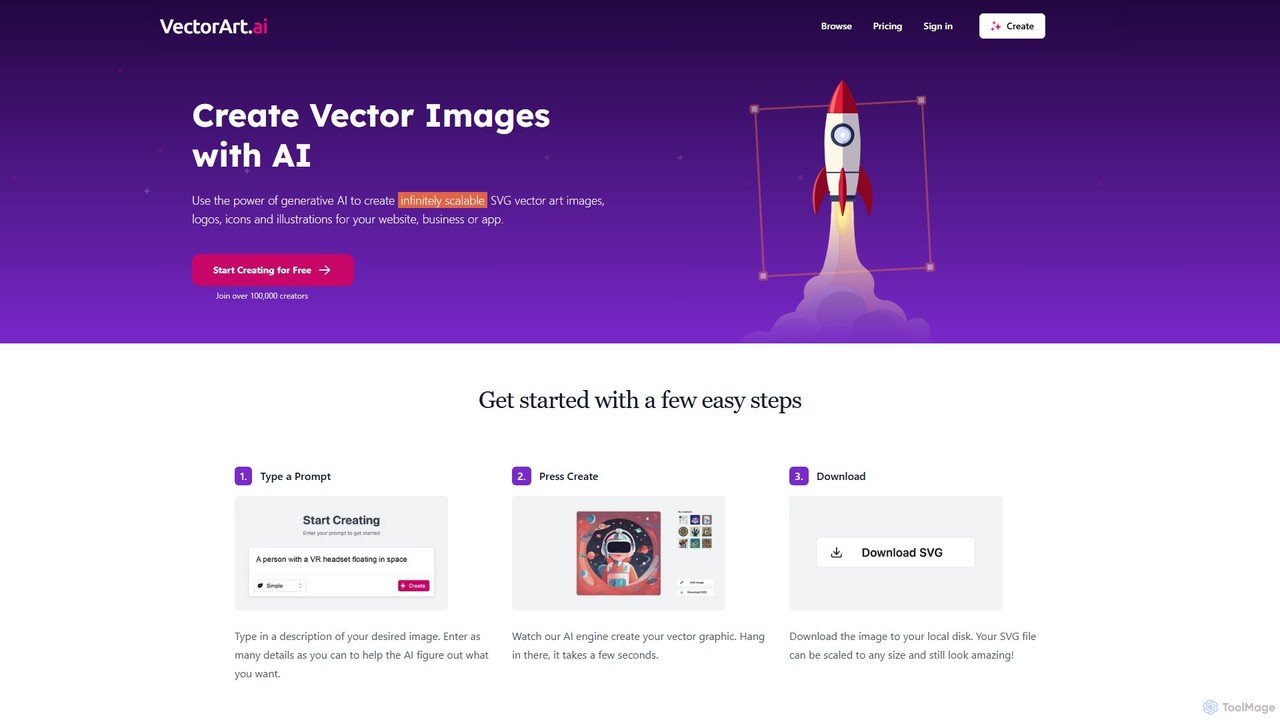
VectorArt.ai is an AI-powered platform that generates high-quality, infinitely scalable SVG vector images, logos, icons, and illustrations from simple text prompts. It's designed for creators, marketers, and developers to produce professional graphics quickly and easily, without needing advanced design skills.

Illustration
Visits 77.2KFavorites 92Likes 103

About Icons

AI Icon generators are specialized tools that create unique, custom icons from text descriptions or simple inputs. These tools utilize generative AI models, specifically trained to understand iconographic principles like simplicity, scalability, and symbolic representation. This enables developers and designers to instantly produce high-quality icons in various styles, such as flat, line art, or 3D, without needing manual design skills. The primary value lies in accelerating the design process for applications, websites, and marketing materials, ensuring visual consistency across an entire project.

Core Features

  • Text-to-Icon Generation: Creates icons based on natural language prompts, describing the desired object and style.
  • Style Consistency: Generates entire icon sets with a unified aesthetic, ensuring a cohesive look and feel.
  • Vector Format Export: Provides icons in scalable formats like SVG, crucial for responsive design across different screen sizes.
  • Customization and Refinement: Allows users to adjust colors, stroke weight, and other details of the generated icons.
  • Icon Set Management: Organizes and manages collections of icons for specific projects or brand guidelines.

Use Cases

These tools are widely used by UI/UX designers for rapid prototyping and creating assets for mobile and web applications. Front-end developers use them to quickly generate necessary icons for interfaces without waiting for a design team. Marketing professionals and content creators also leverage them to produce custom visuals for presentations, infographics, and social media content, enhancing brand identity.

How to Choose

When selecting an AI Icon generator, consider the quality and variety of styles it can produce. Prioritize tools that export to SVG format for scalability. Evaluate the level of customization and editing control offered after generation. Also, review the licensing terms to ensure the icons can be used for commercial projects, and compare pricing models, whether subscription-based or pay-per-icon, to fit your budget.

Featured tool rankings

Icons use cases

1

Rapid UI/UX Prototyping for Applications

A UI/UX designer is tasked with creating a new feature for a mobile banking app. Instead of spending hours searching for or manually designing icons for 'transfer', 'pay bills', and 'account details', they use an AI Icon generator. By inputting prompts like 'minimalist line icon of two arrows exchanging' and 'flat style icon of a document with a dollar sign', they generate a complete, stylistically consistent set of icons in under 10 minutes. This significantly speeds up the wireframing and prototyping phase, allowing for faster iteration and feedback from stakeholders.

2

Creating Custom Icons for Branding and Marketing

A marketing team is launching a new product line and needs custom icons for the website's feature section and for a promotional infographic. The brand style is 'eco-friendly and modern'. They use an AI tool with the prompt '3D icon of a green leaf shielding a gear, modern style'. The tool generates several variations, allowing the team to pick the one that best fits their campaign. They then generate matching icons for 'sustainability', 'efficiency', and 'innovation', creating a unique and cohesive visual language that strengthens brand recognition without hiring a graphic designer.

3

Generating In-Game Item and Skill Icons

An indie game developer is creating a fantasy RPG and requires hundreds of icons for items like potions, swords, and armor, as well as for character skills. Manually creating each one would be prohibitively time-consuming. By using an AI Icon generator, the developer can set a consistent 'pixel art' or 'hand-drawn' style and then generate icons with prompts like 'glowing blue health potion in a glass vial' or 'fiery sword skill icon'. This allows for the rapid creation of a vast library of game assets, ensuring a consistent art style throughout the game's UI and inventory systems.

4

Automating Icon Set Creation for Software

A front-end developer is building a new desktop application and needs a full set of toolbar icons (e.g., open, save, copy, paste, print). To maintain visual harmony, all icons must share the same design language. The developer uses an AI tool and provides a base prompt: 'A set of toolbar icons for a text editor, in the Fluent Design style'. The AI generates the entire set at once, ensuring each icon, from the 'save' diskette to the 'print' printer, shares the same line weight, color palette, and perspective. This saves significant development time and ensures a professional, polished user interface.

5

Enhancing Presentations and Reports with Custom Visuals

A business analyst needs to create a compelling presentation for quarterly results. To make the data-heavy slides more engaging, they decide to use custom icons instead of generic clipart. Using an AI generator, they create icons for concepts like 'Revenue Growth' (an upward-trending arrow with a dollar sign), 'Market Expansion' (a globe with radiating lines), and 'Customer Satisfaction' (a smiling face with a star). This results in a professional-looking presentation with a unique visual theme that helps communicate complex information more effectively and holds the audience's attention.

6

Creating Unique Favicons for Websites

A small business owner is launching their new e-commerce website. To stand out in a crowded browser tab, they need a memorable favicon. Instead of using a generic initial or a scaled-down logo that becomes illegible, they use an AI icon tool. They input 'a stylized shopping cart with a lightning bolt, simple, one color'. Within seconds, the tool provides several high-resolution options. They select one, export it in the required ICO format, and instantly give their website a unique, professional identity that is easily recognizable to returning customers.

Icons FAQ

What are AI Icon generators?

AI Icon generators are software tools that use artificial intelligence, particularly generative models, to create icons from text prompts. Unlike traditional methods, users can describe the icon they want in natural language (e.g., 'a flat design icon of a rocket ship'), and the AI produces a visual representation. These tools are valuable for developers, designers, and marketers who need custom icons quickly without deep design expertise. They often support various styles and export formats like SVG and PNG.

How do AI Icon generators differ from stock icon libraries?

The key difference is creation versus selection. Stock icon libraries (like Font Awesome or The Noun Project) offer a large but finite collection of pre-made icons for you to choose from. AI Icon generators create entirely new, unique icons on-demand based on your specific text prompt. This offers nearly infinite creative possibilities and ensures your icons are not used by others. However, AI-generated icons may sometimes require more refinement, whereas stock icons are typically professionally polished and ready to use immediately.

What should I look for when choosing an AI Icon generator?

When selecting a tool, consider these factors:

  • Style Variety: Does the tool support the aesthetic you need (e.g., flat, 3D, line art, pixel art)?
  • Output Format: Crucially, does it export to a scalable vector format like SVG? This is essential for high-quality display on any screen size.
  • Customization Control: Can you easily edit the colors, shapes, and details of the generated icon?
  • Commercial Use License: Check the terms to ensure you have the rights to use the icons in your commercial projects.
  • Ease of Use: Is the interface intuitive, especially for users who are not professional designers?
Can I use AI-generated icons for commercial projects?

This depends entirely on the specific tool's terms of service and licensing agreement. Many paid AI Icon generators grant full commercial rights to the icons you create, meaning you can use them in products, websites, and marketing materials. However, some free or trial versions may restrict usage to personal projects only. It is crucial to always read and understand the licensing terms of any tool before using its output for commercial purposes to avoid copyright issues.

Who are AI Icon generators best suited for?

AI Icon generators are ideal for a wide range of users, particularly those in the developer and design space. This includes:

  • Developers: Front-end and mobile developers who need icons for UIs quickly without design dependencies.
  • UI/UX Designers: For rapid prototyping, creating placeholders, or generating unique assets for final designs.
  • Marketers & Content Creators: To create custom, on-brand visuals for social media, presentations, and websites.
  • Small Business Owners: For creating professional branding assets like favicons and feature icons without a large budget.

Essentially, they are for anyone who needs custom icons but may lack the time, skills, or resources for manual design.