ToolMage
Sign in

Best 1 Frontend AI tools for Developer

Popular Frontend AI tools in Developer include PaletteMaker, helping you work more efficiently.

PaletteMaker
Free

PaletteMaker

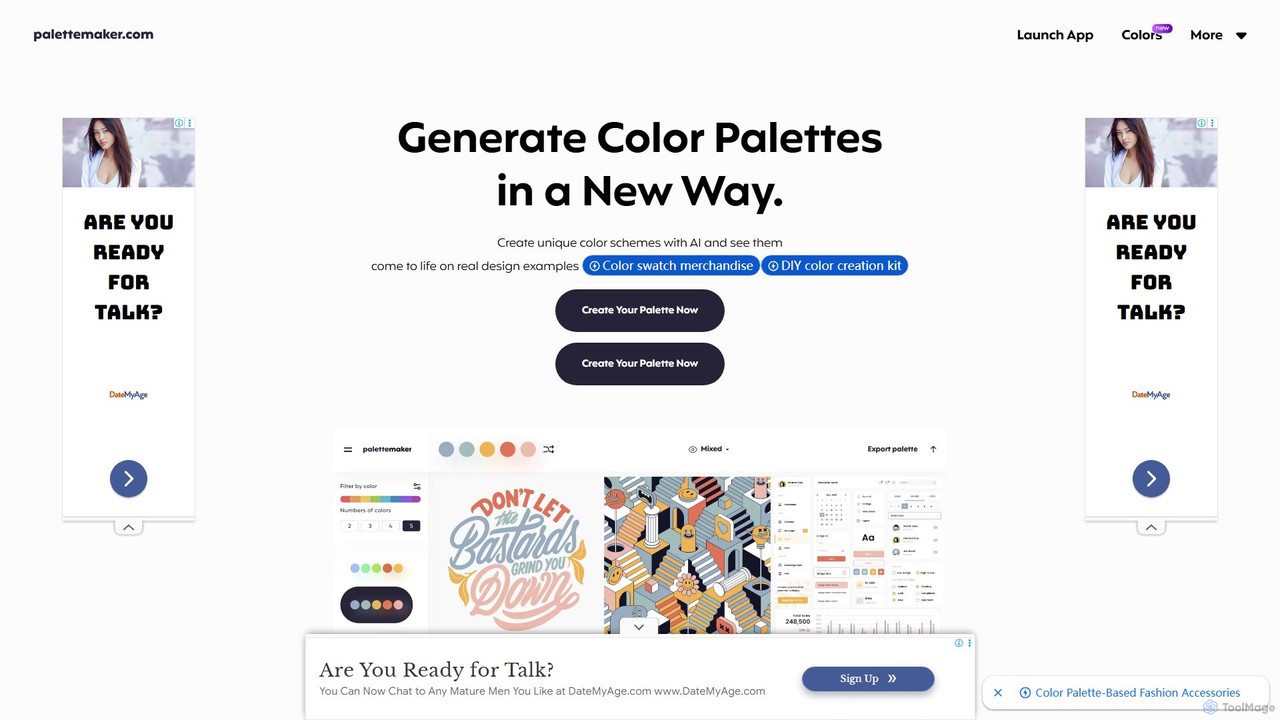
PaletteMaker is a free, AI-powered color palette generator that allows designers and creatives to create and instantly preview color schemes on real-world design mockups. It supports various creative fields like UI/UX, branding, and illustration, offering powerful export options for professional workflows.

Inspiration
Visits 96.7KFavorites 137Likes 109

About Frontend

AI Frontend tools are a class of intelligent assistants designed to accelerate the creation, testing, and optimization of user interfaces. These tools leverage machine learning models to understand design mockups, generate clean code for components, and automate repetitive development tasks. They empower developers and designers to build responsive, high-quality web and mobile applications faster by translating visual concepts into functional code. This significantly reduces manual coding effort and streamlines the entire UI development lifecycle.

Core Features

  • Visual-to-Code Conversion: Automatically generates HTML, CSS, and JavaScript/TypeScript code from design files (e.g., Figma, Sketch) or even hand-drawn wireframes.
  • Intelligent Code Completion: Provides context-aware suggestions for frontend frameworks like React, Vue, and Angular, including component structure and state management.
  • UI Component Generation: Creates reusable UI components based on simple text descriptions or prompts, complete with styling and basic logic.
  • Responsive Design Automation: Analyzes layouts and automatically generates CSS media queries and flexible code for different screen sizes.
  • Automated UI Testing: Generates and runs tests to identify visual regressions, accessibility issues, and interaction bugs in the user interface.

Use Cases

These tools are primarily used by frontend developers, UI/UX designers, and full-stack engineers. They are particularly valuable in agile development environments for rapid prototyping, building design systems, and maintaining code quality across large projects. Product teams also use them to quickly create interactive mockups and conduct A/B testing on different UI variations without extensive engineering resources.

How to Choose

When selecting an AI Frontend tool, consider its integration with your existing design and development workflow (e.g., Figma plugins, VS Code extensions). Evaluate the quality and customizability of the generated code and its compatibility with your preferred tech stack. Also, assess the tool's specific capabilities, such as its strength in visual-to-code conversion versus code refactoring. Finally, consider the learning curve and the pricing model, whether it's based on usage, seats, or a flat subscription.

Frontend use cases

1

Rapid Prototyping from a Design Mockup

A UI/UX designer finalizes a high-fidelity mockup in Figma for a new user dashboard. Instead of waiting for a developer to manually code it, they use an AI Frontend tool with a Figma plugin. The tool analyzes the design layers, components, and styles, then generates production-ready React components with corresponding CSS Modules. The developer can then immediately import this code, wire up the data, and have a functional prototype running in hours instead of days, dramatically accelerating the feedback loop with stakeholders.

2

Automating Responsive Design Adjustments

A frontend developer is tasked with making an existing marketing landing page fully responsive. The page has complex layouts that need to adapt across five different breakpoints. Using an AI Frontend tool, they can upload the existing HTML and CSS. The AI analyzes the DOM structure and styling, then suggests and automatically generates the necessary CSS media queries and flexbox/grid adjustments. This process reduces the tedious manual work of testing and tweaking CSS for each breakpoint, ensuring a consistent user experience on all devices and saving up to 70% of the time typically spent on this task.

3

Generating UI Component Variations for A/B Testing

A product manager wants to test different versions of a call-to-action (CTA) button to improve conversion rates. Instead of creating multiple design and code tickets, they use an AI Frontend tool. They provide a prompt like 'Create three variations of a primary CTA button: one with a subtle gradient, one with a shadow effect, and one with an icon.' The tool instantly generates the code for all three button styles. This allows the team to deploy an A/B test in minutes, gathering real user data on which design performs best without consuming significant design or development resources.

4

Refactoring Legacy CSS into a Modern Framework

A development team inherits a legacy web application with thousands of lines of unstructured CSS. Migrating this to a modern framework like Tailwind CSS manually would be a monumental task. They use an AI Frontend tool that specializes in code refactoring. The tool analyzes the existing CSS and HTML, identifies repeated patterns and utility styles, and automatically converts the old stylesheets into a Tailwind CSS configuration and class-based markup. While it requires some manual review, this automated process handles over 80% of the conversion, saving weeks of development time and reducing the risk of introducing new bugs.

5

Automated Accessibility Auditing and Correction

A developer is preparing for a product launch and needs to ensure the application meets WCAG 2.1 AA standards. They integrate an AI Frontend testing tool into their CI/CD pipeline. During each build, the tool automatically scans the rendered UI for accessibility issues like missing alt tags, insufficient color contrast, and incorrect ARIA roles. For many common issues, it not only flags the problem but also suggests the specific code change needed to fix it. This proactive approach helps the team catch and resolve accessibility bugs early, avoiding costly post-launch remediation and ensuring an inclusive product for all users.

6

Intelligent Code Completion for Complex UI Logic

A developer is implementing a complex data grid component with features like sorting, filtering, and pagination in Vue.js. Using an AI-powered IDE extension, they receive intelligent code completion that goes beyond simple syntax. The AI understands the context of the Vue component, suggesting entire code blocks for handling state changes with Pinia, generating template loops for rendering rows, and even proposing methods for debouncing filter inputs. This acts like a pair programmer, anticipating the developer's needs and providing accurate, idiomatic code snippets, which significantly speeds up the development of complex features and reduces cognitive load.

Frontend FAQ

What are AI Frontend tools?

AI Frontend tools are specialized software that use artificial intelligence to assist in and automate the creation of user interfaces (UI). They function as intelligent assistants for developers and designers, capable of converting visual designs into code, generating UI components from text prompts, and optimizing code for responsiveness and performance. Unlike general-purpose code assistants, they are specifically trained on frontend technologies like HTML, CSS, JavaScript, and popular frameworks such as React and Vue.

How to choose the right AI Frontend tool?

Choosing the right tool depends on your specific needs. Consider the following factors:

  • Workflow Integration: Does it integrate with your design tools (Figma, Sketch) and code editor (VS Code)? A seamless integration is key to efficiency.
  • Technology Stack: Ensure the tool supports your preferred frameworks (React, Vue, Svelte, etc.) and generates code in the style you prefer (e.g., TypeScript, CSS-in-JS).
  • Core Functionality: Identify your primary bottleneck. Do you need help converting designs to code, refactoring old code, or writing tests? Choose a tool that excels in that area.
  • Code Quality: Evaluate the output. Is the generated code clean, maintainable, and accessible? Look for tools that produce production-ready code, not just rough drafts.
What's the difference between AI Frontend tools and general AI code assistants?

The main difference is specialization. General AI code assistants (like GitHub Copilot in its basic form) are trained on a vast range of programming languages and can help with algorithms, backend logic, and more. AI Frontend tools are specifically fine-tuned for UI development. They have a deeper understanding of visual design principles, component architecture, CSS specificity, and frontend framework conventions. This allows them to perform specialized tasks like converting a Figma design into a React component, which a general assistant would struggle with or perform poorly.

Can AI Frontend tools replace frontend developers?

No, AI Frontend tools are designed to augment, not replace, frontend developers. They excel at automating repetitive and time-consuming tasks, such as boilerplate code generation and initial design-to-code conversion. This frees up developers to focus on more complex challenges like application architecture, state management, performance optimization, and creating unique user experiences. The most effective workflows involve a collaboration where the AI handles the initial 80% of the work, and the developer provides the final 20% of refinement, logic, and critical thinking.

What are the key functions of AI Frontend tools?

AI Frontend tools offer a range of functions to streamline UI development. The most common ones include:

  • Code Generation: Creating HTML, CSS, and JavaScript from visual inputs like design files or textual descriptions.
  • Code Completion: Providing context-aware, intelligent suggestions for frontend frameworks and libraries within a code editor.
  • Code Refactoring: Analyzing existing code to suggest improvements, convert to new frameworks, or optimize for performance.
  • Automated Testing: Generating tests for UI components to check for visual consistency, accessibility compliance, and functionality.
  • Prototyping: Quickly building interactive prototypes from static designs to facilitate user testing and feedback.