Developer Best in category 1 results Frontend Tool AI Tool

Popular AI tools in the Frontend Tool field of Developer include huewheel, etc., helping you quickly improve efficiency.

huewheel

huewheel

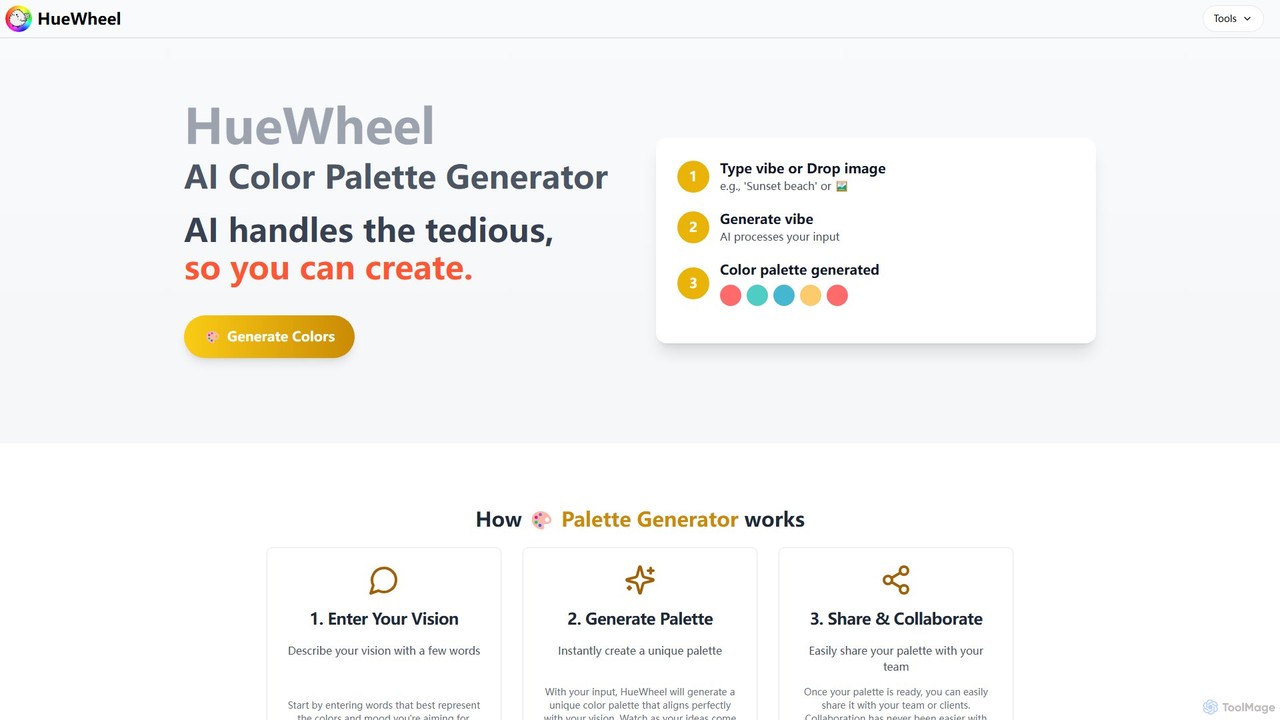
huewheel is an AI-powered color palette generator that creates stunning color combinations from natural language descriptions or image …

2.5K

About Frontend Tool

AI Frontend Tools are a class of software that leverage artificial intelligence to automate and accelerate the creation of user interfaces and web application frontends. These tools often utilize large language models (LLMs) and computer vision to translate natural language prompts, sketches, or design files into functional code like HTML, CSS, and JavaScript. Their primary value lies in significantly reducing development time, enabling rapid prototyping of ideas, and allowing developers to focus on complex logic rather than repetitive UI coding. Some advanced tools can even generate responsive designs and ensure accessibility standards are met automatically.

Core Features

  • Prompt-to-Code Generation: Converts natural language descriptions or requirements directly into functional UI code and components.
  • Design-to-Code Conversion: Automatically transforms visual designs from platforms like Figma or sketches into pixel-perfect, developer-ready code.
  • Intelligent Code Completion: Provides context-aware suggestions for code snippets, components, and styling, going beyond standard autocompletion.
  • Automated Refactoring & Optimization: Analyzes existing code to suggest improvements for performance, responsiveness, and maintainability.
  • Visual Component Building: Offers an AI-assisted interface for visually assembling and customizing UI components without writing code from scratch.

Use Cases

These tools are widely used by frontend developers, full-stack engineers, and UI/UX designers to accelerate product development cycles. They are particularly effective in startup environments for rapid prototyping and in large enterprises for building internal tools and dashboards efficiently. They also serve as a valuable aid for developers modernizing legacy applications by automating the conversion of outdated layouts to modern, responsive designs.

How to Choose

When selecting an AI Frontend Tool, first consider its framework support (e.g., React, Vue, Svelte). Evaluate its integration capabilities with your existing workflow, including IDEs and design tools like Figma. Assess the quality, readability, and maintainability of the generated code. Finally, consider the level of customization it offers and whether its pricing model aligns with your project's budget and scale.

Frontend ToolUse Cases

1

Rapid Prototyping from a Text Prompt

A product manager needs to visualize a new dashboard feature for stakeholder approval. Instead of waiting for design mockups and development, they use an AI Frontend Tool. They input a prompt like: 'Create a user dashboard with a left sidebar for navigation, a header with a user profile icon, and a main content area showing three data charts: sales trend, user growth, and revenue by region.' The tool instantly generates a functional HTML/CSS prototype, allowing the team to interact with the layout and provide feedback within minutes, drastically shortening the feedback loop.

2

Converting Figma Designs to React Components

A UI/UX designer finalizes a complex component library in Figma. A frontend developer is tasked with implementing it in a React application. Using an AI Frontend Tool with Figma integration, the developer can select the design components directly within the tool. The AI analyzes the layers, styles, and auto-layout properties, then generates clean, reusable React components with props for customization. This process automates the tedious task of manually translating design specifications into code, ensuring pixel-perfect accuracy and saving days of development effort.

3

Automating Form and Table Creation

A developer is building an internal admin panel that requires numerous data entry forms and display tables. This repetitive task can consume a lot of time. By using an AI Frontend Tool, the developer can simply specify the data model or schema. For example, they can provide a JSON object representing a 'user' with fields like 'name', 'email', and 'role'. The tool then automatically generates a complete form with input fields, labels, and basic validation, as well as a data table with columns, sorting, and pagination, ready to be integrated with an API.

4

Refactoring Legacy CSS for Responsiveness

A team inherits a legacy web application with outdated CSS that is not mobile-friendly. Manually refactoring thousands of lines of CSS using floats or tables for layout is a daunting task. A developer uses an AI Frontend Tool to analyze the application's stylesheets. The AI identifies non-responsive patterns and suggests modern replacements using Flexbox or CSS Grid. In some cases, it can automatically generate the refactored CSS code, which the developer can then review and apply. This accelerates the modernization process, improves maintainability, and makes the application accessible on all devices.

5

Generating UI Variations for A/B Testing

A marketing team wants to A/B test different versions of a landing page to optimize conversion rates. Creating multiple distinct variations manually can be time-consuming. A developer uses an AI Frontend Tool by providing the base HTML structure. They then prompt the AI to generate variations, such as 'Change the hero section background to a dark theme,' 'Make the call-to-action button larger and orange,' or 'Rearrange the testimonials into a three-column grid.' The tool quickly produces several HTML/CSS variants, allowing the team to deploy A/B tests faster and gather data on user preferences more efficiently.

6

Learning and Teaching Frontend Concepts

An educator teaching a web development bootcamp wants to show students how design concepts translate into code. They use an AI Frontend Tool in a live session. They start with a simple sketch of a webpage layout on a digital whiteboard and use the tool to convert it into HTML and CSS. This provides an immediate visual connection between a design idea and its implementation. Students can then ask the AI to modify the code with prompts like 'Make the header sticky' or 'Add a hover effect to the buttons,' seeing the code and the visual output update in real-time, reinforcing their learning.

Frontend ToolFrequently Asked Questions