aiflowchart
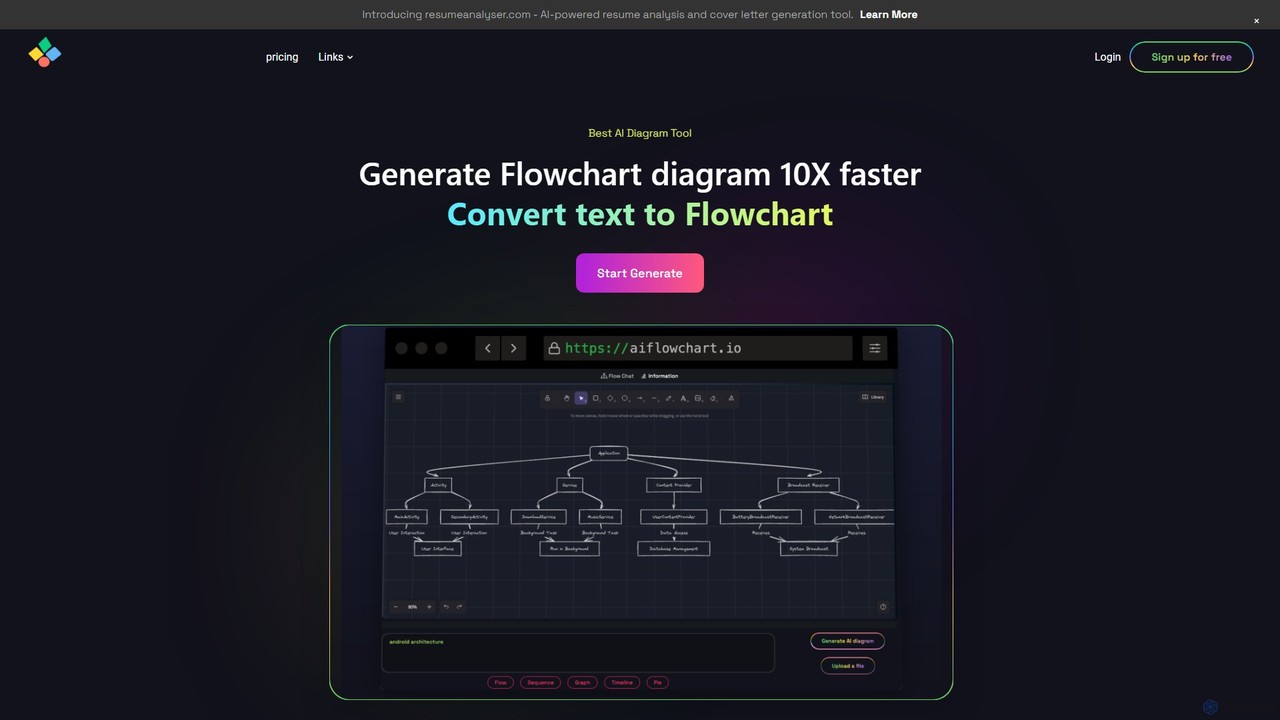
An AI-powered diagramming tool that automatically generates flowcharts, sequence diagrams, pie charts, and more from text, PDFs, or …
An AI-powered diagramming tool that automatically generates flowcharts, sequence diagrams, pie charts, and more from text, PDFs, or blog content. It leverages models like GPT-4o to create unique, customizable diagrams with explanations, saving users significant time and effort.
About Planning
AI Planning tools for developers are a class of intelligent software that uses machine learning to automate and optimize the strategic phases of the software development lifecycle. These tools analyze project requirements, historical data, and codebases to generate actionable roadmaps, estimate timelines, and suggest technical architectures. They translate high-level concepts into detailed tasks, identify potential risks, and map complex dependencies automatically. This data-driven approach enhances the accuracy and efficiency of planning, moving beyond traditional manual methods.
Core Features
- Automated Task Breakdown: Decomposes high-level epics or requirements into detailed user stories and sub-tasks.
- Effort & Timeline Estimation: Predicts development time and resource needs based on historical project data and complexity analysis.
- Architectural Suggestions: Recommends optimal system designs, tech stacks, or API structures based on project goals.
- Dependency Mapping: Automatically identifies and visualizes dependencies between code modules, tasks, and services.
- Risk Identification: Proactively flags potential bottlenecks, resource conflicts, or technical risks within a project plan.
Use Cases
These tools are primarily used by software architects, engineering managers, and product owners. Common scenarios include planning a new application from scratch, organizing agile sprints by auto-generating backlogs from requirement documents, and planning the refactoring of a complex legacy system by mapping its components and dependencies.
How to Choose
When selecting an AI Planning tool, consider its integration capabilities with your existing toolchain (e.g., Jira, GitHub). Evaluate the model's understanding of your specific technology stack and the accuracy of its estimations. Also, assess the scope of its features—whether it focuses solely on task management or extends to architectural design and risk analysis.

PlanningUse Cases
Generate an Agile Sprint Plan from a PRD
A Product Manager needs to kickstart a new development cycle for a feature detailed in a Product Requirements Document (PRD). Instead of manually breaking down the document, they upload it to an AI Planning tool. The AI parses the text, identifies key functionalities, and automatically generates a structured backlog of user stories, each with suggested acceptance criteria and initial story point estimates. This process transforms a dense document into an actionable sprint plan in minutes, saving hours of manual work and reducing the risk of overlooking requirements.
Design a Microservices Architecture for a New App
A Software Architect is tasked with designing a scalable e-commerce platform. They input high-level requirements like 'user authentication,' 'product catalog,' and 'payment processing' into the AI tool. The AI analyzes these needs and suggests a microservices-based architecture. It outlines potential services, defines their core responsibilities, and proposes API contracts for their interaction. This provides a robust architectural baseline, helps visualize service dependencies, and identifies potential communication bottlenecks early in the design phase, accelerating the initial design process significantly.
Estimate Timeline for a Legacy System Migration
A Tech Lead is planning to migrate a monolithic application to a modern, cloud-native stack. To get a realistic timeline, they use an AI Planning tool that analyzes the existing codebase. The tool identifies all modules, calculates their complexity, and maps internal dependencies. By comparing this data with patterns from thousands of past migration projects, it generates a data-driven project timeline, highlights high-risk components (e.g., tightly-coupled modules), and provides a more accurate resource forecast than manual estimation would allow.
Optimize Developer Task Allocation for a Sprint
An Engineering Manager begins a new sprint and needs to assign tasks efficiently. The AI Planning tool, integrated with Git history and Jira, analyzes each developer's past contributions and skills (e.g., frontend expertise, database optimization). Based on this profile and current workloads, the tool suggests an optimal assignment of tasks to team members. This data-driven approach helps balance workloads, ensures tasks are assigned to the most suitable developer, and maximizes the team's overall velocity by minimizing context switching.
Automate Technical Debt Identification in a Codebase
A senior developer wants to proactively manage technical debt in a large, evolving codebase. They configure an AI Planning tool to continuously scan the repository. The AI identifies areas of high cyclomatic complexity, code smells, or outdated dependencies. It then automatically creates technical debt tickets in the project backlog, prioritizes them based on their potential impact on future development, and even suggests potential refactoring strategies. This automates a tedious but critical process, ensuring that technical debt is systematically addressed rather than ignored.
Create a Data-Driven Project Risk Register
A Project Manager is kicking off a complex, multi-month project and needs to identify potential risks. They input the project scope, team composition, and proposed timeline into an AI Planning tool. The AI cross-references this information with a vast dataset of similar projects. It then generates a risk register, flagging potential issues like 'dependency on a new, unproven library,' 'key person dependency on a single developer,' or 'unrealistic timeline for the testing phase.' This provides a proactive, data-backed starting point for risk mitigation planning.