
ToolMage
Sign in

Best 9 Code Management AI tools for Developer Tools

Popular Code Management AI tools in Developer Tools include Bitbucket, Howsthisgoing, huly, Stepsize AI, DepsHub, Git Digest, Standup Mate, WhatsDiff, and ChatEngram, helping you work more efficiently.

Freemium

ChatEngram

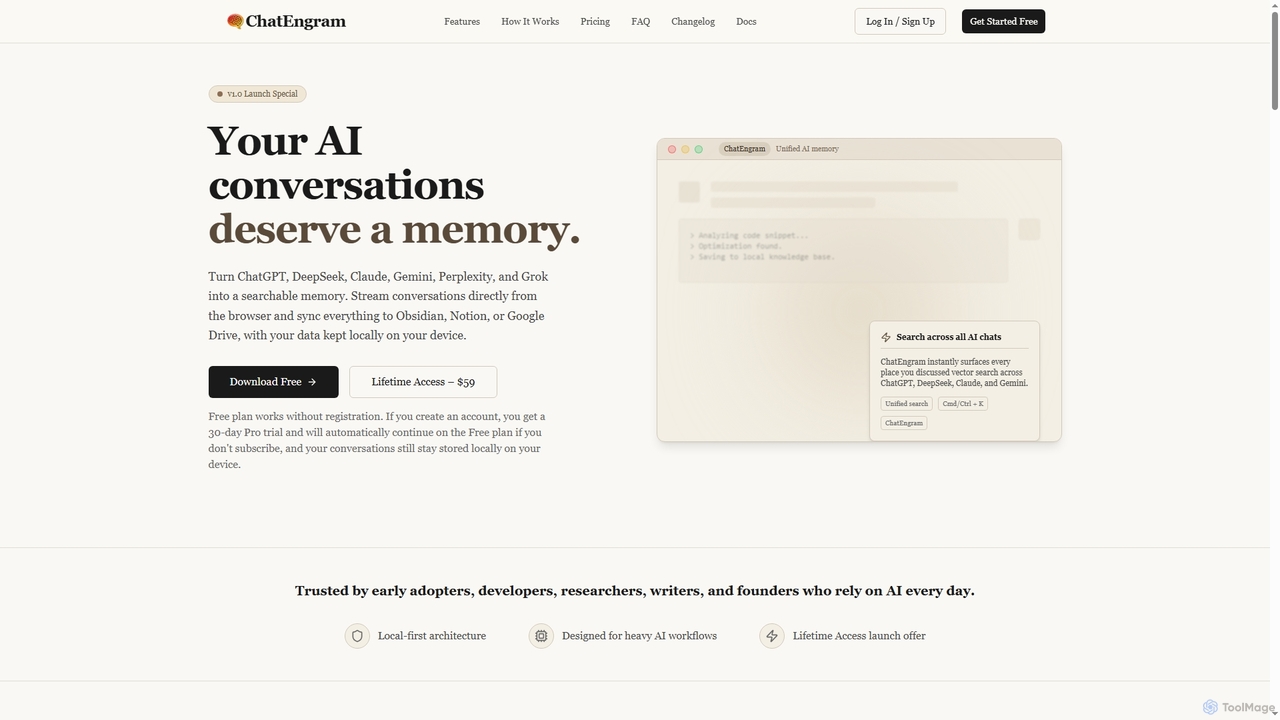
ChatEngram is an AI second brain that captures, stores, and organizes your AI conversations from platforms like ChatGPT, DeepSeek, Claude, Gemini, Perplexity, and Grok. It creates a local, searchable, permanent knowledge base, ensuring you never lose valuable insights or code snippets.

Memory
Visits 3.4KFavorites 64Likes 66

About Code Management

AI Code Management tools are a specialized category of developer utilities that use machine learning to analyze, review, and optimize source code. They go beyond traditional static analysis by understanding the context and logic of the code, not just its syntax. This enables development teams to automatically detect complex bugs, security vulnerabilities, and performance bottlenecks early in the development lifecycle. By providing intelligent suggestions for refactoring and improvement, these tools help enhance code quality, accelerate review processes, and maintain a healthy codebase.

Core Features

  • AI-Powered Code Review: Automatically analyzes pull requests and provides contextual feedback on bugs, style, and best practices.
  • Security Vulnerability Detection: Identifies potential security flaws like SQL injection and data leaks by analyzing code patterns.
  • Intelligent Refactoring Suggestions: Recommends code structure improvements to enhance readability, maintainability, and performance.
  • Code Quality & Health Analytics: Provides dashboards and metrics to track code complexity, technical debt, and overall quality over time.
  • Semantic Code Search: Allows developers to search for code snippets based on functionality or logic, not just keywords.

Use Cases

These tools are essential for software development teams in any industry, from tech startups to large enterprises. They are particularly valuable for projects with large codebases, multiple contributors, or stringent security and performance requirements. DevOps engineers integrate them into CI/CD pipelines to automate quality gates, while team leads use them to enforce coding standards and mentor junior developers.

How to Choose

When selecting a tool, consider its programming language support (e.g., Python, JavaScript, Java). Evaluate its integration capabilities with your existing version control systems (like GitHub, GitLab) and CI/CD tools. Assess the depth of its analysis, whether it focuses more on security, performance, or style. Finally, consider the pricing model and whether it aligns with your team's size and project scale.

Featured tool rankings

Code Management use cases

1

Automating Code Reviews in CI/CD Pipelines

A DevOps engineer for a financial tech company integrates an AI Code Management tool into their GitHub Actions workflow. For every new pull request, the tool automatically runs a deep analysis of the changed code. It posts comments directly on the pull request, highlighting potential bugs, security risks, and deviations from coding standards. This process acts as an automated first-pass review, allowing human reviewers to focus on architectural and logical issues rather than syntax errors. This reduces the average code review time by over 40% and catches critical issues before they are merged.

2

Proactively Identifying Security Vulnerabilities

A security team at a healthcare software company uses an AI Code Management tool to continuously scan their application's source code. The tool is trained to recognize patterns associated with common vulnerabilities, such as OWASP Top 10 risks. When a developer writes code that could lead to a cross-site scripting (XSS) or SQL injection attack, the tool provides an immediate alert within their IDE. This real-time feedback loop helps developers learn secure coding practices and prevents security flaws from ever being committed to the repository, significantly strengthening the application's security posture.

3

Modernizing and Refactoring Legacy Code

A senior software architect is tasked with improving a large, decade-old monolithic application written in Java. They use an AI Code Management tool to analyze the entire codebase for technical debt. The tool identifies overly complex methods, duplicated code blocks, and poor architectural patterns. It then provides intelligent, step-by-step refactoring suggestions to break down complex functions and improve modularity. This guidance allows the team to systematically modernize the legacy system, making it more maintainable and easier to add new features to without introducing new bugs.

4

Enforcing Consistent Coding Standards Across Teams

An engineering manager at a large corporation with globally distributed development teams needs to ensure code consistency. They configure an AI Code Management tool with the company's specific style guides and best practices for Python and Go. The tool is integrated into every project's CI pipeline. If a developer's commit violates a rule, the build fails, and the tool provides a clear explanation and a suggested fix. This automates the enforcement of coding standards, eliminates debates during code reviews, and ensures a high level of quality and uniformity across the entire organization's codebase.

5

Optimizing Application Performance Before Deployment

A performance engineer working on a high-traffic e-commerce platform uses an AI Code Management tool to find performance bottlenecks. The tool analyzes the code to detect inefficient algorithms, unnecessary database queries within loops, and memory-intensive operations. For example, it might flag a section of code that is using a O(n^2) algorithm where a O(n log n) alternative exists. By addressing these issues identified by the tool during development, the team can optimize the application's speed and responsiveness, ensuring a better user experience and reducing infrastructure costs.

6

Accelerating New Developer Onboarding

A junior developer joins a team with a complex and extensive codebase. To help them get up to speed, the team utilizes an AI Code Management tool integrated into their IDE. As the new developer writes code, the tool provides real-time suggestions and explanations based on the project's established patterns and best practices. It acts as a virtual mentor, guiding them on everything from variable naming conventions to proper API usage. This immediate feedback loop helps the developer learn the codebase and team standards much faster, allowing them to become a productive contributor in weeks instead of months.

Code Management FAQ

What are AI Code Management tools?

AI Code Management tools are advanced software utilities that apply machine learning and artificial intelligence to analyze, manage, and improve source code. Unlike traditional tools that rely on fixed rules, they understand the code's context, logic, and intent. This allows them to identify complex bugs, security vulnerabilities, and performance issues with greater accuracy. They often integrate directly into a developer's workflow, providing automated reviews, refactoring suggestions, and quality analytics to help teams build better software faster.

How do AI Code Management tools differ from traditional linters?

The primary difference lies in the depth and context of their analysis. Traditional linters and static analyzers check code against a predefined set of rules for syntax, style, and simple error patterns. AI Code Management tools go further by:

  • Understanding Context: They analyze the logic and data flow to find bugs that are syntactically correct but logically flawed.
  • Detecting Complex Issues: They can identify sophisticated security vulnerabilities and performance bottlenecks that rule-based systems often miss.
  • Providing Intelligent Suggestions: Instead of just flagging an issue, they often suggest concrete code changes or refactoring to fix it.
In essence, linters enforce rules, while AI tools provide deep, contextual understanding.

How do I choose the right AI Code Management tool?

Selecting the right tool depends on your team's specific needs. Consider the following key factors:

  • Language and Framework Support: Ensure the tool fully supports the programming languages and frameworks used in your projects.
  • Integration with Workflow: Check for seamless integration with your version control system (e.g., GitHub, GitLab), CI/CD pipeline, and developer IDEs.
  • Analysis Depth: Determine if your priority is security scanning, performance optimization, style enforcement, or a combination of all three.
  • Actionability of Feedback: A good tool provides clear, actionable feedback with low false positives, helping developers fix issues efficiently.
  • Cost and Scalability: Evaluate the pricing model (per user, per repository) and ensure it can scale with your team and codebase.

What are the main benefits of using AI for code management?

Using AI for code management offers several significant benefits. It leads to higher code quality by automatically catching subtle bugs and design flaws. Development velocity increases because automated reviews reduce manual effort and shorten feedback loops. Security is enhanced by proactively identifying and fixing vulnerabilities before code reaches production. Finally, it promotes consistency and knowledge sharing across teams by enforcing best practices and helping new developers learn the codebase more quickly.

Who should use AI Code Management tools?

AI Code Management tools are beneficial for a wide range of users in the software development lifecycle. Individual developers use them for real-time feedback in their IDE. Development teams rely on them to automate code reviews and maintain quality standards. DevOps and security engineers integrate them into CI/CD pipelines to create automated quality and security gates. Engineering managers and tech leads use their analytics dashboards to monitor technical debt and the overall health of their projects. They are particularly valuable for organizations working on large, complex, or mission-critical applications.