ToolMage
Sign in

Best 125 Database AI tools for Developer Tools

Popular Database AI tools in Developer Tools include MongoDB, Databricks, Elastic, Pinecone, Milvus, InfluxData, Chroma, Navicat, Vectorize, and MotherDuck, helping you work more efficiently.

Freemium

Avanty

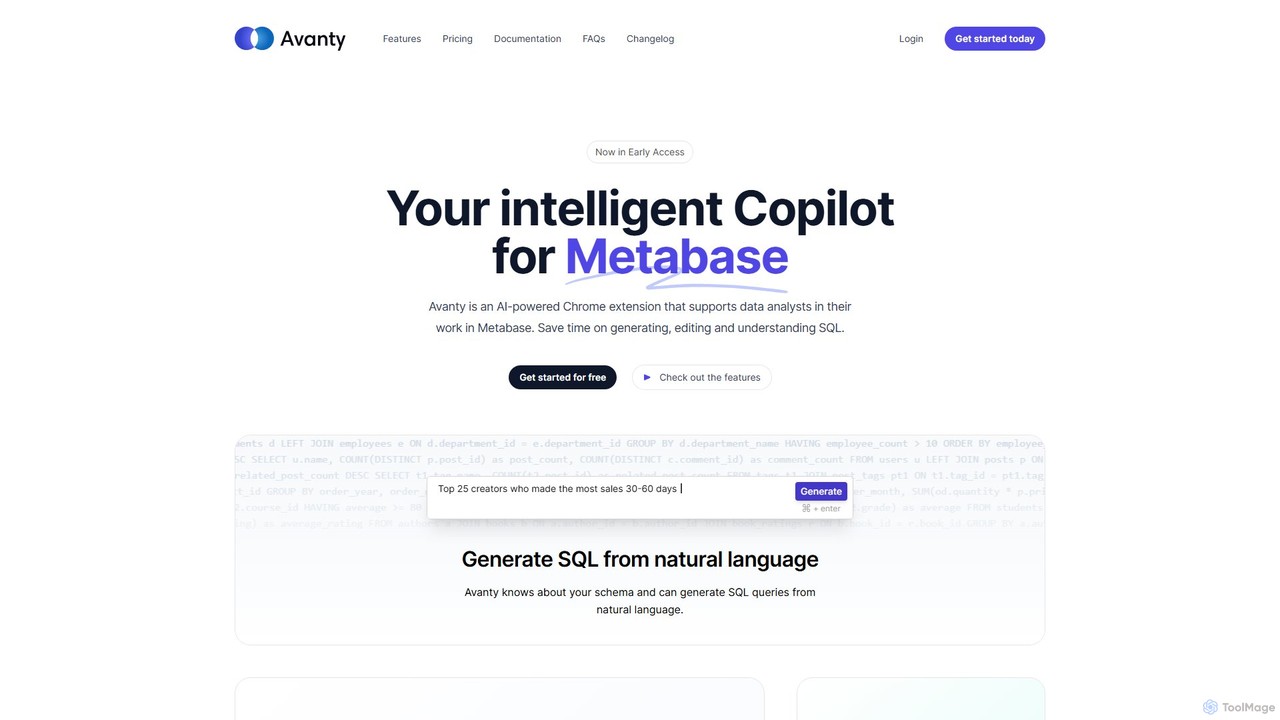
Avanty is an AI-powered Chrome extension designed as an intelligent copilot for data analysts using Metabase. It streamlines workflows by enabling users to generate, edit, explain, and format SQL queries using natural language. This tool significantly saves time, enhances productivity, and helps in understanding complex data queries, making data analysis faster and more intuitive.

Business Intelligence
Visits 5.2KFavorites 128Likes 134

About Database

AI Databases are advanced data management systems that integrate artificial intelligence to automate and enhance data operations. They leverage machine learning for tasks like natural language querying, automated performance tuning, and vector search, enabling more intuitive and powerful data interaction. These tools are essential for building next-generation applications requiring semantic search, real-time analytics, and predictive modeling. Their primary value lies in reducing manual database administration and unlocking deeper insights from complex, unstructured datasets.

Core Features

  • Natural Language Querying: Interact with data using plain English questions instead of complex SQL code.
  • Automated Performance Tuning: The system self-optimizes indexes, caching, and query plans for maximum efficiency.
  • Integrated Vector Search: Natively store and search data based on semantic meaning and similarity, ideal for recommendation engines.
  • In-Database Machine Learning: Train and execute machine learning models directly on the data without moving it.

Use Cases

AI Databases are widely used by developers and data scientists building intelligent applications. Common scenarios include creating sophisticated recommendation engines for e-commerce, developing real-time fraud detection systems in finance, and enabling powerful semantic search capabilities for internal knowledge bases or customer-facing products.

How to Choose

When selecting an AI Database, consider the specific AI features you need, such as vector search or natural language processing. Evaluate its scalability and performance for your expected workload. Also, check its compatibility with your existing tech stack and machine learning frameworks, and consider the ease of use for both developers and data analysts.

Featured tool rankings

Database use cases

1

Building a Semantic Search Engine for E-commerce

An e-commerce developer needs to create a product search feature that understands user intent, not just keywords. Instead of matching 'red shoes', it should understand queries like 'footwear for a summer party'. Using an AI database with built-in vector search, the developer converts product descriptions and images into vector embeddings. When a user searches, their query is also converted into a vector, and the database finds the most semantically similar products. This results in more relevant search results, improved user experience, and higher conversion rates.

2

Developing a Real-time Fraud Detection System

A data scientist at a financial institution is tasked with preventing fraudulent transactions. They use an AI database with in-database machine learning capabilities. Transaction data streams directly into the database, where a pre-trained anomaly detection model runs in real-time. The model analyzes patterns, such as transaction amount, location, and frequency. If a transaction deviates significantly from a user's normal behavior, the database flags it instantly, allowing the institution to block the transaction and alert the customer, minimizing financial loss.

3

Natural Language Interface for Business Intelligence

A business analyst needs to quickly generate reports without relying on the IT department to write complex SQL queries. By connecting their BI tool to an AI database, they can ask questions in plain English, such as 'Compare sales of product X and product Y in the last quarter by region'. The AI database's natural language processing (NLP) engine translates this question into a formal query, executes it, and returns the data. This empowers non-technical users to perform self-service analytics, accelerating decision-making and freeing up developer resources.

4

Automated Performance Tuning for a High-Traffic App

A DevOps engineer manages the database for a rapidly growing social media application. As user traffic fluctuates, database performance can degrade. Instead of manually creating and dropping indexes or tuning query parameters, they use an AI database that performs automated tuning. The database's AI component continuously monitors workload patterns and predicts future query needs. It proactively creates optimal indexes, adjusts memory allocation, and rewrites inefficient queries on the fly. This ensures consistent high performance without constant manual intervention, reducing operational overhead.

5

Building a Personalized Content Recommendation Engine

A content creator for a streaming platform wants to increase user engagement by suggesting highly relevant videos. They use an AI database to store vector representations of their video content (based on titles, descriptions, and subtitles). When a user watches a video, the system queries the database to find other videos with the most similar vectors. This goes beyond simple tag-based matching, capturing the nuances and topics of the content. The result is a 'Recommended for You' section that feels genuinely personalized, leading to longer watch times and higher user retention.

6

Intelligent Log Analysis for Troubleshooting

A site reliability engineer (SRE) is investigating a production issue, facing millions of log entries. Instead of using complex grep commands or rigid log query languages, they ingest the logs into an AI database. They can then ask questions like, 'Show me all error logs related to payment failures in the last hour from the EU cluster'. The database uses NLP to understand the query and semantic search to find relevant log entries, even if they don't contain the exact keywords. This dramatically speeds up the root cause analysis process, reducing system downtime.

Database FAQ

What is an AI Database?

An AI Database is a data management system enhanced with artificial intelligence capabilities. Unlike traditional databases that simply store and retrieve data, AI databases can understand, analyze, and automate operations on the data. Key features often include natural language querying (asking questions in English), automated performance tuning, and integrated vector search for finding data based on semantic meaning. They are designed to power intelligent applications and simplify complex data analysis.

How do AI Databases differ from traditional SQL/NoSQL databases?

The primary difference lies in their core capabilities. Traditional databases focus on structured storage and efficient retrieval based on exact matches (SQL) or key-value lookups (NoSQL). AI Databases add a layer of intelligence on top of storage. Key differences include:

  • Querying: AI databases often support natural language or semantic search, while traditional ones rely on structured query languages like SQL.
  • Optimization: Many AI databases can self-tune their performance, whereas traditional databases require manual tuning by a database administrator (DBA).
  • Data Types: AI databases are built to handle complex, unstructured data like text and images through vector embeddings, a capability not native to most traditional systems.
What is vector search and why is it important for AI Databases?

Vector search is a method of finding data based on its semantic similarity rather than exact keyword matches. It works by converting data (like text, images, or audio) into numerical representations called vectors. The database then finds items whose vectors are closest in multi-dimensional space. This is crucial for AI databases because it enables applications like recommendation engines, image search, and question-answering systems that understand the context and meaning behind a user's query, providing far more relevant results than traditional search methods.

How do I choose the right AI Database for my project?

Choosing the right AI Database depends on your specific needs. Consider the following factors:

  • Primary Use Case: Are you building a search engine (needs strong vector search), a BI tool (needs good NLP), or a real-time analytics system (needs fast in-database ML)?
  • Data Model: Does your data fit a relational, document, or graph model? Ensure the AI database supports your data structure.
  • Scalability: Evaluate how the database handles growing data volumes and query loads. Look for distributed architecture and cloud-native options.
  • Ecosystem Integration: Check for compatibility with your programming languages, frameworks (like TensorFlow or PyTorch), and existing data infrastructure.
Can AI Databases work with both structured and unstructured data?

Yes, one of the key strengths of many AI databases is their ability to handle a mix of data types. They can manage traditional structured data (like user profiles in tables) while also excelling at processing unstructured data (like product reviews, images, or support tickets). They often achieve this by creating vector embeddings for unstructured content, allowing it to be queried and analyzed alongside structured data, providing a unified view of all information.