ToolMage
Sign in

Best 1 Cloud Development Environment AI tools for Development

Popular Cloud Development Environment AI tools in Development include Coder, helping you work more efficiently.

Freemium

Coder

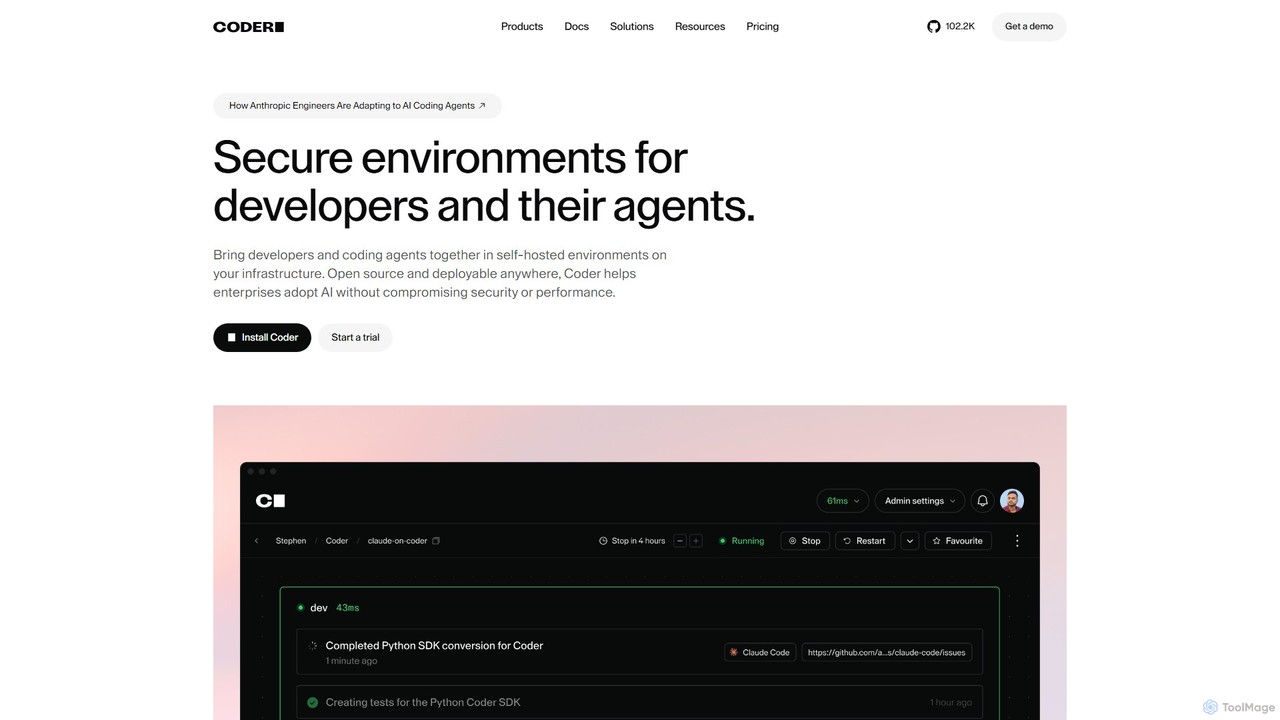
Coder is a self-hosted, open-source platform for creating secure and scalable Cloud Development Environments (CDEs). It empowers enterprises to manage developer and AI agent workspaces on their own infrastructure, ensuring consistency, accelerating onboarding, and maintaining full control over security and compliance.

Developer Tools
Visits 211.5KFavorites 92Likes 94

About Cloud Development Environment

Cloud Development Environments (CDEs) are remote, browser-accessible platforms that provide pre-configured, ready-to-code development environments. These tools leverage cloud infrastructure to offer developers a consistent, scalable, and collaborative workspace, eliminating the need for complex local setup. CDEs enhance team productivity by standardizing development environments, accelerating onboarding, and enabling seamless remote collaboration from any device.

Core Features

  • Pre-configured Workspaces: Instantly provision environments with necessary tools, libraries, and dependencies.
  • Browser-based Access: Develop, debug, and deploy code directly from a web browser, without local software installation.
  • Real-time Collaboration: Enable multiple developers to work simultaneously on the same codebase and environment.
  • Scalable Resources: Dynamically adjust compute, memory, and storage resources based on project demands.
  • Environment Consistency: Ensure all team members operate within identical development setups, reducing "works on my machine" issues.

Use Cases

Cloud Development Environments are ideal for distributed teams, educational institutions, and organizations seeking to streamline their development workflows. They are particularly valuable for rapid prototyping, onboarding new developers, and maintaining consistent environments across large projects or diverse teams.

How to Choose

When selecting a Cloud Development Environment, consider its integration capabilities with existing CI/CD pipelines and version control systems. Evaluate the range of supported programming languages and frameworks, the robustness of collaboration features, and the security measures in place. Additionally, assess the pricing model and the ease of customizing environments to fit specific project requirements.

Featured tool rankings

Cloud Development Environment use cases

1

Streamlining Developer Onboarding

For new hires or temporary contractors, CDEs provide an instant, fully configured development environment. Instead of spending days setting up local machines, developers can access a ready-to-code workspace via their browser within minutes, significantly reducing ramp-up time and allowing them to contribute immediately to projects.

2

Enabling Remote & Distributed Team Collaboration

Teams spread across different geographical locations can leverage CDEs to work on a shared, consistent environment. This facilitates real-time code collaboration, pair programming, and synchronized debugging, ensuring everyone is on the same page regardless of their physical location or local machine setup, boosting collective productivity.

3

Standardizing Development Environments Across Projects

Organizations can use CDEs to enforce uniform development setups for all projects and teams. This eliminates inconsistencies that lead to "it works on my machine" problems, simplifies dependency management, and ensures that code behaves predictably across different stages of the development lifecycle, from local testing to production deployment.

4

Facilitating Project-Based Development & Sandboxing

Developers can quickly spin up isolated, disposable environments for specific features, bug fixes, or experimental work. This allows them to test new ideas or work on multiple projects concurrently without affecting their primary development setup or risking conflicts with other ongoing tasks, promoting agile development practices.

5

Conducting Online Coding Bootcamps & Workshops

Educational providers and corporate trainers can use CDEs to offer participants a consistent, pre-configured coding environment. This removes the barrier of individual machine setup, ensuring all learners have the necessary tools and resources to follow along and complete exercises effectively, enhancing the learning experience.

6

Developing on Resource-Constrained Devices

For developers using lightweight laptops, tablets, or even Chromebooks, CDEs offload heavy computational tasks to powerful cloud servers. This enables them to work on demanding projects, such as AI/ML model training or large-scale compilations, without being limited by their local hardware, providing flexibility and mobility.

Cloud Development Environment FAQ

What are Cloud Development Environments?

Cloud Development Environments (CDEs) are virtualized, remote workspaces accessible through a web browser, offering a complete set of tools for software development. They provide pre-configured operating systems, IDEs, compilers, and dependencies, allowing developers to code, debug, and deploy applications without installing anything locally. CDEs aim to standardize development setups and enhance collaboration.

How do Cloud Development Environments differ from local IDEs?

Local IDEs run directly on a developer's machine, requiring manual setup and resource management. CDEs, however, are hosted in the cloud, offering browser-based access, instant provisioning of pre-configured environments, and centralized management. This enables greater consistency, scalability, and collaboration, as well as the ability to work from any device without local installation.

What are the main benefits of using a CDE?

The primary benefits of CDEs include accelerated developer onboarding, as environments are ready instantly. They ensure environment consistency across teams, reducing configuration drift. CDEs also enhance collaboration through shared workspaces and enable development from any device. Furthermore, they offer scalability for resources and often improve security by centralizing code and data.

What should I consider when choosing a CDE?

When selecting a CDE, evaluate its compatibility with your preferred programming languages and frameworks, as well as its integration capabilities with version control (e.g., Git) and CI/CD pipelines. Look for robust collaboration features, strong security protocols, and flexible resource scaling options. Also, consider the pricing structure and the ease of customizing environments to meet specific project needs.

Are CDEs suitable for all types of development projects?

CDEs are highly suitable for most web, mobile, backend, and data science projects, especially those involving distributed teams or requiring rapid environment provisioning. However, projects with very specific hardware dependencies (e.g., embedded systems, low-level graphics programming) or extremely sensitive data that cannot leave a local network might find local development more appropriate, though CDEs are continuously evolving to address these niches.