ToolMage
Sign in

Best 1 Developer Tools for Ai Infrastructure

Popular Developer Tools in Ai Infrastructure include Coder, helping you work more efficiently.

Coder
Freemium

Coder

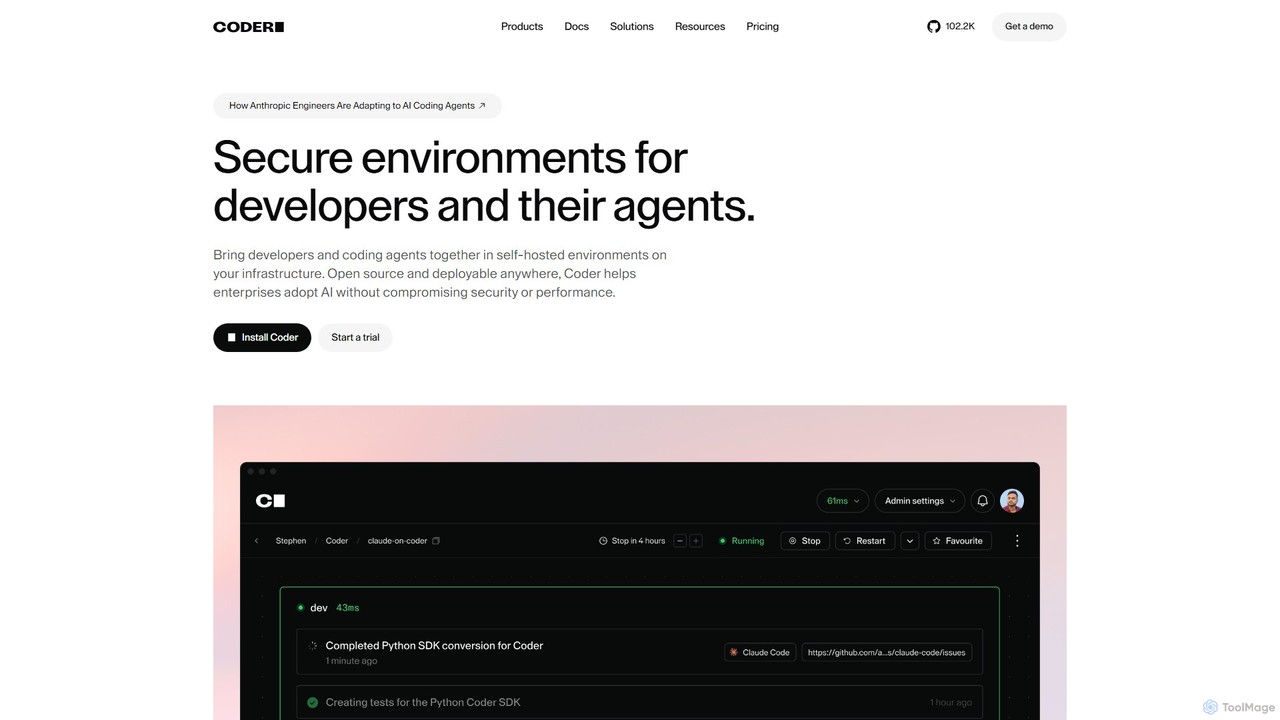
Coder is a self-hosted, open-source platform for creating secure and scalable Cloud Development Environments (CDEs). It empowers enterprises to manage developer and AI agent workspaces on their own infrastructure, ensuring consistency, accelerating onboarding, and maintaining full control over security and compliance.

Developer Tools
Visits 211.5KFavorites 92Likes 94

About Developer Tools

Developer Tools are AI-powered solutions designed to streamline and enhance the entire artificial intelligence development lifecycle. These tools leverage AI to automate complex tasks, from code generation and model training to deployment and debugging. They significantly boost developer productivity, accelerate innovation, and facilitate the efficient creation and management of AI applications within the broader AI infrastructure.

Core Features

  • AI-Powered Code Generation: Automatically generates code snippets, functions, or even entire modules based on natural language prompts or existing code.
  • Automated Model Deployment: Simplifies the process of deploying trained AI models to various environments, including cloud, edge, or on-premise.
  • Intelligent Debugging & Optimization: Uses AI to identify errors, suggest fixes, and recommend performance optimizations for AI models and related code.
  • API Management for AI Services: Facilitates the creation, management, and integration of AI APIs, enabling seamless connectivity between different AI components.
  • Data Annotation & Preprocessing: Provides AI-assisted tools for labeling data, cleaning datasets, and preparing them for model training.

Applicable Scenarios

AI Developer Tools are indispensable for software engineers, data scientists, and MLOps professionals. They are used in scenarios such as rapidly prototyping new AI features, automating repetitive coding tasks, and ensuring the smooth operation and scaling of AI models in production environments.

How to Choose

When selecting AI Developer Tools, consider the breadth of their functionality (e.g., code generation, deployment, monitoring), their compatibility with your existing tech stack and cloud providers, the level of automation they offer, and the ease of integration with your MLOps pipelines. Evaluate the learning curve and community support, as well as pricing models that align with your project scale.

Featured tool rankings

Developer Tools use cases

1

Accelerating AI Model Prototyping

Data scientists and AI researchers can use AI developer tools to rapidly experiment with different model architectures and algorithms. By leveraging AI-powered code generation and automated data preprocessing, they can quickly build, train, and evaluate multiple prototypes, significantly reducing the time from concept to a working model. This allows for faster iteration and exploration of innovative AI solutions.

2

Streamlining MLOps Workflows

MLOps engineers utilize AI developer tools to automate the continuous integration, delivery, and deployment of machine learning models. These tools facilitate version control for models, automated testing, and seamless integration into existing CI/CD pipelines. This ensures that models are consistently updated, monitored, and perform optimally in production, reducing manual overhead and potential errors.

3

Automating API Integration for AI Services

Software developers building applications that consume AI services (e.g., natural language processing, computer vision APIs) can leverage AI developer tools to automate the integration process. These tools can generate client-side code, handle authentication, and manage API versioning, significantly reducing the boilerplate code and potential integration errors. This allows developers to focus on core application logic rather than complex API interactions.

4

Enhancing Code Quality with AI-Powered Analysis

Software engineers can use AI developer tools to perform advanced code analysis, identifying potential bugs, security vulnerabilities, and performance bottlenecks in their AI-related codebases. These tools go beyond traditional static analysis by understanding the semantic context of the code, offering intelligent suggestions for refactoring, and ensuring adherence to best practices. This leads to more robust, secure, and efficient AI applications.

5

Simplifying Data Annotation for AI Training

Data engineers and annotators can leverage AI developer tools to accelerate the often time-consuming process of labeling large datasets for machine learning models. These tools offer AI-assisted annotation features, such as pre-labeling suggestions, active learning, and quality control mechanisms. This significantly reduces manual effort, improves annotation consistency, and speeds up the preparation of high-quality training data for AI projects.

6

Optimizing AI Model Performance and Resource Usage

AI developers can use specialized tools to analyze and optimize the performance of their machine learning models. These tools provide insights into model inference speed, memory consumption, and computational efficiency, often suggesting modifications to model architecture or deployment strategies. By fine-tuning models with these insights, developers can achieve better performance, reduce operational costs, and ensure their AI applications run efficiently on target hardware.

Developer Tools FAQ

What are AI Developer Tools?

AI Developer Tools are software applications and platforms that assist developers in building, deploying, and managing artificial intelligence models and applications. They typically feature AI-powered code generation, automated model deployment, and intelligent debugging capabilities. Common use cases include accelerating AI model prototyping and streamlining MLOps workflows.

How do AI Developer Tools differ from traditional development tools?

While traditional development tools focus on general software engineering tasks, AI Developer Tools are specifically tailored for the unique challenges of AI/ML development. They integrate AI-specific functionalities like model versioning, experiment tracking, GPU resource management, and specialized debugging for neural networks. This allows them to automate tasks that are highly complex or repetitive in AI workflows, which traditional tools cannot address effectively.

What are the key features to look for in AI Developer Tools?

When evaluating AI Developer Tools, prioritize features such as robust AI-powered code generation and completion, seamless integration with popular machine learning frameworks (e.g., TensorFlow, PyTorch), and comprehensive MLOps capabilities for model deployment, monitoring, and versioning. Look for intelligent debugging, data annotation assistance, and strong API management for integrating AI services. Scalability, security, and community support are also crucial considerations.

Who benefits most from using AI Developer Tools?

The primary beneficiaries of AI Developer Tools are software engineers, data scientists, and MLOps professionals. Software engineers gain from automated code generation and API integration, accelerating application development. Data scientists benefit from streamlined model prototyping and data annotation. MLOps teams leverage these tools for efficient model deployment, monitoring, and lifecycle management, ensuring robust and scalable AI operations.

Can AI Developer Tools help with model deployment and monitoring?

Yes, a core strength of AI Developer Tools lies in their capabilities for model deployment and monitoring. They often provide automated pipelines for deploying trained models to various production environments, including cloud platforms or edge devices. Furthermore, these tools offer robust monitoring features to track model performance, detect data drift, and identify potential issues in real-time, ensuring the reliability and effectiveness of AI applications post-deployment.