
ToolMage
Sign in

Best 1 Cloud Computing AI tools for Ai Infrastructure

Popular Cloud Computing AI tools in Ai Infrastructure include Blaxel, helping you work more efficiently.

Freemium

Blaxel

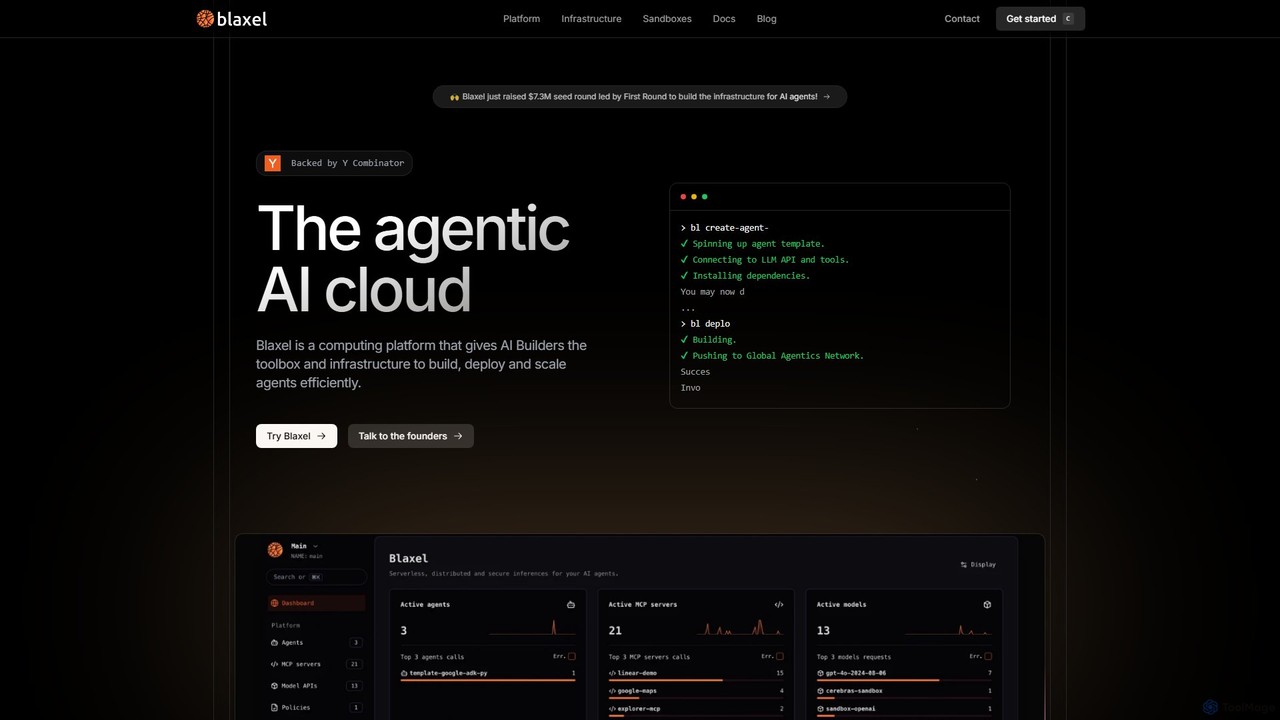
Blaxel is a serverless computing platform designed for AI developers, providing the infrastructure and tools to build, deploy, and scale agentic AI applications efficiently. It offers sandboxed VMs, a unified LLM gateway, and deep observability.

Cloud Computing
Visits 64.3KFavorites 118Likes 105

About Cloud Computing

Cloud Computing platforms provide on-demand access to scalable computing resources essential for developing and deploying AI applications. These platforms offer virtualized hardware, such as powerful GPUs and TPUs, alongside vast storage and networking capabilities, eliminating the need for significant upfront investment in physical infrastructure. This allows teams to train complex models, process massive datasets, and host AI services with high availability and flexibility. The pay-as-you-go model makes cutting-edge AI development accessible to everyone from individual researchers to large enterprises.

Core Features

  • GPU/TPU Acceleration: Provides access to specialized processors designed to accelerate machine learning model training and inference tasks.
  • Scalable Data Storage: Offers object storage solutions (like Amazon S3 or Google Cloud Storage) capable of holding petabytes of data for training datasets.
  • Managed AI/ML Platforms: Delivers integrated environments (e.g., SageMaker, Azure ML) that streamline the entire machine learning lifecycle, from data preparation to model deployment.
  • Serverless Computing: Enables the deployment of AI models as endpoints that automatically scale based on demand, optimizing cost and performance for inference.
  • High-Performance Computing (HPC): Offers clusters of interconnected computers to run large-scale simulations and complex computational tasks required for advanced AI research.

Use Cases

Cloud Computing is fundamental for data scientists, machine learning engineers, and AI-focused startups. It is used for training large language models (LLMs) that require immense computational power, deploying real-time computer vision APIs for applications like autonomous driving, and running big data analytics pipelines to extract insights for model building.

How to Choose

When selecting a Cloud Computing provider for AI, consider the availability and performance of specific GPU/TPU models. Evaluate the maturity and feature set of their managed AI/ML platforms. Analyze the pricing models for both long-running training jobs and sporadic inference workloads. Also, assess data security, compliance certifications, and integration with existing MLOps tools.

Featured tool rankings

Cloud Computing use cases

1

Training a Large-Scale Deep Learning Model

A data science team at a tech company needs to train a new computer vision model on a dataset of over 10 million images. Using an on-premise server would take weeks. Instead, they utilize a cloud computing platform to spin up a cluster of 16 high-performance GPU instances. They use the platform's managed data storage to host the dataset and a pre-configured deep learning environment to manage dependencies. This parallel processing capability reduces the training time from weeks to just 48 hours, allowing for faster iteration and model improvement.

2

Deploying a Scalable AI Inference API

A startup has developed an AI-powered grammar correction tool and needs to serve it to thousands of concurrent users. Building and maintaining the infrastructure to handle fluctuating traffic is complex and expensive. They opt for a serverless computing service from a major cloud provider. They package their model into a container and deploy it as a serverless function. The platform automatically handles scaling, provisioning, and maintenance. This approach allows them to pay only for the compute time they actually use, significantly reducing operational costs and ensuring a responsive experience for all users, even during peak demand.

3

Running Big Data Processing for Feature Engineering

An ML engineer needs to process terabytes of raw user log data to create features for a recommendation engine. A single machine cannot handle this volume. The engineer uses a managed big data service on the cloud, like Apache Spark on EMR or Dataproc. They write a script to clean, transform, and aggregate the data, then run it on a dynamically provisioned cluster of dozens of machines. The cloud service handles the cluster management, and the job finishes in a few hours instead of days. The resulting feature set is then stored in cloud storage, ready for model training.

4

Building an End-to-End MLOps Pipeline

An enterprise AI team wants to automate their entire machine learning workflow to ensure reproducibility and speed up deployment. They use a managed AI platform from a cloud provider. This platform integrates tools for data versioning, experiment tracking, automated model training (AutoML), model registry, and CI/CD for deployment. An ML engineer defines the entire pipeline, from data ingestion to model monitoring in production. When new data is available, the pipeline automatically triggers, retrains the model, runs tests, and deploys the new version if it meets performance criteria, all within a unified cloud environment.

5

Fine-Tuning a Foundational Language Model

A legal tech startup wants to create a specialized AI assistant for contract analysis. Instead of building a large language model (LLM) from scratch, they decide to fine-tune a powerful open-source model on their proprietary dataset of legal documents. They use a cloud platform to rent a high-memory GPU instance (like an A100) for a few days. They upload their dataset to secure cloud storage and use a popular training framework to run the fine-tuning process. The cloud provides the necessary computational power on a temporary, cost-effective basis, enabling them to create a highly specialized and valuable AI asset without owning expensive hardware.

6

Hosting a Collaborative Data Science Environment

A distributed team of data scientists needs a centralized environment to collaborate on a project. Setting up individual local environments leads to version conflicts and inconsistencies. The team lead uses a cloud provider's managed notebook service (like Amazon SageMaker Studio or Google Vertex AI Workbench). This provides each team member with a cloud-based, containerized JupyterLab instance with shared access to datasets and code repositories. This ensures everyone is working with the same tools and data, streamlines collaboration, and allows the lead to easily monitor progress and manage resources without any infrastructure setup.

Cloud Computing FAQ

What is Cloud Computing in the context of AI?

Cloud Computing for AI refers to the on-demand delivery of computing resources—specifically those required for AI workloads—over the internet. Instead of owning and maintaining your own data centers, you can access services like powerful GPU/TPU processors, massive data storage, and managed machine learning platforms from a cloud provider. This enables faster model training, scalable application deployment, and access to cutting-edge hardware on a pay-as-you-go basis, making advanced AI development more accessible and cost-effective.

How to choose a cloud platform for an AI project?

Choosing the right cloud platform for AI depends on several factors. Consider the following:

  • Hardware Availability: Check for access to the specific types of GPUs or TPUs your models require (e.g., NVIDIA A100, H100).
  • Managed Services: Evaluate the maturity of their AI/ML platforms (e.g., Amazon SageMaker, Google Vertex AI, Azure Machine Learning). A good platform can significantly accelerate your workflow.
  • Pricing Models: Compare costs for on-demand instances, reserved instances, and spot instances for both training and inference workloads.
  • Ecosystem and Integration: Assess how well the platform integrates with your existing tools, data sources, and MLOps frameworks.
  • Data Security and Compliance: Ensure the provider meets the security and regulatory requirements for your industry and data.
What's the difference between cloud computing and on-premise infrastructure for AI?

The primary difference lies in resource ownership, scalability, and cost structure. With on-premise infrastructure, you own and manage all the physical hardware, which requires a large upfront capital investment and ongoing maintenance. Cloud computing provides access to these resources on a rental, pay-as-you-go basis. Key advantages of the cloud for AI include massive scalability (accessing thousands of GPUs instantly), access to the latest hardware without purchasing it, and reduced operational overhead, allowing teams to focus on model development rather than infrastructure management.

What are the key cloud services used for AI development?

Several types of cloud services are crucial for AI development:

  • Compute Services: Virtual machines with various CPU, RAM, and especially GPU/TPU configurations (e.g., Amazon EC2, Google Compute Engine).
  • Storage Services: Scalable object storage for datasets (e.g., Amazon S3, Google Cloud Storage) and high-performance block storage for active workloads.
  • Managed AI/ML Platforms: Integrated suites that provide tools for the entire ML lifecycle, including data labeling, model building, training, and deployment (e.g., Azure Machine Learning).
  • Database and Data Warehousing Services: For storing and querying structured and unstructured data used in AI models.
  • Serverless Functions: For cost-effective, auto-scaling deployment of inference endpoints (e.g., AWS Lambda, Google Cloud Functions).
Is cloud computing secure for sensitive AI data?

Major cloud providers invest heavily in security and compliance, often exceeding the capabilities of individual organizations. They offer a wide range of security features, including robust identity and access management, data encryption at rest and in transit, network security controls, and comprehensive logging and monitoring. They also adhere to numerous international compliance standards (like GDPR, HIPAA, and ISO 27001). While the provider secures the cloud infrastructure itself, users are responsible for securing their own applications and data within the cloud, following a 'shared responsibility model'.