Contacted
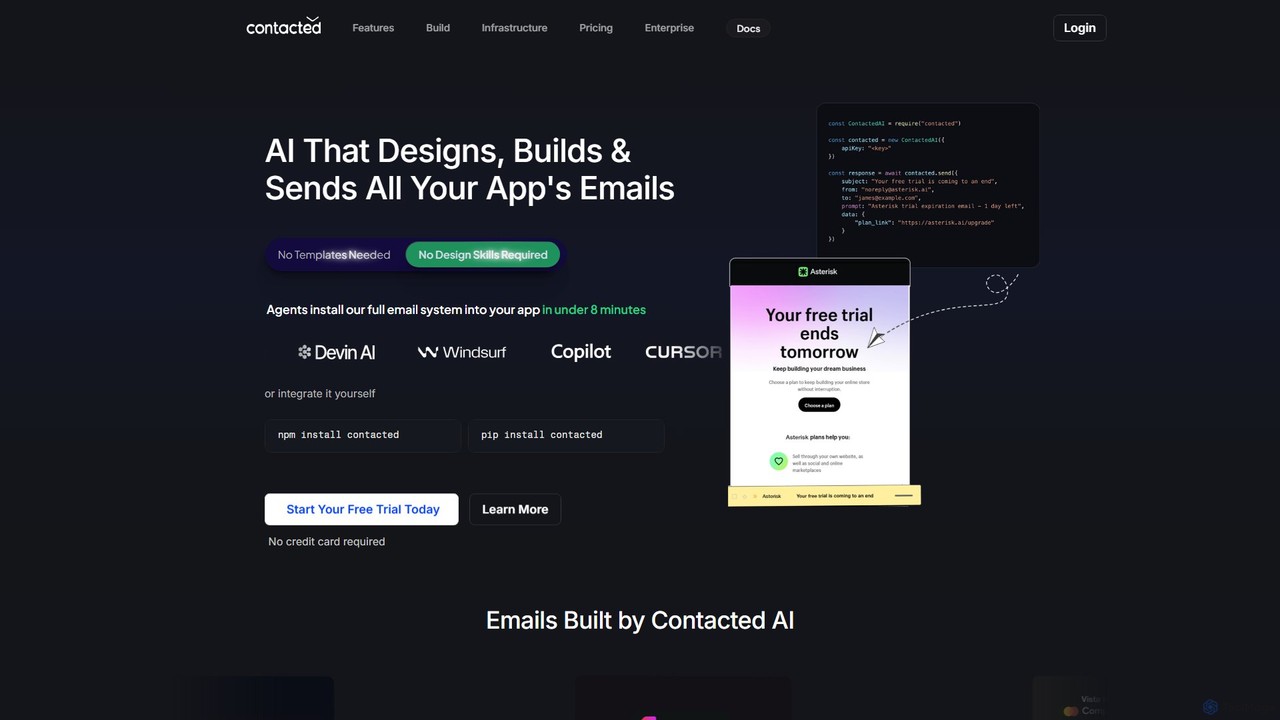
Contacted is an AI-powered email builder that automates the creation and integration of transactional emails. Developers can generate …
Contacted is an AI-powered email builder that automates the creation and integration of transactional emails. Developers can generate professional, on-brand emails using simple English prompts, eliminating the need for templates and complex setups, saving significant development time.
About Email
AI Email tools are developer-focused services that use artificial intelligence to build, automate, and optimize programmatic email functionalities. These platforms provide robust APIs and infrastructure for sending, receiving, and parsing emails at scale, leveraging AI to enhance deliverability, security, and data extraction. They are essential for integrating reliable email communication into applications, such as for transactional notifications or automated workflows. Unlike marketing platforms, these tools prioritize API-first integration, reliability, and speed for developers.
Core Features
- Intelligent Email API: Provides programmatic access to send and receive emails, with AI features for scheduling, A/B testing, and deliverability optimization.
- Automated Email Parsing: Uses natural language processing (NLP) to automatically extract structured data from incoming email bodies and attachments, such as invoices or support tickets.
- Deliverability & Reputation Management: Employs AI algorithms to monitor sending reputation, manage IP pools, and predict potential spam filter issues to maximize inbox placement.
- Dynamic Content Generation: Enables the creation of personalized email templates that adapt content based on user data and behavior, often powered by simple APIs.
- Advanced Security & Threat Detection: Utilizes machine learning to identify and block phishing attempts, spam, and malicious attachments in both inbound and outbound email streams.
Use Cases
These tools are primarily used by software developers, DevOps engineers, and product managers. Common applications include building transactional email systems for e-commerce (order confirmations, shipping notices), developing in-app notification centers, automating customer support by parsing inquiry emails, and creating data pipelines that process information from email attachments.
How to Choose
When selecting an AI Email tool, developers should evaluate several key factors. Assess the quality and completeness of the API documentation and available SDKs. Consider the scalability and reliability, especially uptime SLAs and sending speed. Analyze the deliverability features, including dedicated IP options and reputation monitoring. Finally, review the pricing model (e.g., per email, per user) and the level of technical support provided.

EmailUse Cases
Automating Transactional Email Delivery
An e-commerce platform developer needs to send real-time notifications for user actions like order confirmations, password resets, and shipping updates. They integrate an AI Email API into their backend system. The API handles the reliable delivery of these critical emails at scale. The AI component optimizes sending times based on user location and past engagement, and it automatically manages IP reputation to ensure emails land in the inbox, not the spam folder, improving customer trust and communication reliability.
Parsing Incoming Support Tickets from Email
A SaaS company receives hundreds of support requests daily via email. A developer uses an AI Email tool with parsing capabilities to automate this workflow. The tool is configured to monitor the support inbox. When a new email arrives, its AI model uses NLP to classify the issue (e.g., 'Billing', 'Bug Report', 'Feature Request'), extract key information like user ID and urgency, and then automatically create a ticket in their project management system (like Jira or Zendesk), assigning it to the correct team. This reduces manual triage time significantly.
Building an In-App Notification System
A developer creating a collaborative project management tool needs to notify users of mentions, task assignments, and deadlines. Instead of building an email infrastructure from scratch, they use an AI Email service. They integrate its API to trigger personalized emails for each event. The service's AI can bundle multiple notifications for a single user into a digest email to prevent inbox clutter. It also provides analytics on open and click rates, allowing the developer to refine the notification content and timing for better user engagement.
Real-time Email Address Validation at Sign-up
A developer for a web application wants to reduce fake sign-ups and improve data quality. They implement an AI Email validation API at the registration form. As a user types their email address, the API checks in real-time for syntax errors, typos in common domains (e.g., 'gnail.com' instead of 'gmail.com'), and whether the domain is a known disposable email provider. This instant feedback helps users correct mistakes, reduces bounce rates for future communications, and prevents low-quality data from entering the system.
Extracting Data from Invoices via Email
An accounting software company needs to automate data entry from invoices sent by vendors as email attachments. A developer integrates an AI Email service that can receive emails and parse attachments. When an email with a PDF invoice arrives, the service's AI uses Optical Character Recognition (OCR) and a machine learning model to identify and extract key fields like 'Invoice Number', 'Vendor Name', 'Total Amount', and 'Due Date'. The structured data is then sent via webhook to the accounting application, eliminating manual data entry.
Monitoring Application Health via Email Alerts
A DevOps engineer sets up monitoring for a critical web service. They configure their monitoring system to send email alerts for events like high CPU usage or service downtime. They use an AI Email tool to programmatically receive these alerts. The tool's AI parses the subject and body to categorize the alert's severity ('Critical', 'Warning') and the affected service. Based on these rules, it can trigger automated actions, such as sending a notification to a Slack channel, creating a high-priority incident in PagerDuty, or even attempting to restart the service via an API call.