Development Best in category 1 results Integration AI Tool

Popular AI tools in the Integration field of Development include Chatbotsphere, etc., helping you quickly improve efficiency.

Chatbotsphere

Chatbotsphere

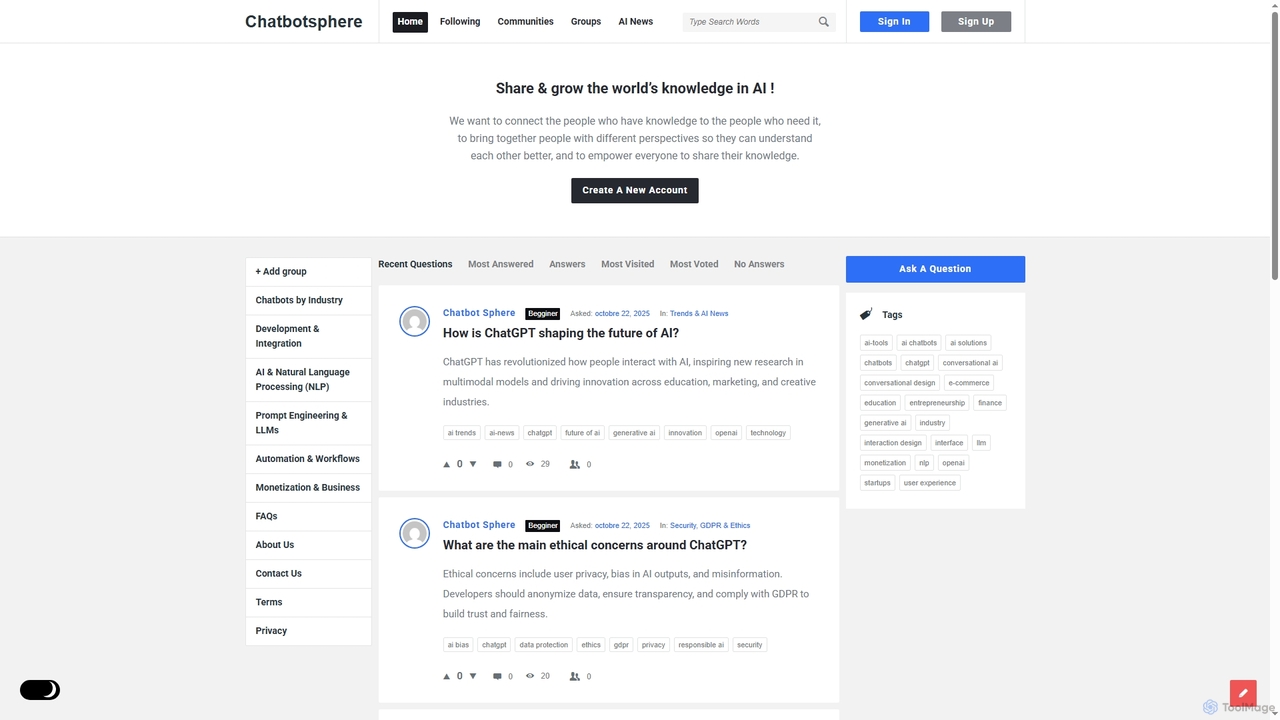
Chatbotsphere is a dynamic online community and knowledge-sharing platform dedicated to artificial intelligence, particularly focusing on chatbots, natural …

4.0K

About Integration

AI Integration tools are platforms designed to connect disparate applications, APIs, data sources, and AI models to automate complex workflows. These tools typically utilize a visual, low-code, or no-code interface, enabling users to build automated sequences by linking triggers and actions between different systems. Their primary value lies in creating seamless data pipelines and operational processes, allowing AI capabilities to be embedded into existing business software without extensive custom development. This empowers both technical and non-technical users to build powerful, integrated AI-driven solutions.

Core Features

  • Visual Workflow Builder: An intuitive drag-and-drop interface for designing, visualizing, and managing automation sequences.
  • Pre-built Connectors: A vast library of ready-to-use integrations for popular SaaS applications, databases, and AI services (e.g., OpenAI, Google AI, Anthropic).
  • Data Mapping & Transformation: Tools to format, filter, and manipulate data as it moves between different applications to ensure compatibility.
  • Conditional Logic & Branching: The ability to create complex, multi-step workflows with rules, loops, and branching paths based on specific conditions.
  • API Endpoint Creation: Functionality to create custom webhooks or API endpoints that can trigger workflows from external systems.

Use Cases

AI Integration tools are widely used by operations managers, marketers, and developers. For instance, a marketing team can automate a content pipeline where a new blog post in a CMS triggers an AI to generate social media captions and images, which are then scheduled for posting. Developers use these platforms for rapid prototyping, connecting microservices, or building internal tools that link various company systems with AI analysis models.

How to Choose

When selecting an AI Integration tool, consider the following: the breadth and depth of its connector library—does it support the specific apps and AI models you use? Evaluate the complexity of workflows it can handle, including its support for conditional logic and error handling. Assess the pricing model, which is often based on the number of operations or tasks per month. Finally, consider the platform's security features, scalability, and the technical skill level required to use it effectively.

IntegrationUse Cases

1

Automating Social Media Content Pipelines

A marketing team uses an integration platform to connect their content calendar in Airtable with an AI text generator like GPT-4 and an AI image generator. When a new record is marked 'Ready for Generation' in Airtable, a workflow is triggered. The tool sends the topic to the AI text generator to create a draft tweet and a blog summary. Simultaneously, it prompts the image generator to create a relevant visual. Both outputs are then automatically added back to the Airtable record and a notification is sent to a Slack channel for the content manager's review and approval, reducing manual coordination by over 80%.

2

AI-Powered Customer Support Triage

A customer support team integrates their helpdesk system (e.g., Zendesk) with an AI sentiment analysis and categorization API. When a new support ticket arrives, the integration tool automatically sends the ticket's text to the AI service. The AI analyzes the content for sentiment (positive, neutral, negative) and categorizes the issue (e.g., 'Billing', 'Technical Issue'). The tool then updates the ticket in Zendesk with these tags and, if the sentiment is 'negative' and the category is 'Technical Issue', it automatically escalates the ticket to a Tier 2 support queue and notifies the team lead, ensuring critical issues are addressed promptly.

3

Synchronizing Sales CRM with AI Lead Scoring

A sales operations manager connects their CRM (e.g., Salesforce) to a custom AI lead scoring model via an integration platform. When a new lead is created in Salesforce from a web form, the workflow triggers. It pulls lead data—such as company size, industry, and job title—and sends it to the AI model's API. The model returns a predictive score (e.g., 1-100) indicating the likelihood to convert. The integration tool then writes this score back to a custom field on the lead's record in Salesforce and assigns the lead to the appropriate sales representative based on the score, ensuring reps focus on the highest-potential leads first.

4

Streamlining E-commerce Order Processing

An e-commerce business connects their Shopify store, inventory system, and an AI fraud detection service. When a new order is placed on Shopify, it triggers a multi-step workflow. First, the order details are sent to the AI service for a fraud risk score. If the score is low, the workflow proceeds to check stock levels in the inventory system. If the item is in stock, it automatically generates a shipping label via a shipping API and sends a confirmation email to the customer. If the fraud score is high, it flags the order for manual review and notifies the operations team, preventing potential chargebacks.

5

Building Custom Internal Tools without Code

An HR department uses an integration platform to build an automated employee onboarding workflow. They create a process that starts when a candidate's status is changed to 'Hired' in their Applicant Tracking System (ATS). This trigger initiates a sequence: it creates a user account in Google Workspace, adds the new hire to a specific Slack channel, assigns onboarding tasks in Asana, and sends a personalized welcome email containing first-day information. This no-code solution replaces a manual checklist, reduces human error, and ensures a consistent onboarding experience for every new employee.

6

Rapid Prototyping of AI-Enhanced Applications

A developer is tasked with creating a proof-of-concept for an app that summarizes news articles. Instead of building a full backend, they use an integration tool to create a public API endpoint. This endpoint accepts a URL as input. The workflow then fetches the article's content, sends it to an AI summarization service like OpenAI's API, and formats the summary into a clean JSON response. This entire process is built and deployed in under an hour, allowing the front-end team to immediately start building the user interface against a working API, dramatically accelerating the development and validation cycle.

IntegrationFrequently Asked Questions