ToolMage
Sign in

Best 1 Migration AI tools for Development

Popular Migration AI tools in Development include OpenSilver, helping you work more efficiently.

OpenSilver
Paid

OpenSilver

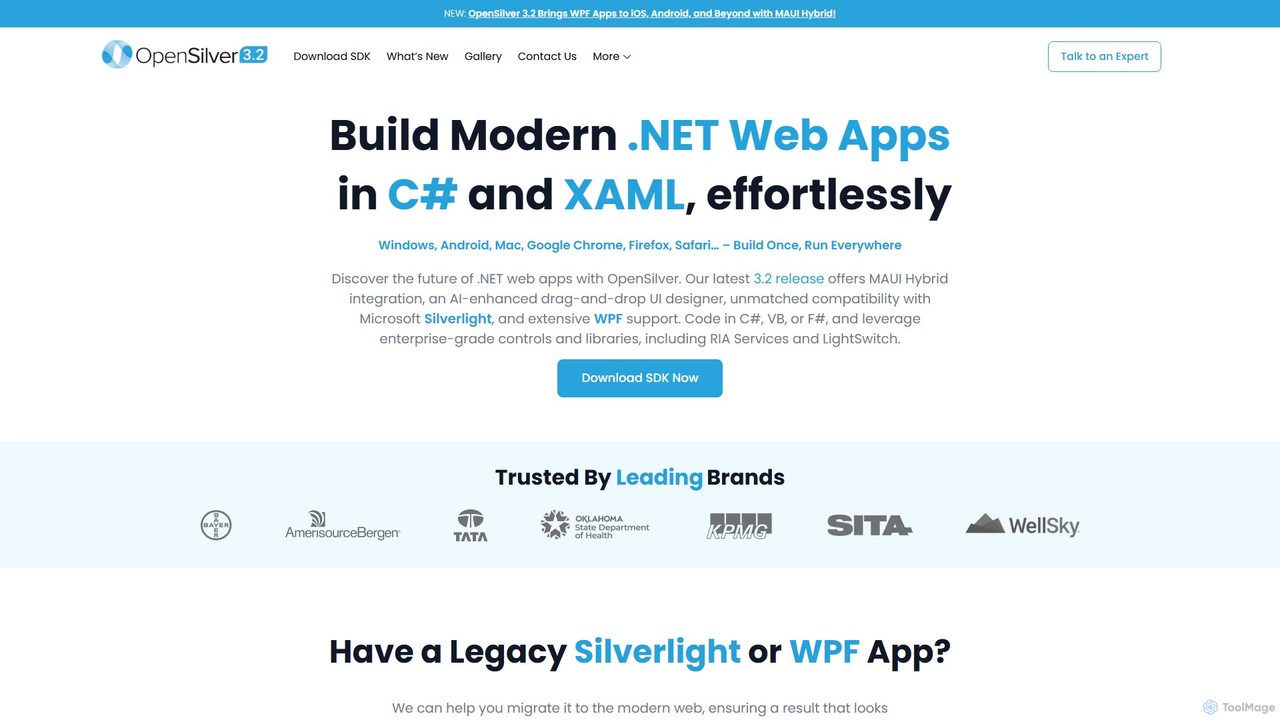
OpenSilver is an open-source framework for modernizing legacy Microsoft Silverlight and WPF applications. It enables developers to build cross-platform web apps using C#, XAML, and .NET, ensuring 100% code reusability. It features an AI-enhanced UI designer and MAUI Hybrid integration for extending apps to web, desktop, and mobile, significantly reducing migration time and costs.

Framework
Visits 19.5KFavorites 166Likes 161

About Migration

Migration tools are AI-powered solutions designed to automate and optimize the complex process of moving data, applications, or entire IT infrastructures between different environments. Leveraging advanced machine learning and analytics, these tools intelligently assess dependencies, transform data formats, and predict potential issues, significantly streamlining transitions within the broader development lifecycle. They ensure a more efficient, secure, and less error-prone migration, reducing manual effort and minimizing downtime.

Core Features

  • Automated Dependency Mapping: Intelligently identifies and maps interdependencies between applications, data, and infrastructure components to plan migration paths.
  • Intelligent Data Transformation: Automatically converts data formats and schemas to ensure compatibility between source and target systems, reducing manual coding.
  • Performance Prediction & Optimization: Analyzes historical data and target environment characteristics to predict performance post-migration and suggest optimizations.
  • Automated Testing & Validation: Conducts automated tests on migrated components to verify functionality, data integrity, and performance, ensuring a smooth transition.
  • Risk Assessment & Anomaly Detection: Continuously monitors the migration process for anomalies and potential risks, providing alerts and recommendations for mitigation.

Applicable Scenarios

These tools are essential for IT departments, DevOps teams, and cloud architects undertaking large-scale system transitions. They are particularly valuable for enterprises modernizing legacy systems, consolidating data centers, or adopting multi-cloud strategies, where precision and efficiency are paramount.

How to Choose

When selecting an AI migration tool, consider its compatibility with your existing and target environments, the level of automation offered for different migration types (e.g., lift-and-shift, re-platforming), its security features for data in transit, and the robustness of its reporting and monitoring capabilities. Evaluate its ability to handle complex dependencies and provide actionable insights.

Migration use cases

1

Automating Cloud Infrastructure Migration

An enterprise IT team needs to migrate hundreds of on-premise virtual machines and applications to a public cloud provider like AWS or Azure. AI migration tools analyze the existing infrastructure, automatically map dependencies, suggest optimal cloud resource configurations, and orchestrate the migration process, minimizing manual intervention and reducing the risk of service disruption during the transition.

2

Intelligent Database Schema Conversion

A development team is upgrading a legacy application that relies on an outdated relational database to a modern, cloud-native database. AI migration tools automatically analyze the source database schema, identify incompatibilities, and generate optimized target schemas and data transformation scripts, significantly accelerating the conversion process and ensuring data integrity across different database technologies.

3

Modernizing Legacy Applications with AI

A large organization aims to refactor a monolithic legacy application into microservices running on a containerized platform. AI migration tools can analyze the existing codebase, identify functional modules, suggest refactoring strategies, and even assist in generating new code or configuration files for the target microservices architecture, reducing the time and complexity of modernization efforts.

4

Migrating AI Models Across Platforms

A data science team develops AI models using various frameworks (e.g., TensorFlow, PyTorch) and needs to deploy them to different inference environments, such as edge devices, cloud APIs, or on-premise GPU clusters. AI migration tools can help convert model formats, optimize models for specific hardware, and manage the deployment pipeline, ensuring consistent performance and compatibility across diverse deployment targets.

5

Streamlining Data Center Consolidation

A company acquires another business and needs to consolidate their disparate data centers into a unified, more efficient hybrid cloud environment. AI migration tools provide a comprehensive view of all assets, identify redundant systems, prioritize migration waves based on dependencies and business impact, and automate the transfer of workloads, leading to significant cost savings and operational efficiency.

6

Efficient Application Replatforming

A software vendor decides to move its flagship application from a traditional server-based deployment to a Kubernetes-managed container platform. AI migration tools can analyze the application's runtime characteristics, suggest containerization strategies, automatically generate Dockerfiles and Kubernetes manifests, and validate the replatformed application, drastically reducing the manual effort and expertise required for such a complex transition.

Migration FAQ

What are AI Migration tools?

AI Migration tools are software solutions that leverage artificial intelligence, particularly machine learning and automation, to facilitate and optimize the process of moving IT assets—such as data, applications, and infrastructure—from one computing environment to another. They go beyond traditional migration methods by intelligently analyzing systems, predicting outcomes, and automating complex tasks to reduce risks and accelerate transitions.

How do AI migration tools differ from traditional migration methods?

Traditional migration methods often rely heavily on manual planning, scripting, and execution, which can be time-consuming, error-prone, and require extensive human expertise. AI migration tools, conversely, automate much of this process through intelligent analysis, dependency mapping, predictive analytics, and automated validation. This results in faster migrations, reduced human error, lower costs, and minimized downtime compared to purely manual approaches.

What are the key benefits of using AI for migration?

Using AI for migration offers several significant benefits. It dramatically increases efficiency by automating repetitive tasks and complex data transformations. It enhances accuracy by reducing human error and intelligently identifying potential issues before they arise. Furthermore, AI tools improve security by monitoring for anomalies during the process and provide better cost predictability through optimized resource allocation and reduced manual labor.

What types of migrations can AI tools assist with?

AI migration tools are versatile and can assist with a wide range of migration types. This includes cloud migration (moving to public, private, or hybrid clouds), database migration (converting schemas and data between different database systems), application modernization (refactoring legacy applications), data center consolidation, and even the migration of AI models themselves between different deployment platforms. They are particularly effective for large-scale, complex projects.

How to choose the right AI migration tool for my project?

Selecting the right AI migration tool involves evaluating several factors. First, assess its compatibility with your current and target environments, including operating systems, databases, and cloud providers. Consider the level of automation it provides for your specific migration needs, its security features for data integrity, and its reporting capabilities. Also, look for tools that offer robust dependency mapping, performance prediction, and automated validation to ensure a smooth and successful transition.