Development Best in category 1 results Notebook AI Tool

Popular AI tools in the Notebook field of Development include Colab, etc., helping you quickly improve efficiency.

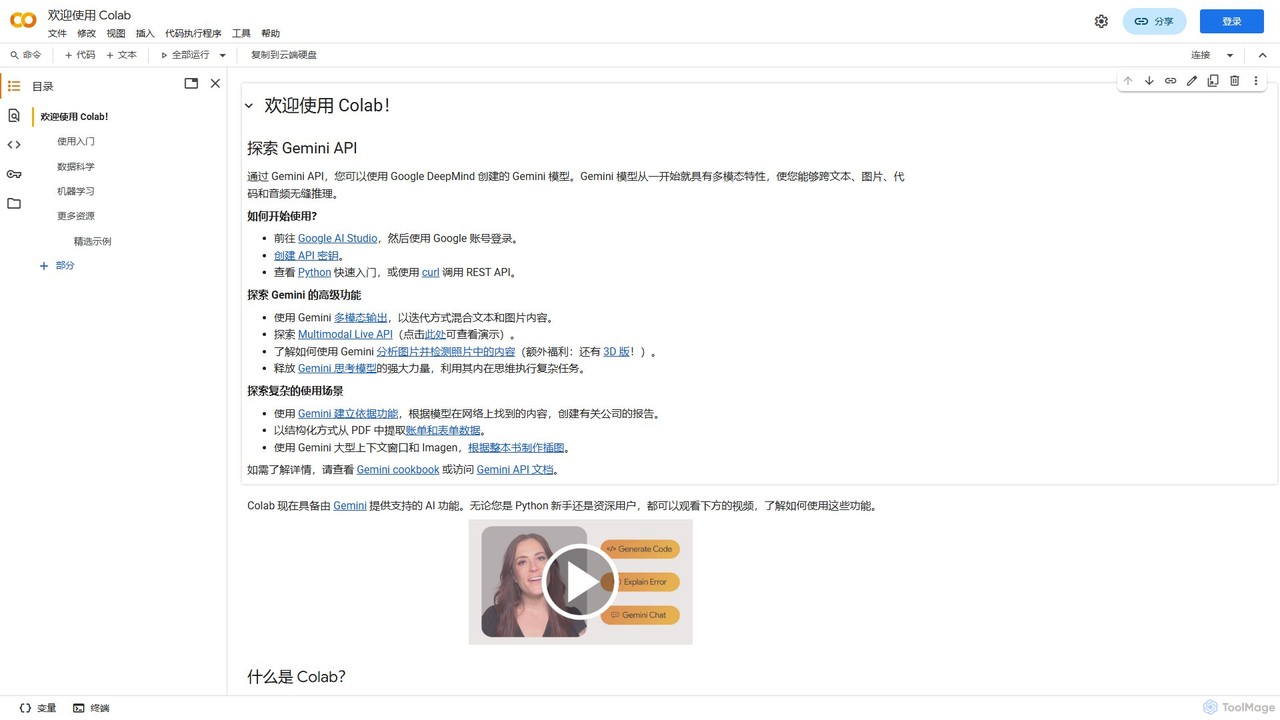
Colab

Colab

Colab (Google Colaboratory) is a free, browser-based interactive environment that allows you to write and execute Python code. …

2.0K

About Notebook

AI Notebooks are interactive computational environments that integrate artificial intelligence to enhance coding, data analysis, and collaboration. They allow users to combine live code, equations, visualizations, and narrative text in a single document, with AI assistants providing intelligent code completion, error debugging, and natural language-to-code conversion. This fusion accelerates the entire development lifecycle, from initial exploration and prototyping to sharing reproducible research. AI Notebooks are particularly powerful for tasks in data science and machine learning, offering a more intuitive and efficient workflow than traditional IDEs.

Core Features

  • AI Code Assistance: Provides intelligent suggestions, autocompletion, and code generation from natural language prompts.
  • Interactive Data Visualization: Allows for the direct creation and manipulation of charts and graphs within the notebook to explore data dynamically.
  • Real-time Collaboration: Enables multiple users to edit and run code in the same notebook simultaneously, streamlining teamwork.
  • Multi-language Support: Supports various programming languages like Python, R, and SQL within a single environment.
  • Version Control Integration: Seamlessly connects with platforms like Git for tracking changes and managing project versions.

Use Cases

AI Notebooks are widely used by data scientists, machine learning engineers, researchers, and financial analysts. They are ideal for exploratory data analysis (EDA), building and training machine learning models, academic research, and creating interactive reports. Their ability to mix code with explanations makes them excellent tools for educational purposes and technical documentation.

How to Choose

When selecting an AI Notebook, consider the level of AI assistance and its relevance to your tasks. Evaluate its support for essential programming languages and libraries. Assess the collaboration features, integration capabilities with data sources and other development tools, and the platform's overall performance and scalability. Finally, compare pricing models, from free open-source options to enterprise-grade cloud solutions.

NotebookUse Cases

1

Exploratory Data Analysis (EDA)

A data scientist needs to understand a new dataset to identify patterns and anomalies. Using an AI Notebook, they can write Python code to load the data, use natural language to ask the AI assistant to generate code for summary statistics and visualizations like histograms or scatter plots. The interactive nature allows them to immediately see the results of their code and plots, iteratively clean the data, and document their findings with markdown text, all within a single, shareable document.

2

Machine Learning Model Prototyping

A machine learning engineer is tasked with building a predictive model. In an AI Notebook, they can preprocess data, experiment with different algorithms (e.g., linear regression, random forest), and train models in separate cells. The AI assistant can help generate boilerplate code for model training and evaluation metrics. They can instantly visualize model performance, compare results, and fine-tune hyperparameters in an iterative loop, significantly reducing the time from concept to a working prototype.

3

Automated Report Generation

A business analyst needs to create a weekly sales performance report. They can set up an AI Notebook to connect to a database, pull the latest sales data, perform calculations, and generate visualizations. The AI assistant can help write complex SQL queries or Python data manipulation code. Once the logic is set, the entire notebook can be scheduled to run automatically, exporting the final report as a PDF or HTML file, ensuring consistent and timely reporting with minimal manual effort.

4

Collaborative Academic Research

A team of university researchers is working on a computational biology project. They use a shared AI Notebook to collaborate in real-time. One researcher can write code to process genetic data while another simultaneously writes the statistical analysis section. The AI assistant helps them find relevant research papers or explain complex library functions. All changes are tracked, and the final notebook serves as a complete, reproducible record of their experiment, from data to conclusions, ready for publication.

5

Creating Educational Programming Tutorials

An educator or technical writer wants to create an interactive tutorial on a new programming library. They use an AI Notebook to structure the lesson with clear headings, explanations, and code examples. Each code cell can be run independently, allowing learners to experiment and see the output directly. The AI assistant can be used to automatically add comments to the code or explain complex lines, making the tutorial more accessible for beginners. The final notebook is a self-contained, hands-on learning resource.

6

API Integration and Testing

A developer needs to integrate a third-party API into their application. They use an AI Notebook as a scratchpad to test API endpoints. They can write code snippets to make API calls, and the AI assistant can help structure the requests or parse the JSON responses. The notebook environment allows them to quickly iterate on different parameters and inspect the returned data, validating the API's behavior before writing the final integration code in their main application codebase.

NotebookFrequently Asked Questions